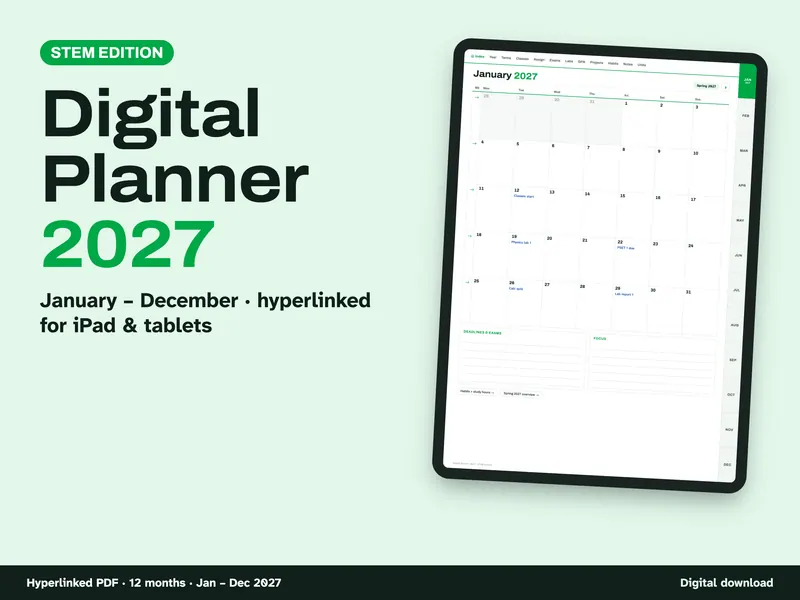
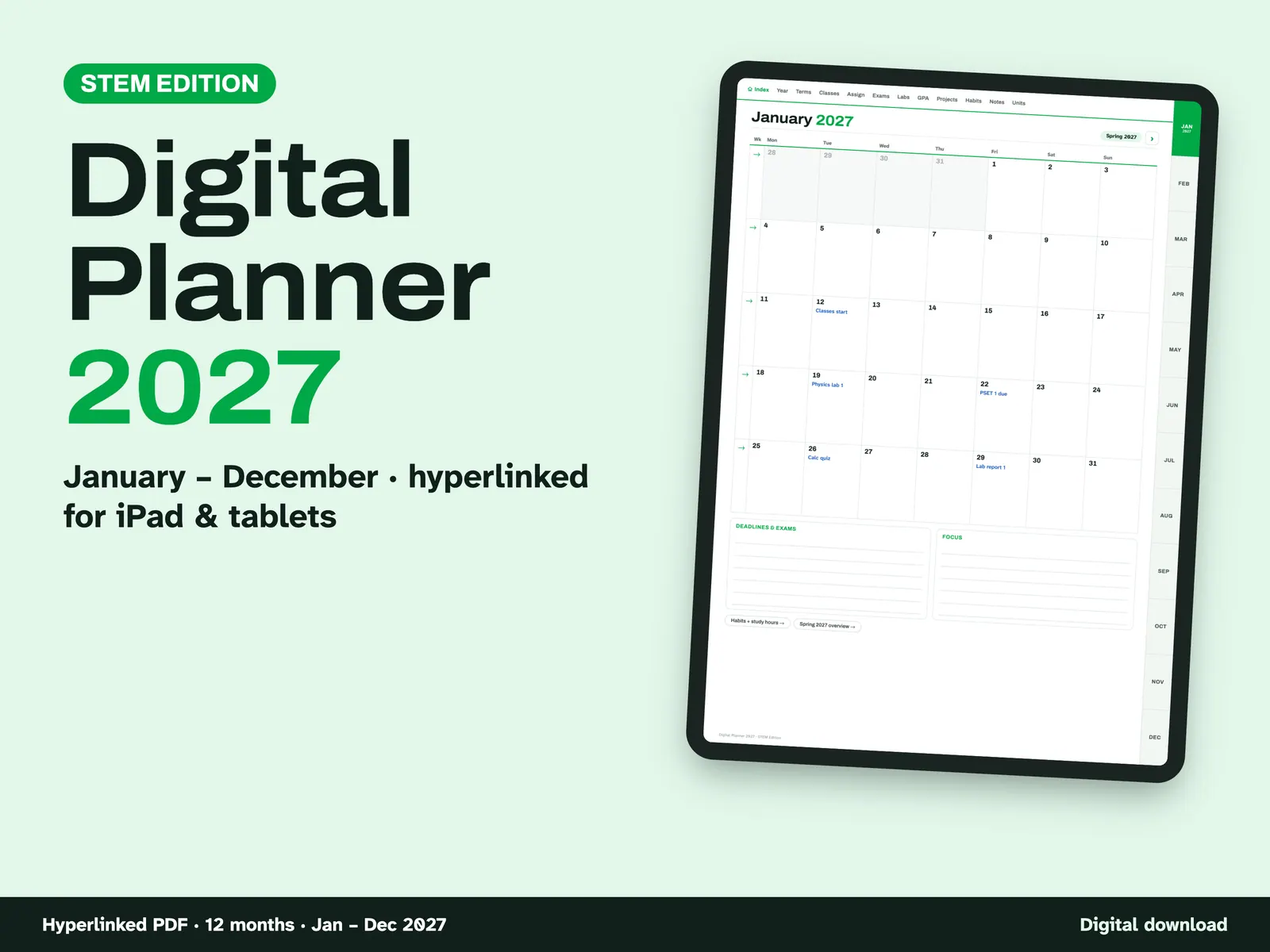
2027 Digital Planner for STEM
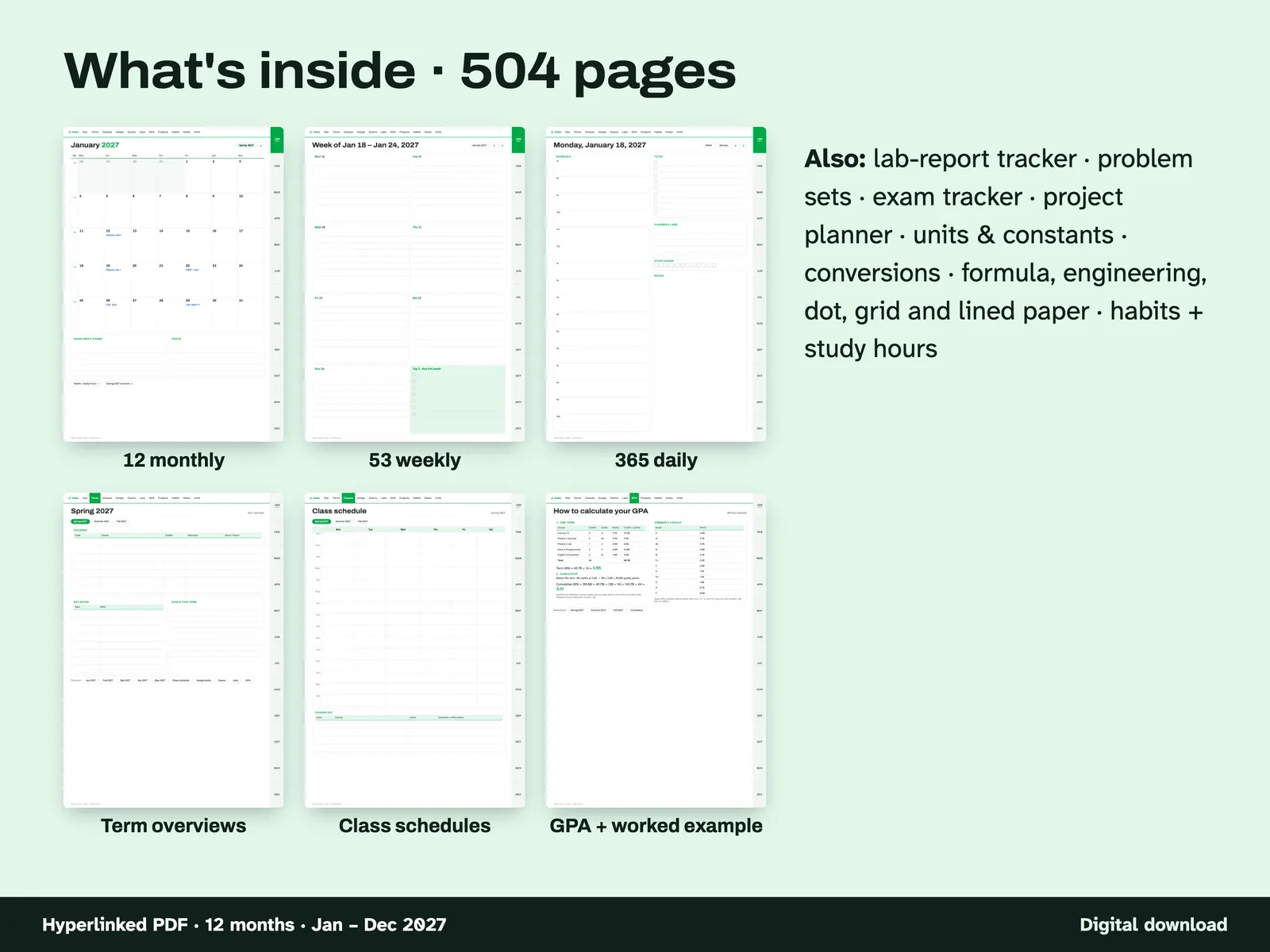
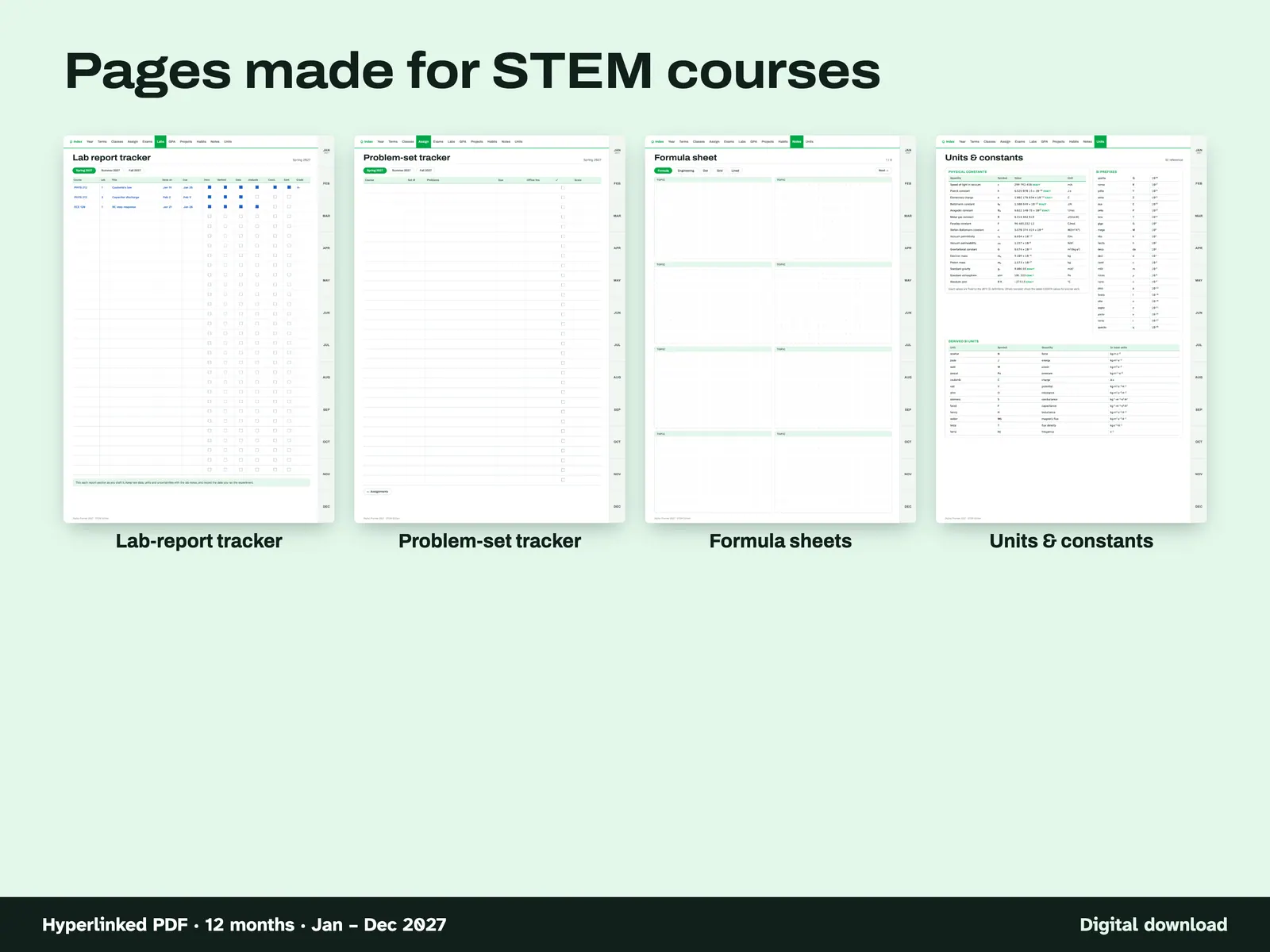
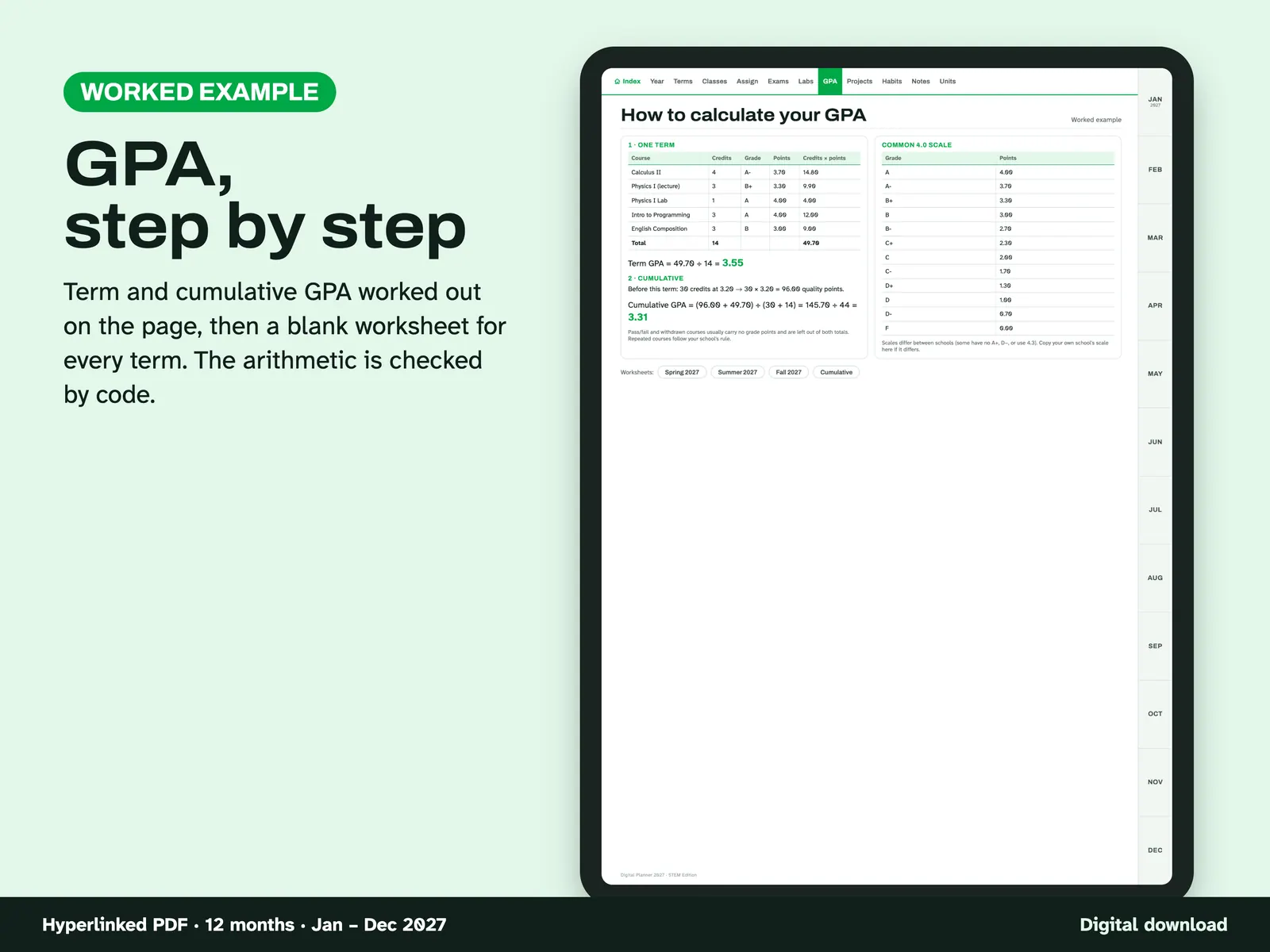
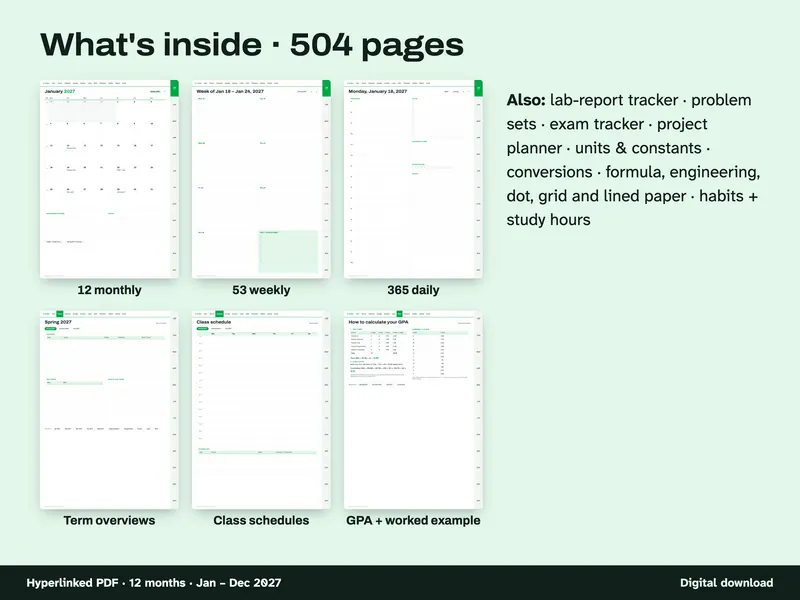
This planner is for students of science, math, engineering and tech who write on a tablet. It runs January to December 2027, with 12 months, 53 weeks and 365 days across 504 pages. Besides the calendar, it adds a lab-report tracker with ticks for Intro, Method, Data, Analysis and Conclusion, a problem-set tracker, an exam tracker, formula-sheet pages on dot grid, engineering paper, and a units and constants reference. The GPA pages are worksheets and not a calculator. One worked example takes you through term and cumulative GPA, and each term then has a blank worksheet. Months are labelled Spring, Summer and Fall. Four files cover portrait and landscape, each starting on Monday or Sunday.
From our listing records. Etsy shows the current price and your local currency at checkout.
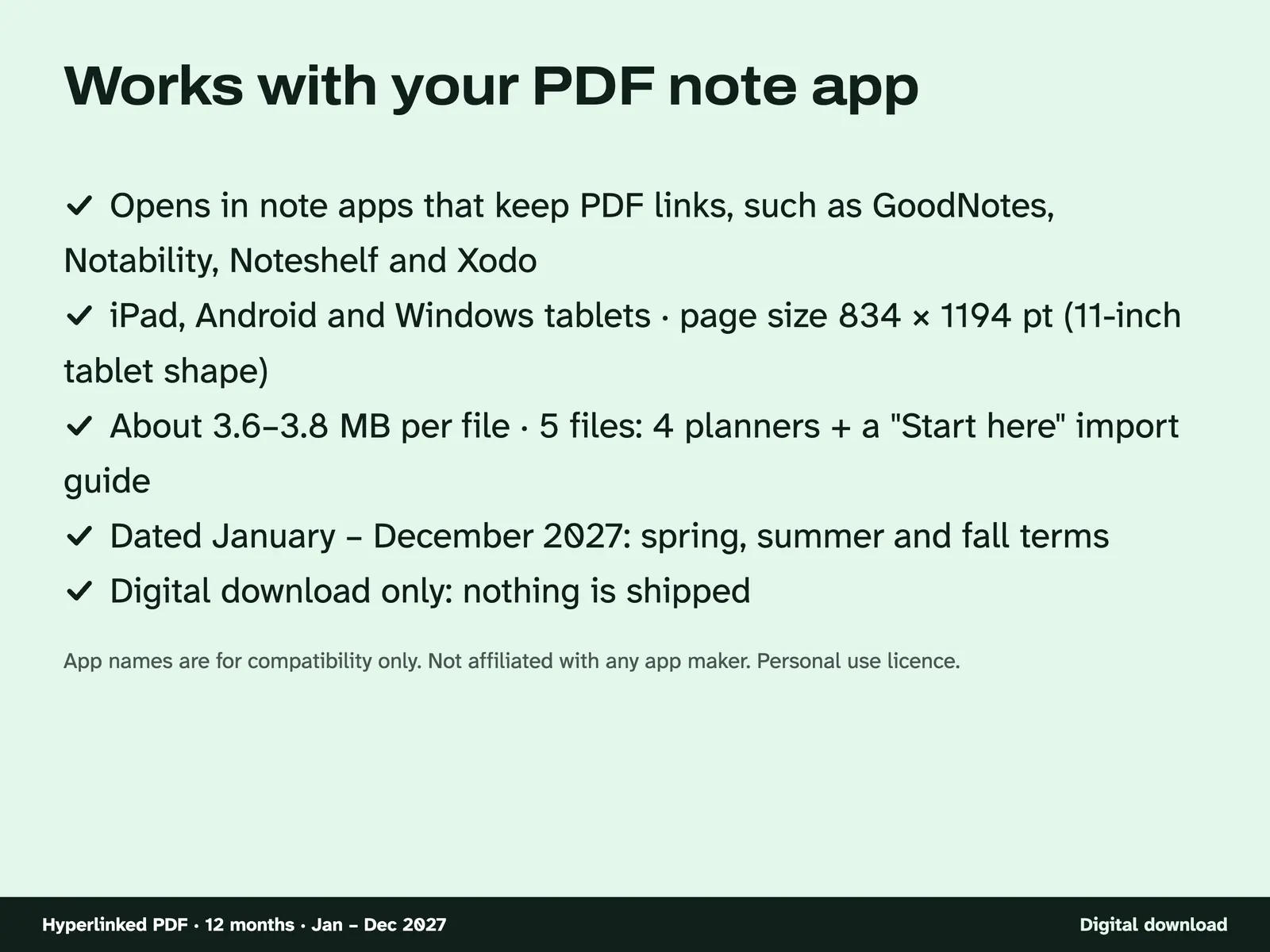
Buy on EtsyHyperlinked tablet PDF, 834 x 1194 pt portrait or landscape. Links were tested by script. It was not tested in every note app, and no real-app test is recorded.
Instant download from Etsy · nothing shipped
What's included
- Digital-Planner-2027-STEM-Portrait-Monday-Start.pdf
- Digital-Planner-2027-STEM-Portrait-Sunday-Start.pdf
- Digital-Planner-2027-STEM-Landscape-Monday-Start.pdf
- Digital-Planner-2027-STEM-Landscape-Sunday-Start.pdf
- Digital-Planner-2027-STEM-How-to-Import.pdf
How it works
What is inside The 12 monthly, 53 weekly and 365 daily pages, plus term overviews, class schedules and the GPA pages. 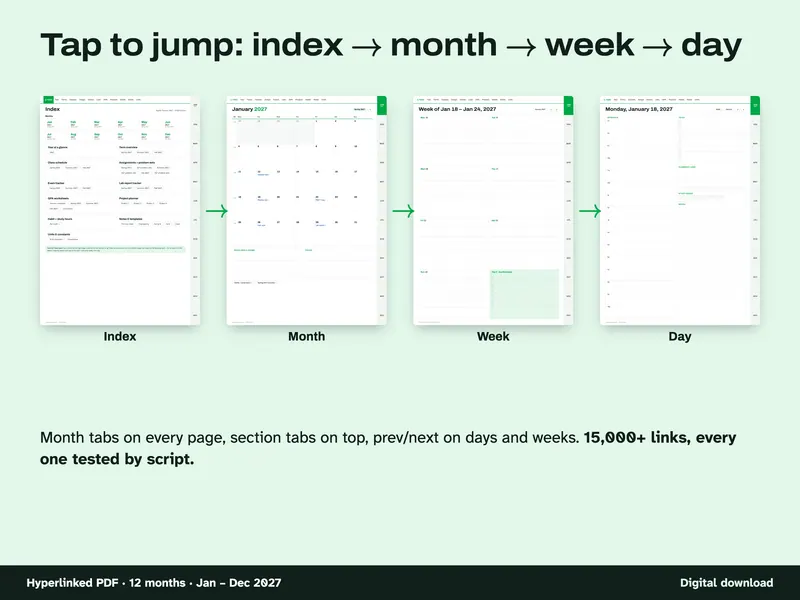
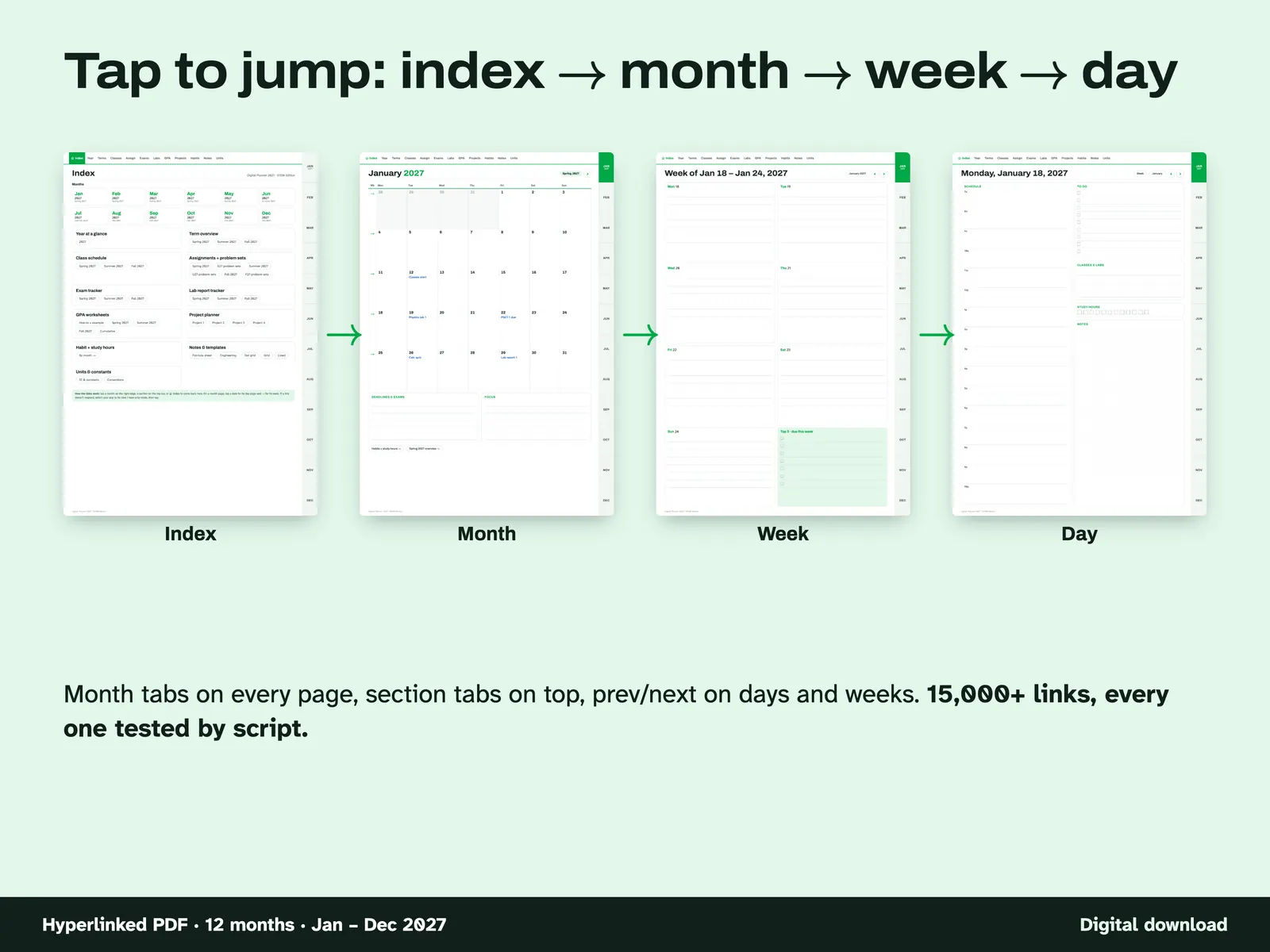
Tap to jump The path from the index to a month, a week and a day. Month tabs run along every page and section tabs along the top. 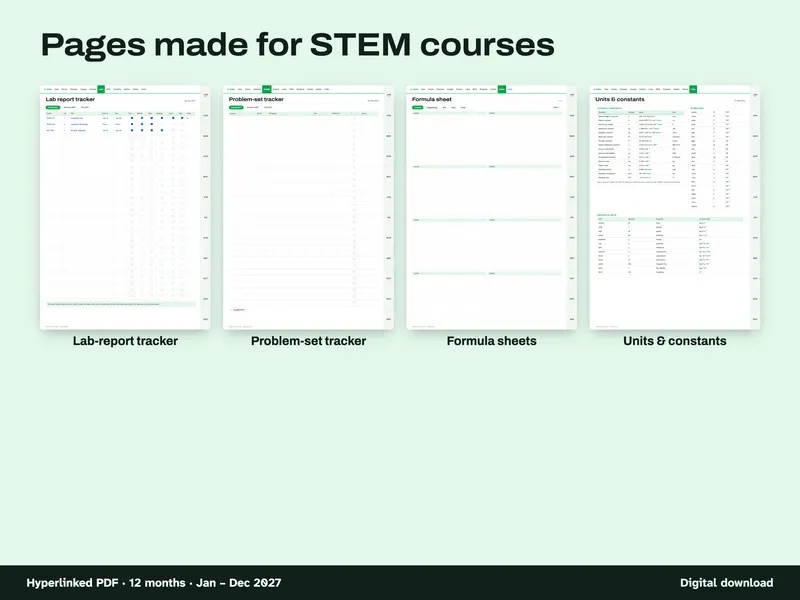
Pages for STEM courses The lab-report tracker, problem-set tracker, formula sheets and the units and constants page. 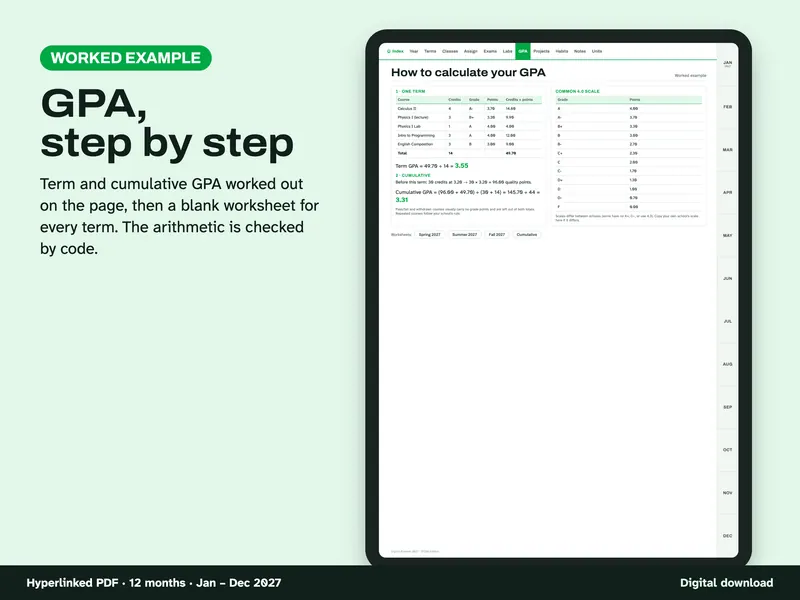
GPA, step by step A worked example of term and cumulative GPA. You fill in your own credits and grades on the worksheets. 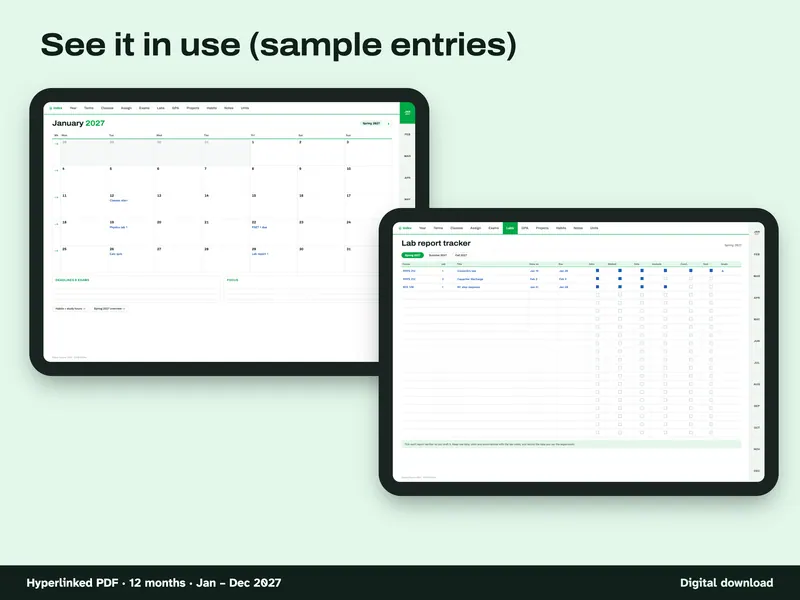
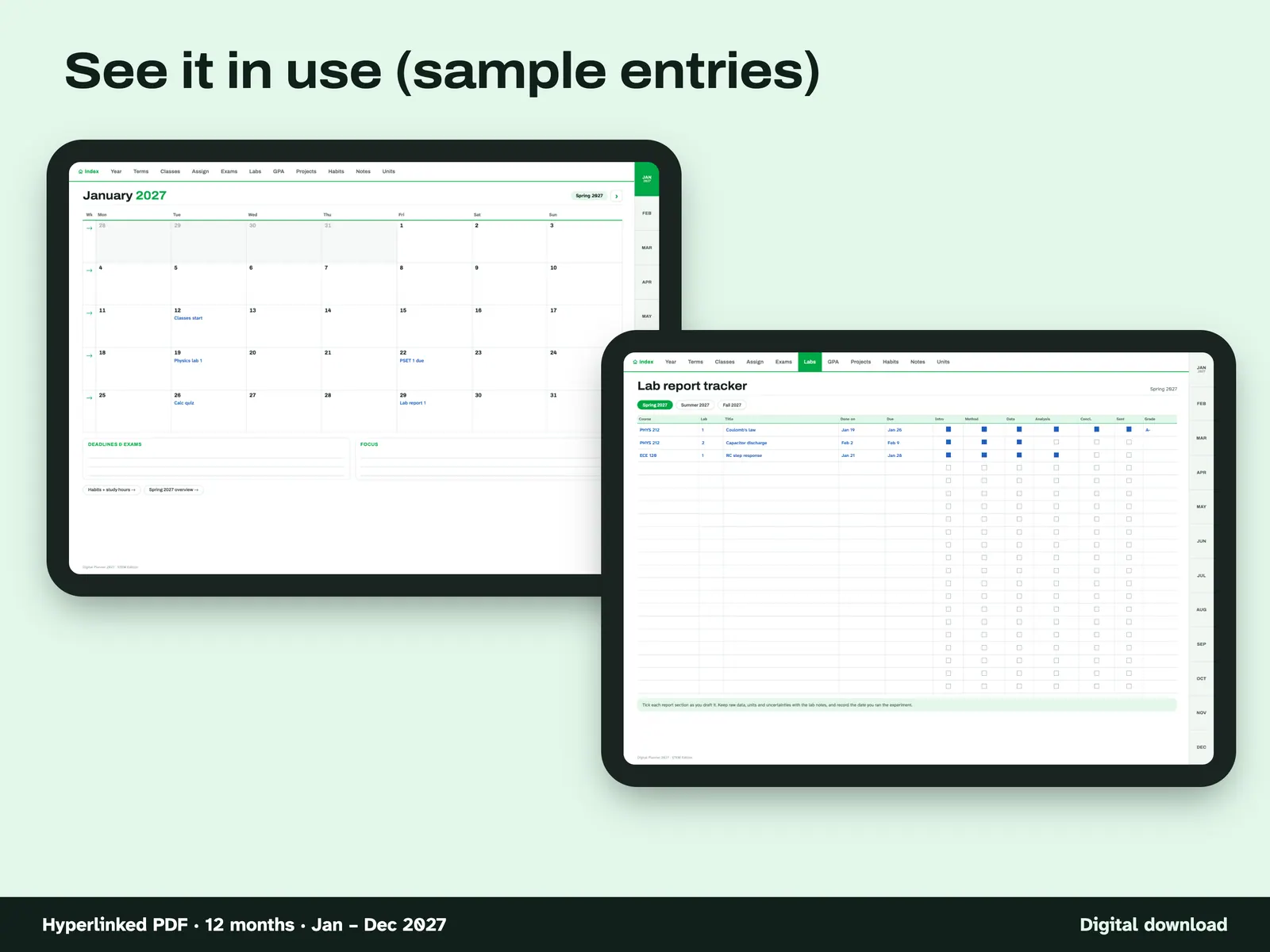
Sample entries A January month page and a lab-report tracker with sample entries filled in. 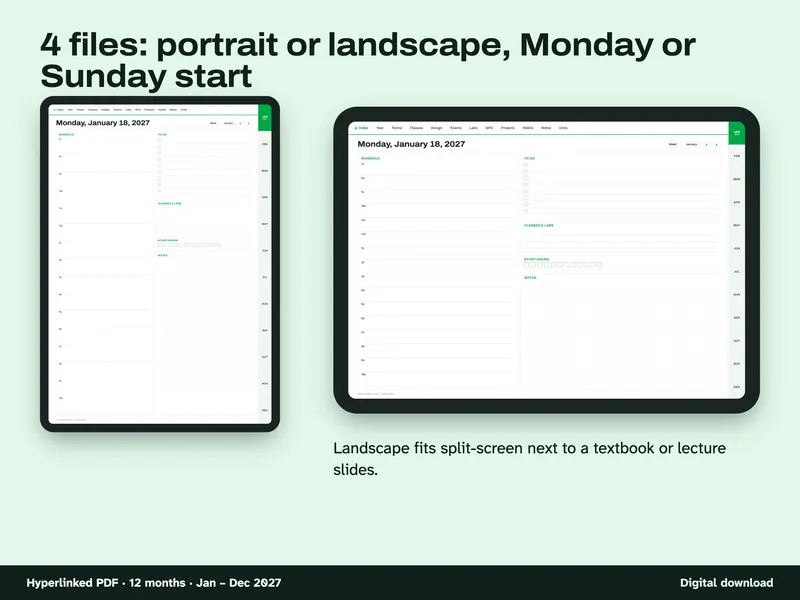
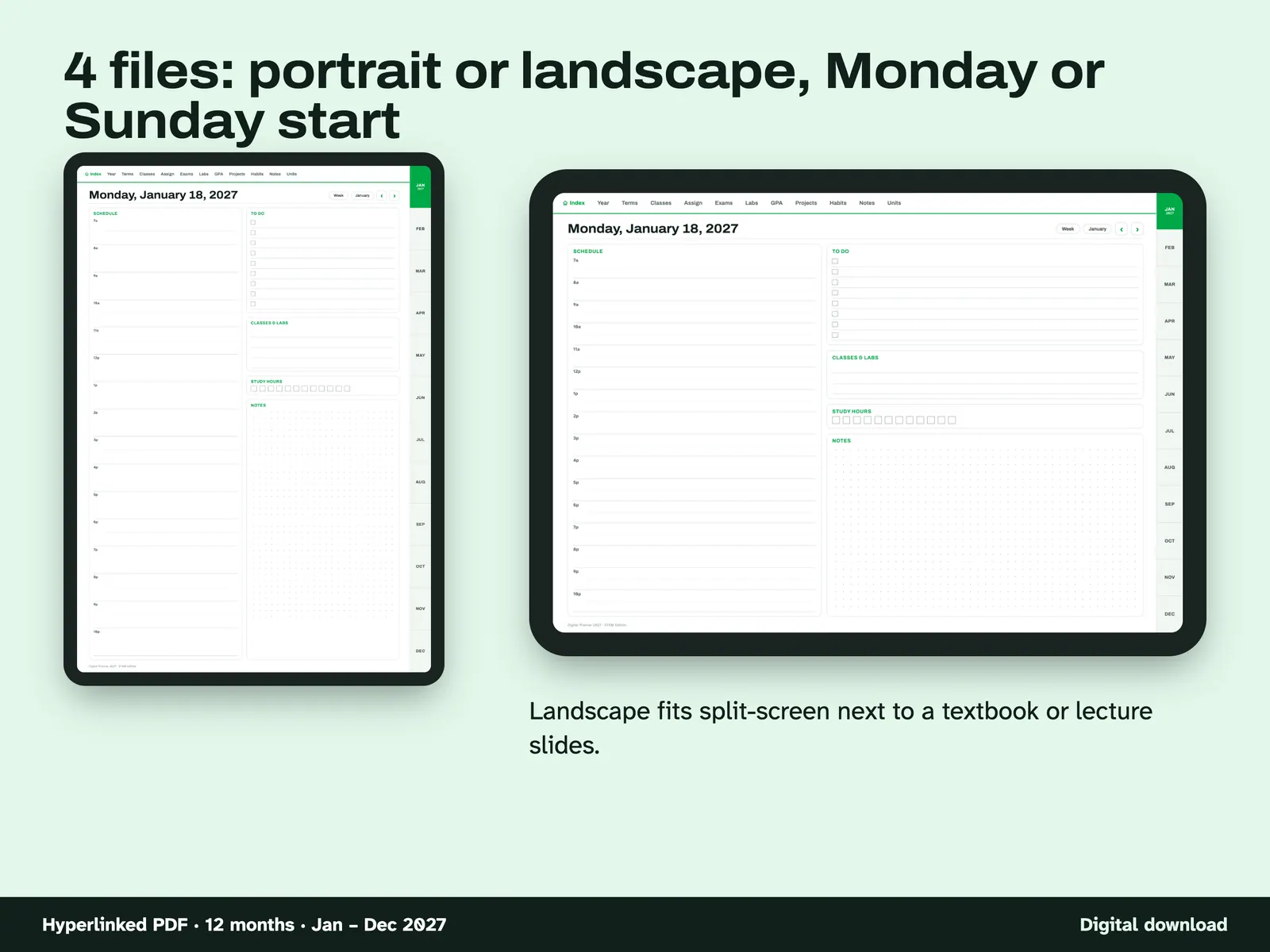
Four planner files A portrait and a landscape page. Landscape is meant for split-screen next to a textbook or slides.
Compatibility and file formats
Hyperlinked PDF, tablet shaped, in portrait and landscape. Scripts tested all links, dates, the GPA example and the units and constants. Use in a real note app has not been recorded, and it has not been tried in every app. tobulab is not affiliated with GoodNotes or any app maker.
Instant download from Etsy · nothing shipped.
Video
Questions
- Which file should I use?
Portrait if you hold the tablet upright, landscape for sideways or split-screen. Monday or Sunday start is your choice. All four have the same pages.
- How is this different from your Academic Planner 2026–2027?
Same page designs, different dates. The Academic Planner runs 18 months (July 2026 – December 2027). This one is the calendar year only: January – December 2027. If you already own the Academic Planner, it already covers 2027.
- Does the GPA page calculate for me?
No, a PDF can't run formulas. It is a worksheet with a worked example so you can do it in a minute.
- Can I print it?
Yes, but the pages are tablet-shaped, so they print scaled onto Letter or A4 with white margins.
For your personal use only. Please do not share, resell or redistribute the files. AI tools helped write the code that generates the pages and draft the text. No AI-generated images are used. No person is claimed to have checked it unless stated here.