Bookkeeping Spreadsheet
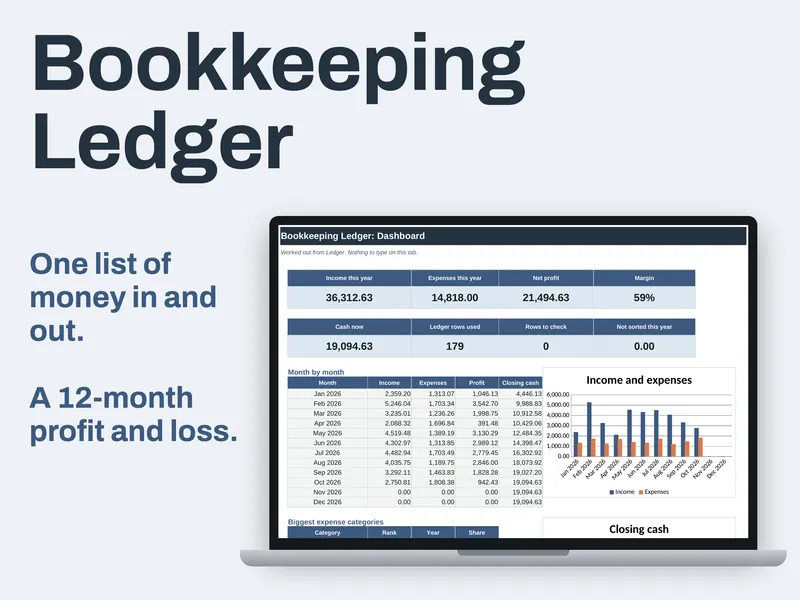
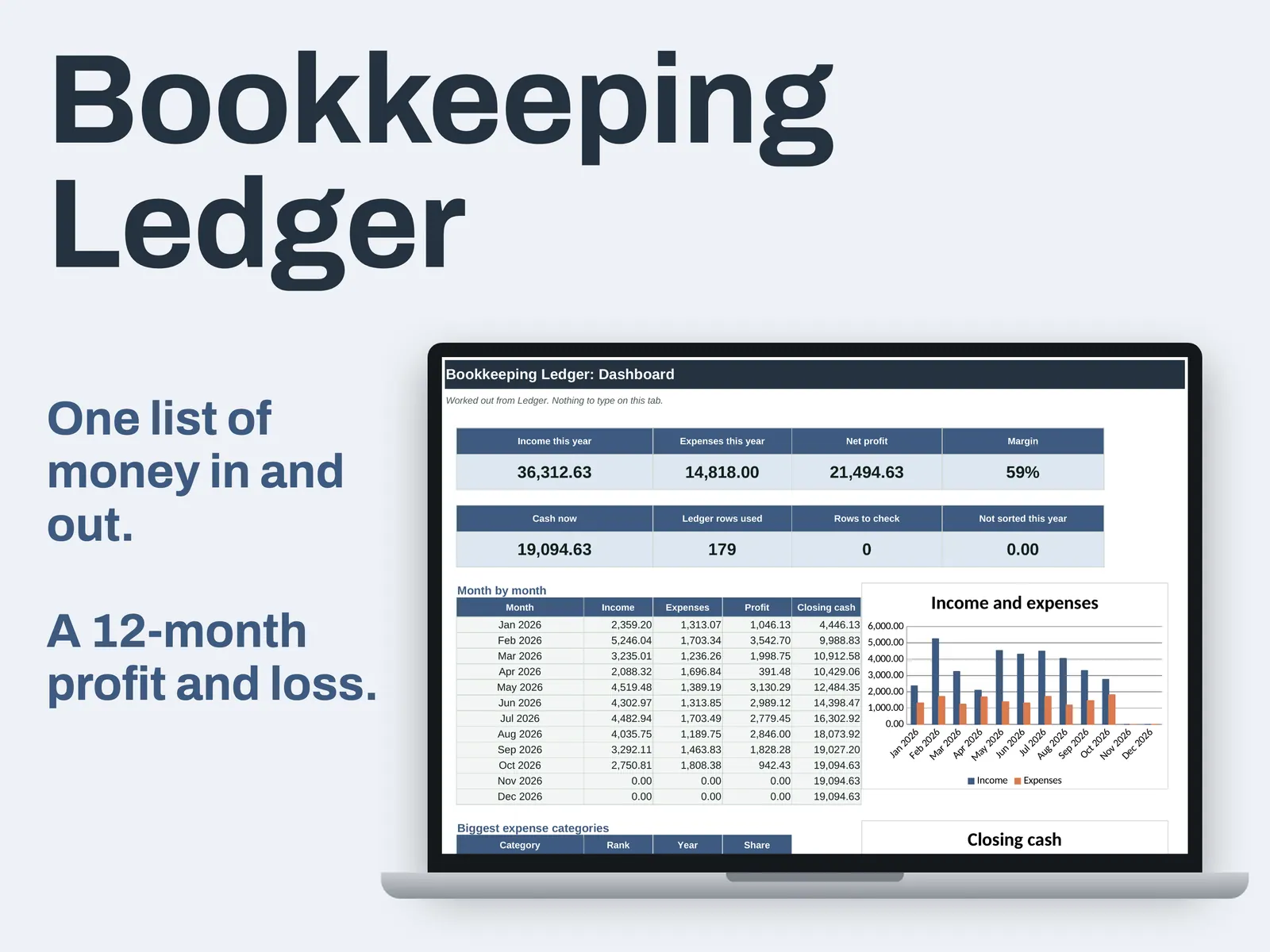
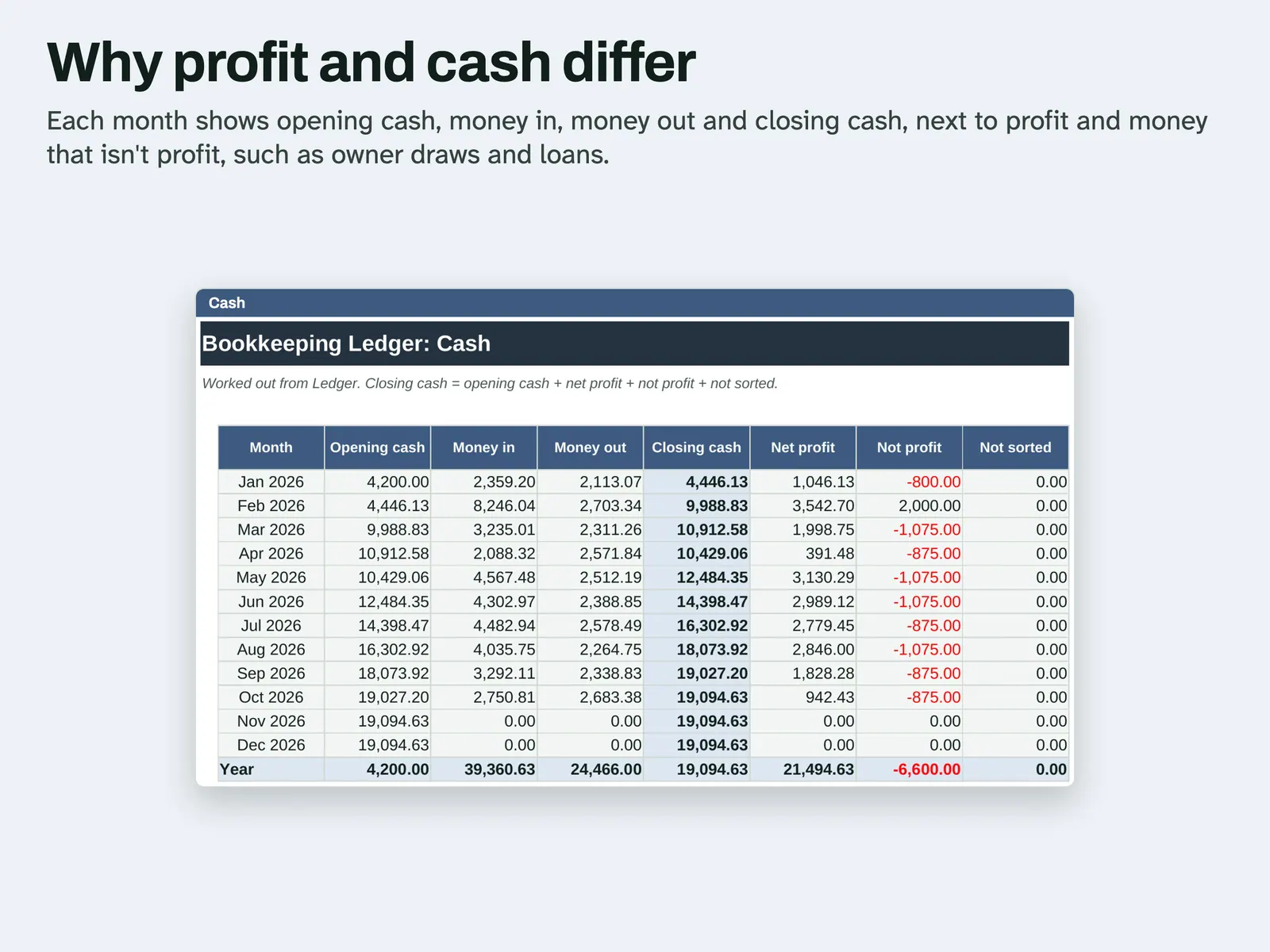
One dated list holds every payment in and out, and the reports are built from it, on a cash basis. On the Ledger tab you type each payment: a date, a description, a category, then a figure in either Money in or Money out. Running cash shows on every row. The Profit and Loss tab totals each category across 12 months, and your year can begin in any month. The Cash tab puts opening and closing cash beside net profit, so you can see why the two differ. Draws you take and loan repayments get a category marked Not profit. It is not double-entry and has no invoices, depreciation or sales tax. In the Example file, a small studio's year is filled in with 179 made-up rows. The Blank file comes with starter categories and no rows.
From our listing records. Etsy shows the current price and your local currency at checkout.
Buy on EtsyAn .xlsx file with ordinary formulas and no macros. A script recalculated it in Excel for Mac and LibreOffice. Excel for Windows and Google Sheets have not been tried.
Instant download from Etsy · nothing shipped
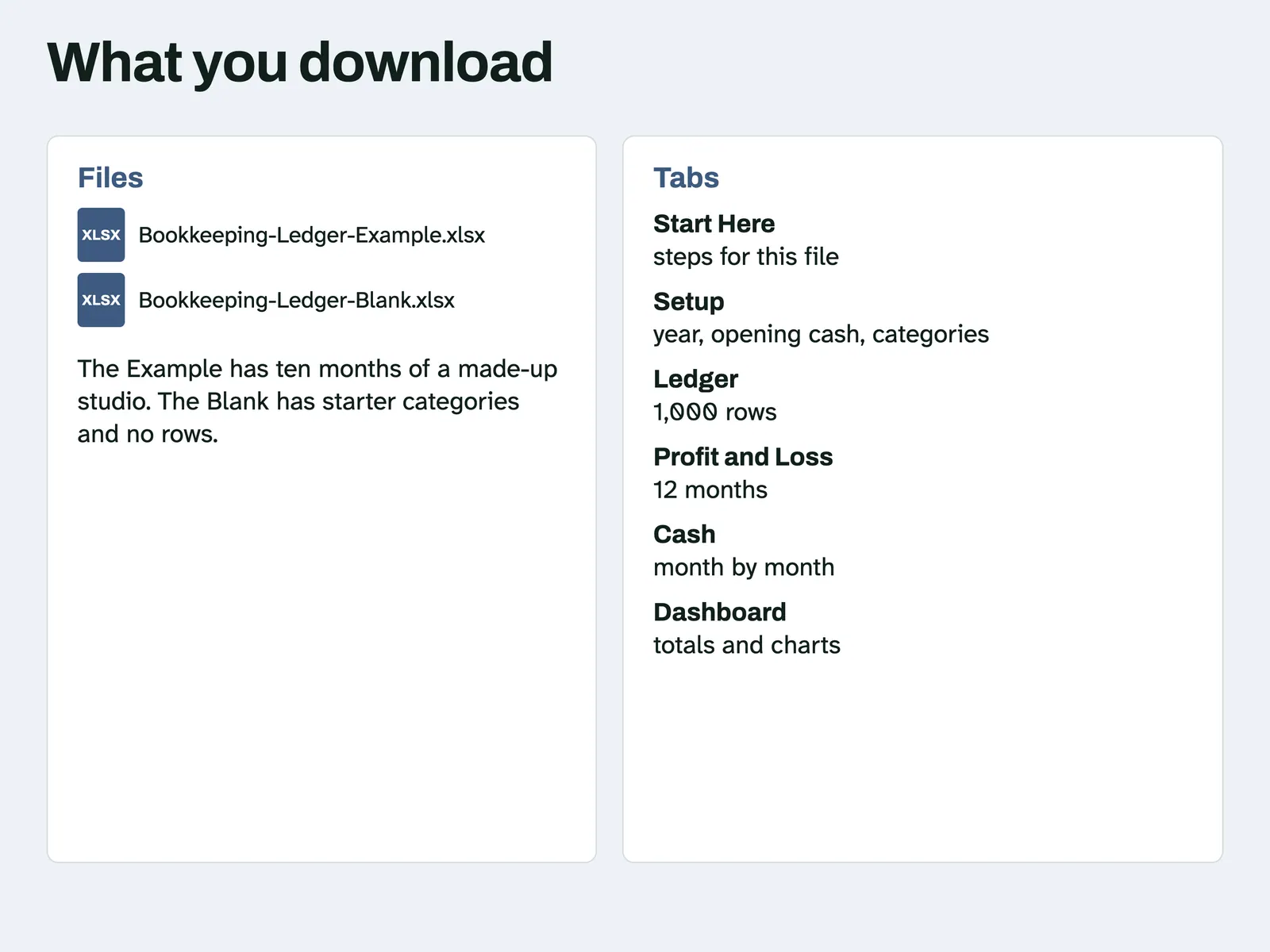
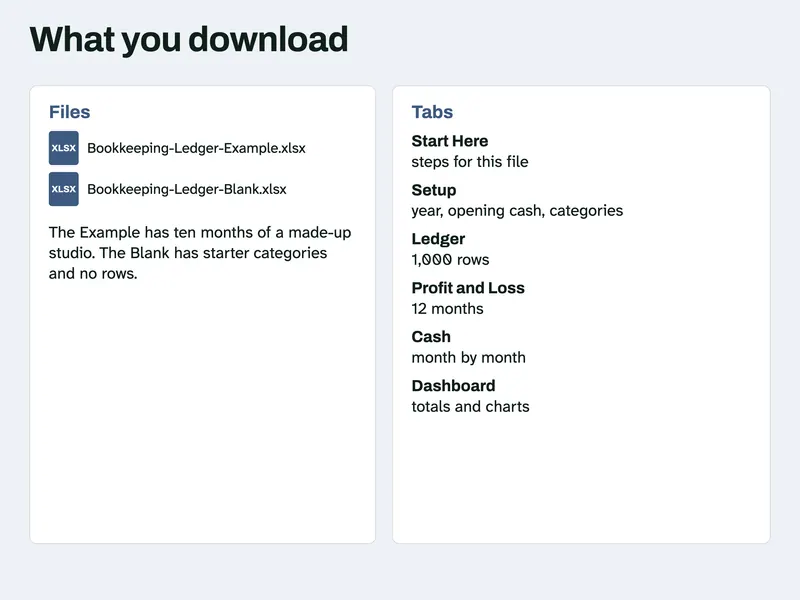
What's included
- Bookkeeping-Ledger-Example.xlsx, ten months of made-up entries
- Bookkeeping-Ledger-Blank.xlsx, starter categories and no entries
How it works
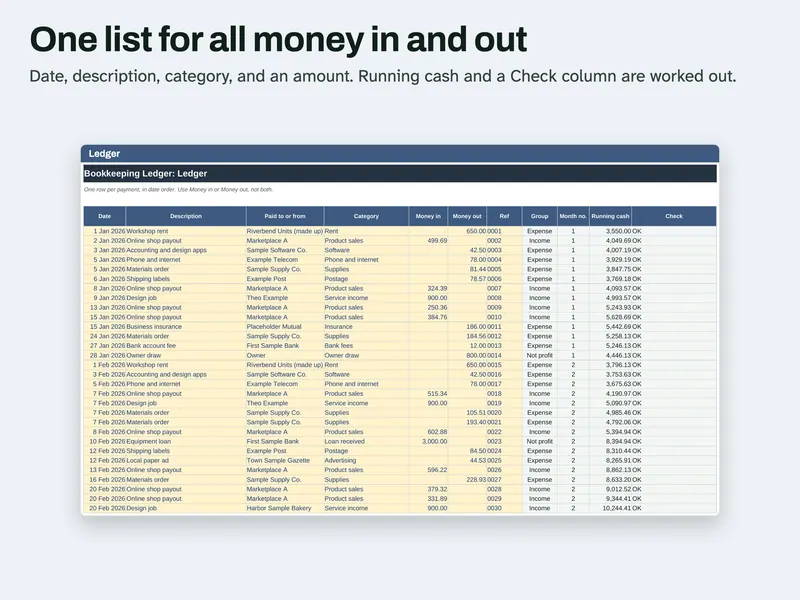
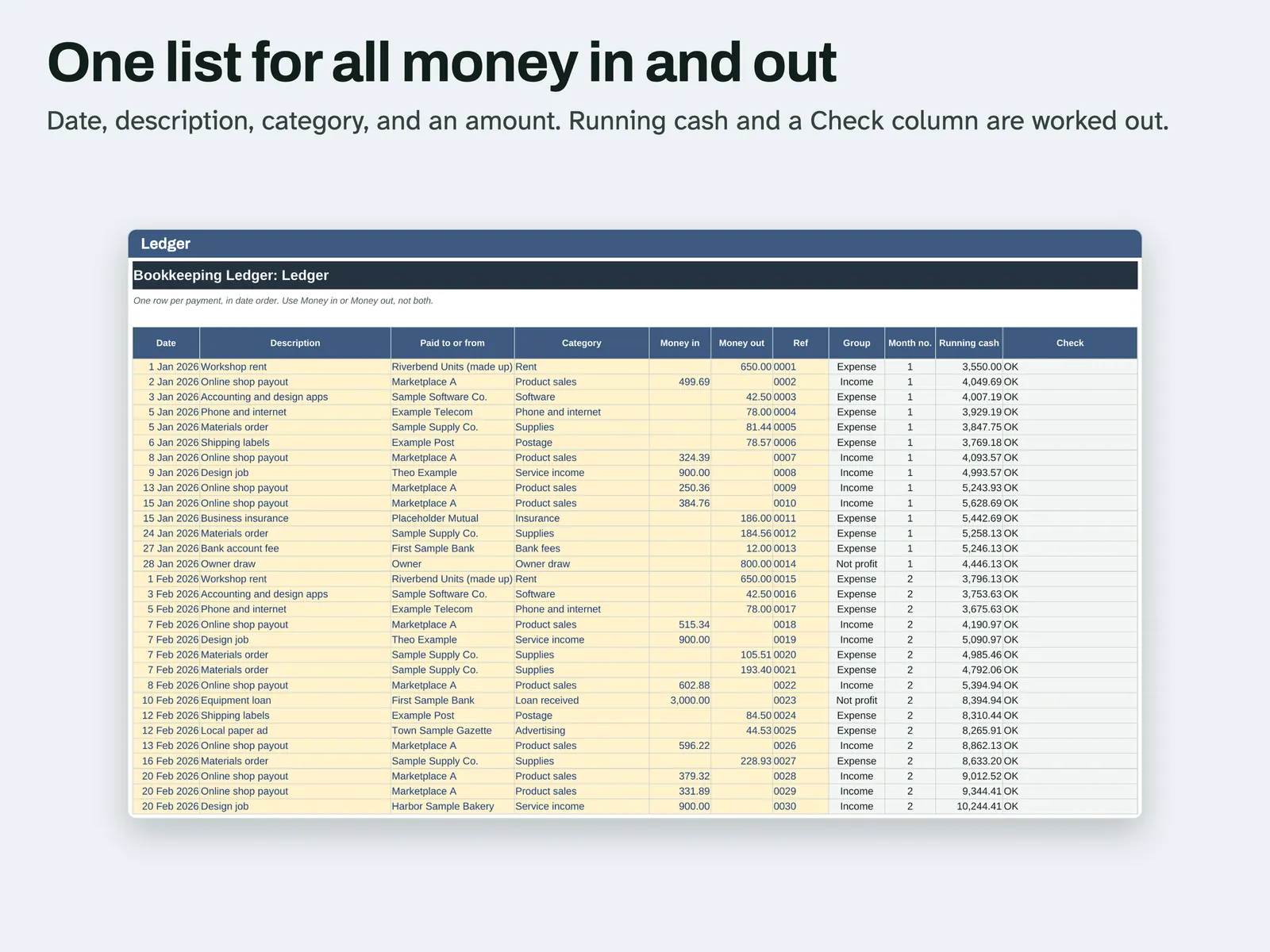
Fill the Ledger One row per payment, in date order. Use Money in or Money out, not both. Running cash and a Check column are worked out. 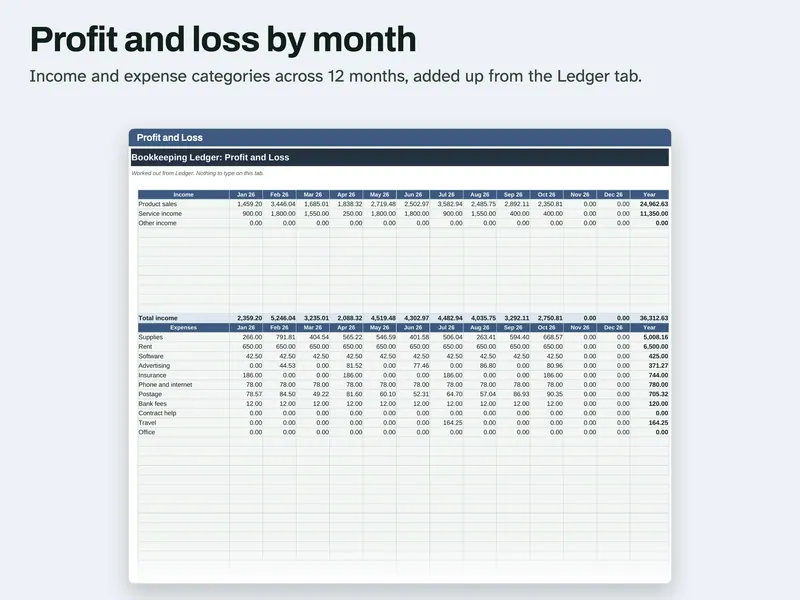
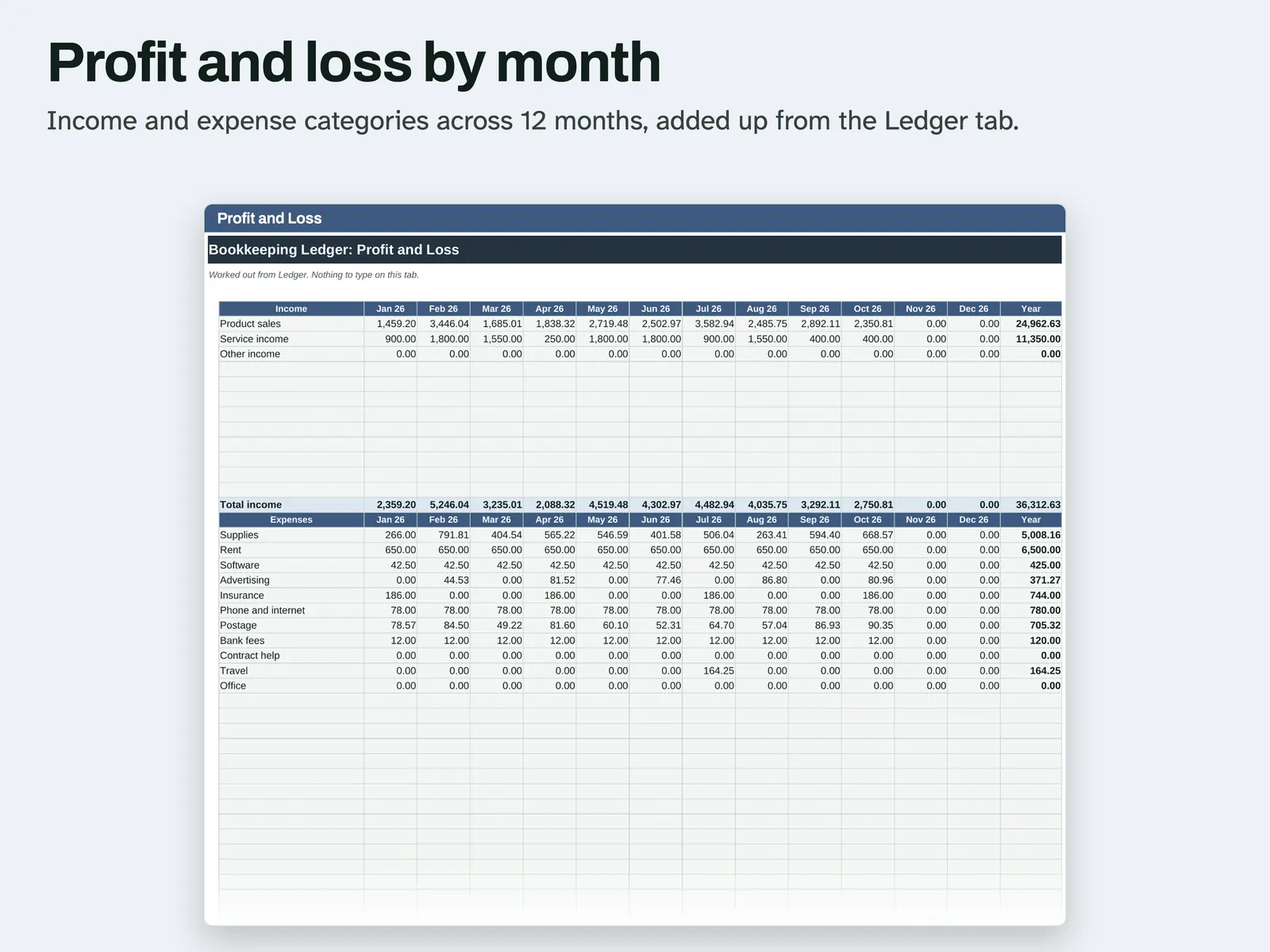
Read the profit and loss Income and expense categories run across 12 months and are added up from the Ledger tab, with a total for the year. 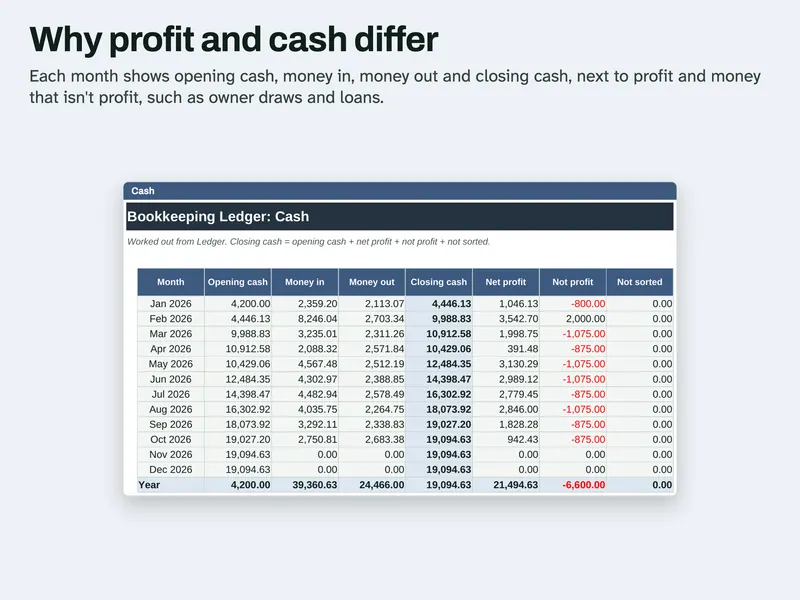
See why cash differs Each month shows opening cash, money in, money out and closing cash, next to net profit and the money that is not profit. 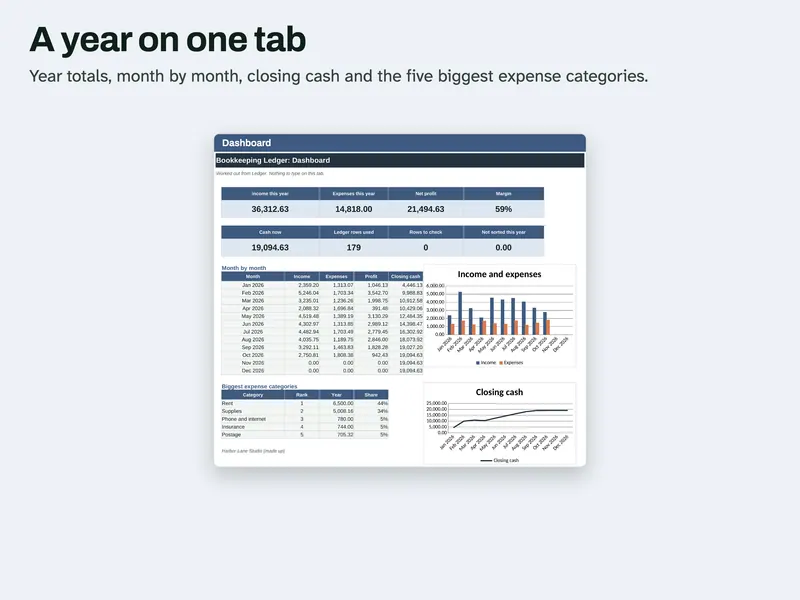
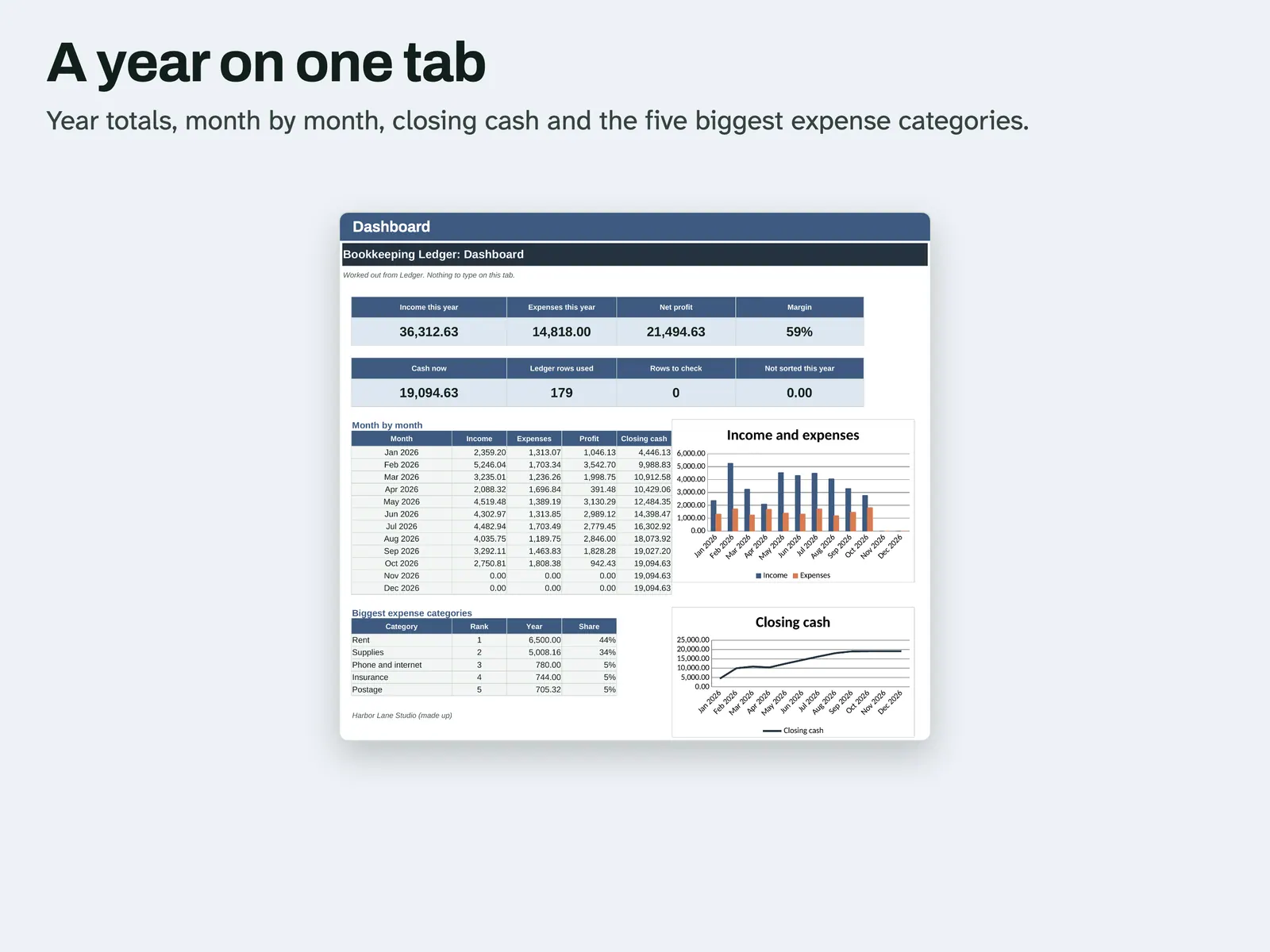
Check the Dashboard Year totals, a monthly table, closing cash and the five biggest expense categories on one tab. 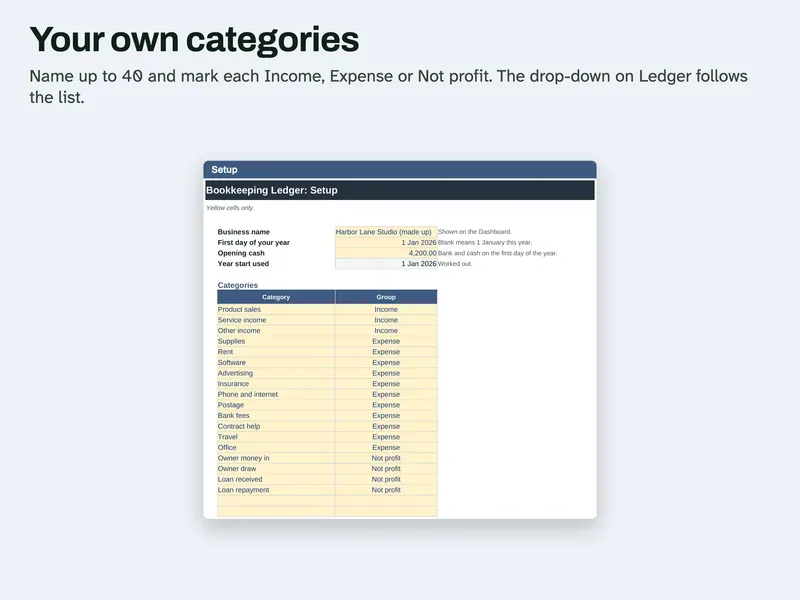
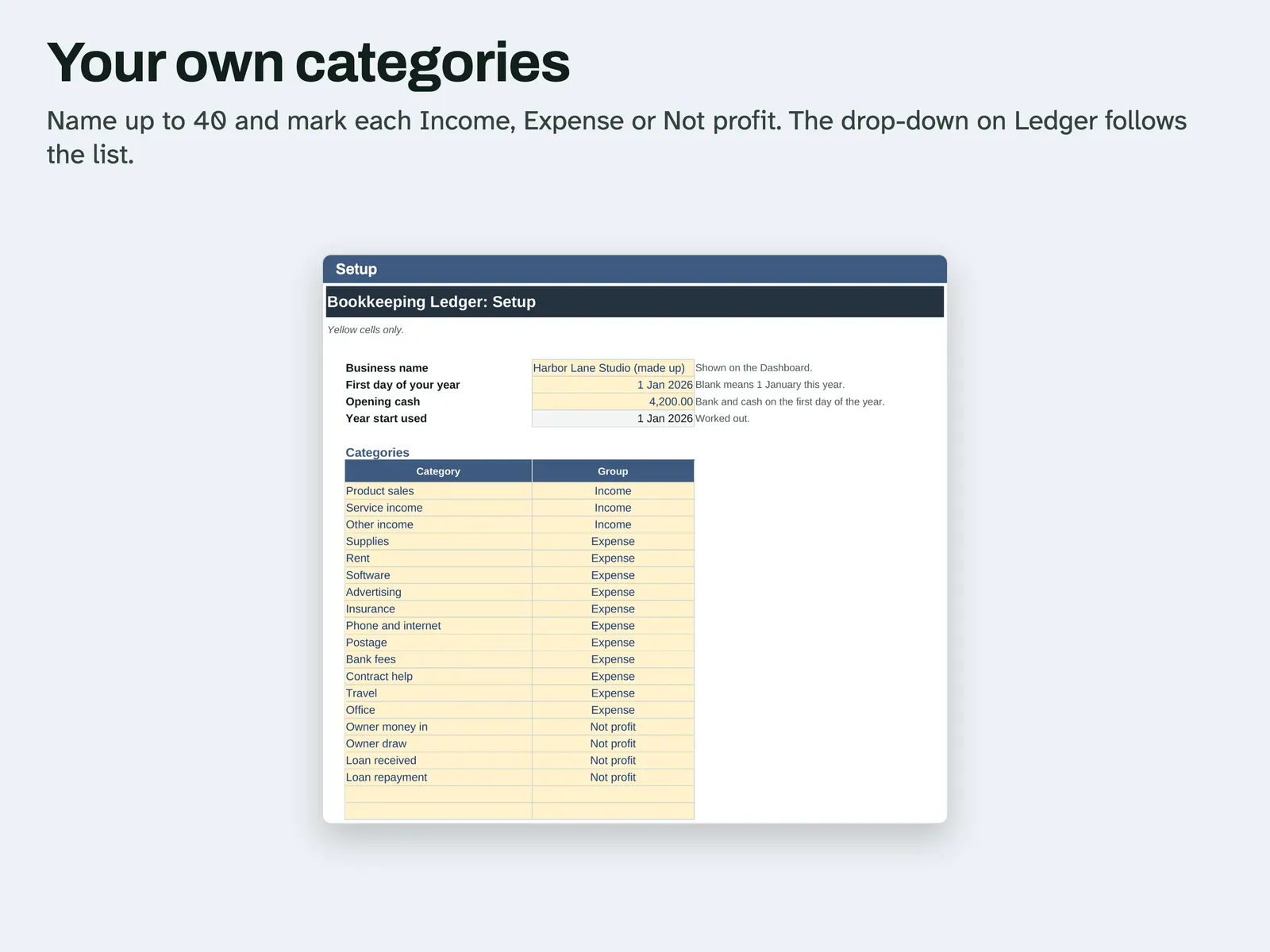
Set your categories On Setup you name up to 40 categories and mark each Income, Expense or Not profit. The Ledger drop-down follows the list.
Compatibility and file formats
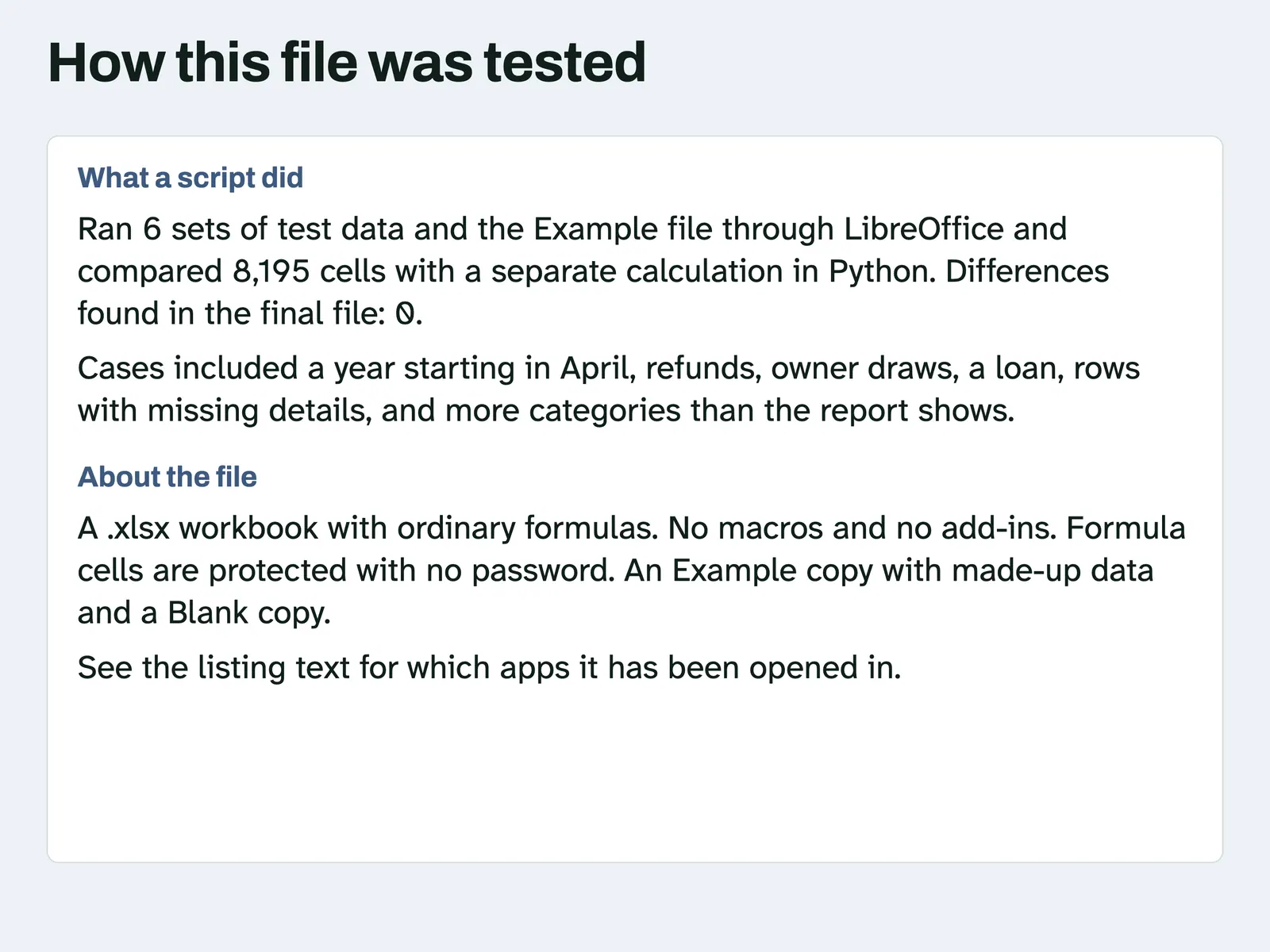
An .xlsx workbook with ordinary formulas. No macros and no add-ins. A script recalculated it in LibreOffice 26.8 and compared the results with a separate Python calculation. Another script confirmed it uses no LAMBDA, LET, XLOOKUP or spill formulas. A script also opened this file in Microsoft Excel for Mac 16.114.3 and ran a full recalculation: every cell matched the values stored in the file, with no error cells. That test did not type new data into Excel or look at the screen. Excel for Windows and Google Sheets have not been tried.
Instant download from Etsy · nothing shipped.
Video
Questions
- Is this double-entry bookkeeping?
No. It is a single list on a cash basis. It does not do invoices, depreciation or sales tax.
- How do I enter a refund?
A refund you pay goes in Money out with the income category it came from. A refund you get goes in Money in with its expense category. The category total goes down either way.
- Where do owner draws go?
Use a category marked Not profit. The money still shows on the Cash tab, but it stays out of the profit and loss.
- What about a row with no category?
It counts in cash and shows on the Cash tab under Not sorted until you pick a category.
This file adds up what you type. It gives no tax or accounting advice. License: for your personal use only. No resale or sharing of this file. AI helped write the listing text, the how-to text and the code that builds this file. Scripts tested: running cash, each category and month on the Profit and Loss tab, the Cash tab and the Dashboard, on 6 sets of test data including a year starting in April, refunds, owner draws, a loan, rows with missing details, more categories than the report shows and a full 1,000 rows. No person is claimed to have checked it unless stated here.