Cash Flow Spreadsheet
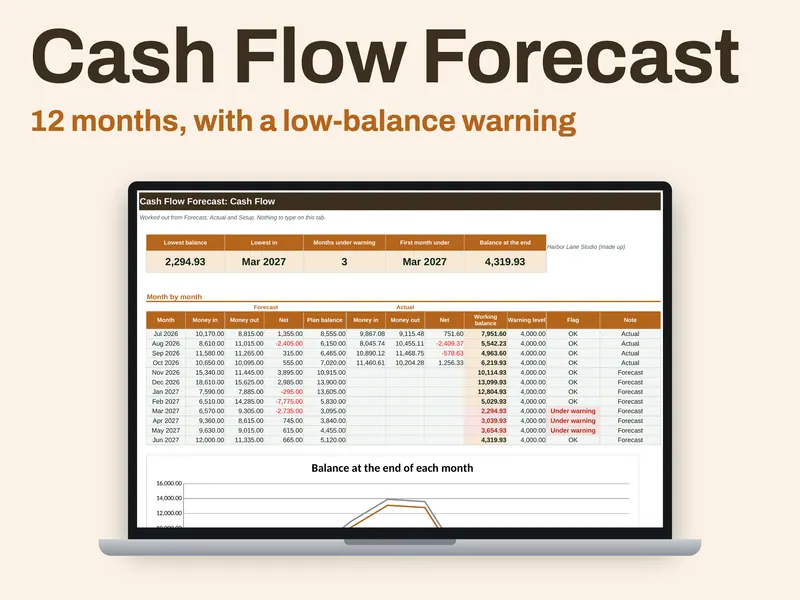
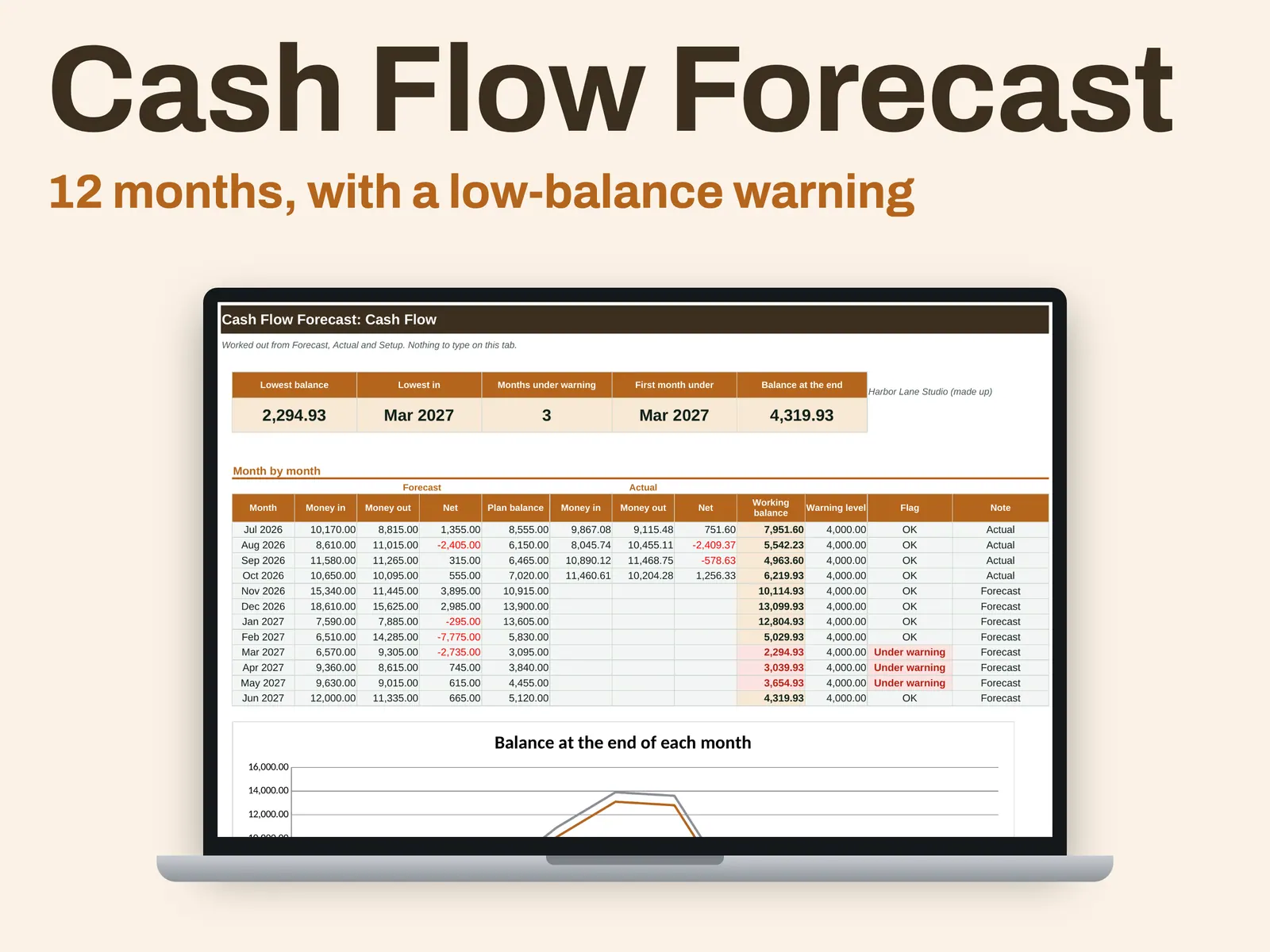
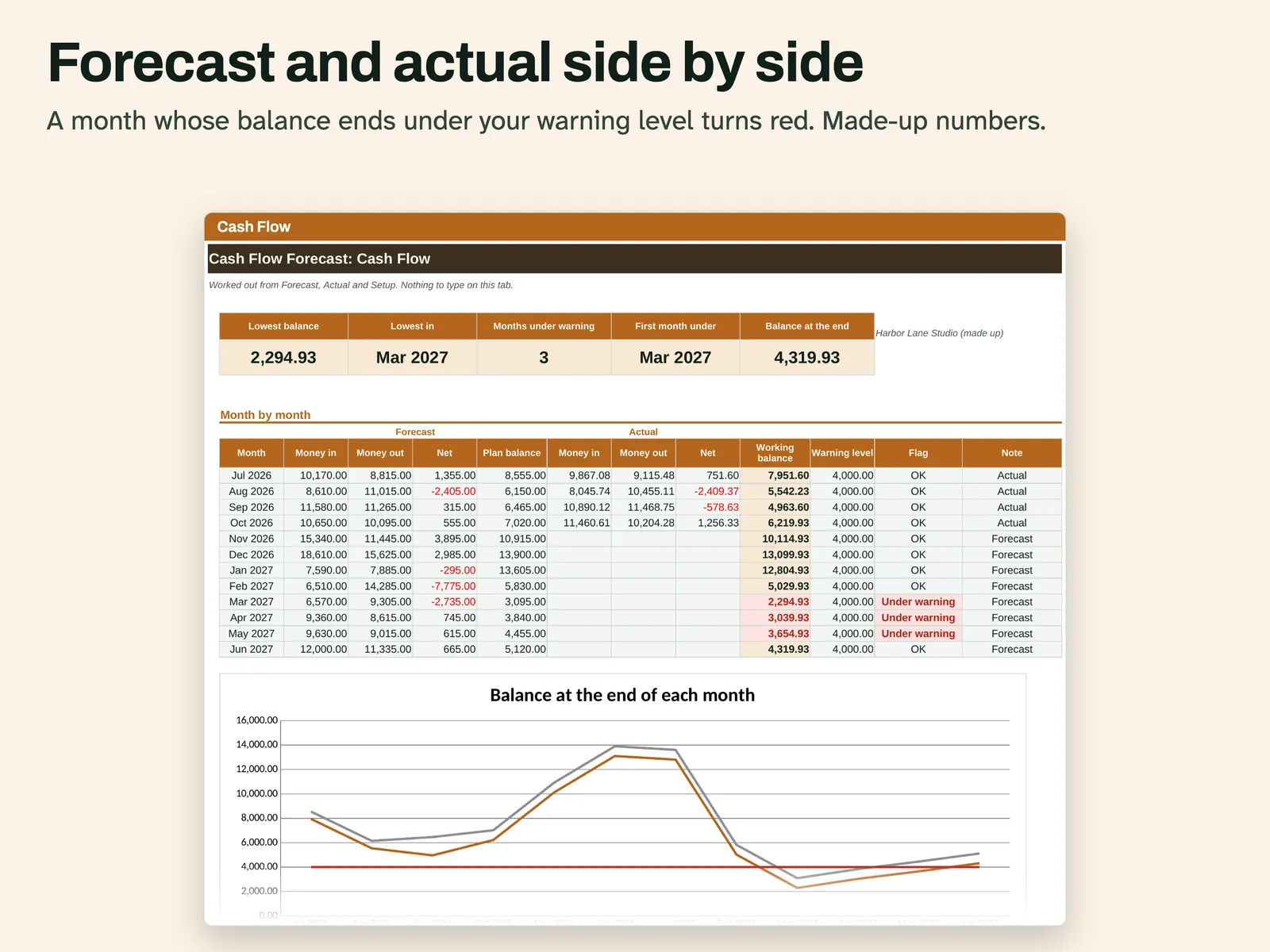
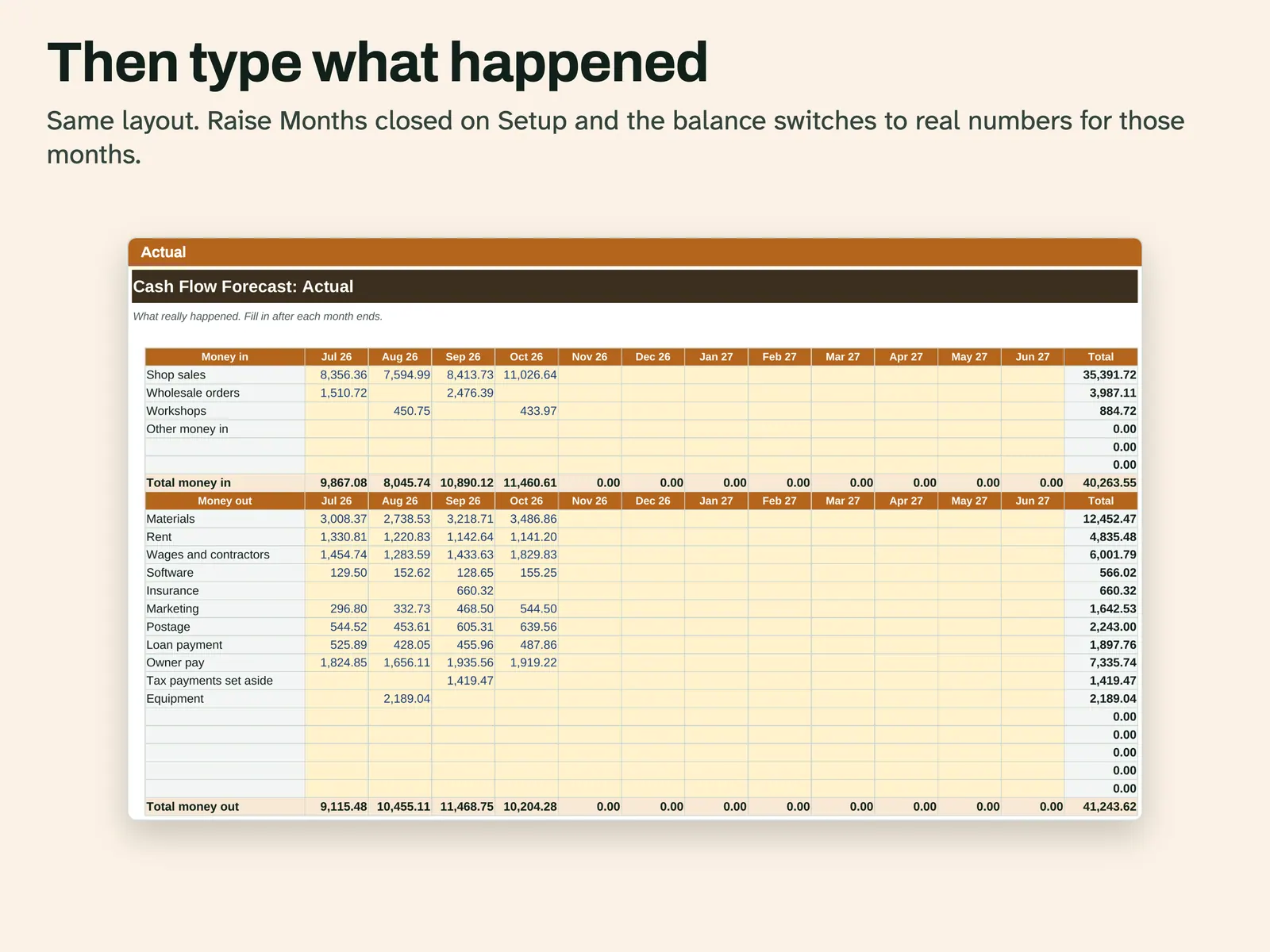
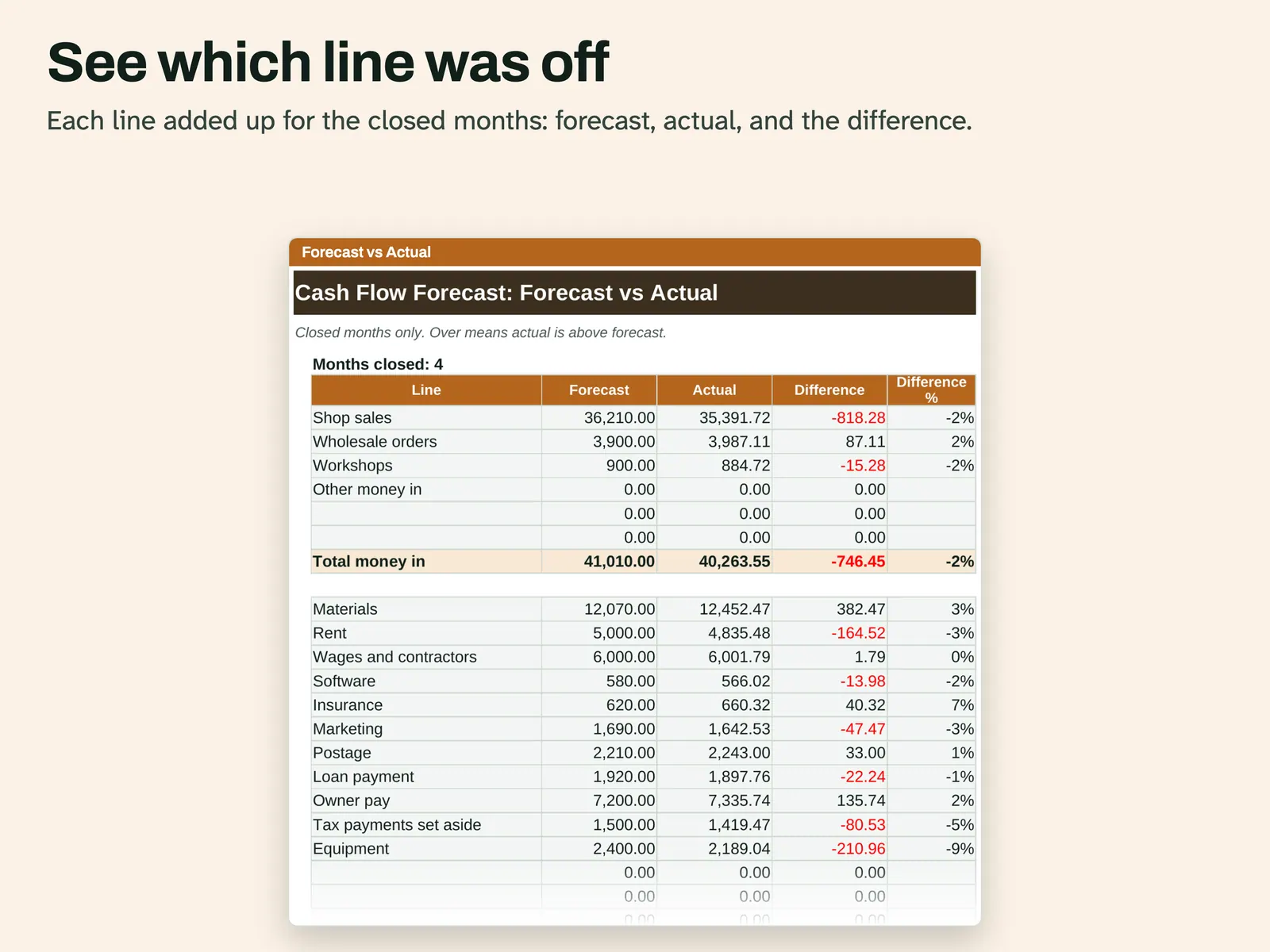
Most records look back. This one looks ahead. On the Forecast tab you enter what you expect to receive and spend each month for 12 months. When a month ends, put what really happened on the Actual tab and raise Months closed on Setup. The Cash Flow tab builds a working balance: real figures for closed months, then your forecast. A month that closes below your warning level goes red with the note Under warning, and cards at the top give the lowest balance and the first month under. A line chart draws the working balance against the plan balance and your warning level. Forecast vs Actual compares each line for closed months. You type monthly totals, not single payments, and the file predicts nothing. In the Example file, a made-up studio has 4 months closed. The Blank file comes with starter line names.
From our listing records. Etsy shows the current price and your local currency at checkout.
Buy on EtsyAn .xlsx file with ordinary formulas and no macros. A script recalculated it in Excel for Mac and LibreOffice. Excel for Windows and Google Sheets have not been tried.
Instant download from Etsy · nothing shipped
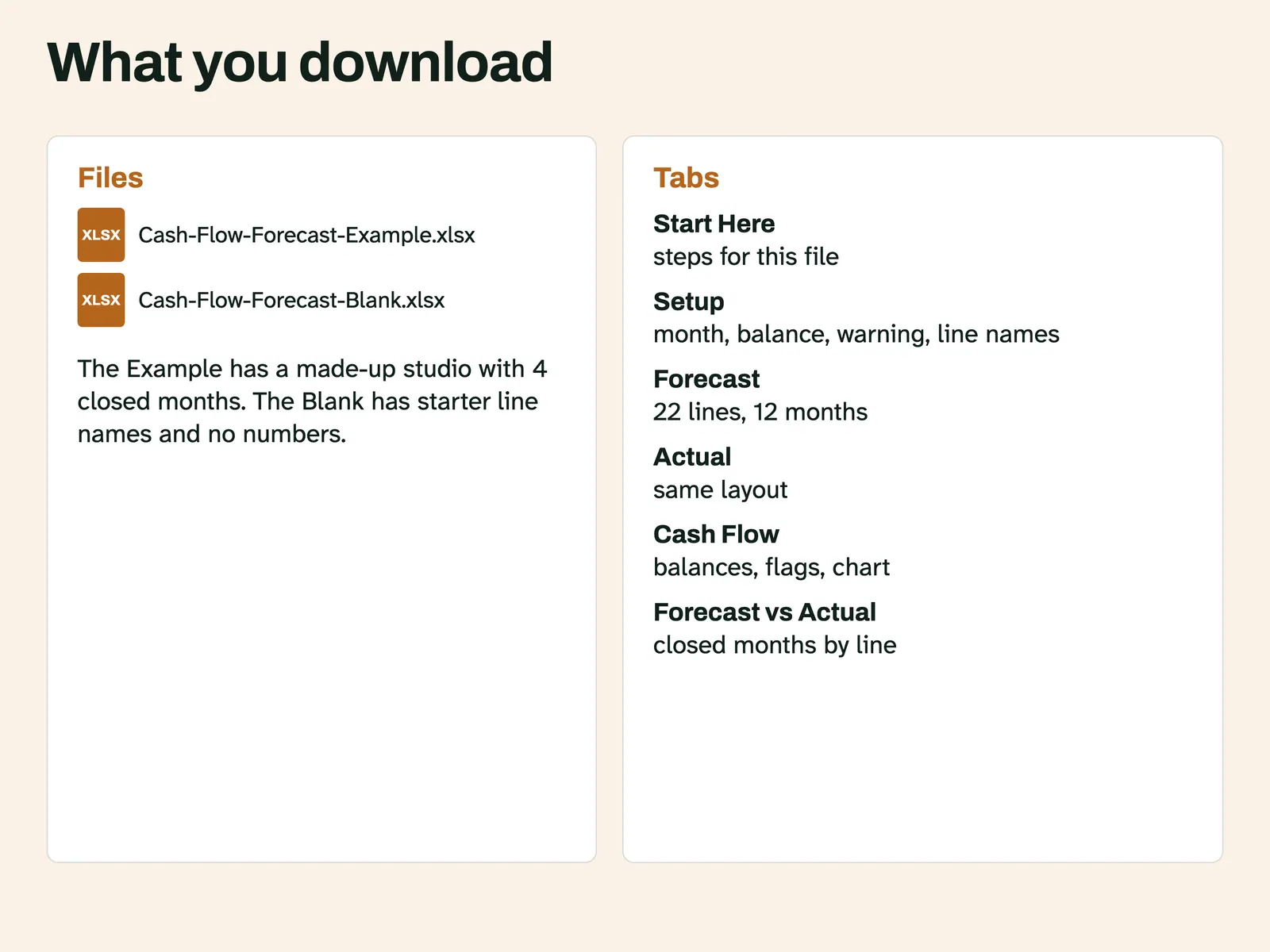
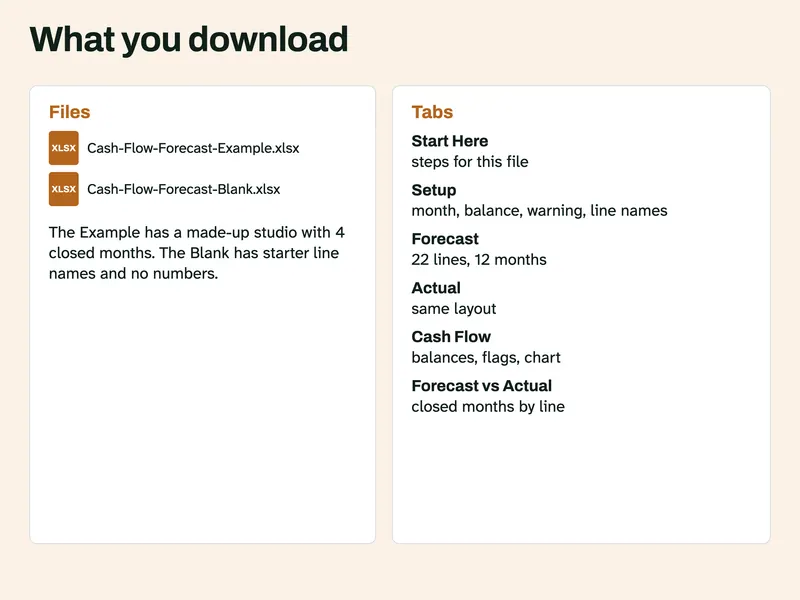
What's included
- Cash-Flow-Forecast-Example.xlsx, filled in with made-up numbers
- Cash-Flow-Forecast-Blank.xlsx, starter line names and no numbers
How it works
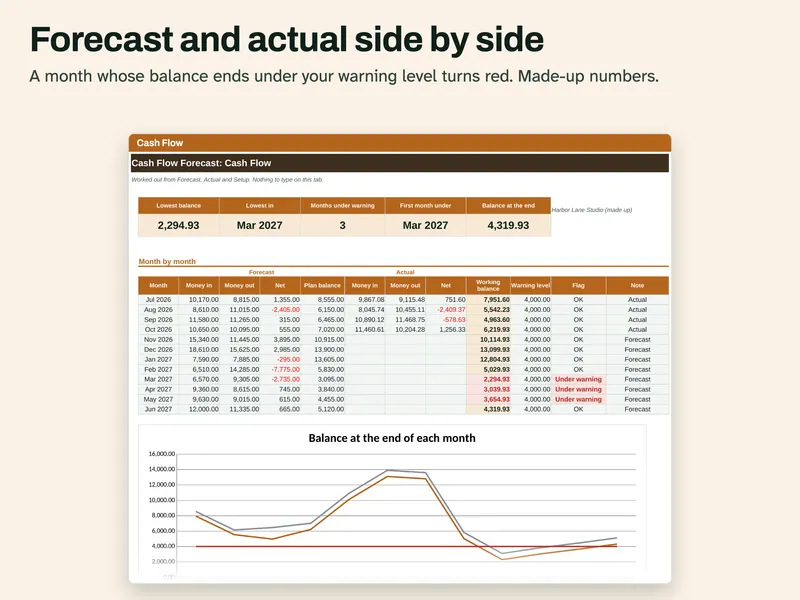
Watch the balance Forecast and actual sit side by side for each month. A month ending under the warning level turns red. A line chart sits below. 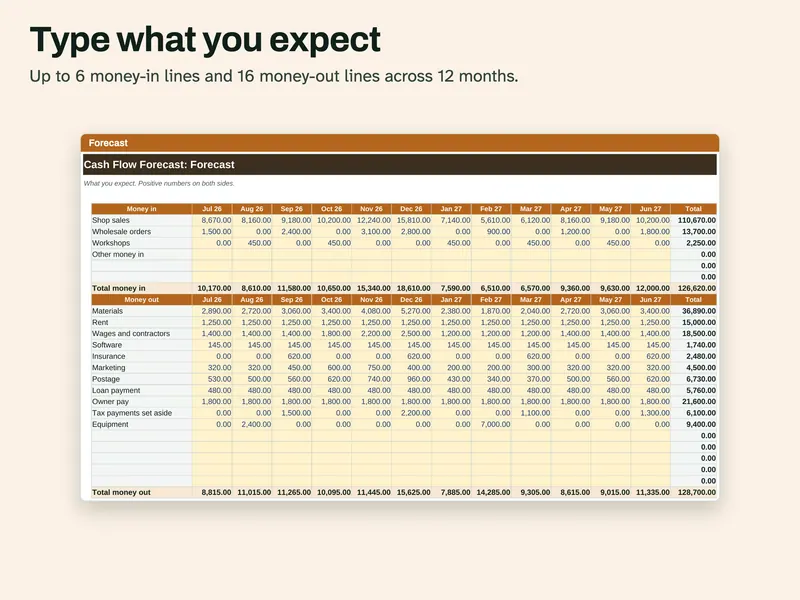
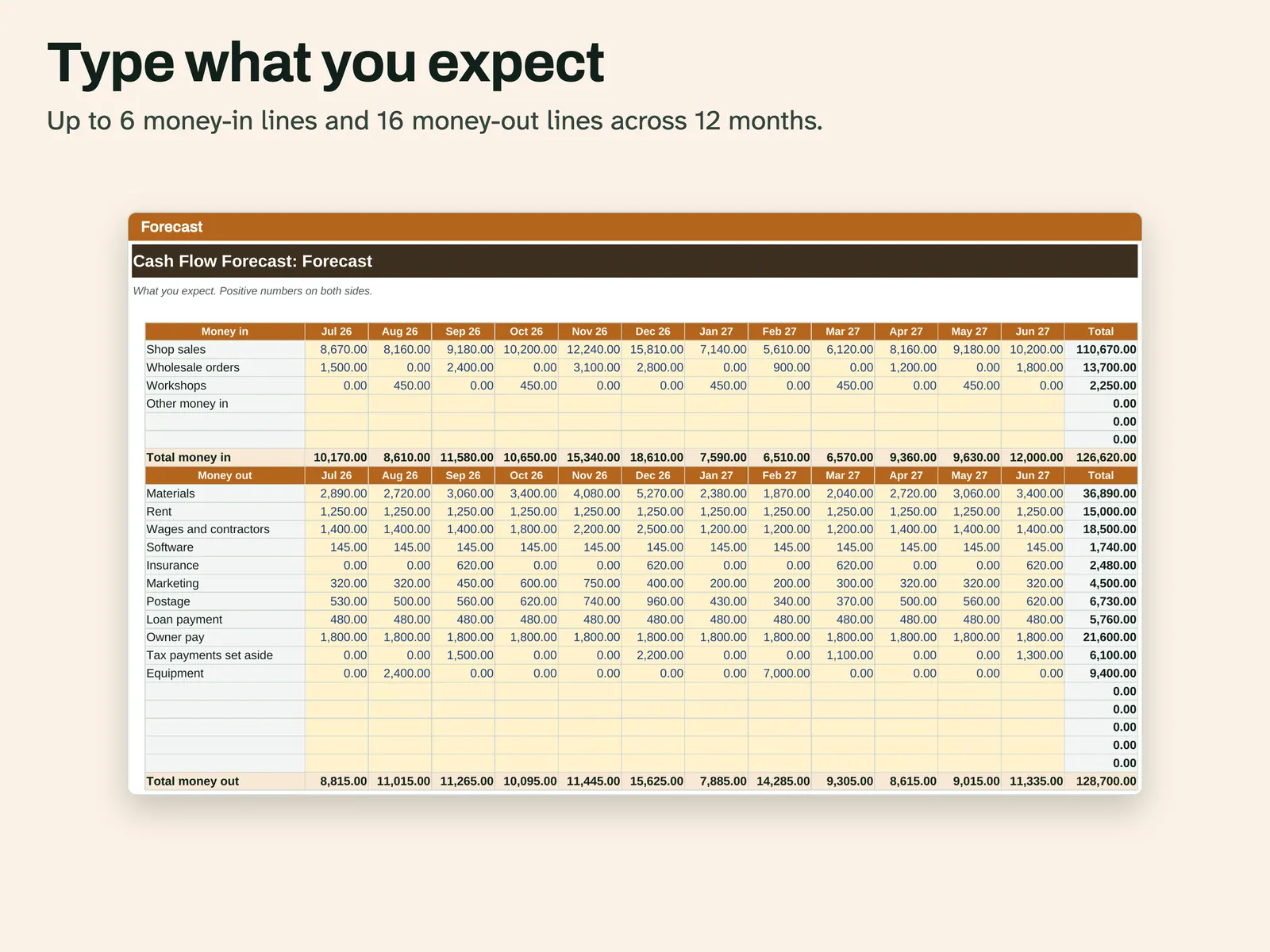
Type your forecast Up to 6 money-in lines and 16 money-out lines across 12 months, with totals for each month and each line. 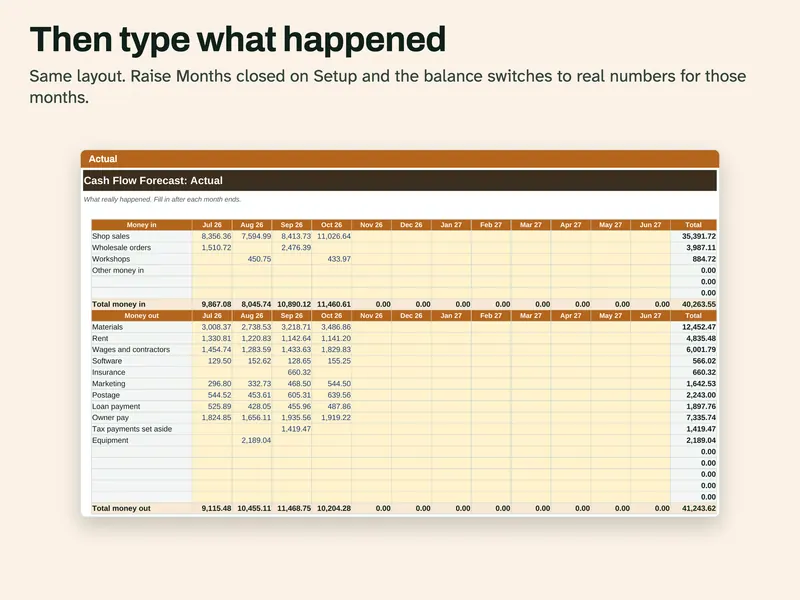
Then type what happened The same layout as Forecast. Raise Months closed on Setup and the balance switches to real numbers for those months. 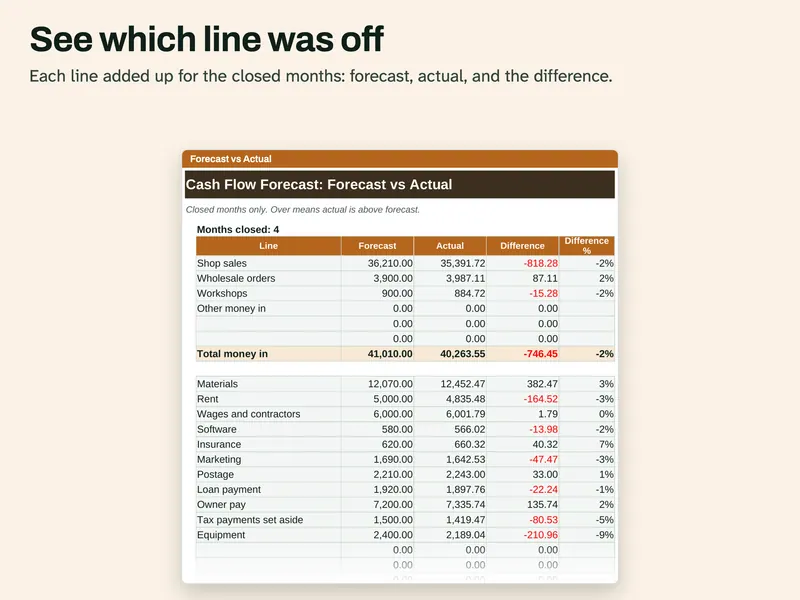
See which line was off Each line added up for the closed months: forecast, actual and the difference in money and percent. 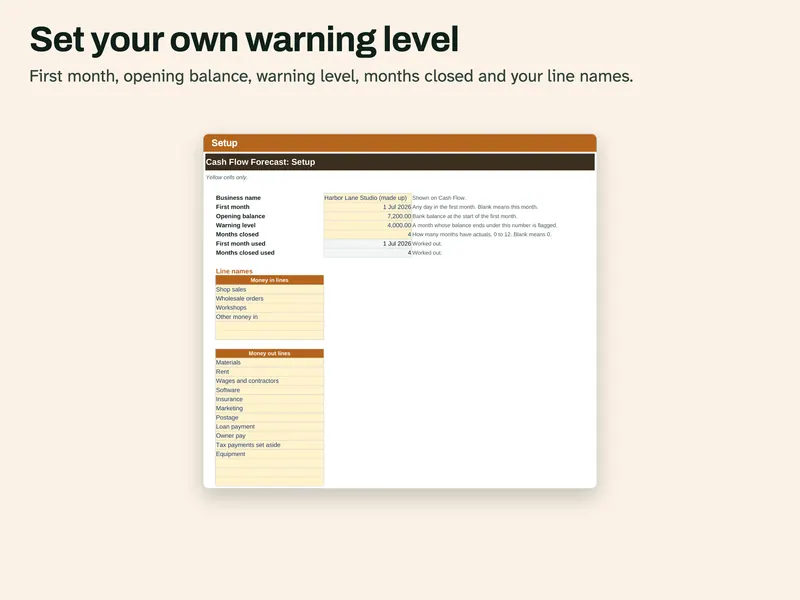
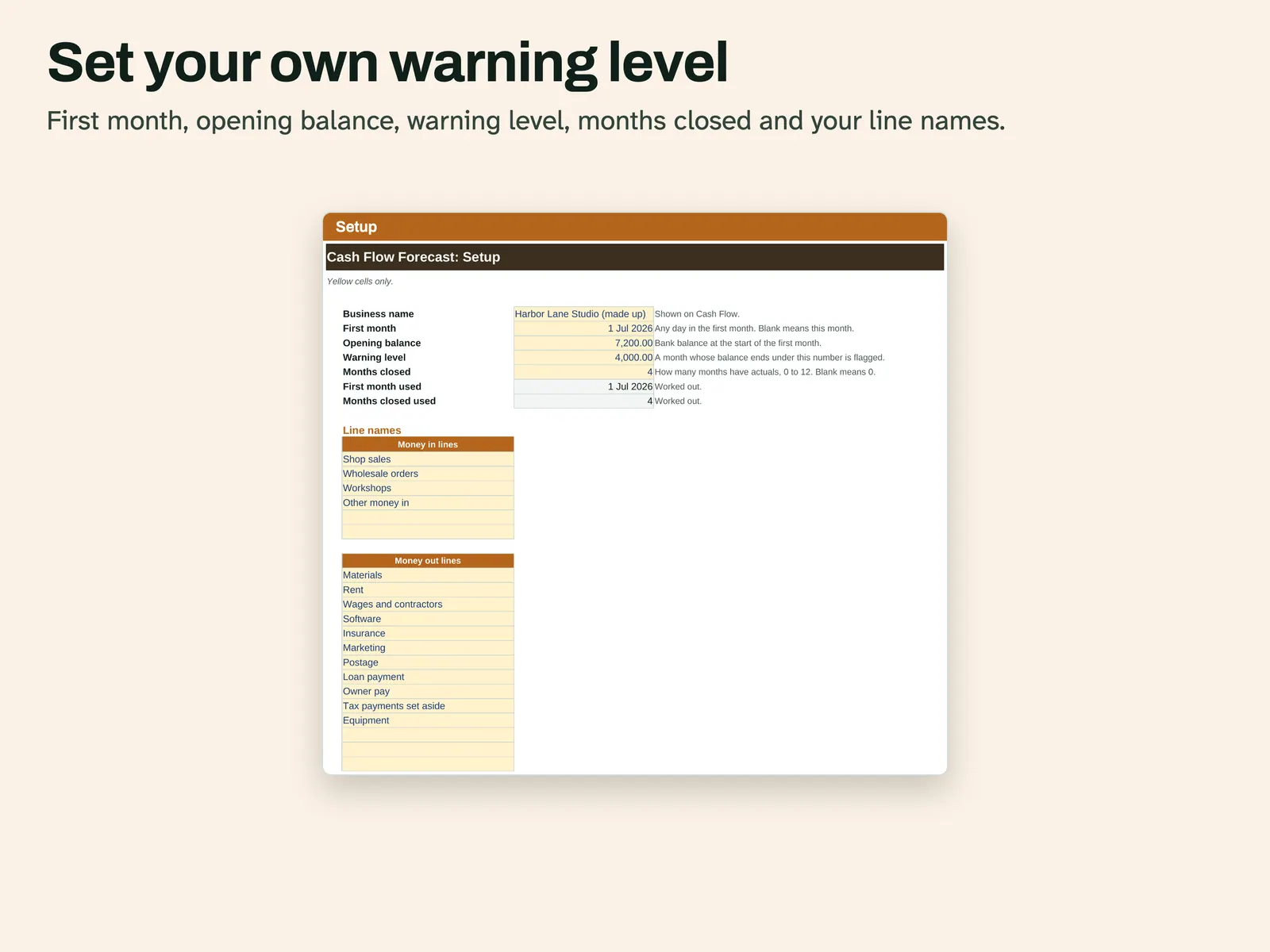
Set the warning level First month, opening balance, warning level, months closed and your own line names are set here.
Compatibility and file formats
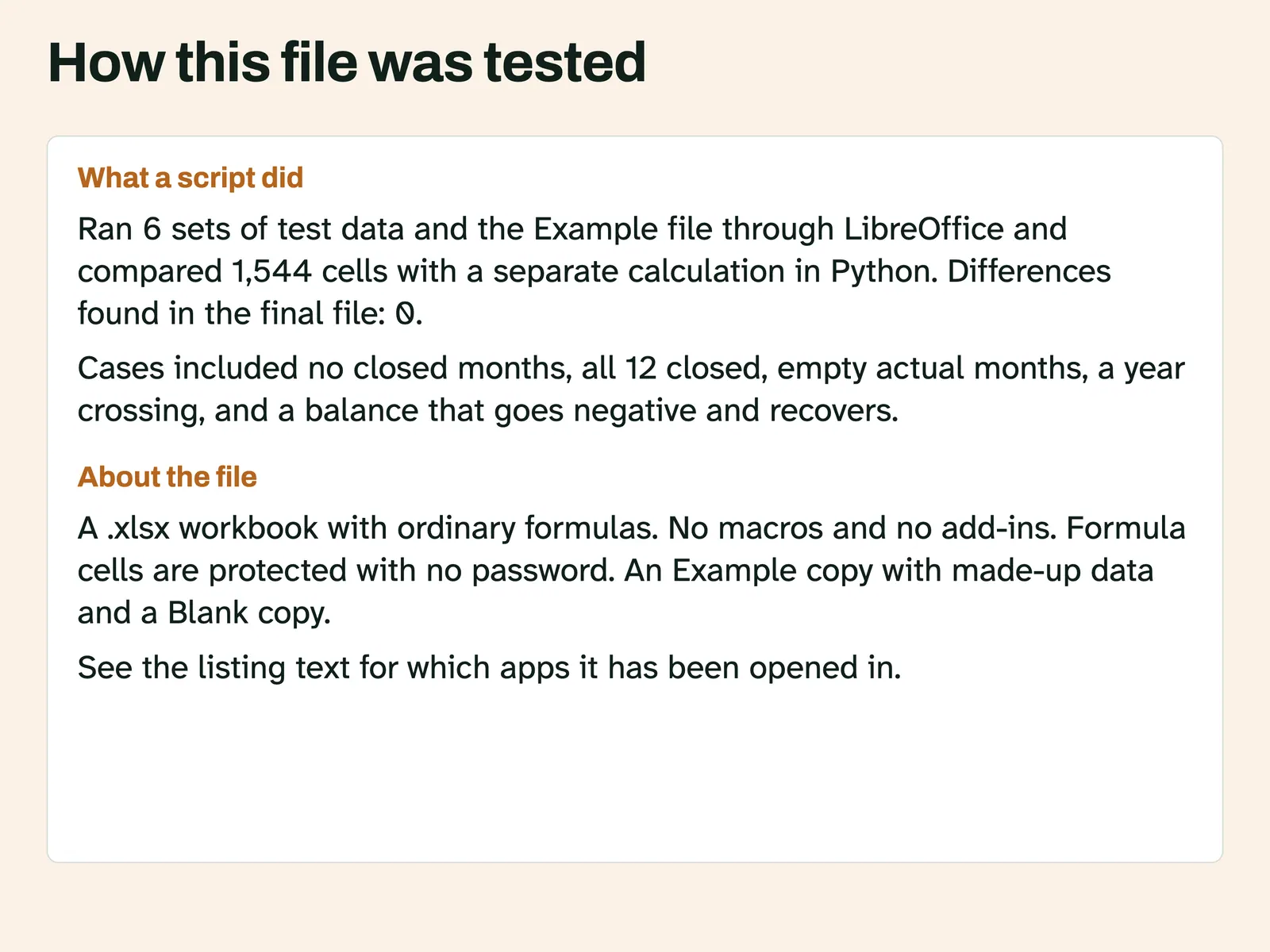
An .xlsx workbook with ordinary formulas. No macros and no add-ins. A script recalculated it in LibreOffice 26.8 and compared the results with a separate Python calculation. Another script confirmed it uses no LAMBDA, LET, XLOOKUP or spill formulas. A script also opened this file in Microsoft Excel for Mac 16.114.3 and ran a full recalculation: every cell matched the values stored in the file, with no error cells. That test did not type new data into Excel or look at the screen. Excel for Windows and Google Sheets have not been tried.
Instant download from Etsy · nothing shipped.
Video
Questions
- How is this different from a bookkeeping ledger?
A ledger records payments after they happen. This file has one number per line per month, and most of them are your own guesses about months to come.
- Do I need to enter every payment?
No. You type a monthly total for each line.
- What happens after 12 months?
Save a new copy, set the new first month and use the last closing balance as the opening balance.
- Does it predict my sales?
No. It adds up what you type.
A forecast is your own guess. This file adds up what you type and gives no financial advice. License: for your personal use only. No resale or sharing of this file. AI helped write the listing text, the how-to text and the code that builds this file. Scripts tested: every monthly total and balance, the warning flags, the cards and the Forecast vs Actual tab, on 6 sets of test data including no closed months, all 12 closed, empty actual months, a year crossing, a balance that goes negative and recovers and every cell filled. No person is claimed to have checked it unless stated here.