Tax Organizer Spreadsheet
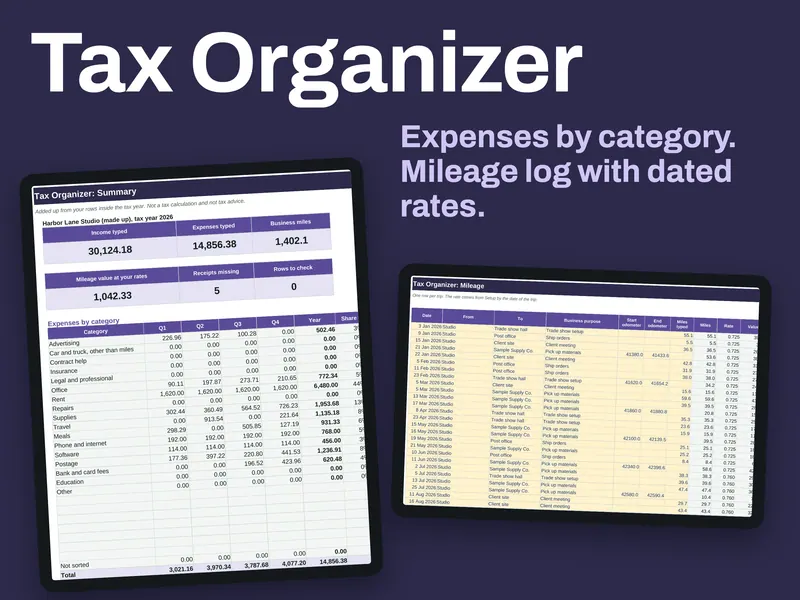
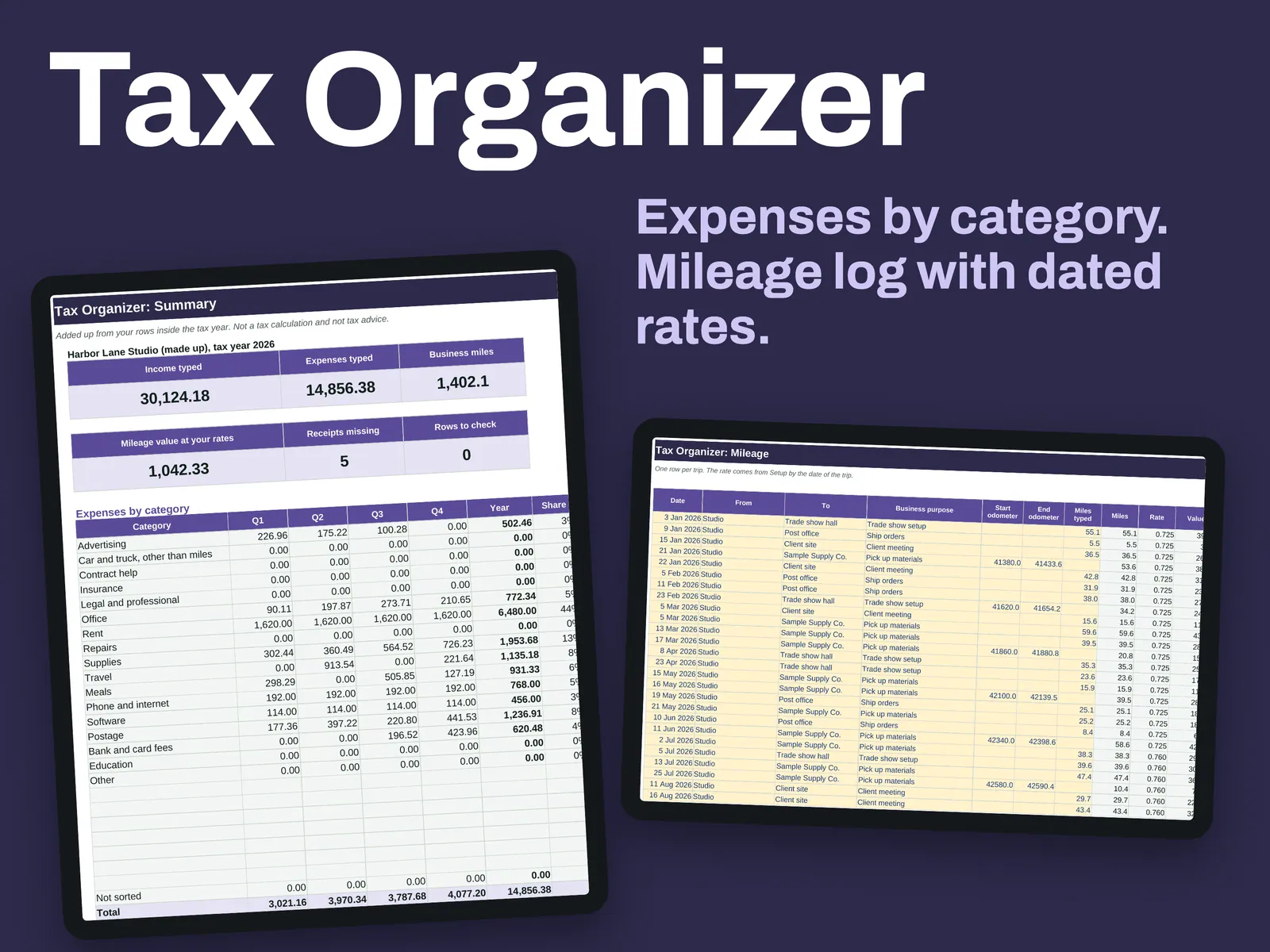
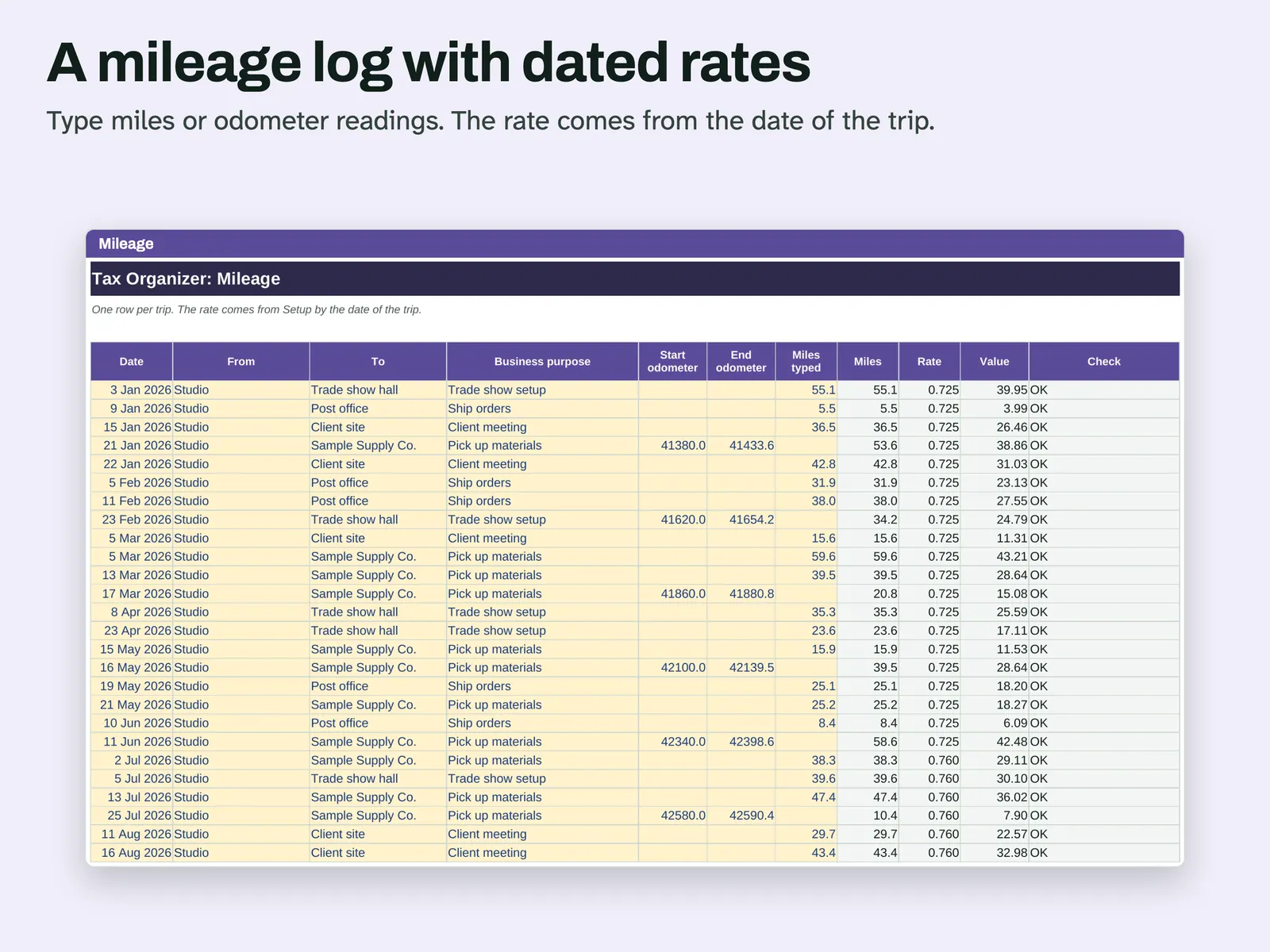
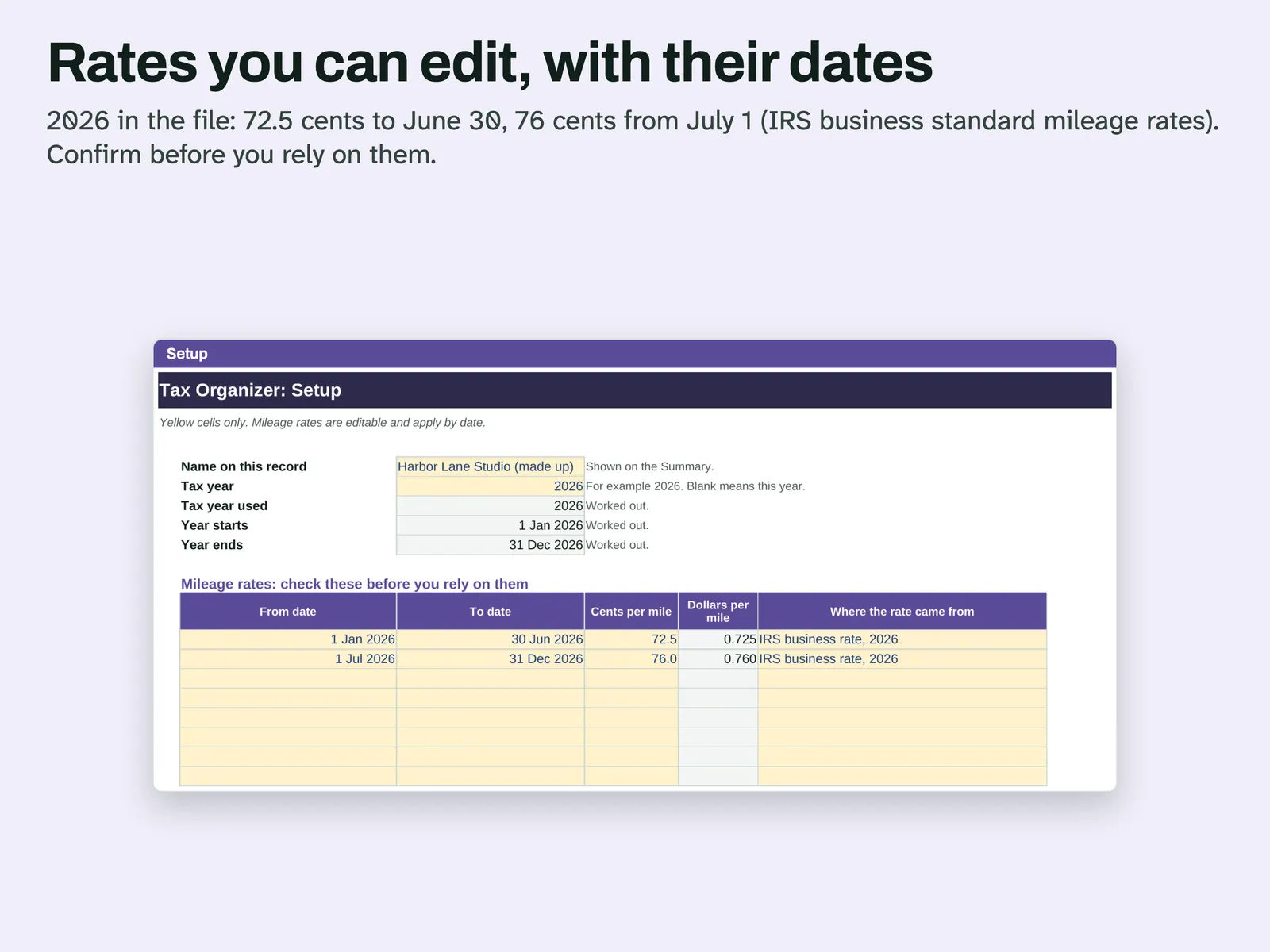
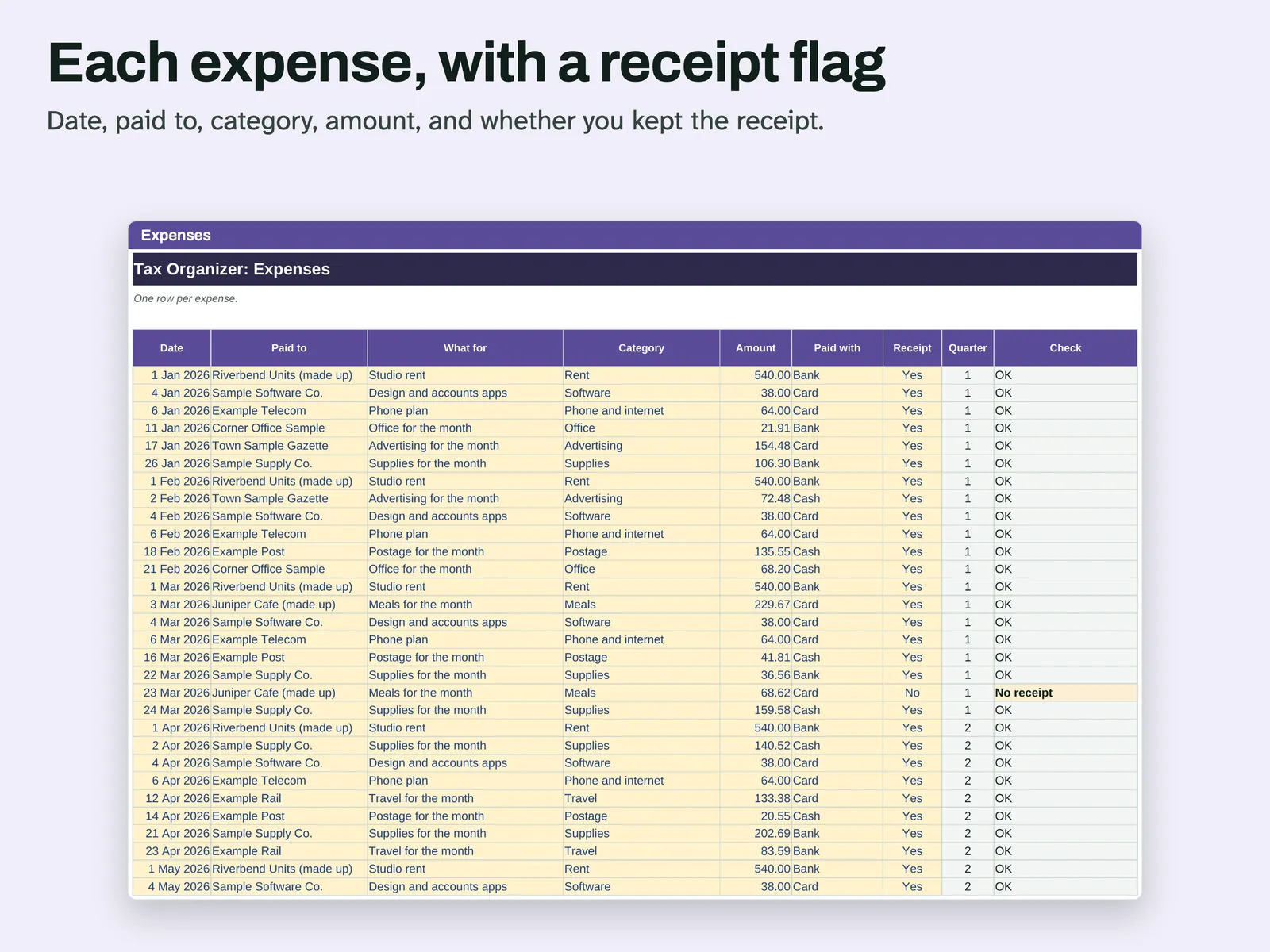
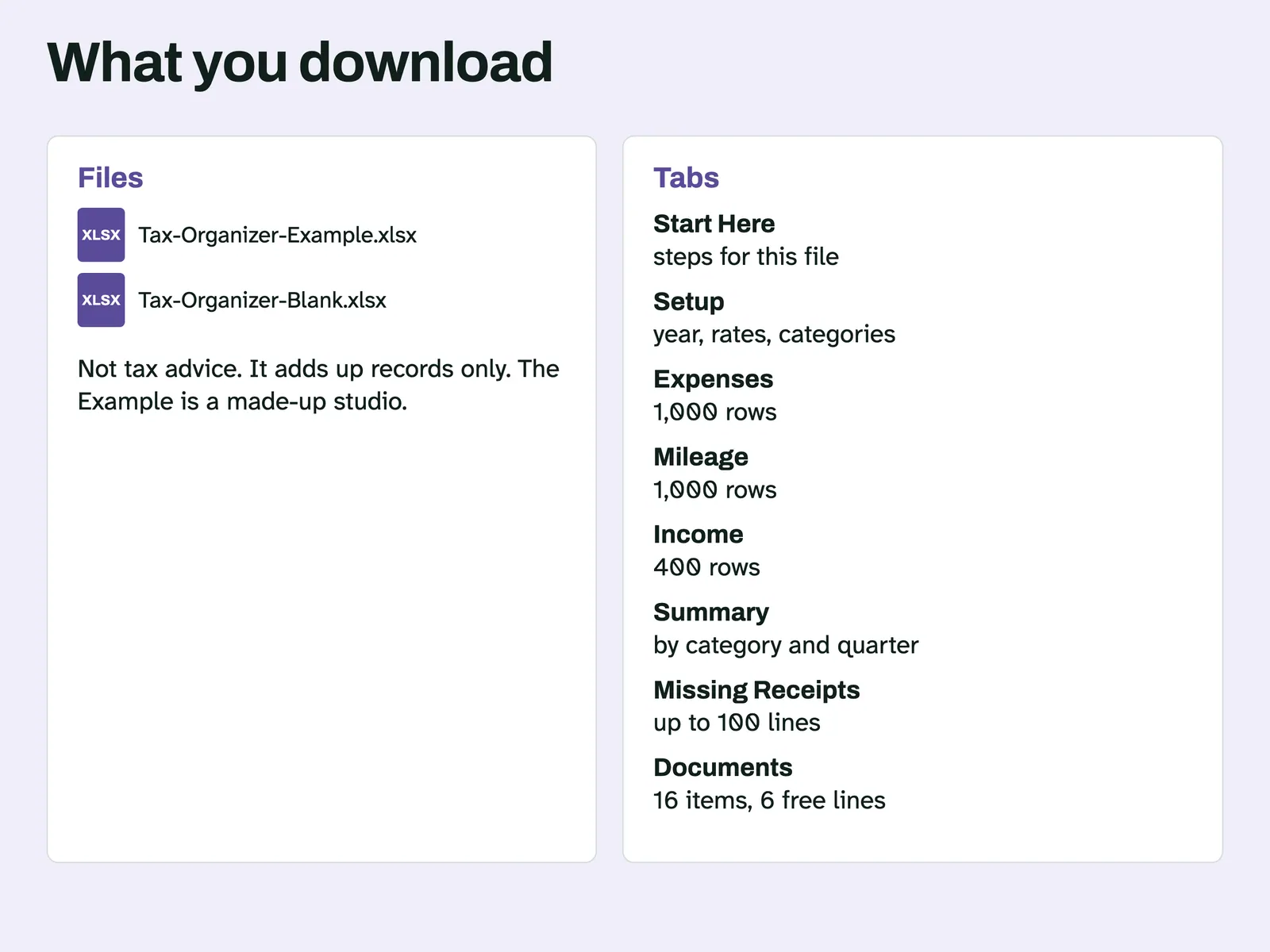
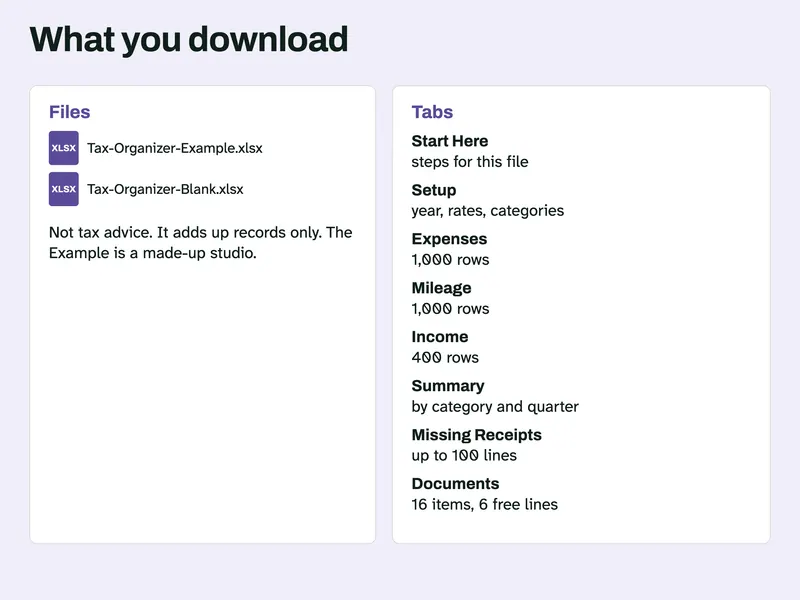
This is a record-keeping aid for a self-employed person who wants a year of expenses and trips in one place. It only adds up what you type. It is not tax advice, calculates no tax and cannot say what you may claim. The Expenses tab holds date, payee, category, amount and a receipt flag. On the Mileage tab you enter miles or odometer readings, and the rate comes from the trip date using the dated rates on Setup. Those rates are editable and start as the 2026 IRS business standard mileage rates, so confirm them before you rely on the total. The Income tab logs payments received. Summary groups expenses and income by quarter. Missing Receipts lists expenses with no receipt. The Example file is a made-up year. The Blank file has no rows.
From our listing records. Etsy shows the current price and your local currency at checkout.
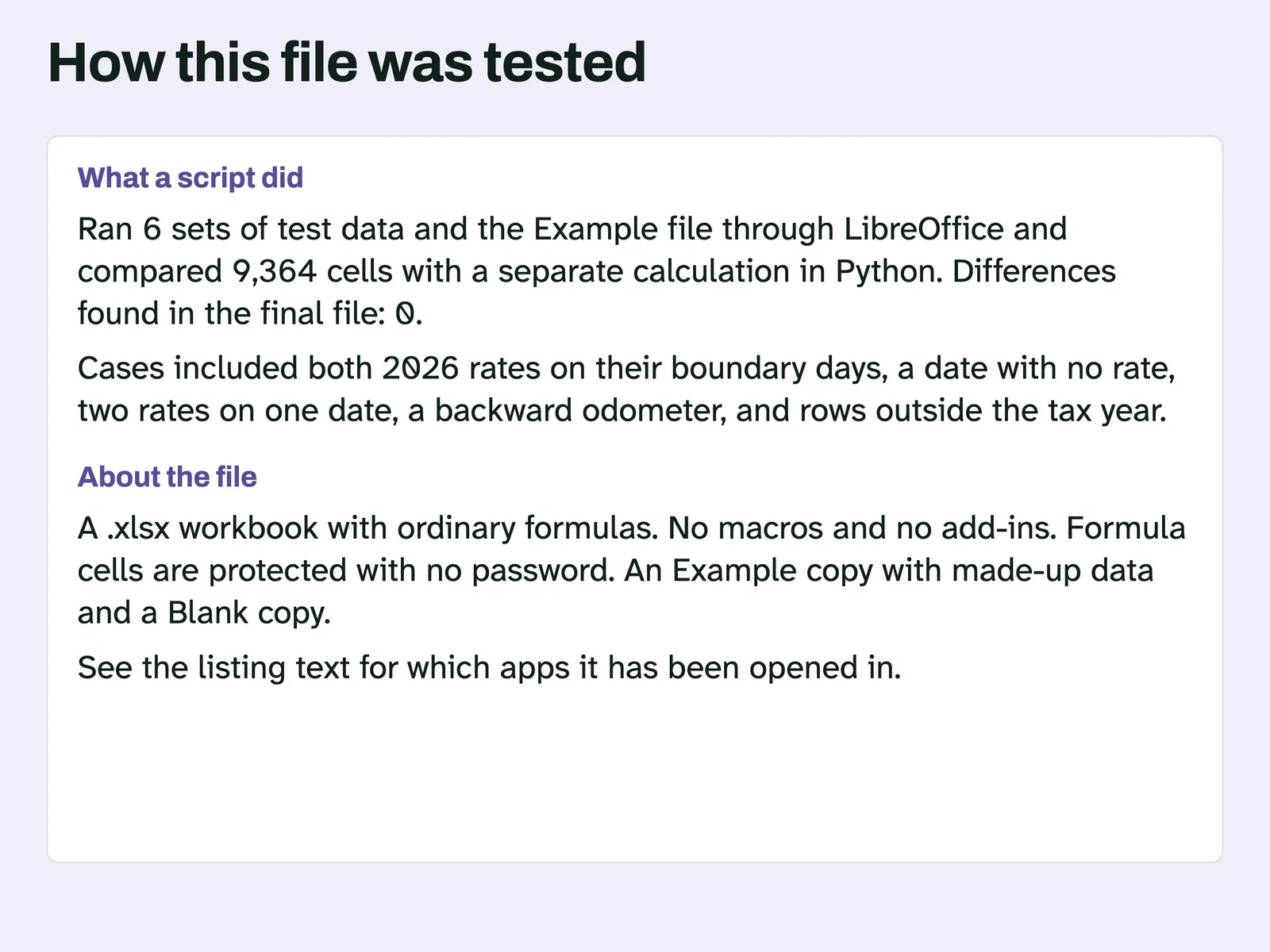
Buy on EtsyAn .xlsx file with ordinary formulas and no macros. A script recalculated it in Excel for Mac and LibreOffice. Excel for Windows and Google Sheets have not been tried.
Instant download from Etsy · nothing shipped
What's included
- Tax-Organizer-Example.xlsx, a full made-up year
- Tax-Organizer-Blank.xlsx, the 2026 rates and starter categories, with no rows
How it works
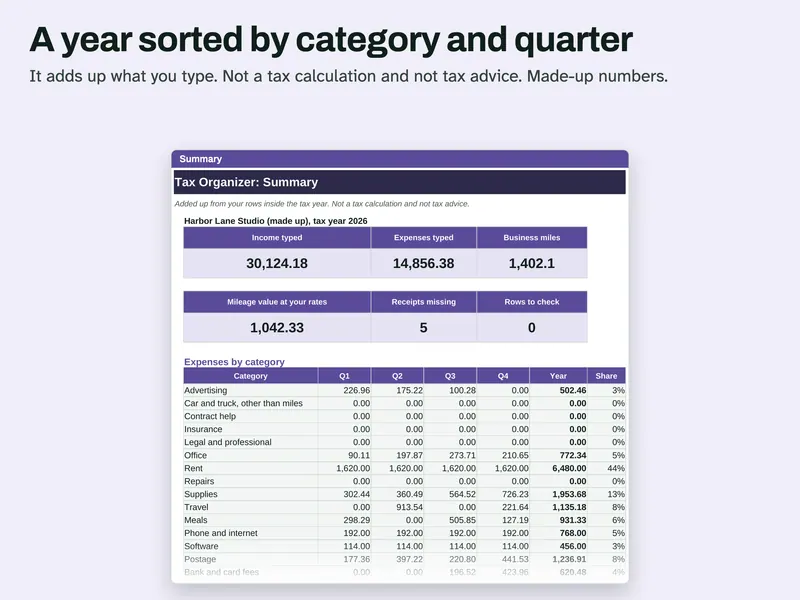
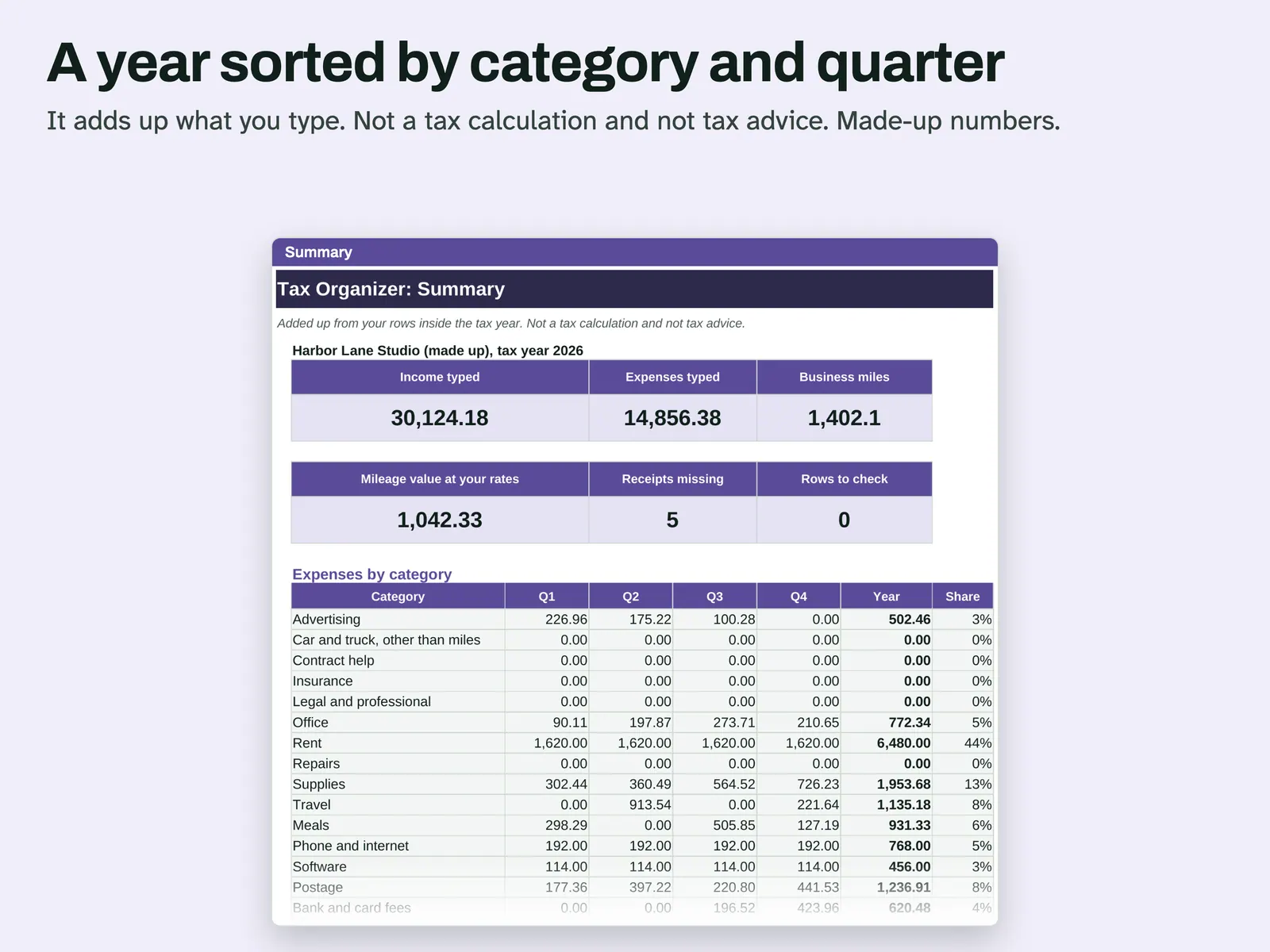
Read the Summary Income typed, expenses typed and business miles in cards, then expenses by category and quarter. It adds up records and is not a tax calculation. 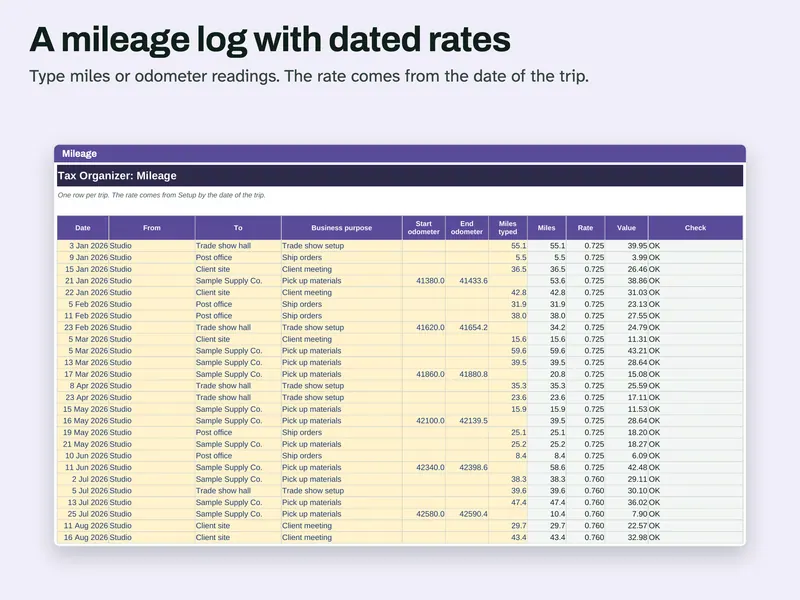
Log your trips Type miles, or start and end odometer. The rate comes from the date of the trip, and the Check column flags problems. 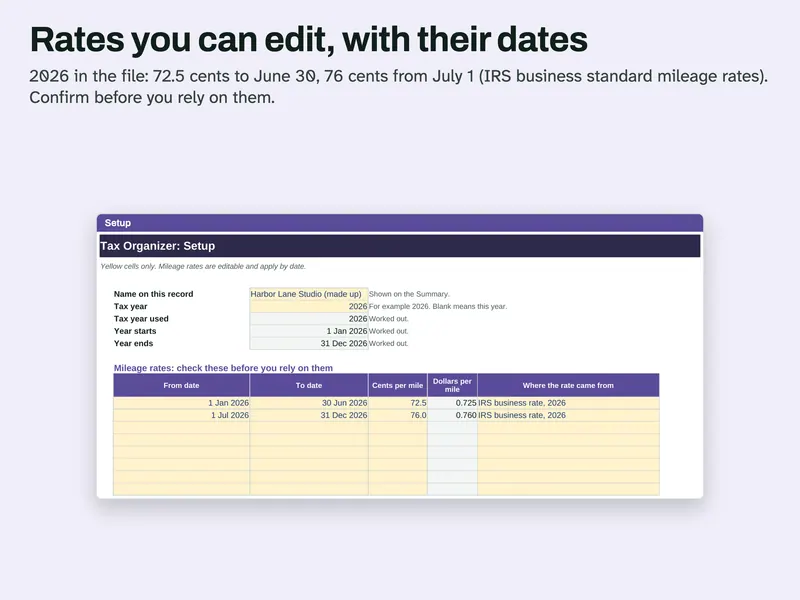
Edit the rates Setup holds the dated mileage rates, with a column for where each rate came from. Confirm them before you rely on the total. 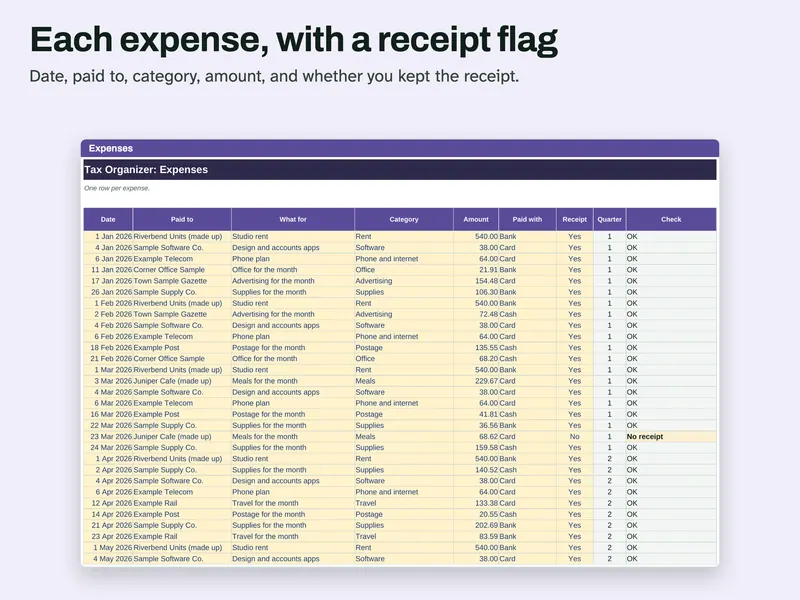
Record each expense Date, payee, what for, category, amount, how paid and whether you kept the receipt. One row per expense. 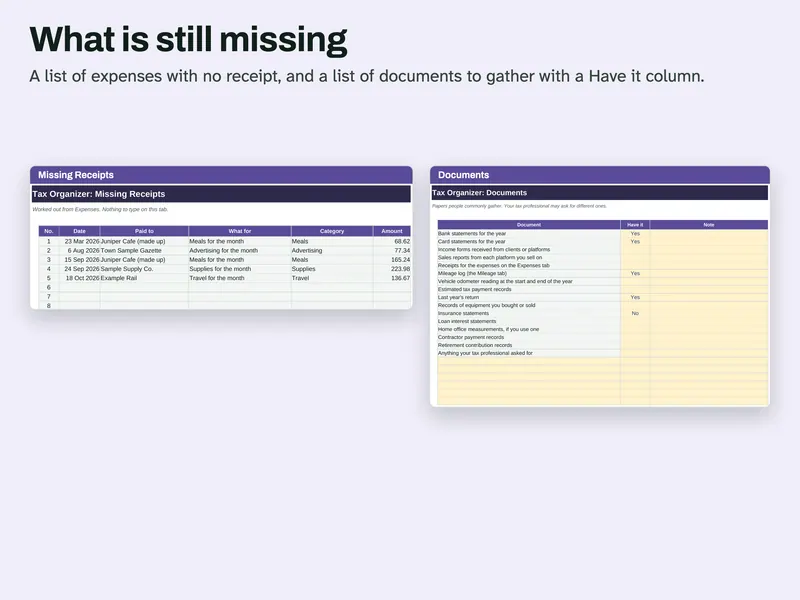
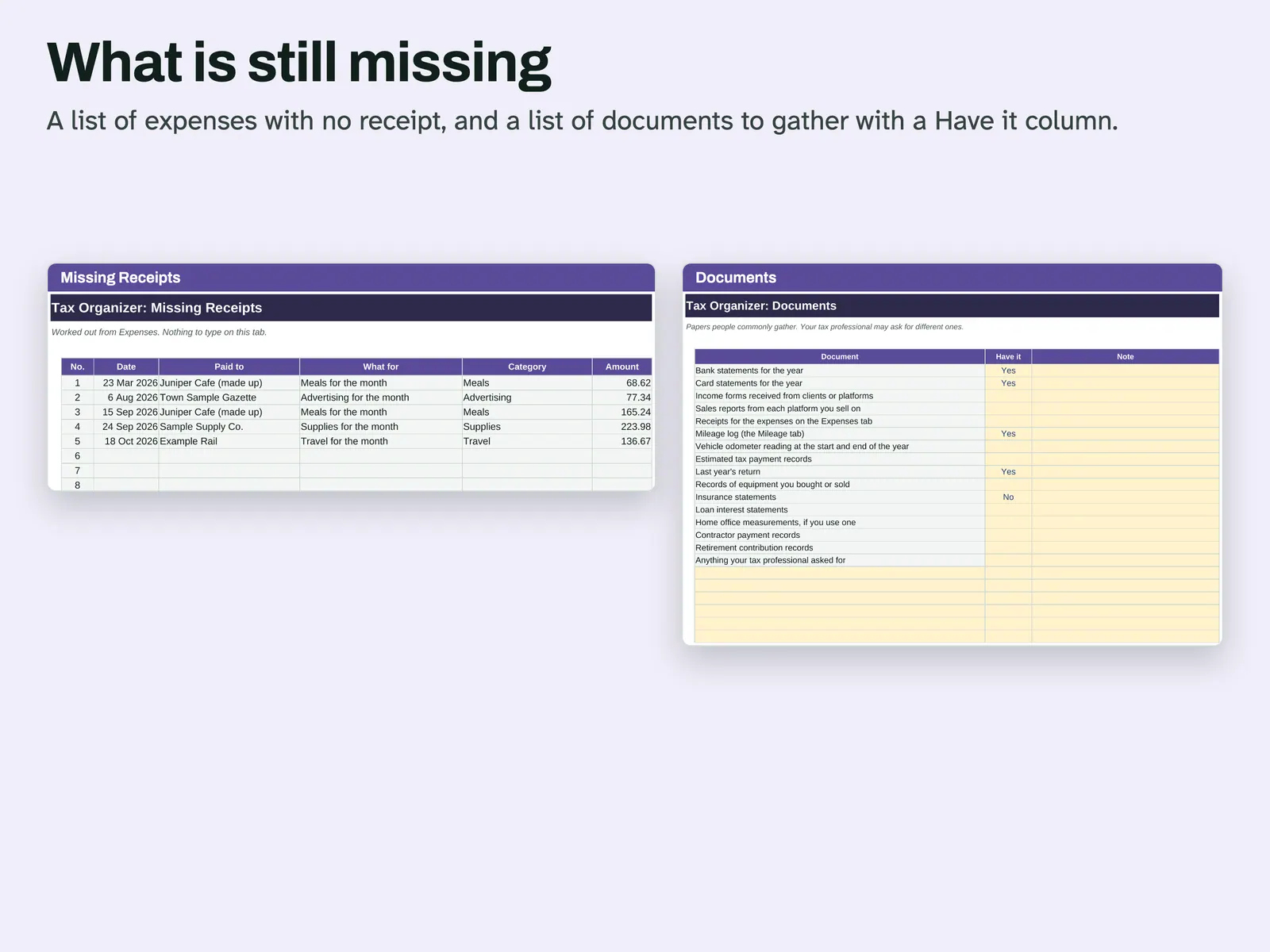
Chase what is missing Missing Receipts lists every expense with no receipt. Documents is a list of papers to gather, with a Have it column.
Compatibility and file formats
An .xlsx workbook with ordinary formulas. No macros and no add-ins. A script recalculated it in LibreOffice 26.8 and compared the results with a separate Python calculation. Another script confirmed it uses no LAMBDA, LET, XLOOKUP or spill formulas. A script also opened this file in Microsoft Excel for Mac 16.114.3 and ran a full recalculation: every cell matched the values stored in the file, with no error cells. That test did not type new data into Excel or look at the screen. Excel for Windows and Google Sheets have not been tried.
Instant download from Etsy · nothing shipped.
Video
Questions
- Does it tell me what I can deduct?
No. It adds up what you type. Whether you can use the mileage value or any expense is a question for a qualified tax professional.
- Does it work out the tax I owe?
No. There is no tax calculation in the file.
This file adds up the records you type. It gives no tax advice and does not work out tax. Rules differ by country and by person, so ask a qualified tax professional. Not affiliated with the IRS. The mileage rates were read from the IRS standard mileage rates page on 2026-11-04 and can change. License: for your personal use only. No resale or sharing of this file. AI helped write the listing text, the how-to text and the code that builds this file. Scripts tested: the rate picked for each trip, including both 2026 rates on their boundary days, a date with no rate and two rates on one date, plus quarters, category and source totals, the rate period table and Missing Receipts, on 6 sets of test data including a backward odometer, rows outside the tax year and full tables. No person is claimed to have checked it unless stated here.
Related
Also included in this bundle:
-
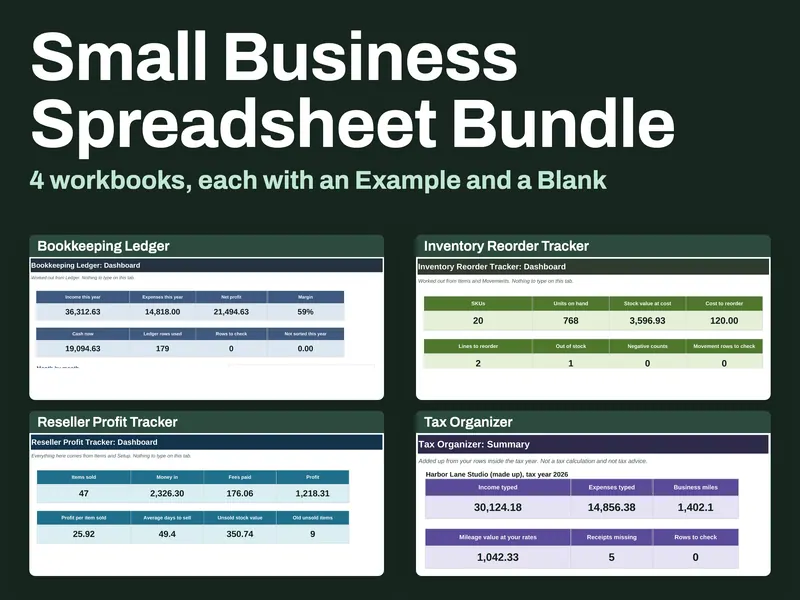
Small Business Spreadsheet Bundle
Four workbooks for books, stock, resale profit and expense records
$10.49 on Etsy