Minimal Academic Planner 2026–2027
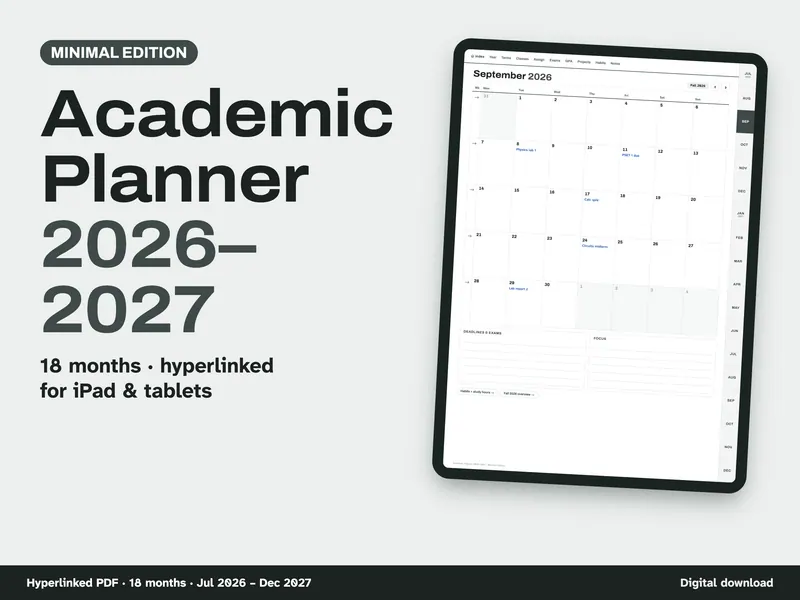
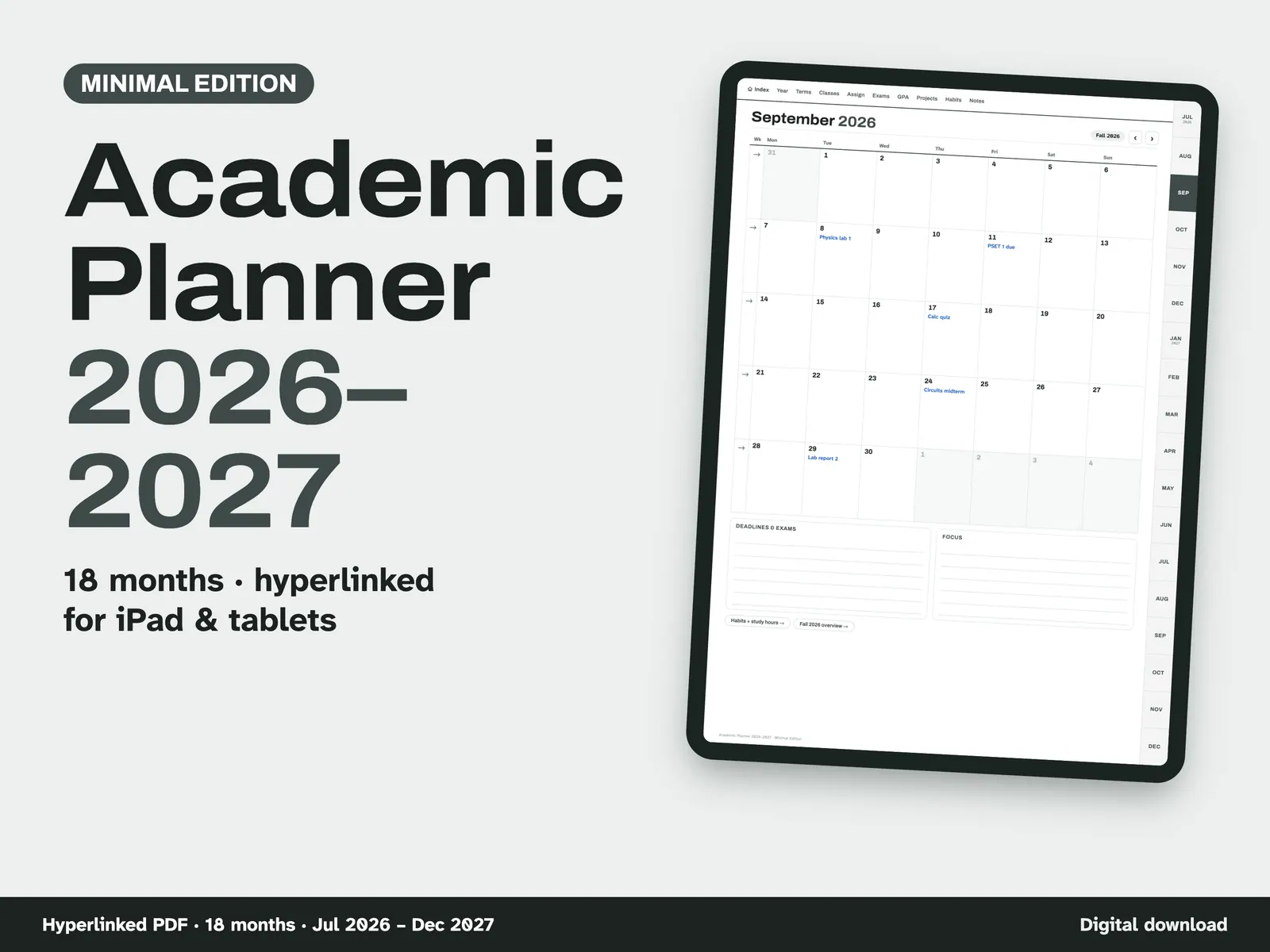
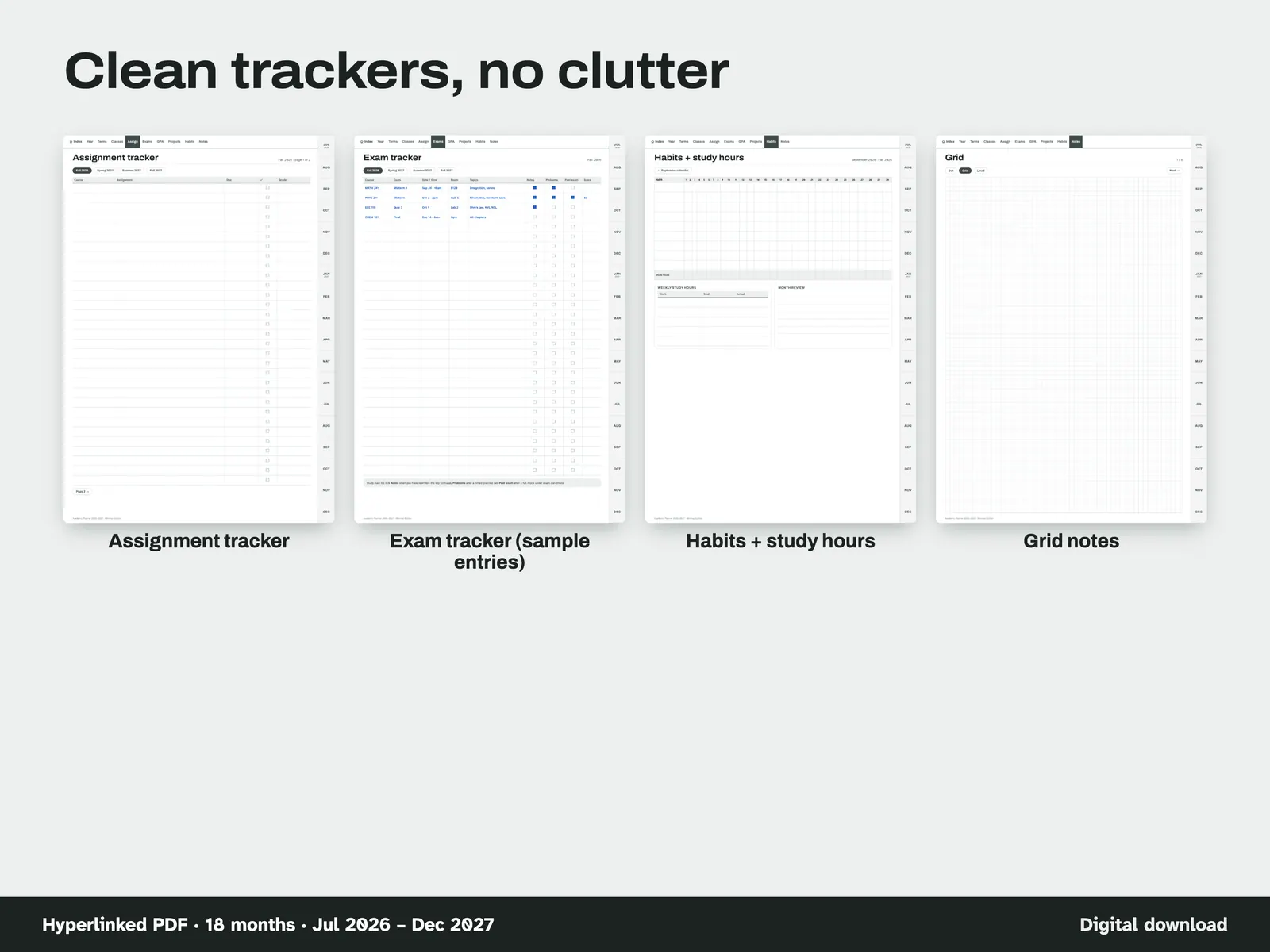
Some students want a planner, not a project. This minimal edition keeps to the pages college students reach for week after week and drops the lab, formula and units pages found in our STEM and engineering editions. What's left is a calm grey theme with an 18-month calendar from July 2026 to December 2027, daily pages with a schedule and to-do list, a class schedule and term overview for every term, assignment and exam trackers, GPA worksheets with a worked example, a project planner and a monthly habit and study-hours tracker. Every page is hyperlinked, so you move from month to week to day with a tap in your PDF note app. We are not affiliated with GoodNotes or any app maker.
From our listing records. Etsy shows the current price and your local currency at checkout.
Buy on EtsyHyperlinked PDF made for note apps that keep links. 834 x 1194 pt pages (11-inch tablet shape), about 5.0–5.3 MB per planner file. Scripts tested the links in the file. Use in a real note app has not been recorded. tobulab is not affiliated with GoodNotes or any app maker.
Instant download from Etsy · nothing shipped
What's included
- Academic-Planner-2026-2027-Minimal-Portrait-Monday-Start.pdf: portrait planner, weeks start Monday
- Academic-Planner-2026-2027-Minimal-Portrait-Sunday-Start.pdf: portrait planner, weeks start Sunday
- Academic-Planner-2026-2027-Minimal-Landscape-Monday-Start.pdf: landscape planner for split-screen, weeks start Monday
- Academic-Planner-2026-2027-Minimal-Landscape-Sunday-Start.pdf: landscape planner for split-screen, weeks start Sunday
- Academic-Planner-2026-2027-Minimal-How-to-Import.pdf: "Start here" guide to importing the planner into your note app
How it works
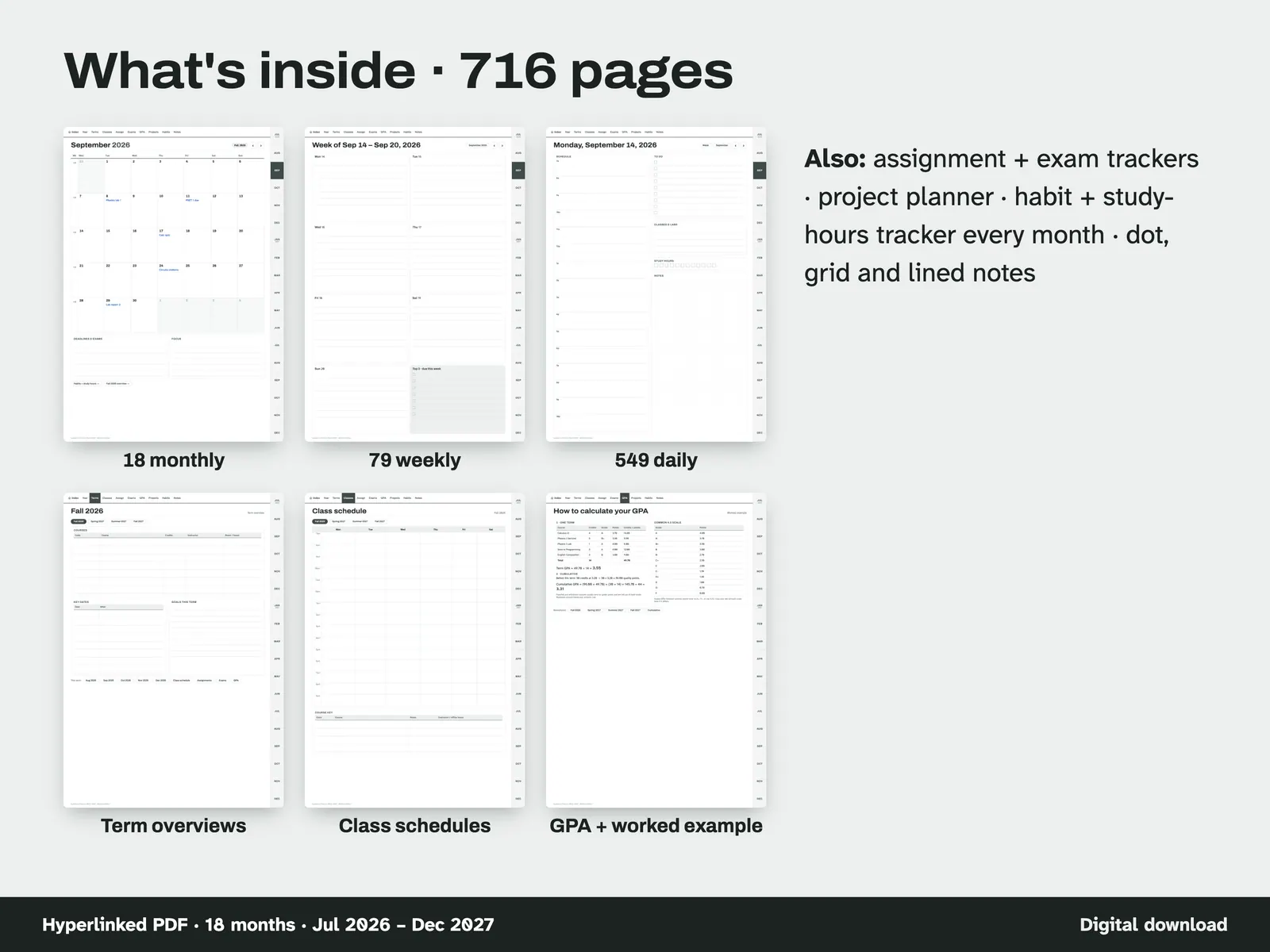
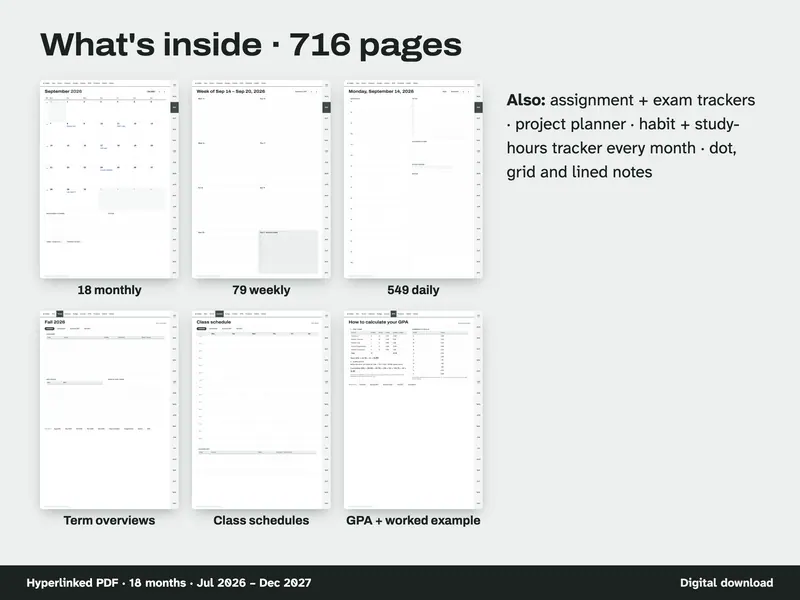
See what's inside 716 pages: 18 monthly, 79 weekly and 549 daily pages, term overviews, class schedules, GPA pages, trackers and dot, grid and lined notes. 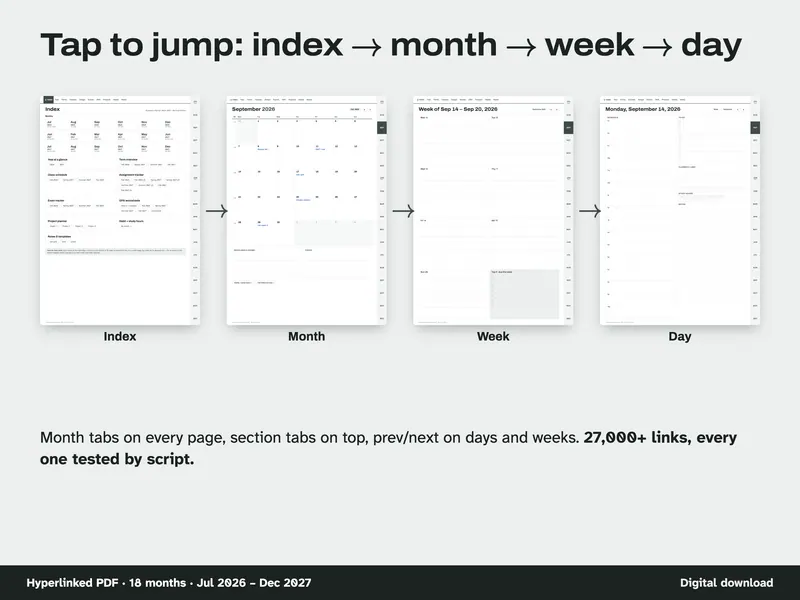
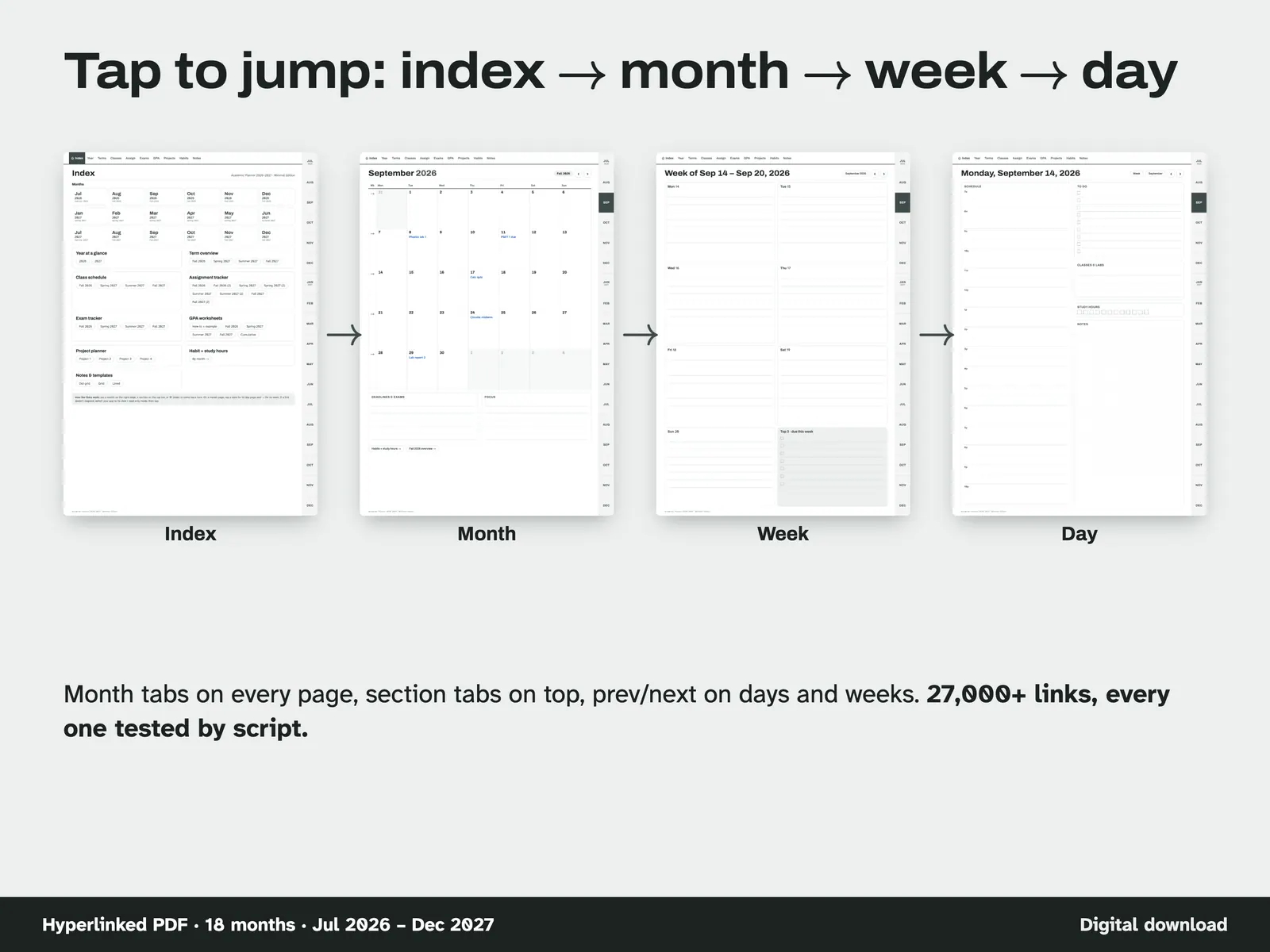
Tap to jump Index to month to week to day: month tabs on every page, section tabs on top, and previous / next buttons on days and weeks. 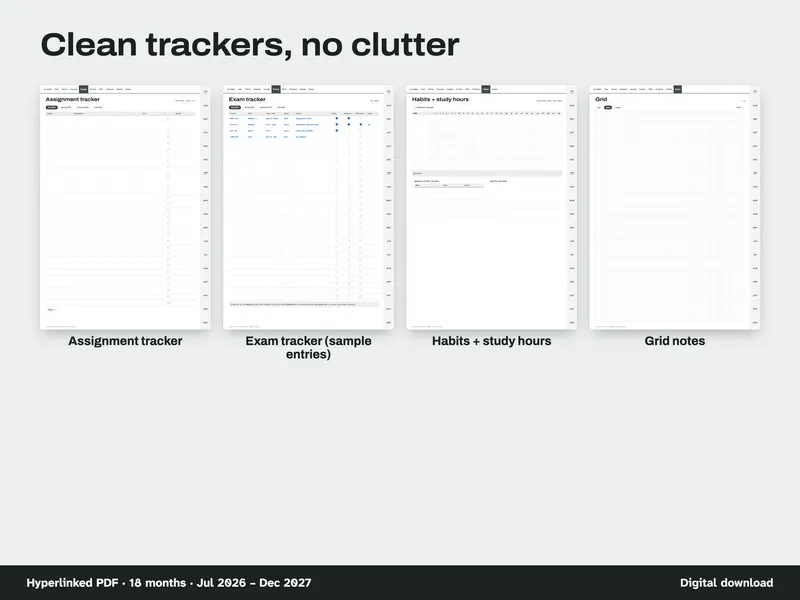
Use the clean trackers Assignment tracker, exam tracker, habits + study hours, and grid notes, shown with sample entries. 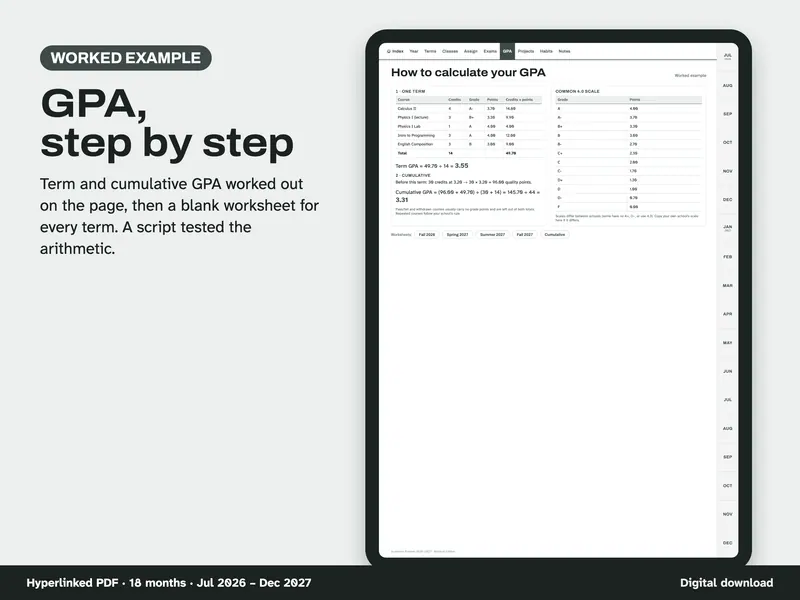
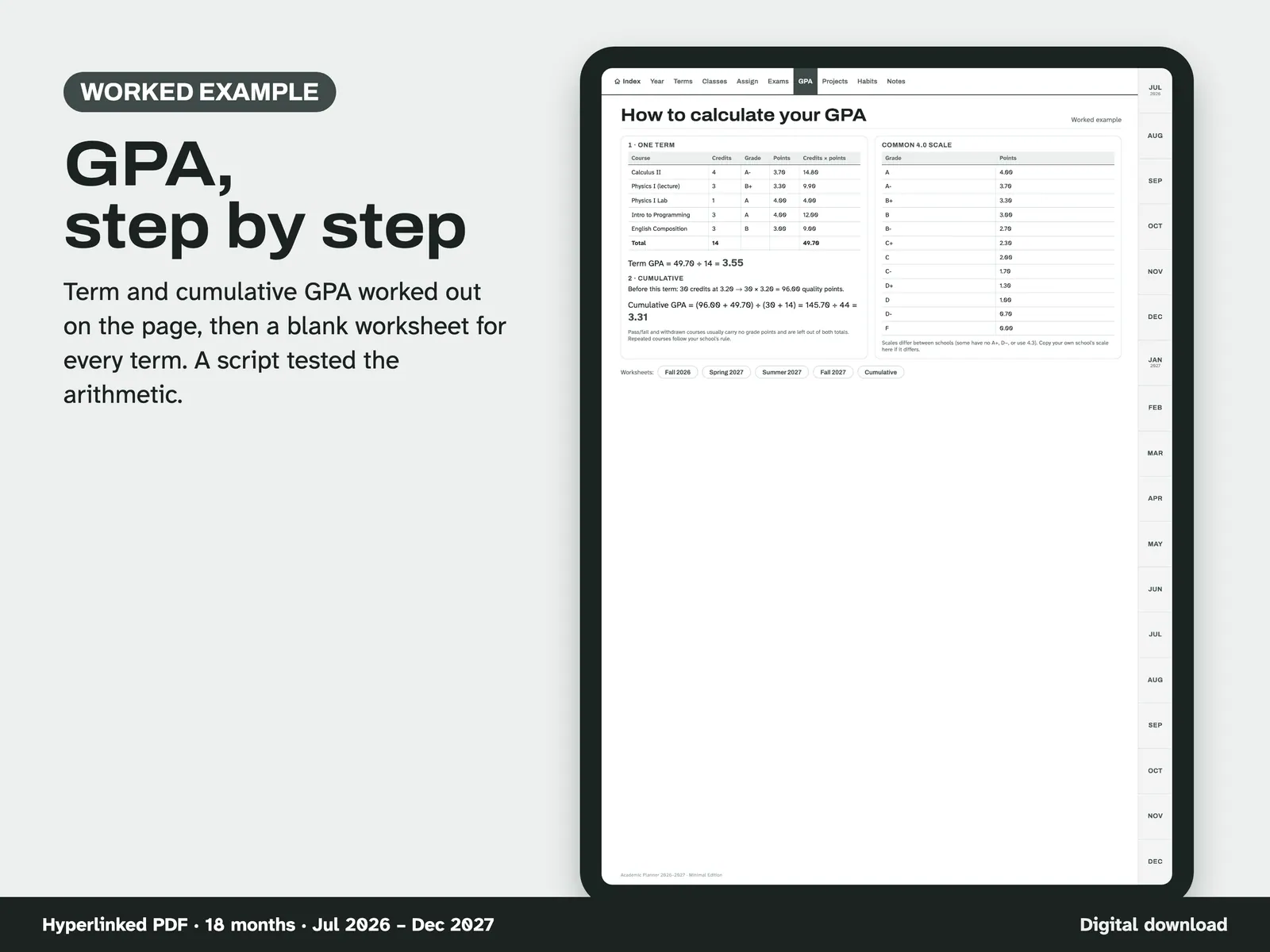
Work out your GPA A worked example of term and cumulative GPA on a common 4.0 scale, then a blank worksheet for every term. 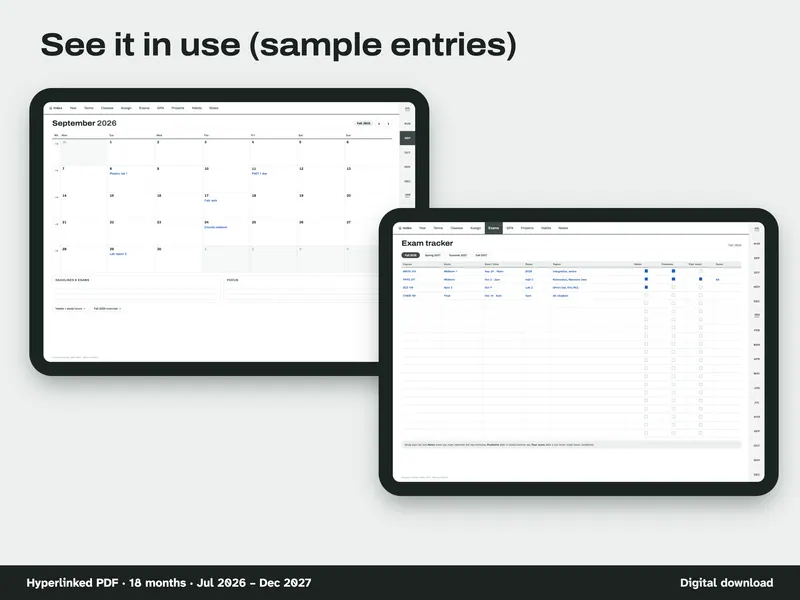
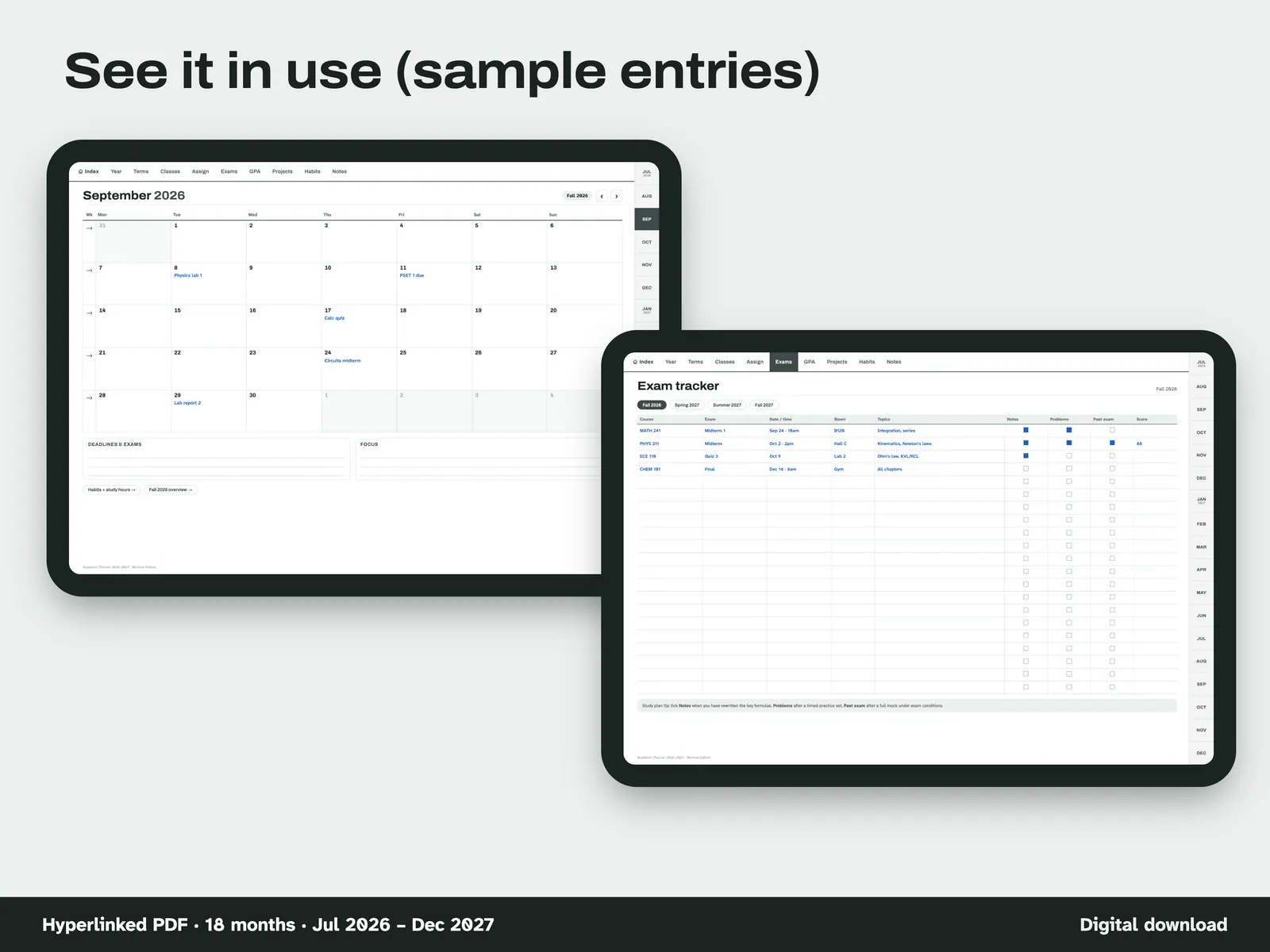
Fill it in Sample entries on a September 2026 month page and on the exam tracker, with course, date, topics and notes. 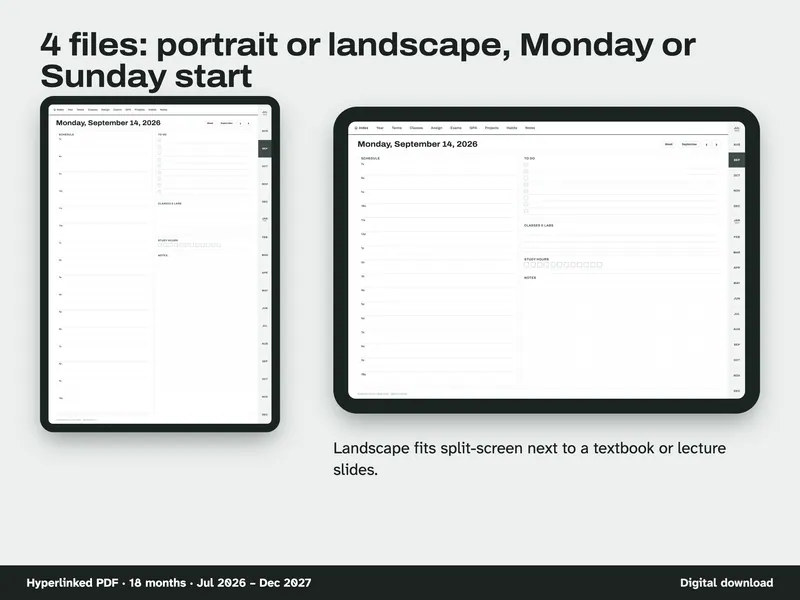
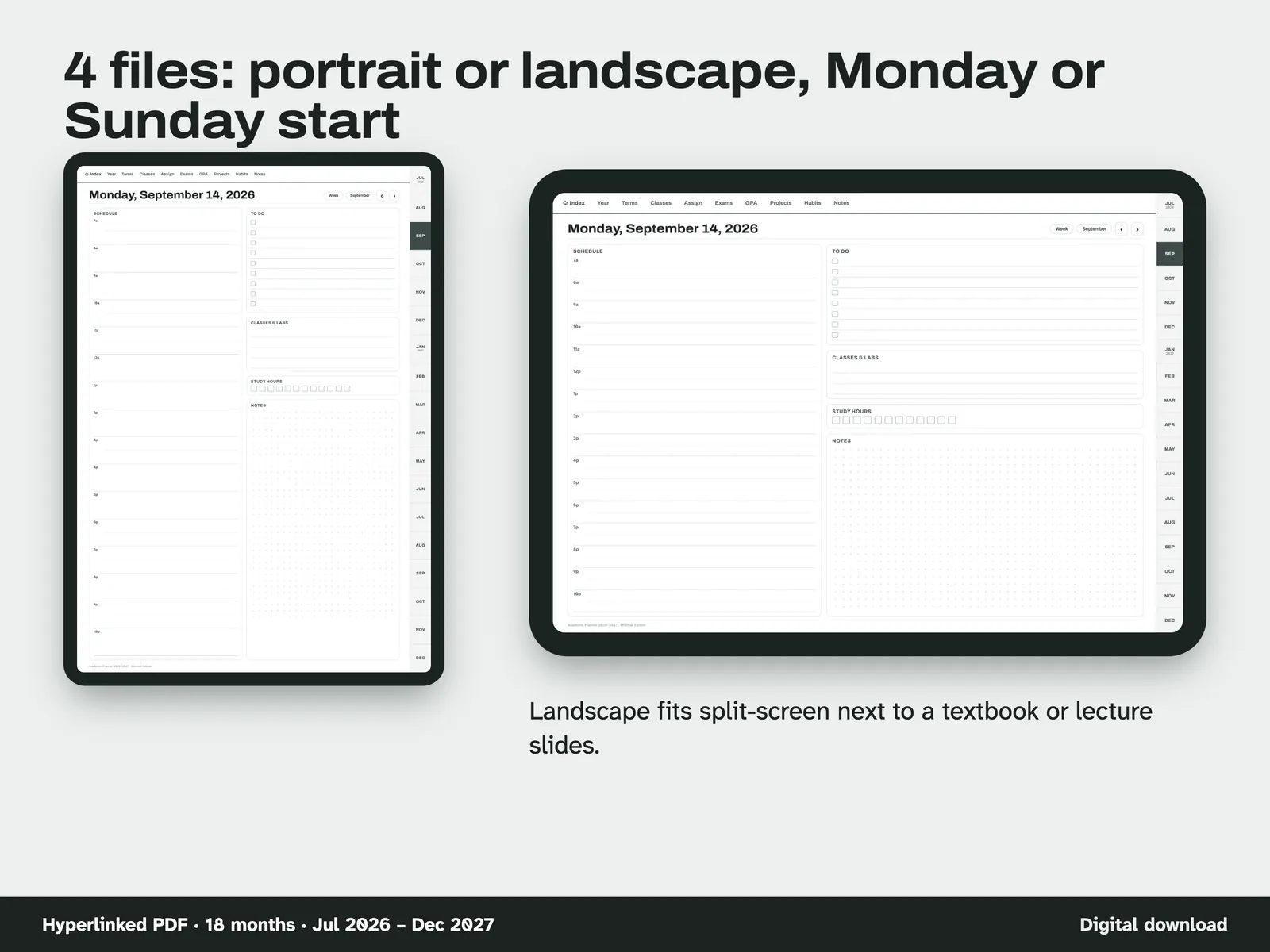
Pick your layout Four planner files: portrait or landscape, Monday or Sunday start. Landscape fits split-screen next to a textbook or lecture slides.
Compatibility and file formats
Hyperlinked PDF made for note apps that keep links. 834 x 1194 pt pages (11-inch tablet shape), about 5.0–5.3 MB per planner file. Scripts tested the links in the file. Use in a real note app has not been recorded. tobulab is not affiliated with GoodNotes or any app maker.
Instant download from Etsy · nothing shipped.
Video
Questions
- Which file should I use?
Portrait if you hold the tablet upright, landscape for sideways or split-screen. Monday or Sunday start is your choice. All four have the same pages.
- Can I use it on Android or Windows?
Yes, in any PDF note app that keeps PDF links (for example Xodo). It was not tested in every app.
- Is it dated?
Yes: July 2026 – December 2027 (fall 2026, spring 2027, summer 2027, fall 2027).
- Does the GPA page calculate for me?
No, a PDF can't run formulas. It is a worksheet with a worked example so you can do it in a minute.
Made for PDF note apps that keep hyperlinks, such as GoodNotes, Notability, Noteshelf or Xodo. Use in those apps has not been recorded. tobulab is not affiliated with GoodNotes or any app maker.