Wedding Checklist
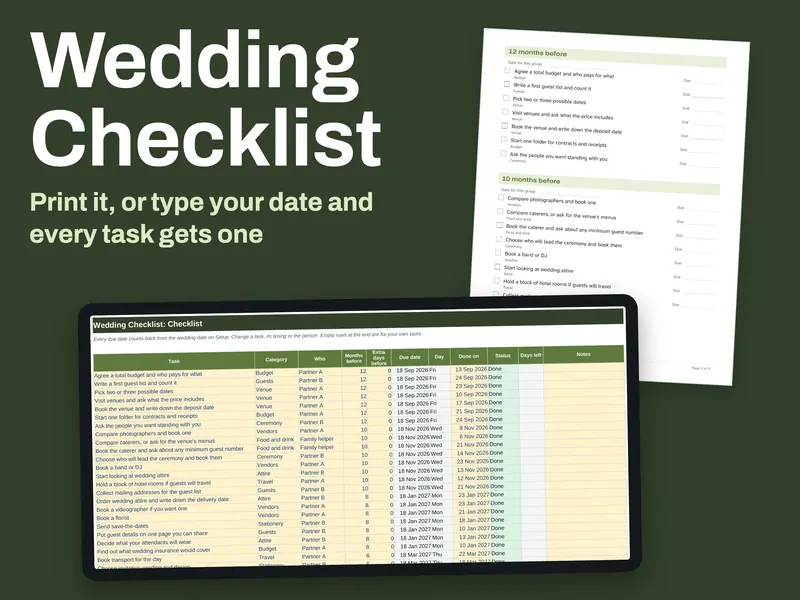
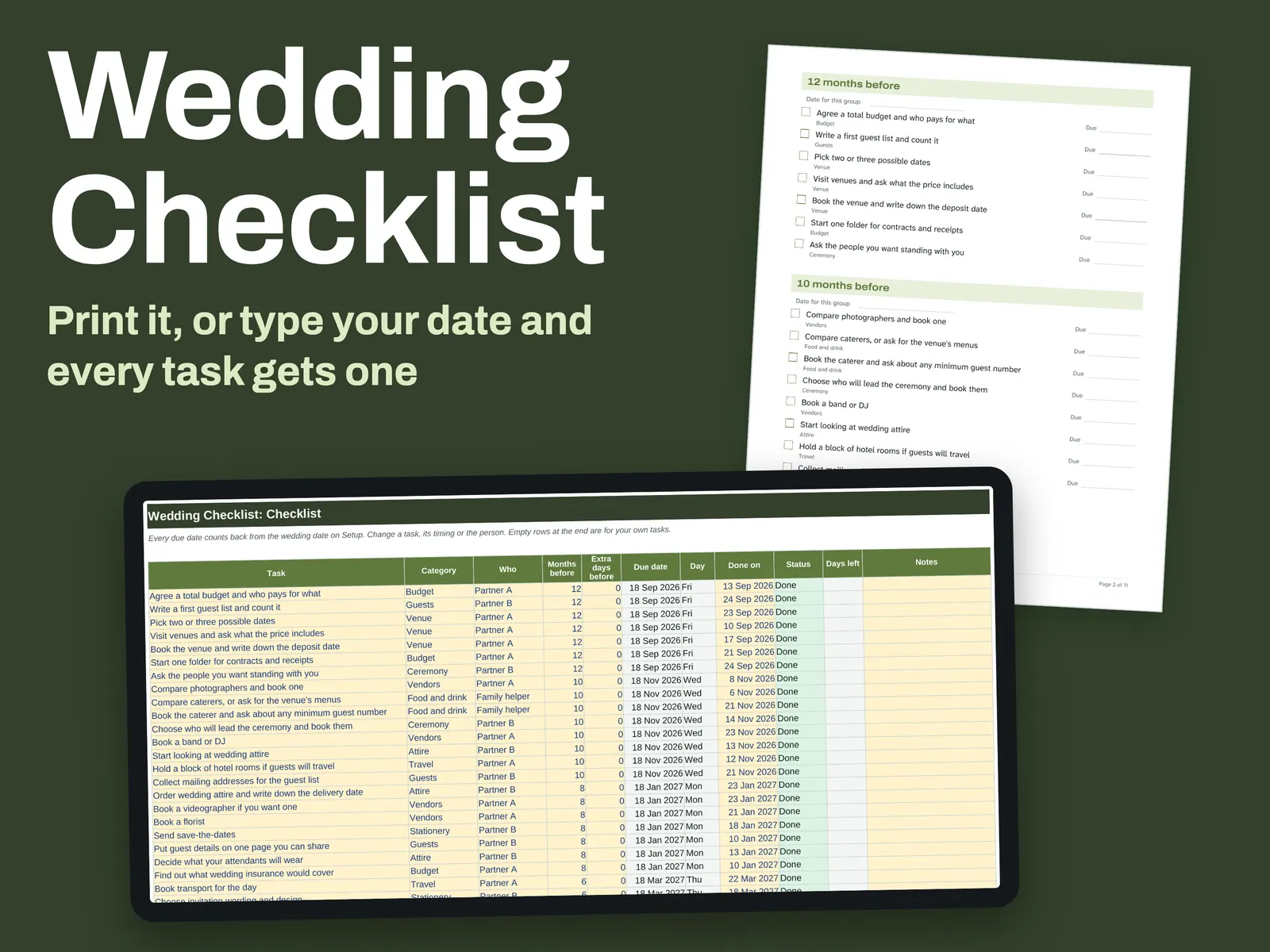
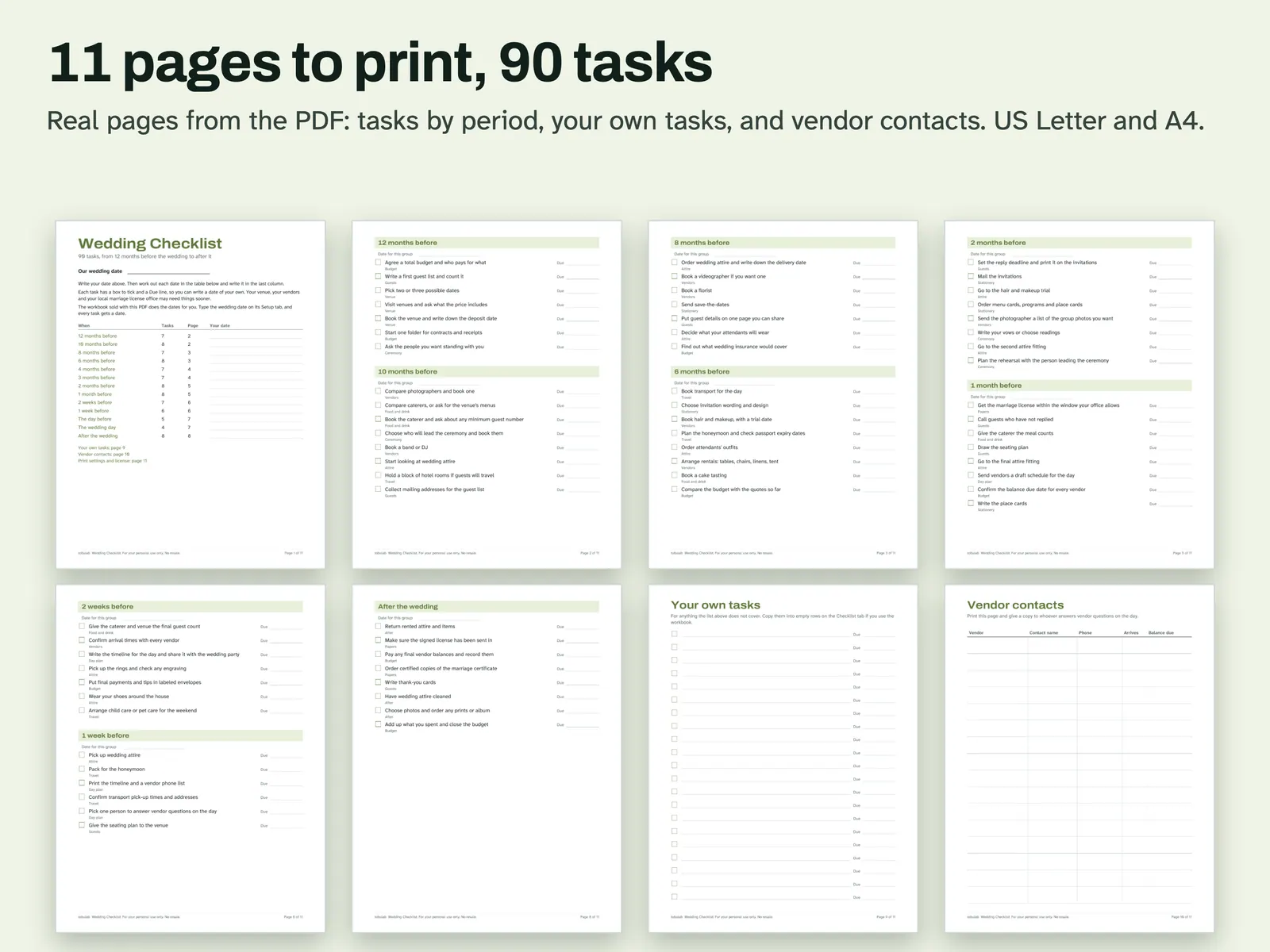
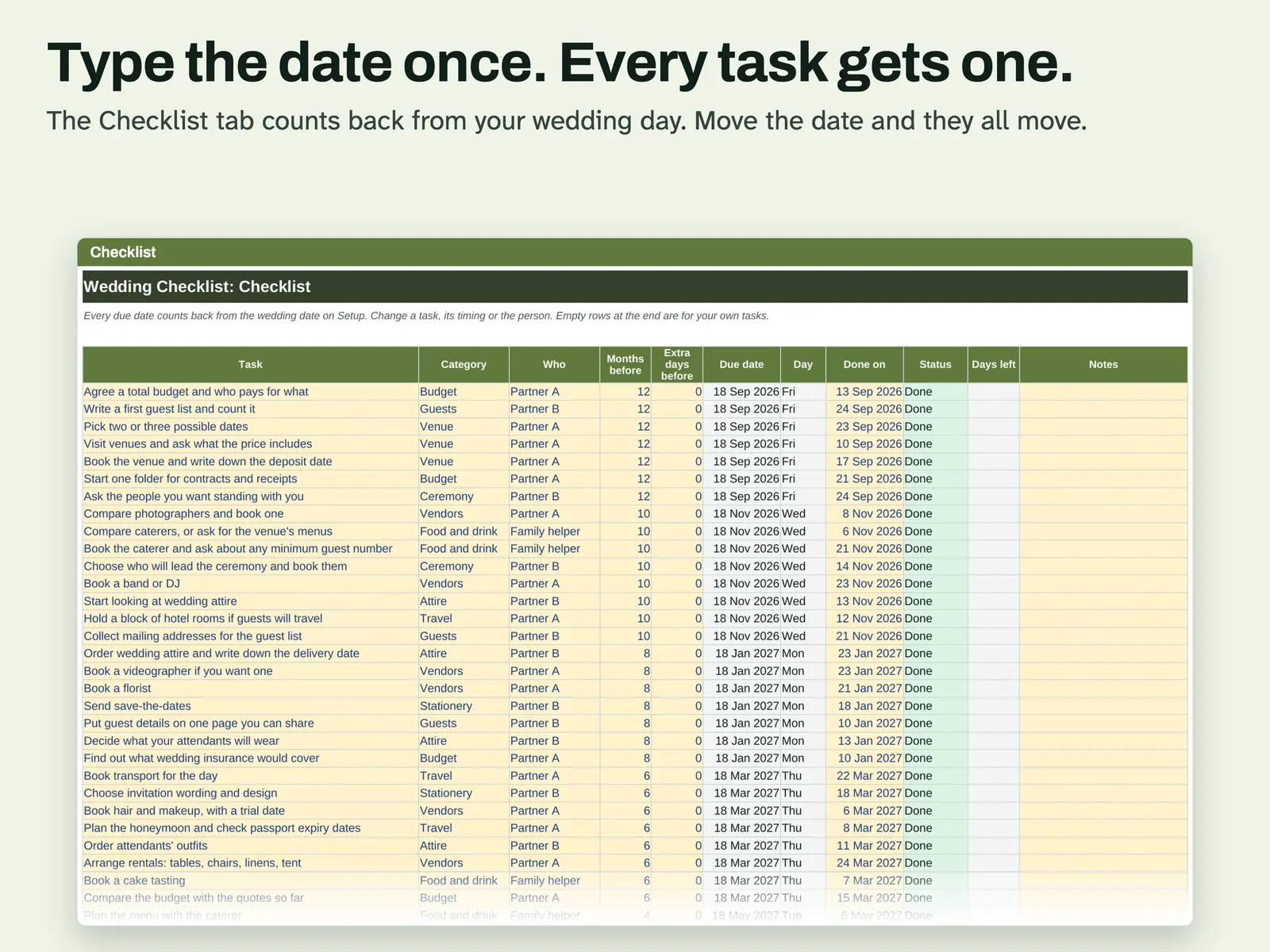
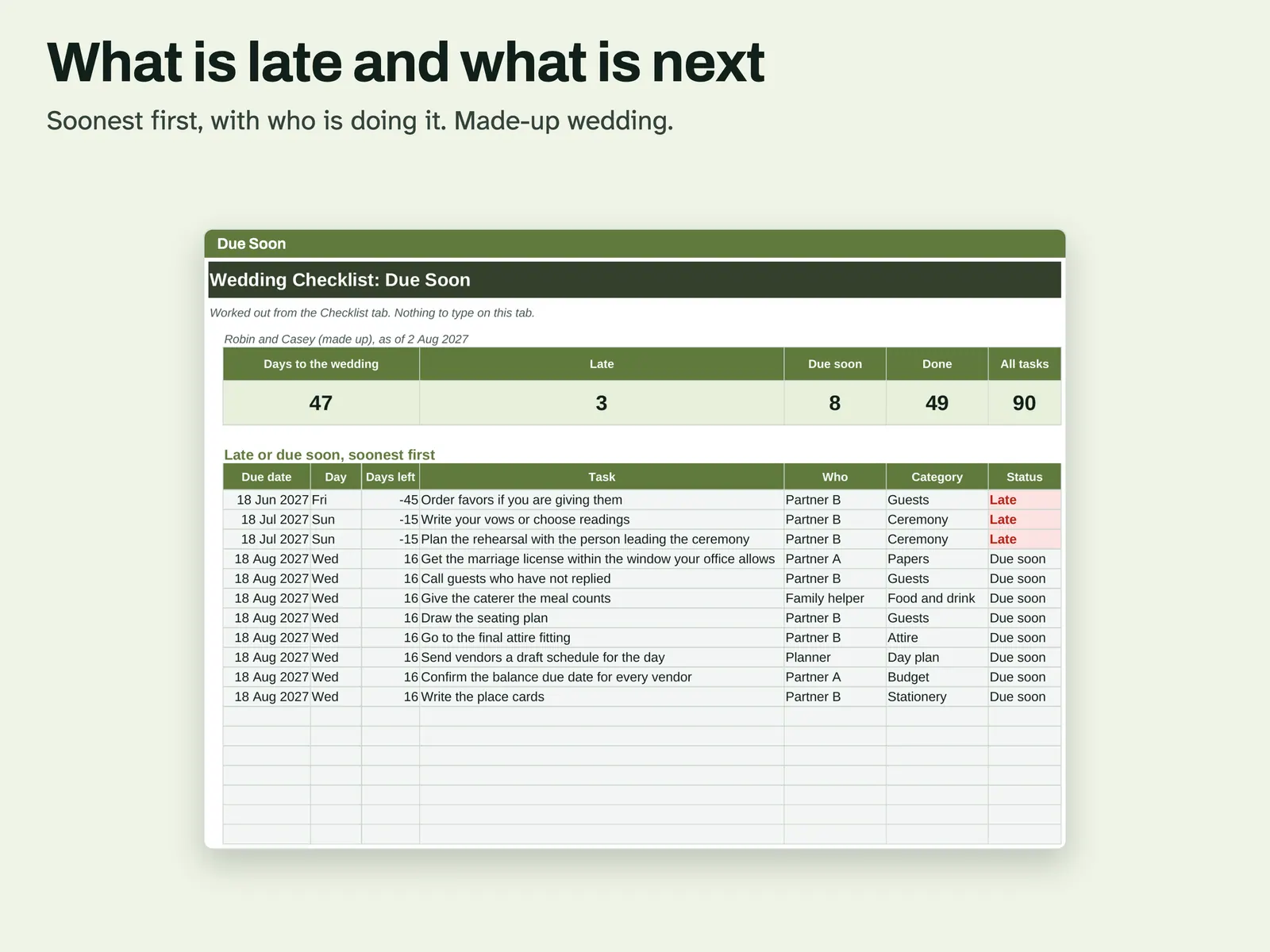
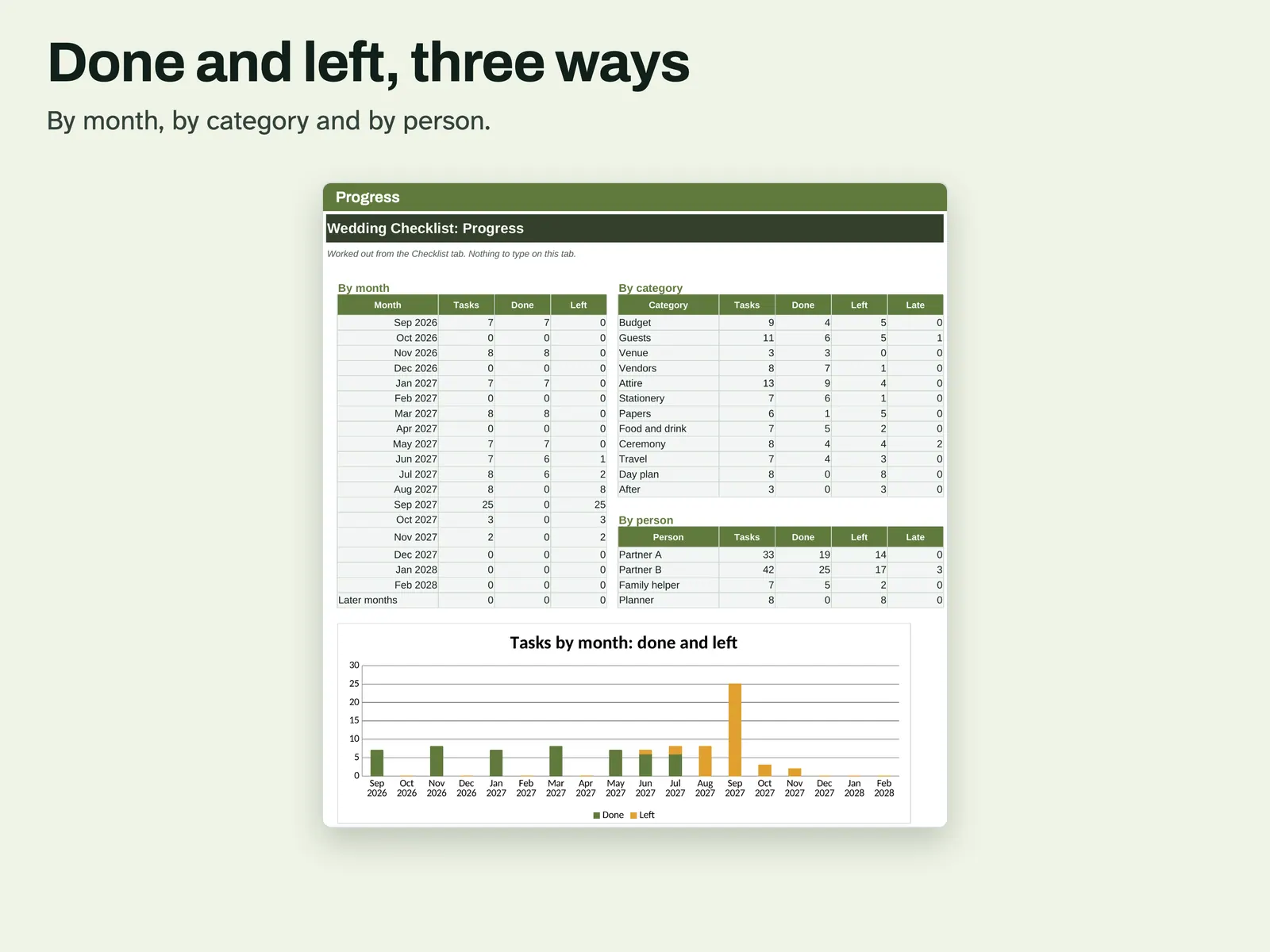
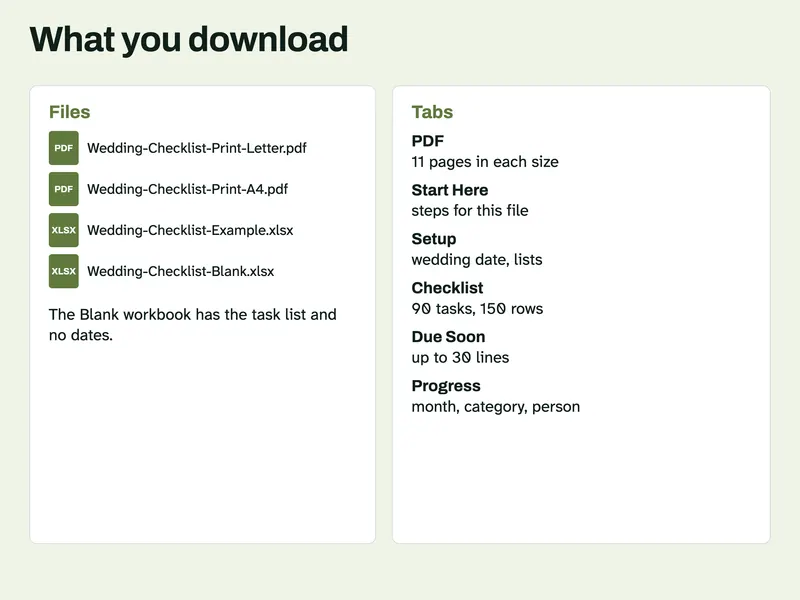
Some people plan on paper and some in a spreadsheet, so both are here. The PDF runs 11 pages. It lists 90 tasks by period, starting 12 months out and ending after the wedding, with a tick box and a Due line beside each. At the back are space for tasks of your own and a contact sheet for vendors. The workbook carries those same tasks, with room for 150. Enter your wedding date on Setup and every task gets a due date and weekday, then shifts if you move the date. Months before and Extra days before adjust single tasks. Due Soon surfaces what is late or next. Progress charts done and left. No test print has been made yet.
From our listing records. Etsy shows the current price and your local currency at checkout.
Buy on EtsyExcel for Mac recalculated with no errors; LibreOffice matched Python. A script tested PDF fonts, links and margins; no test print. Google Sheets not tried.
Instant download from Etsy · nothing shipped
What's included
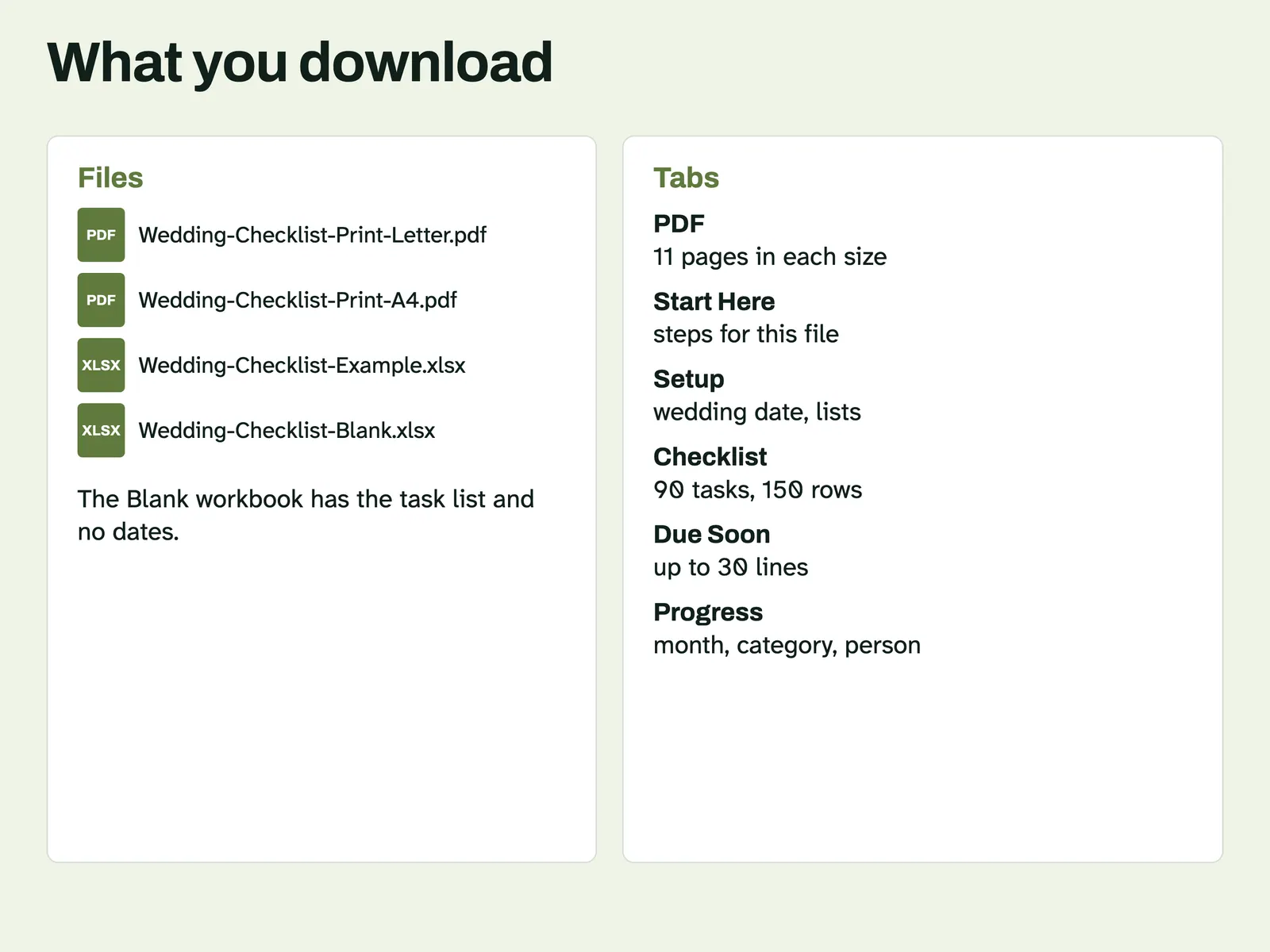
- Wedding-Checklist-Print-Letter.pdf, 11 pages
- Wedding-Checklist-Print-A4.pdf, 11 pages
- Wedding-Checklist-Example.xlsx, filled in with a made-up wedding
- Wedding-Checklist-Blank.xlsx, with the task list and no dates
How it works
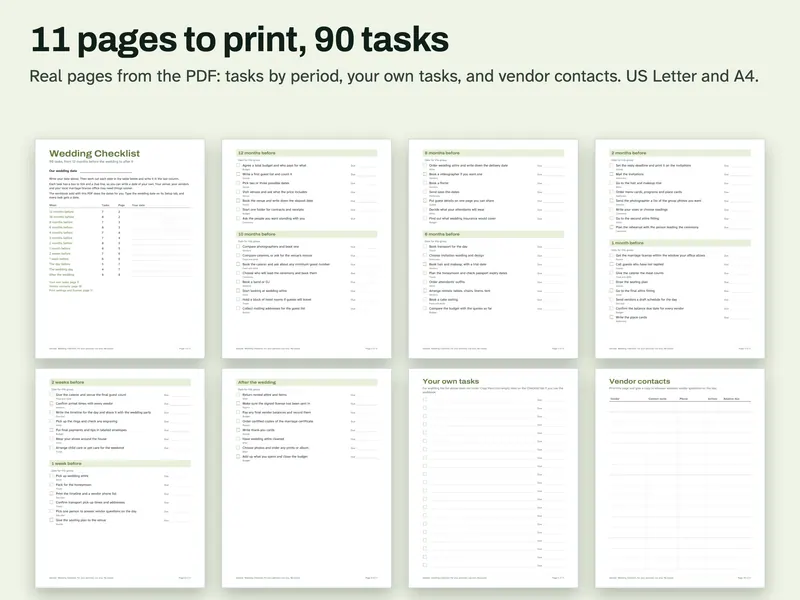
The print pages Pages from the PDF: tasks by period, a page for your own tasks and a vendor contacts sheet. 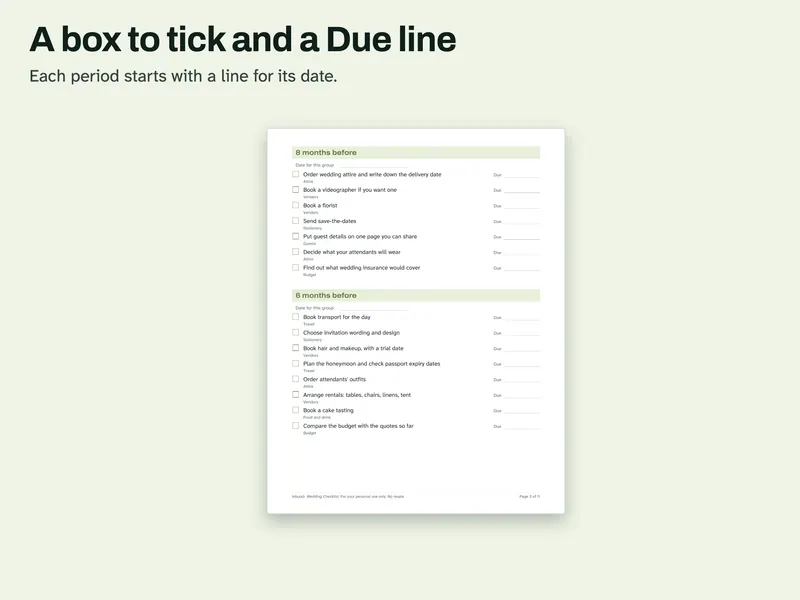
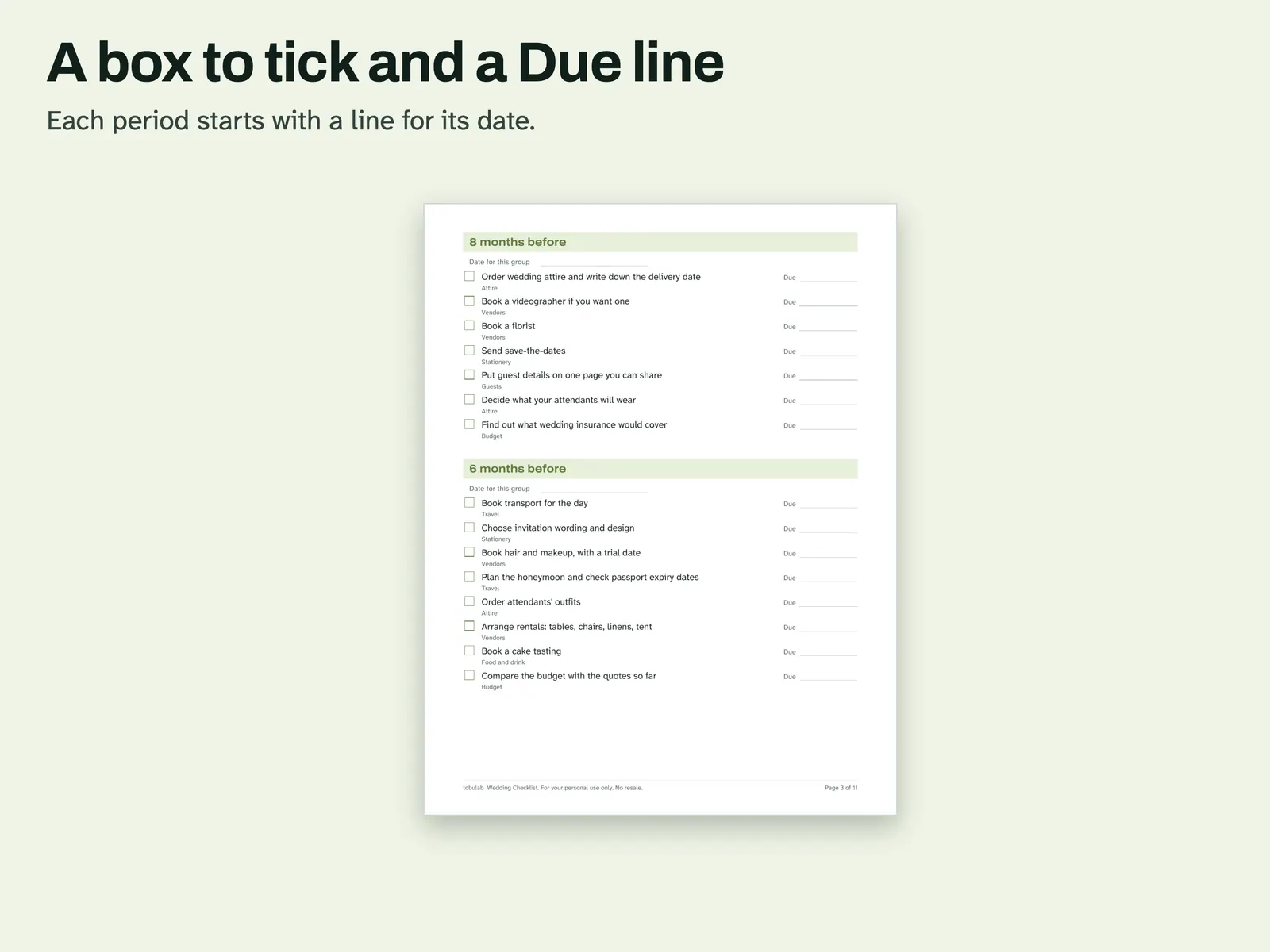
Tick box and Due line One PDF page, with a box to tick and a Due line beside each task, and a date line for each period. 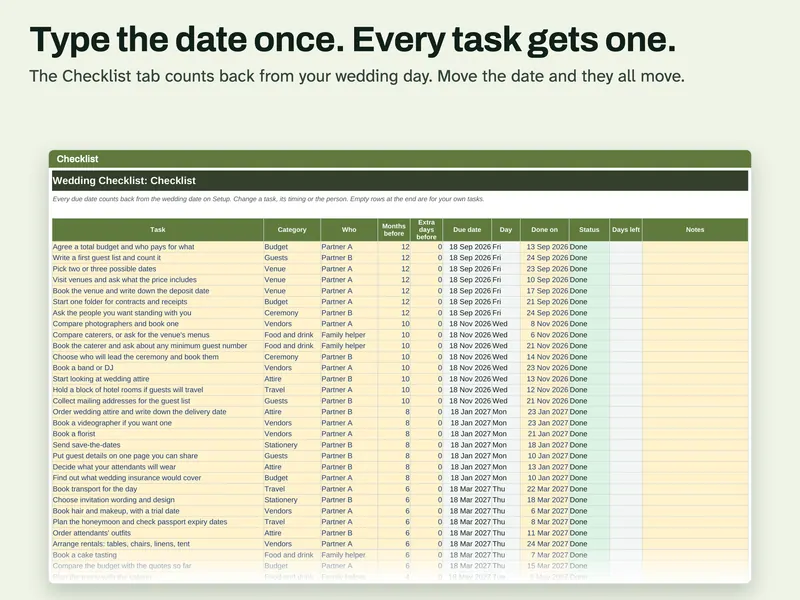
Type the date once The Checklist tab, where each task gets a due date counted back from your wedding day. 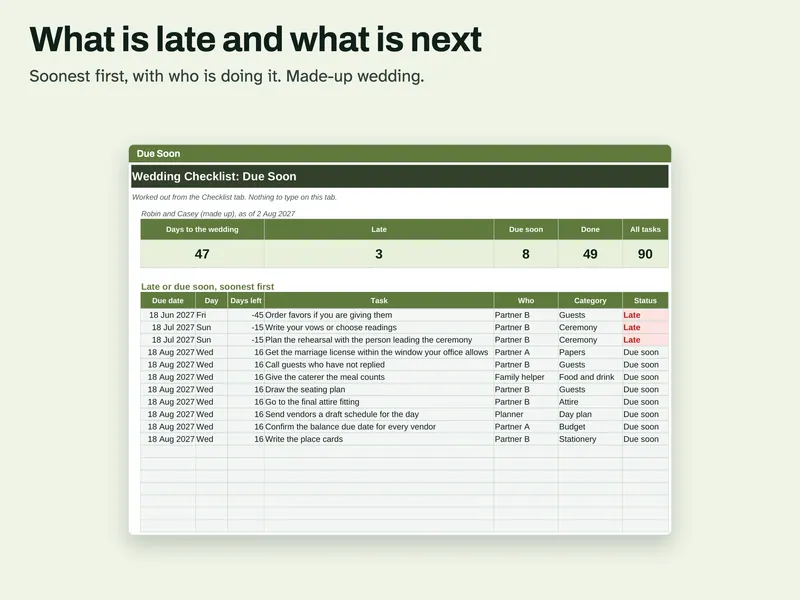
Late and next The Due Soon tab with counts of late and due soon tasks, then the list soonest first with who is doing each. 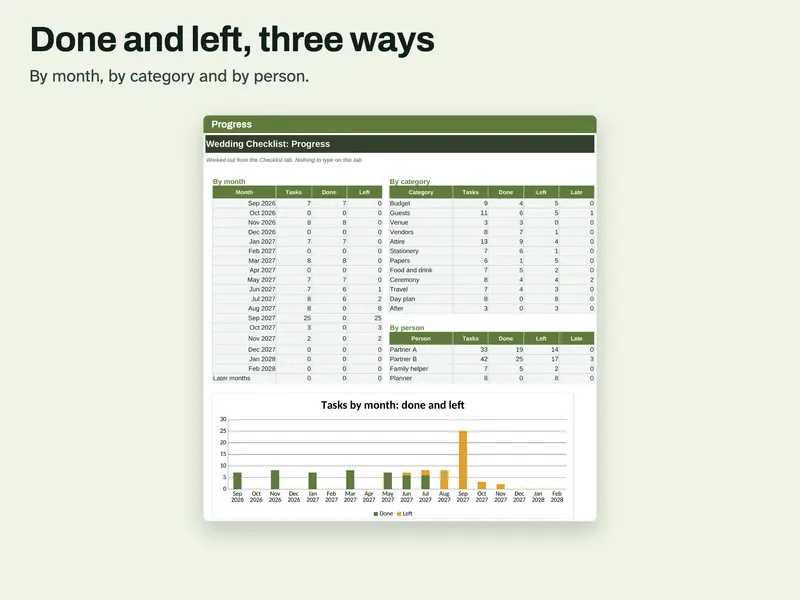
Done and left The Progress tab with done and left by month, by category and by person, above a column chart.
Compatibility and file formats
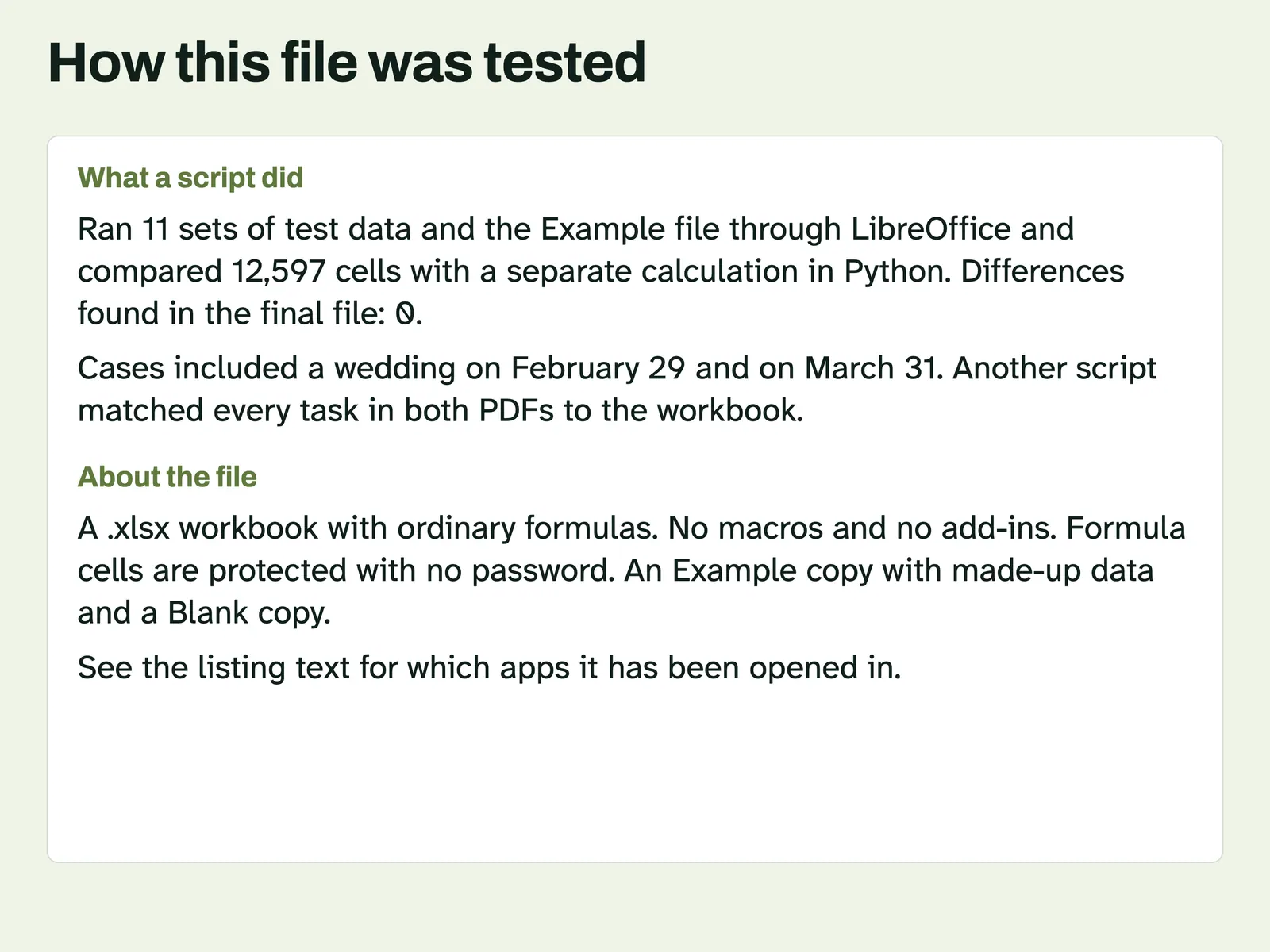
An .xlsx workbook with ordinary formulas. No macros and no add-ins. A script recalculated it in LibreOffice 26.8 and compared the results with a separate Python calculation. Another script confirmed it uses no LAMBDA, LET, XLOOKUP or spill formulas. A script also opened this file in Microsoft Excel for Mac 16.114.3 and ran a full recalculation: every cell matched the values stored in the file, with no error cells. That test did not type new data into Excel or look at the screen. Excel for Windows and Google Sheets have not been tried. The PDFs are US Letter and A4. A script confirmed the fonts are embedded and the page links work, and that the ink stays at least 0.4 inches from the page edge. They have not been printed on a real printer yet.
Instant download from Etsy · nothing shipped.
Video
Questions
- Is the PDF dated?
No. It has Due lines for you to write on. The workbook does the dates.
- What if my date is less than 12 months away?
Tasks already past show as Late on Due Soon. Mark the ones you have done with a date in Done on, or delete the row's task.
The dates are a starting point, not a rule. This is a planning list, not legal advice. Ask your local office what it needs for a marriage license. License: for your personal use only. No resale or sharing of this file. AI helped write the listing text, the how-to text, the task lists and the code that builds these files. Scripts tested every due date, weekday, status, the Due Soon list and the Progress tables, on 11 sets of test data including a wedding on February 29, a wedding on March 31 where a month back lands in a shorter month, a date already past, and tasks due exactly today. A script also tested that all 90 tasks are in both PDFs under the heading matching their timing in the workbook, that the fonts are embedded and that the page links work. No person is claimed to have checked it unless stated here.