Online Seller Profit Tracker
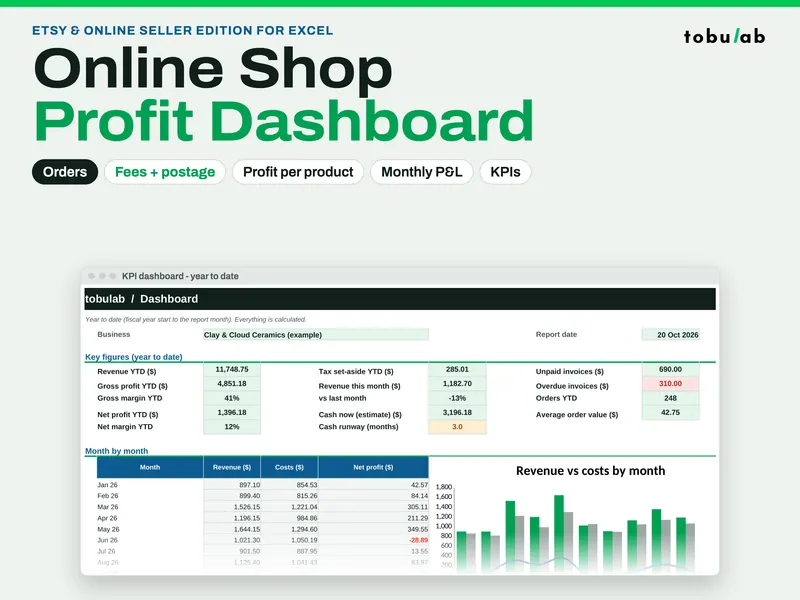
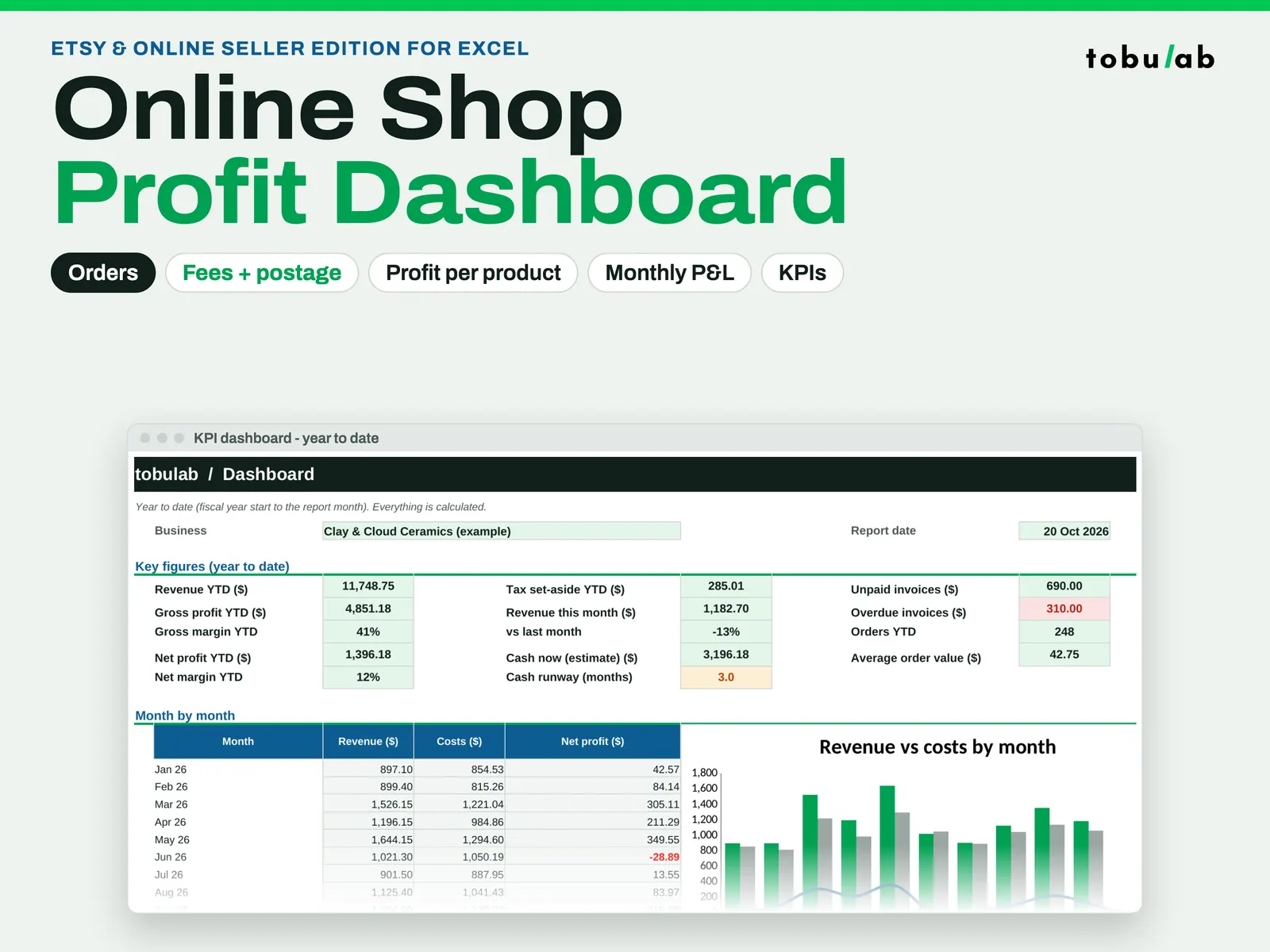
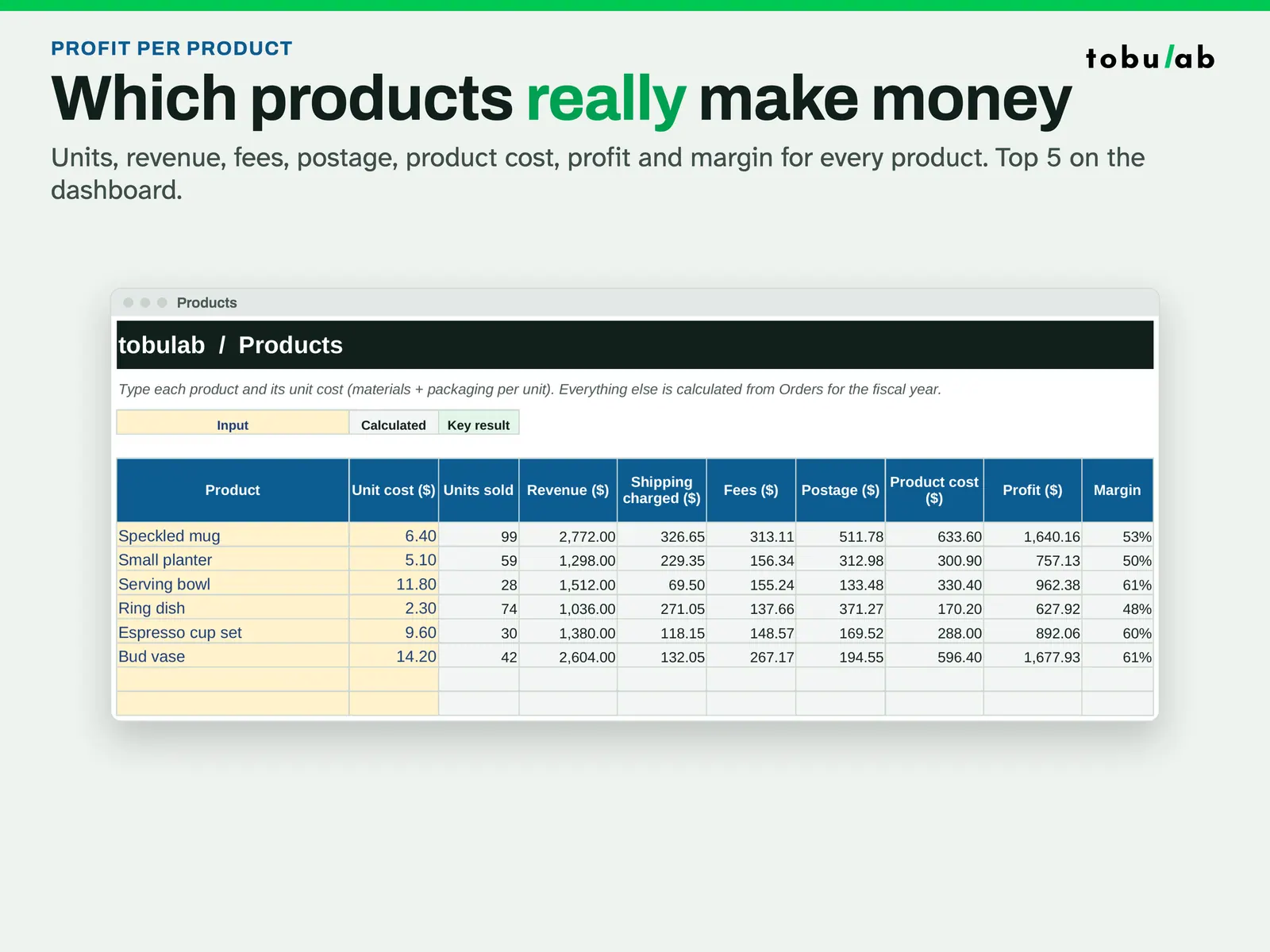
For people who sell products online and suspect their best seller is not their most profitable one. Each order goes in once with the product, quantity, item revenue, shipping charged and postage paid. If you leave the fee blank, the sheet estimates it from the fee % and fixed fee you set; type the real fee from your payout statement when you want exact numbers. The workbook then subtracts fees, postage and product cost to give net profit per order, and the Products tab totals units, revenue, costs, profit and margin for each item. The dashboard ranks your top 5 products by profit next to orders, average order value and the monthly P&L. Nothing connects to your shop: you type or paste the orders. The example is a fictional ceramics shop.
From our listing records. Etsy shows the current price and your local currency at checkout.
Buy on EtsyScripts recalculated this file in Excel for Mac 16.114.3 and LibreOffice. Excel for Windows, older Excel versions and Google Sheets have not been tried.
Instant download from Etsy · nothing shipped
What's included
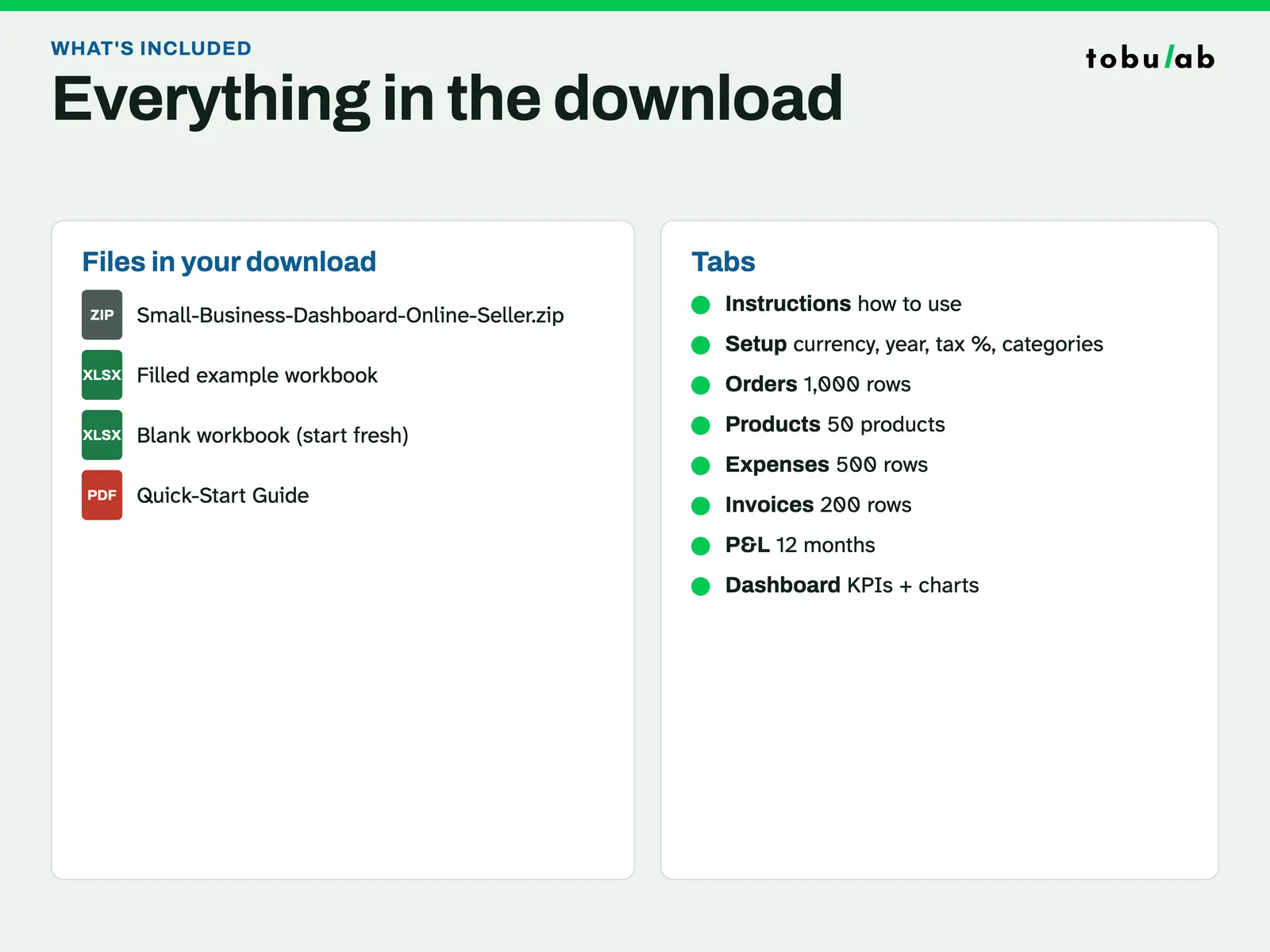
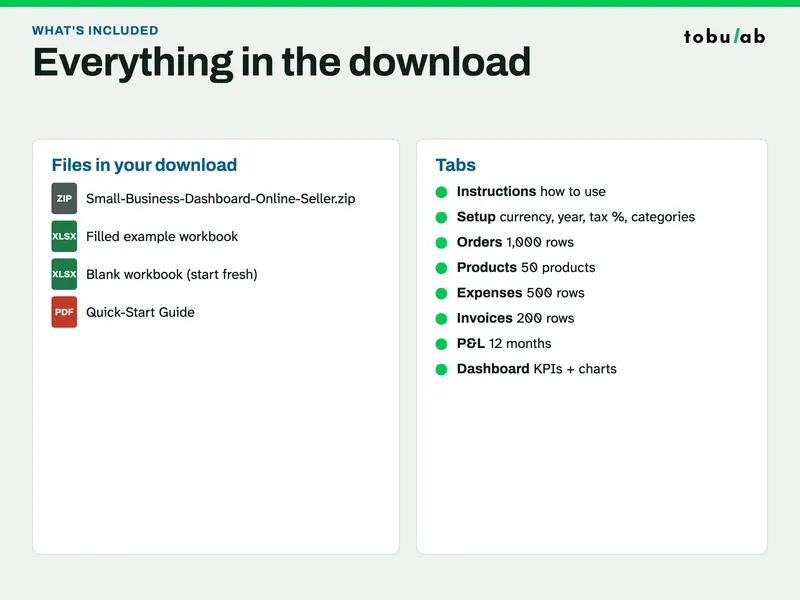
- Small-Business-Dashboard-Online-Seller.xlsx: filled example (a fictional ceramics shop, 6 products, about 250 orders)
- Small-Business-Dashboard-Online-Seller-Blank.xlsx: blank copy
- Business-Dashboard-Guide.pdf: 3-page PDF guide
- Tabs: Instructions, Setup, Orders, Products, Expenses, Invoices (wholesale), P&L, Dashboard
How it works
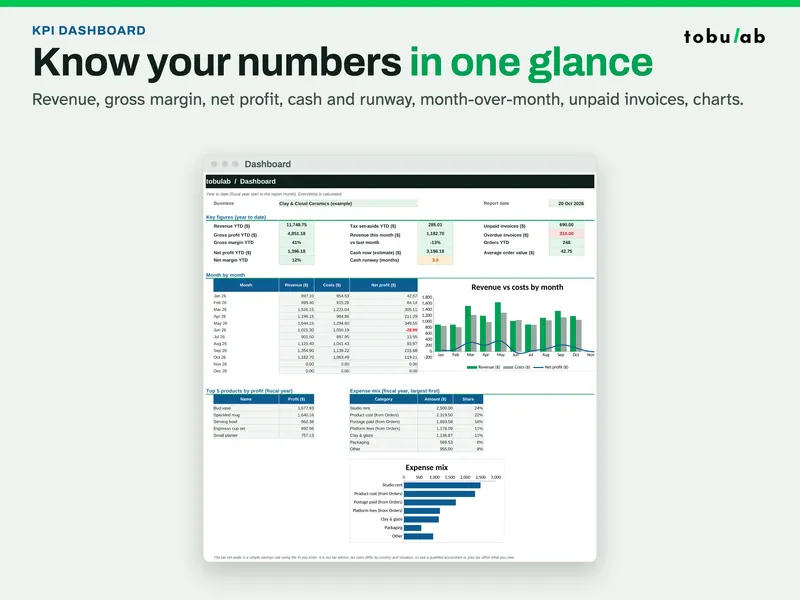
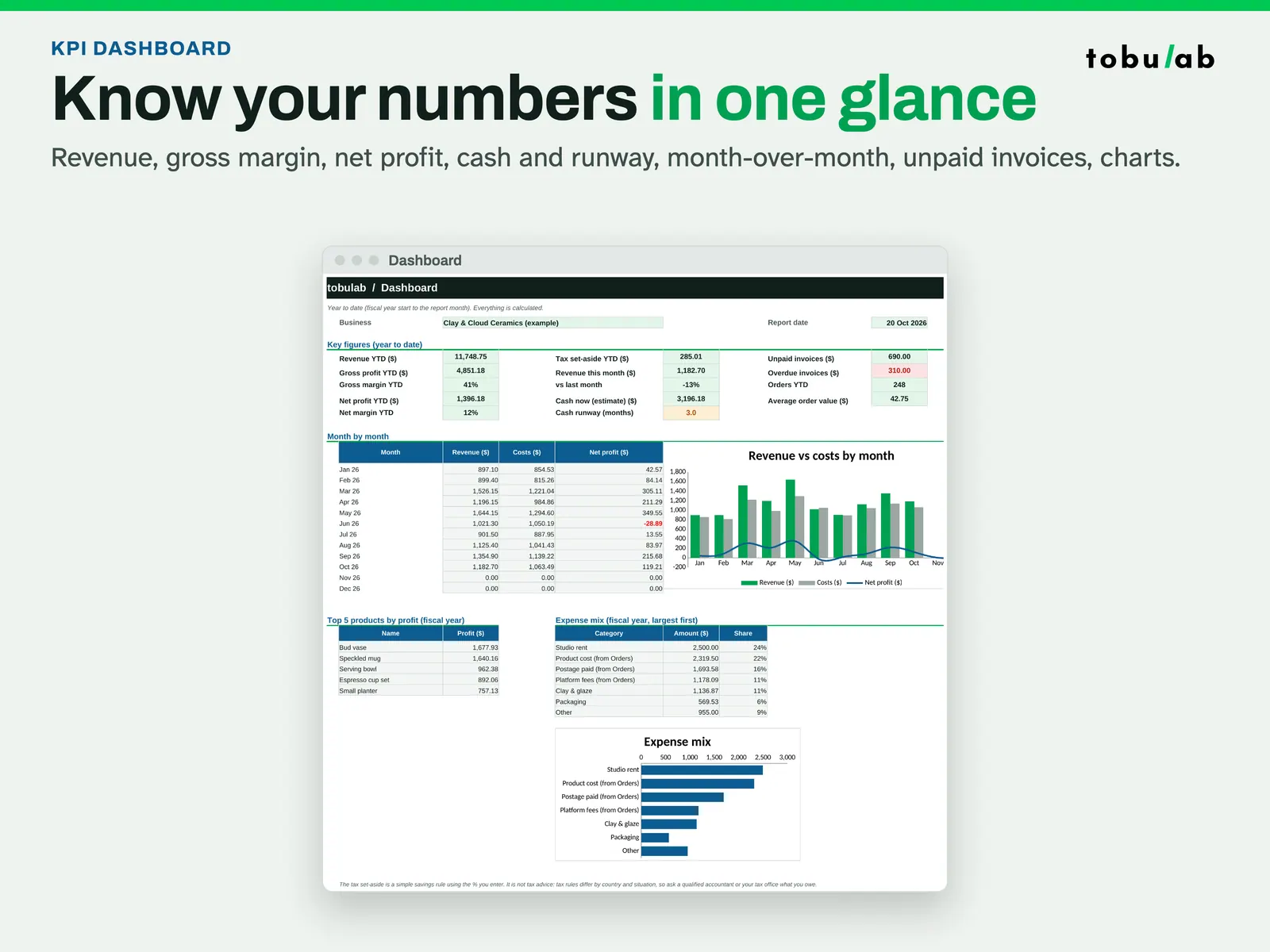
See the year so far Revenue, gross margin, net profit, month-by-month figures and this month vs last month for the ceramics shop example. 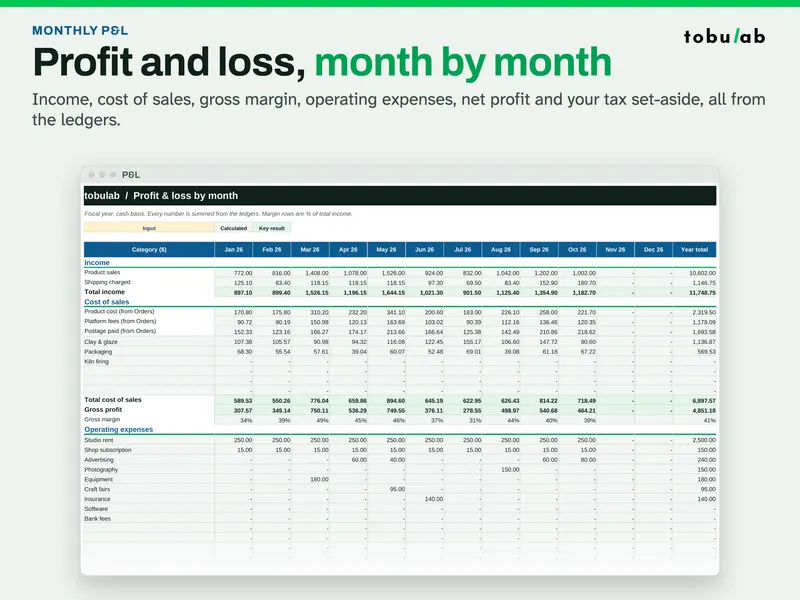
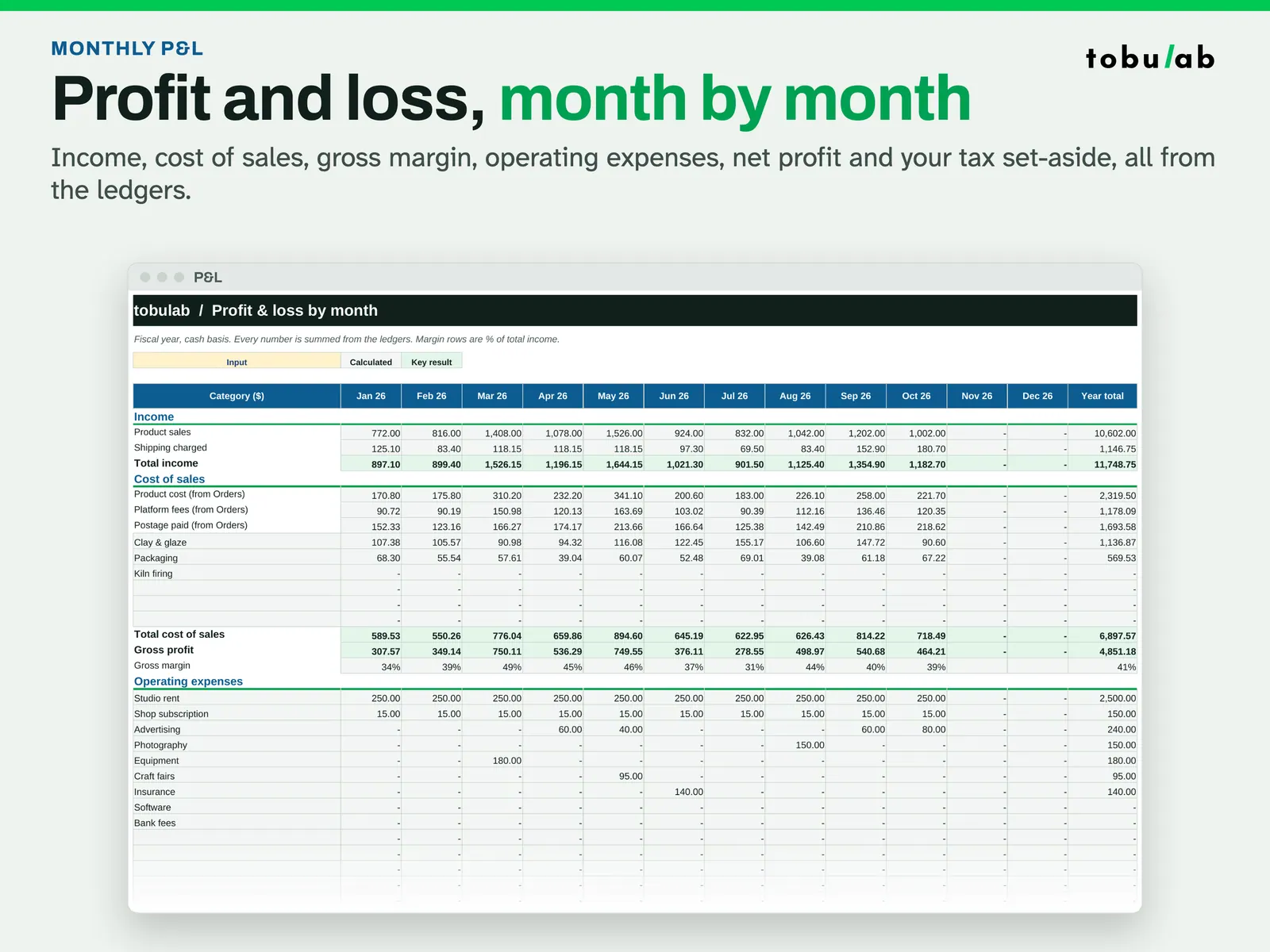
Read the monthly P&L Product sales and shipping charged, cost of sales, gross margin, operating expenses and net profit, month by month. 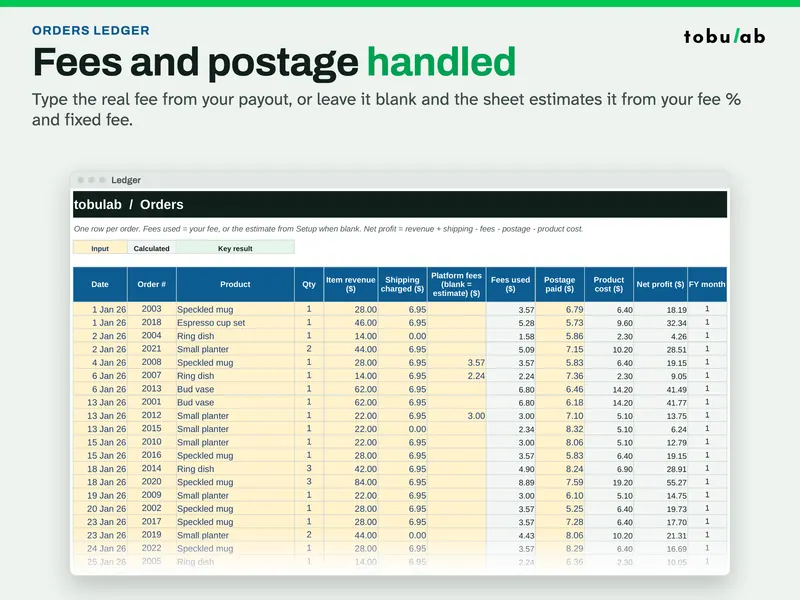
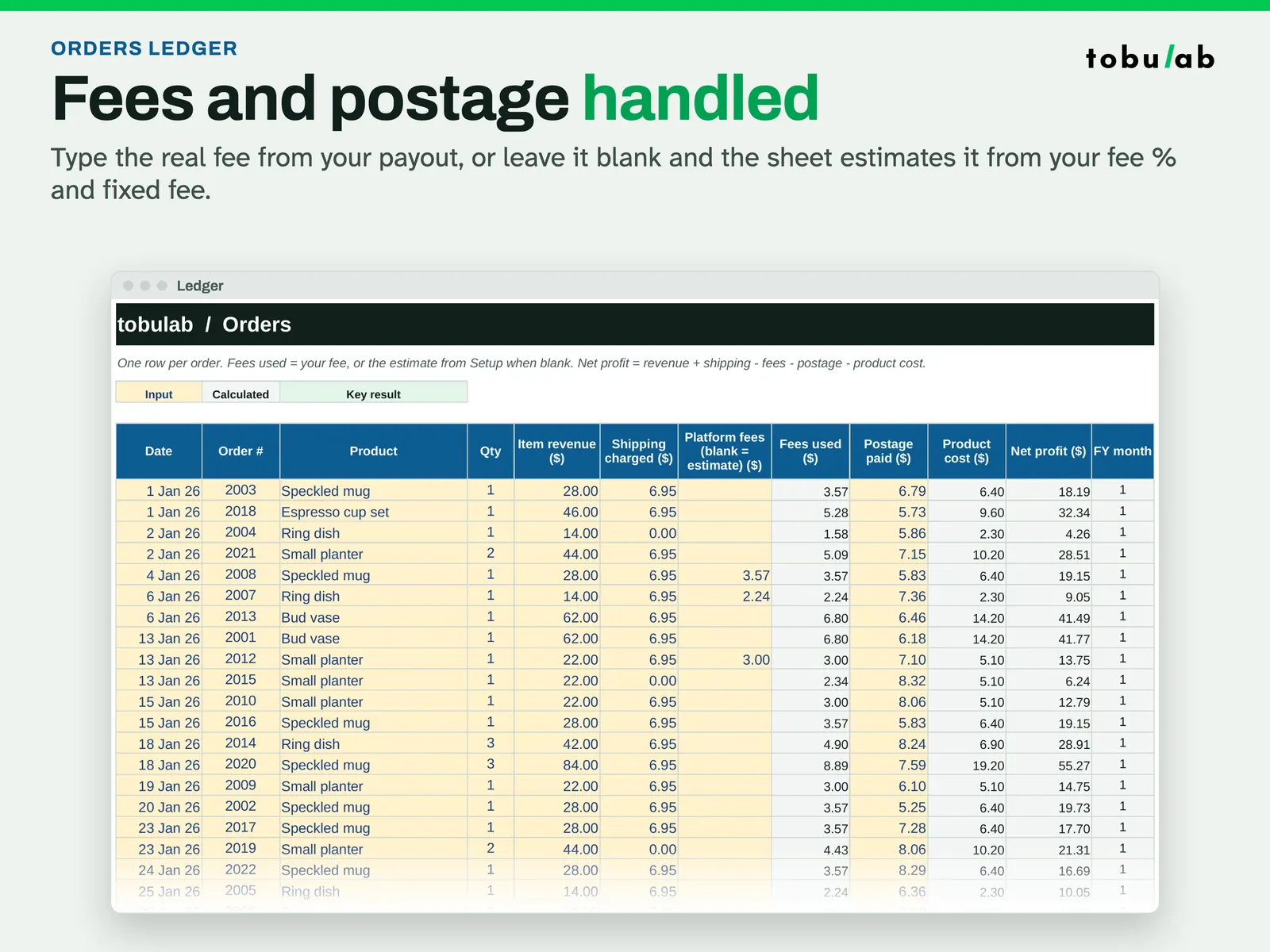
Log each order once Type the real fee from your payout or leave it blank for an estimate. Net profit = revenue + shipping - fees - postage - product cost. 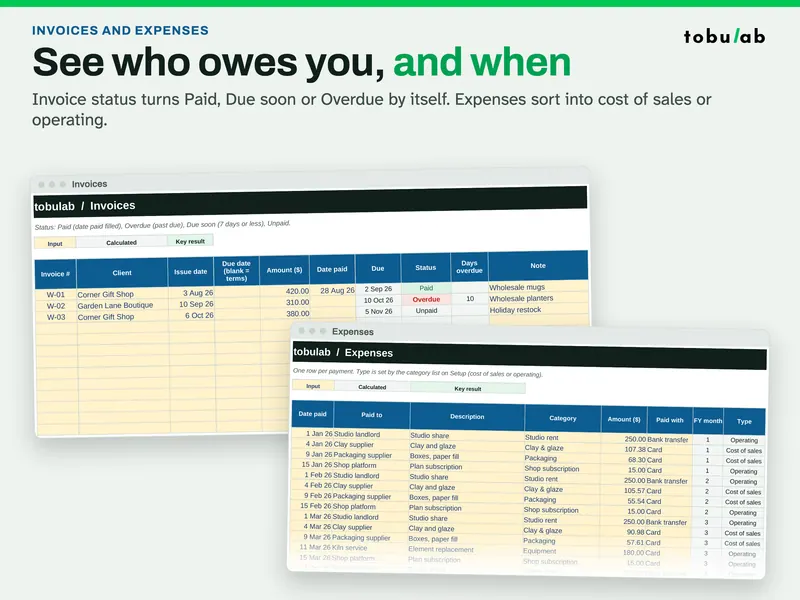
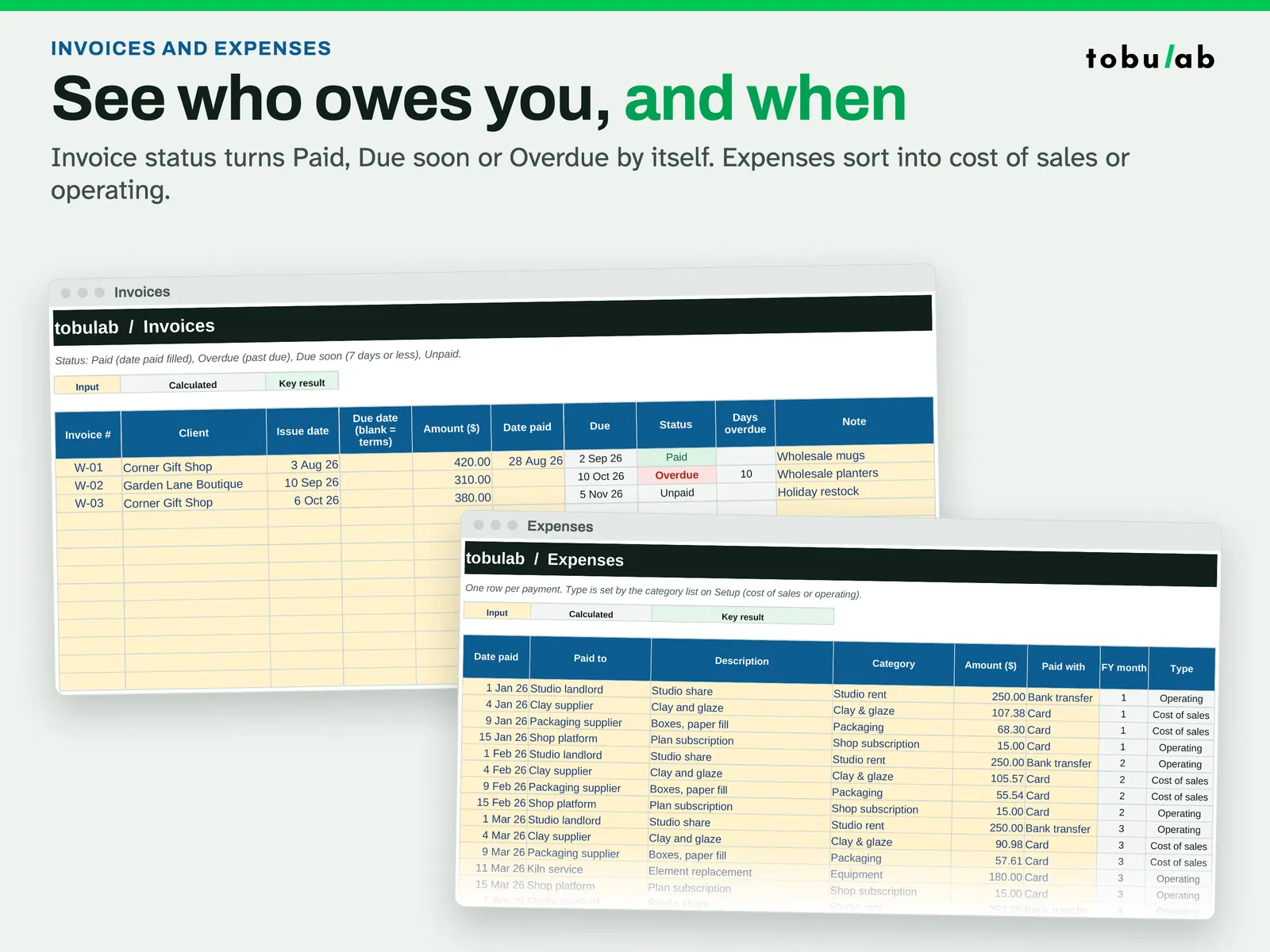
Track wholesale invoices and expenses Wholesale invoices turn Paid, Due soon or Overdue by themselves; expenses sort into cost of sales or operating. 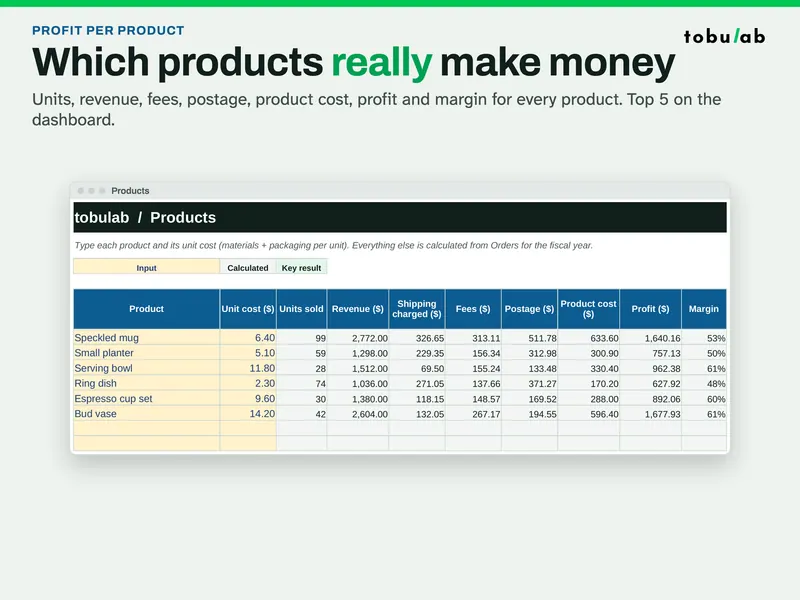
Find the products that pay Enter each product's unit cost; units, revenue, fees, postage, profit and margin are calculated from the Orders tab.
Compatibility and file formats
Scripts recalculated this file in Excel for Mac 16.114.3 and LibreOffice. Excel for Windows, older Excel versions and Google Sheets have not been tried.
Instant download from Etsy · nothing shipped.
Video
Questions
- Does it know my platform's fees?
No, fee rules differ by platform and change. Type your fee % and fixed fee on Setup for an estimate, or type the real fee per order for exact profit.
- Does it connect to my shop?
No, there's no connection or import: you type or paste your orders.
- Is it tax software?
No. It tracks income and costs and sets aside a % you choose. It is not tax advice and does not file returns.
- Which currency?
Any: type your symbol or code on Setup.
Bookkeeping aid only, not financial, accounting or tax advice. The tax set-aside is a savings % you choose; ask a qualified accountant or your tax office what you owe. No VAT/sales-tax returns.
Related
Also included in these bundles:
-
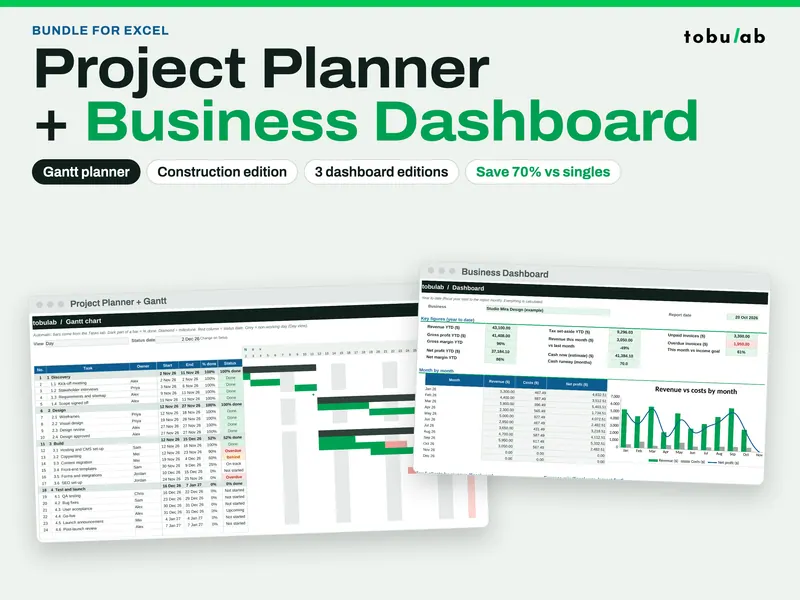
Project Management Bundle: Gantt Planner + Business Dashboard
Five workbooks: plan projects with a Gantt chart and track the business numbers
$5.09 on Etsy -
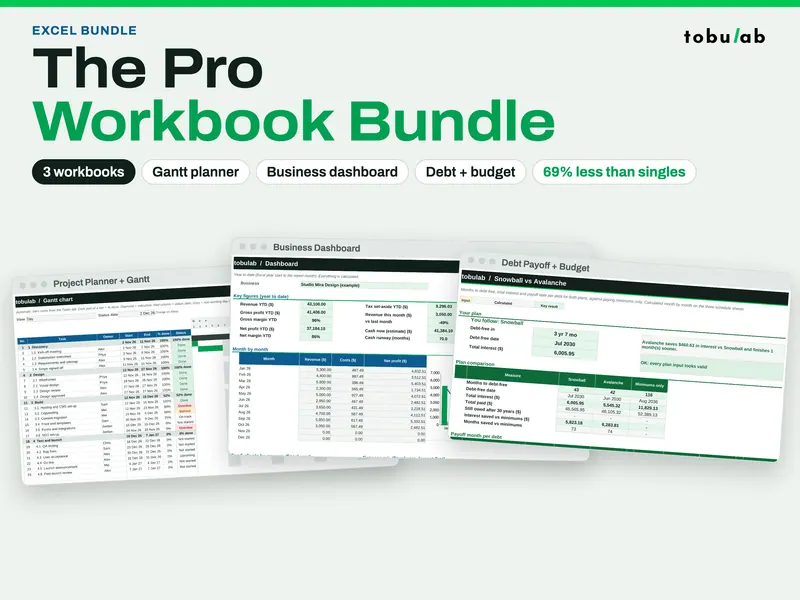
Pro Spreadsheet Bundle (Gantt, Dashboard, Budget + Debt)
Seven workbooks in one download: Gantt planning, business dashboards, debt payoff and budget
$6.49 on Etsy