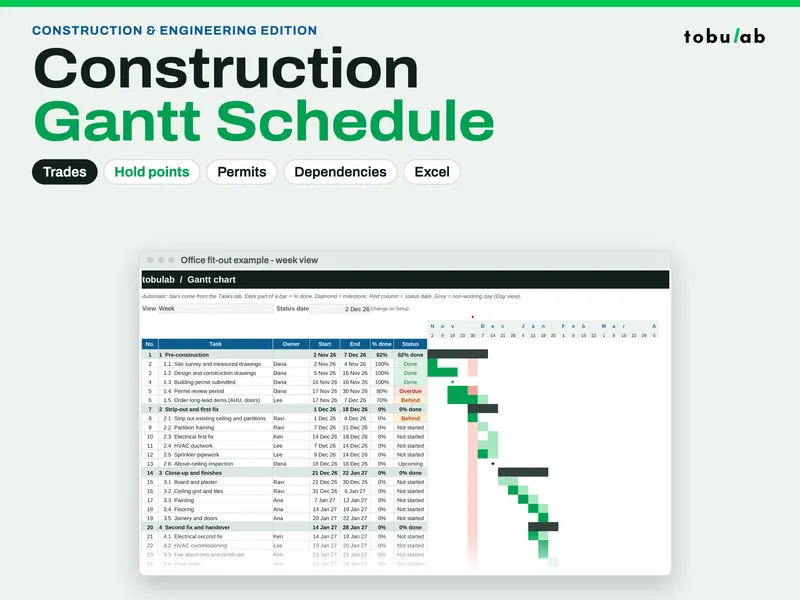
Construction Schedule Template (Gantt with Trades & Permits)
For contractors, site managers and fit-out or renovation leads who need a programme that keeps up with the job. It runs on the same scheduling engine as our project planner, with working-day durations, finish-to-start links with lag, and your own working week and holidays, and it adds the columns site work depends on: a trade on every task, inspection hold points with a note, and permits tracked from To apply to Approved. Open hold points and permits that are not yet approved turn amber and appear on the dashboard, so they come up at the site meeting instead of after the fact. Use week view for the whole job and day view for the look-ahead, and print any tab from its preset print area. The filled example is an office fit-out with 11 trades, 4 hold points and 3 permits.
From our listing records. Etsy shows the current price and your local currency at checkout.
Buy on EtsyScripts recalculated this file in Excel for Mac 16.114.3 and LibreOffice. Excel for Windows, older Excel versions and Google Sheets have not been tried.
Instant download from Etsy · nothing shipped
What's included
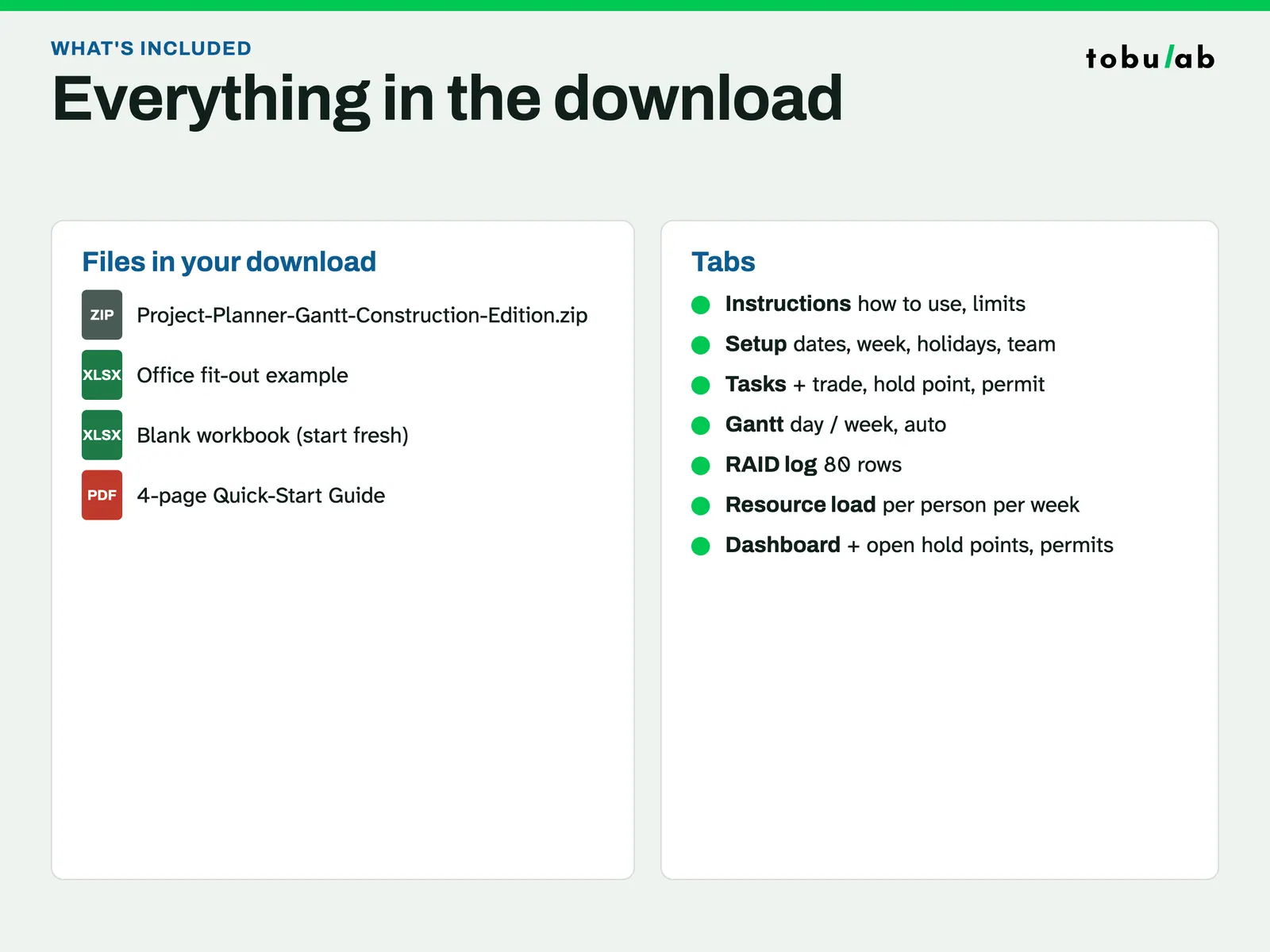
- Project-Planner-Gantt-Construction-Edition.xlsx: filled example, an office fit-out on one floor (4 phases, 22 tasks and milestones, 5 leads, 11 trades, 4 hold points, 3 permits)
- Project-Planner-Gantt-Construction-Edition-Blank.xlsx: blank copy for your job
- Project-Planner-Quick-Start-Guide.pdf: 4-page quick-start guide
How it works
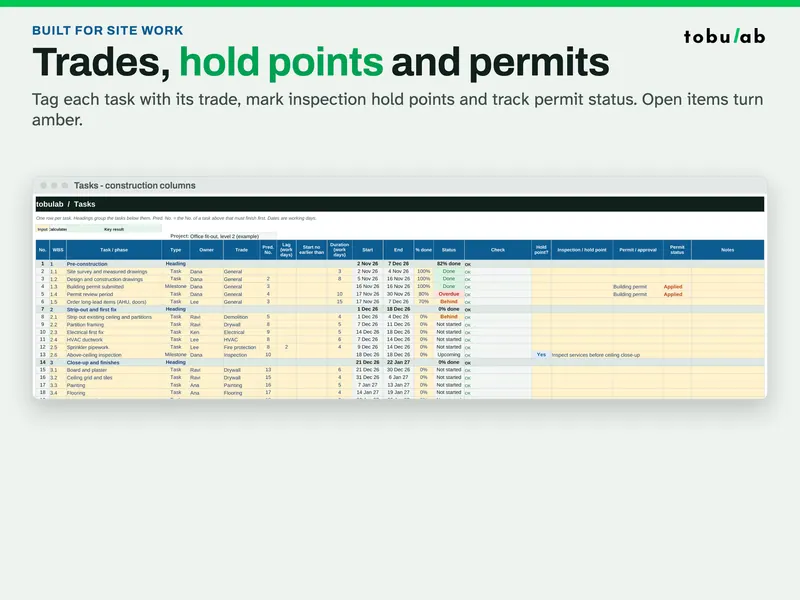
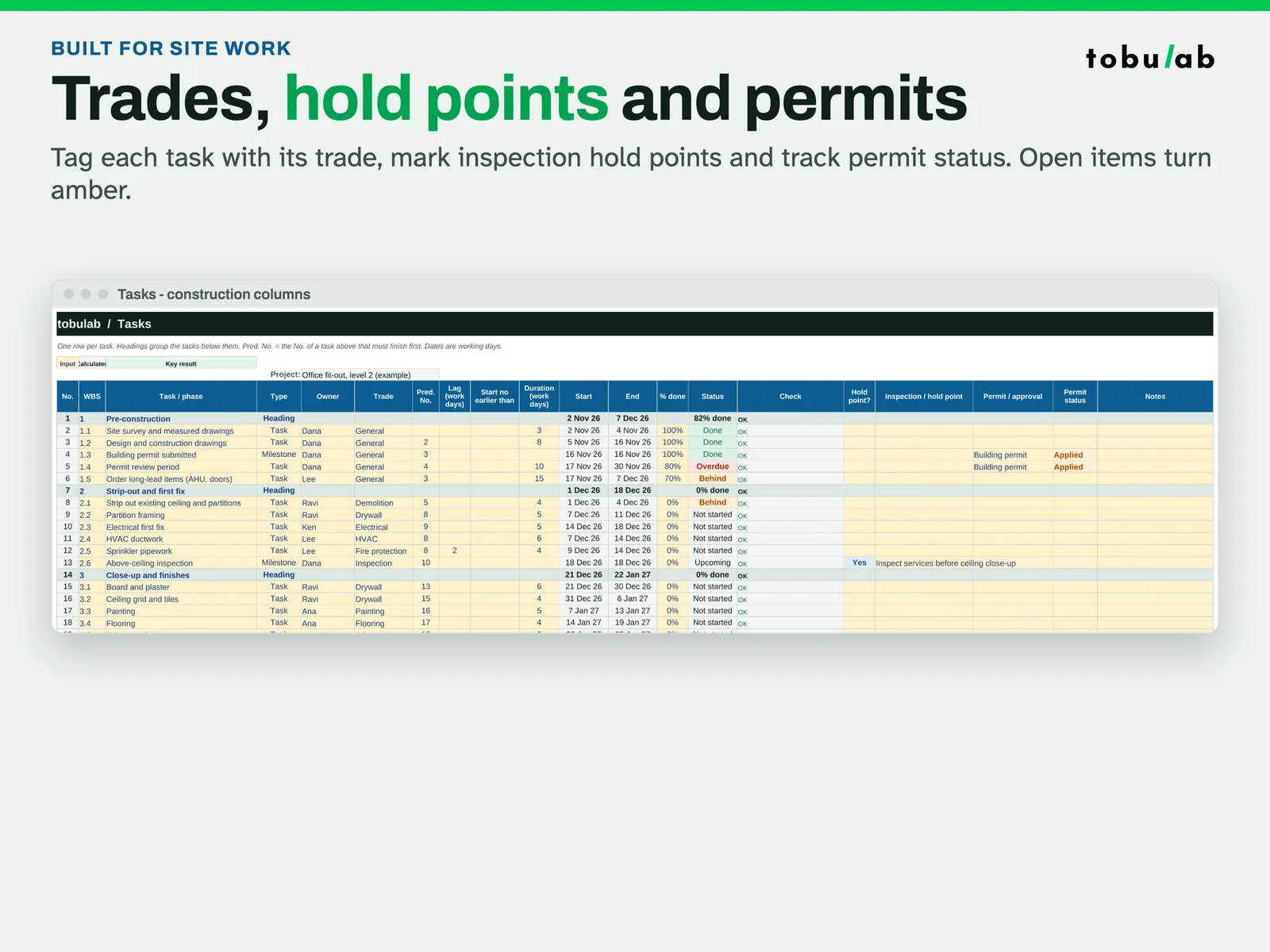
Tag trades, holds and permits The Tasks tab adds construction columns: the trade on each task, inspection hold points and permit status. Open items turn amber. 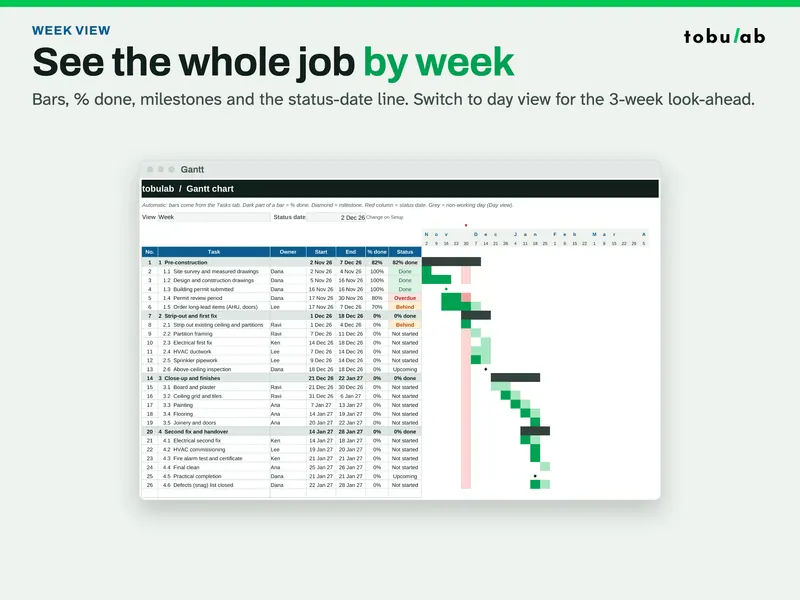
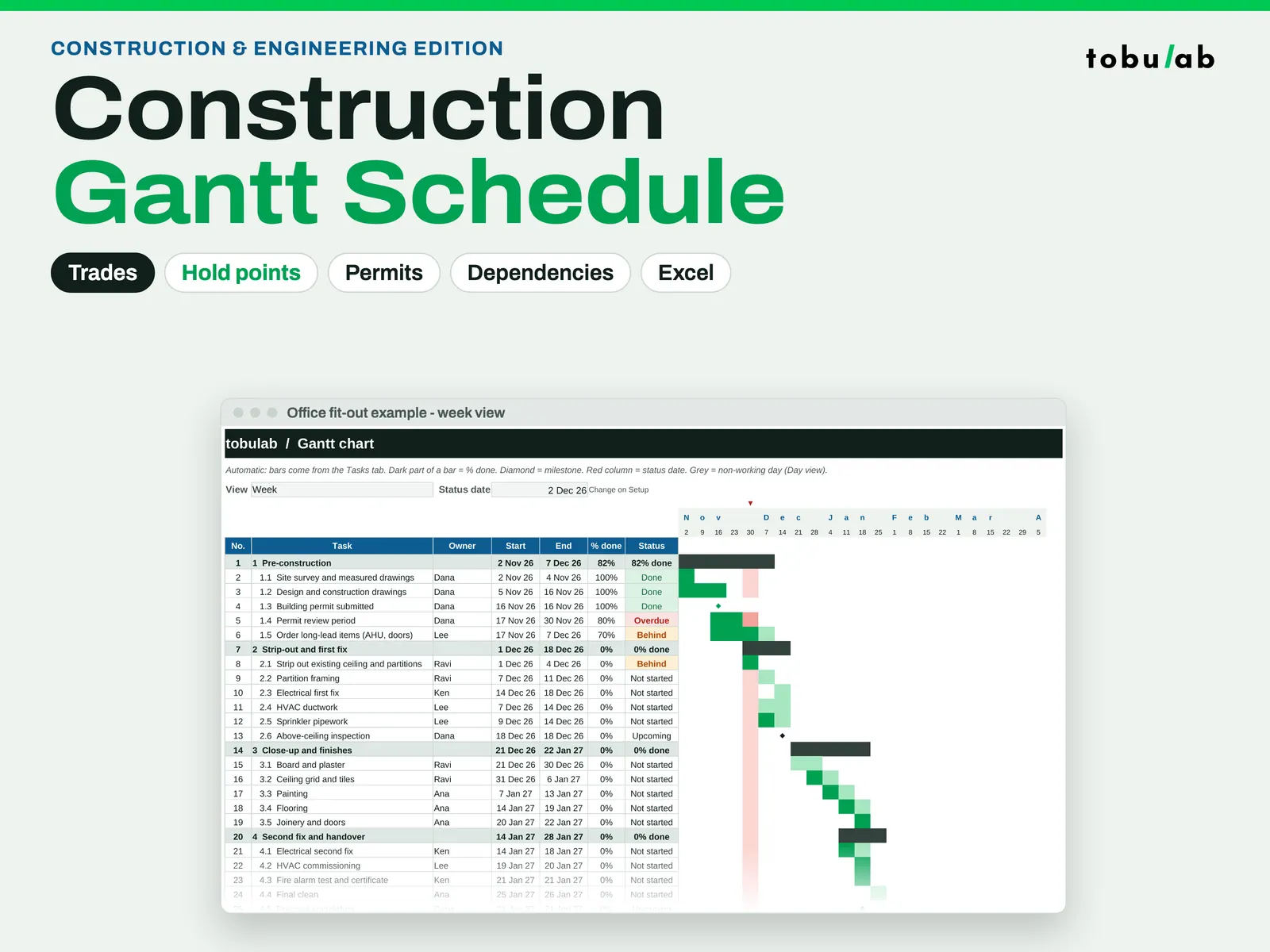
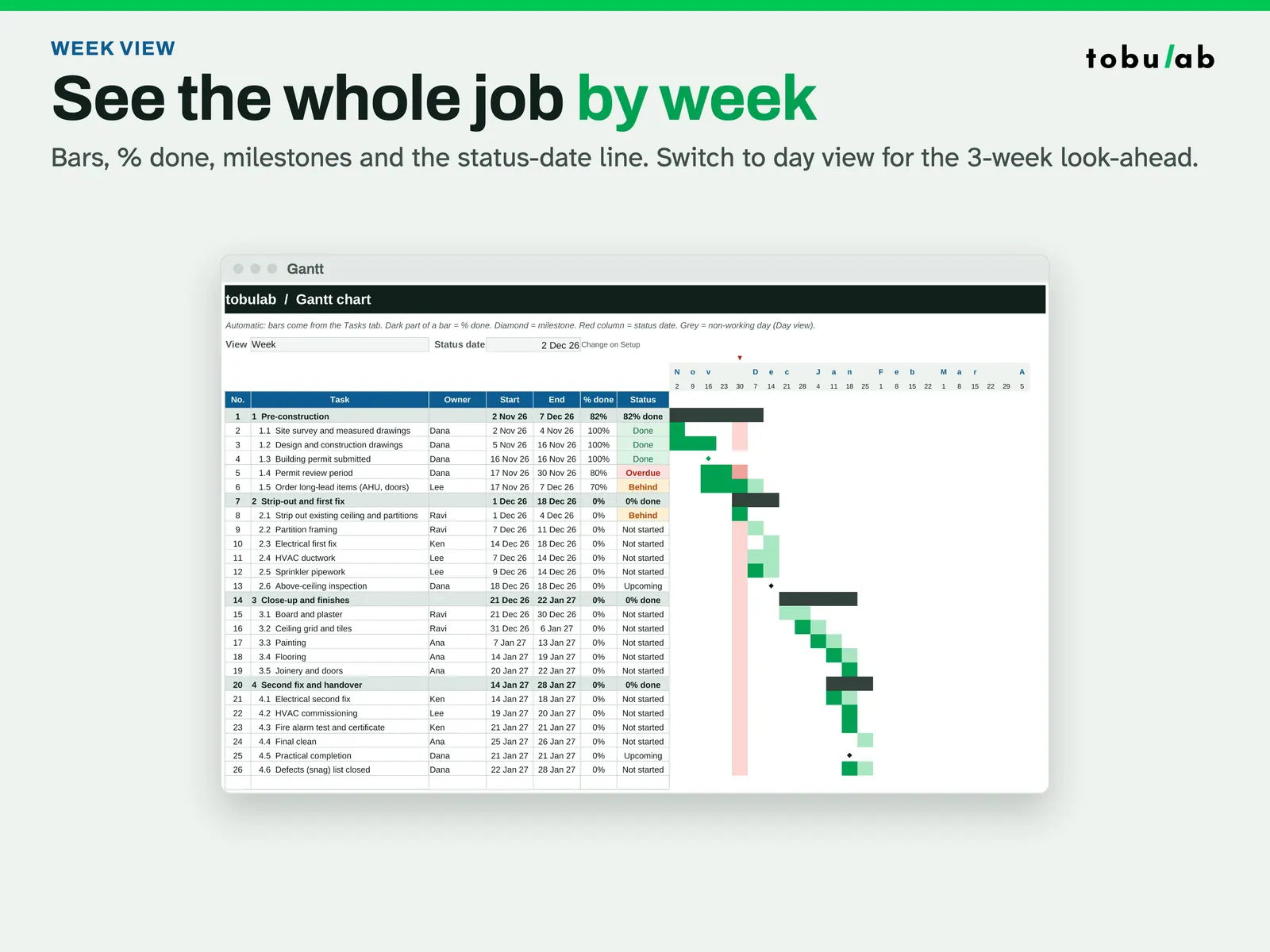
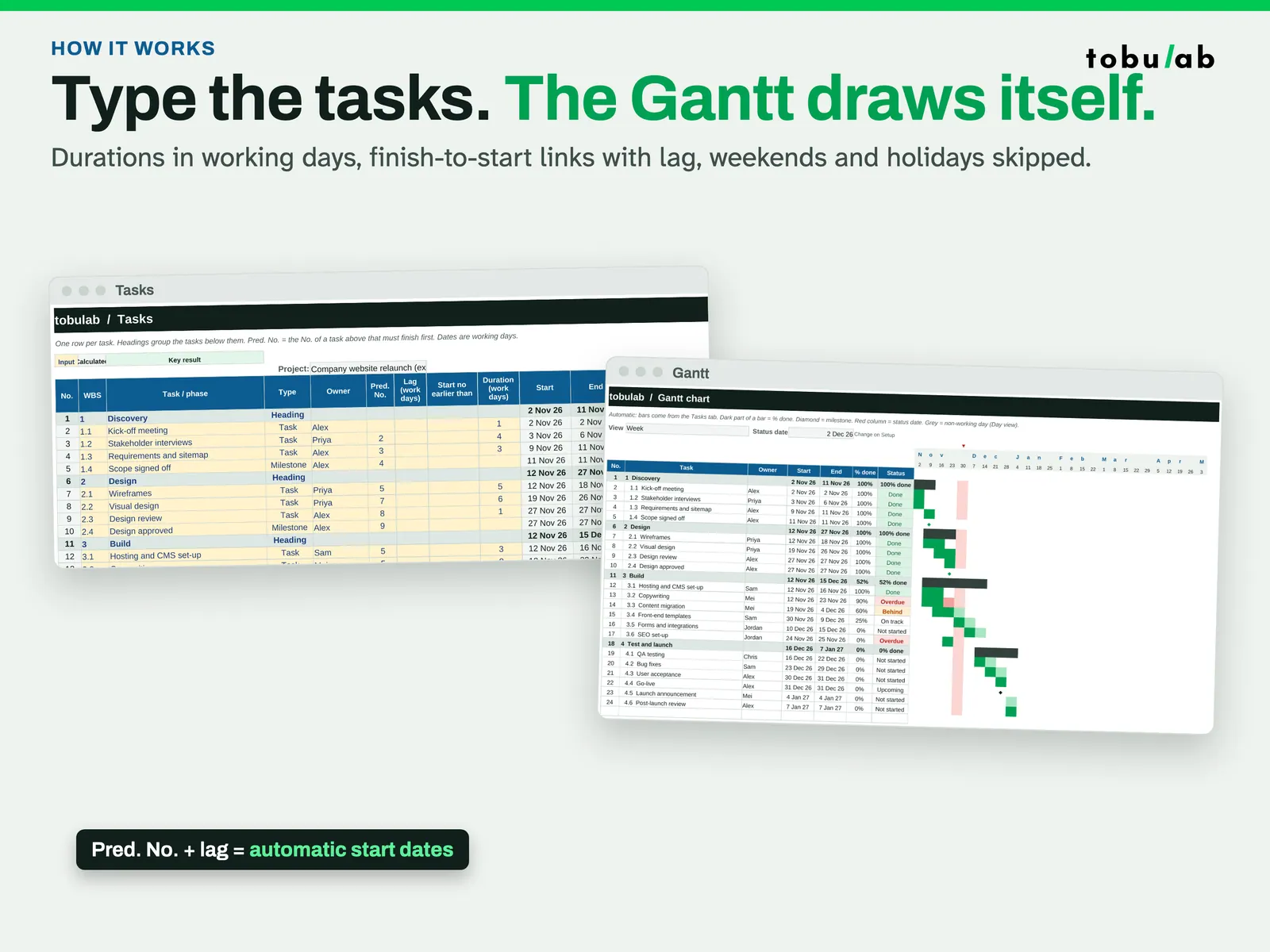
See the whole job by week Week view shows every phase of the office fit-out example with % done, milestones and the status-date line. 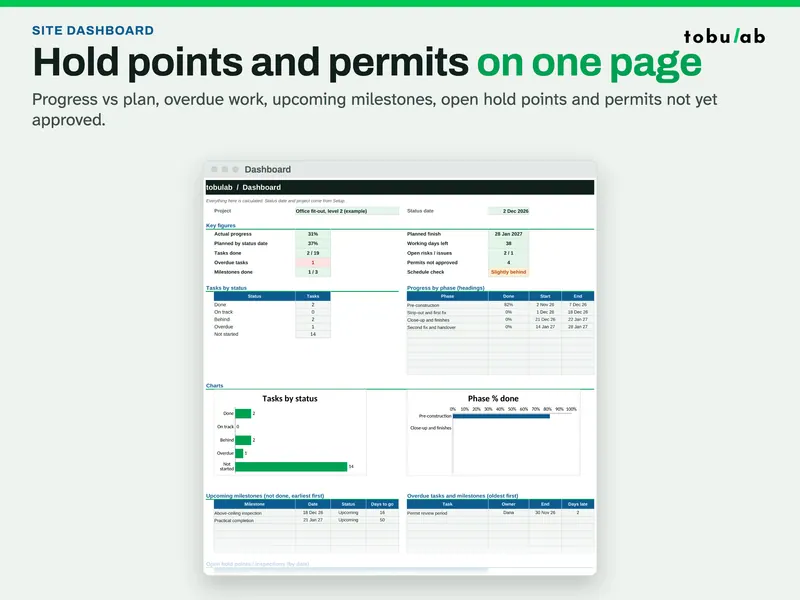
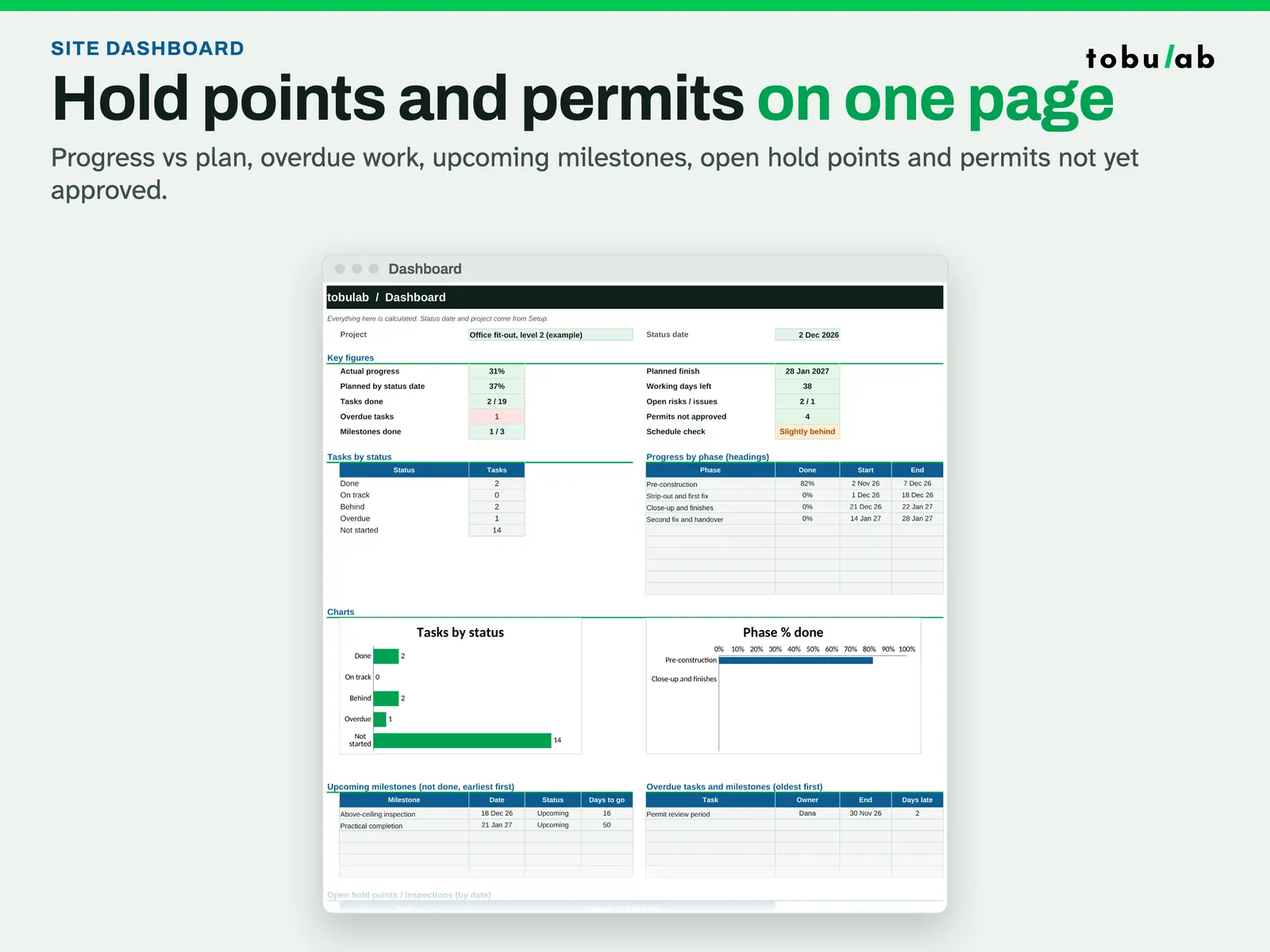
Bring the dashboard to the site meeting Progress vs plan, overdue work, upcoming milestones, open hold points and permits not yet approved on one page. 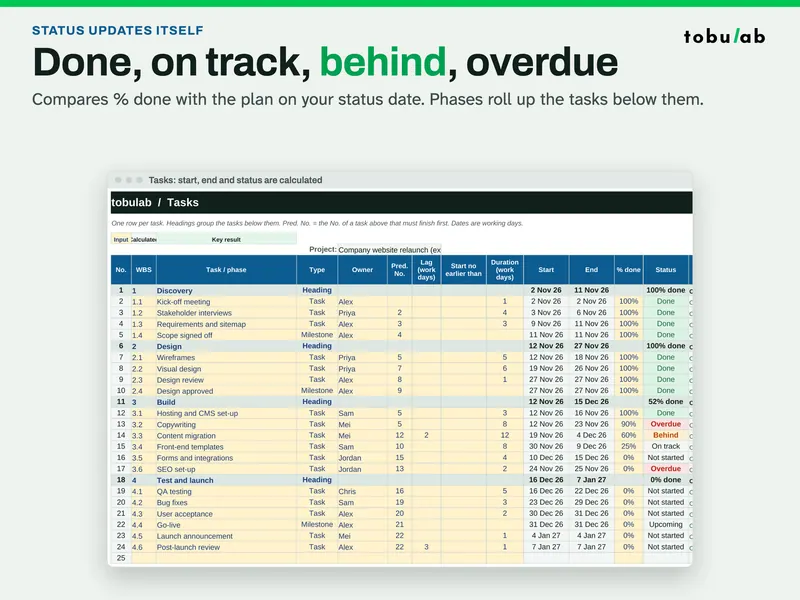
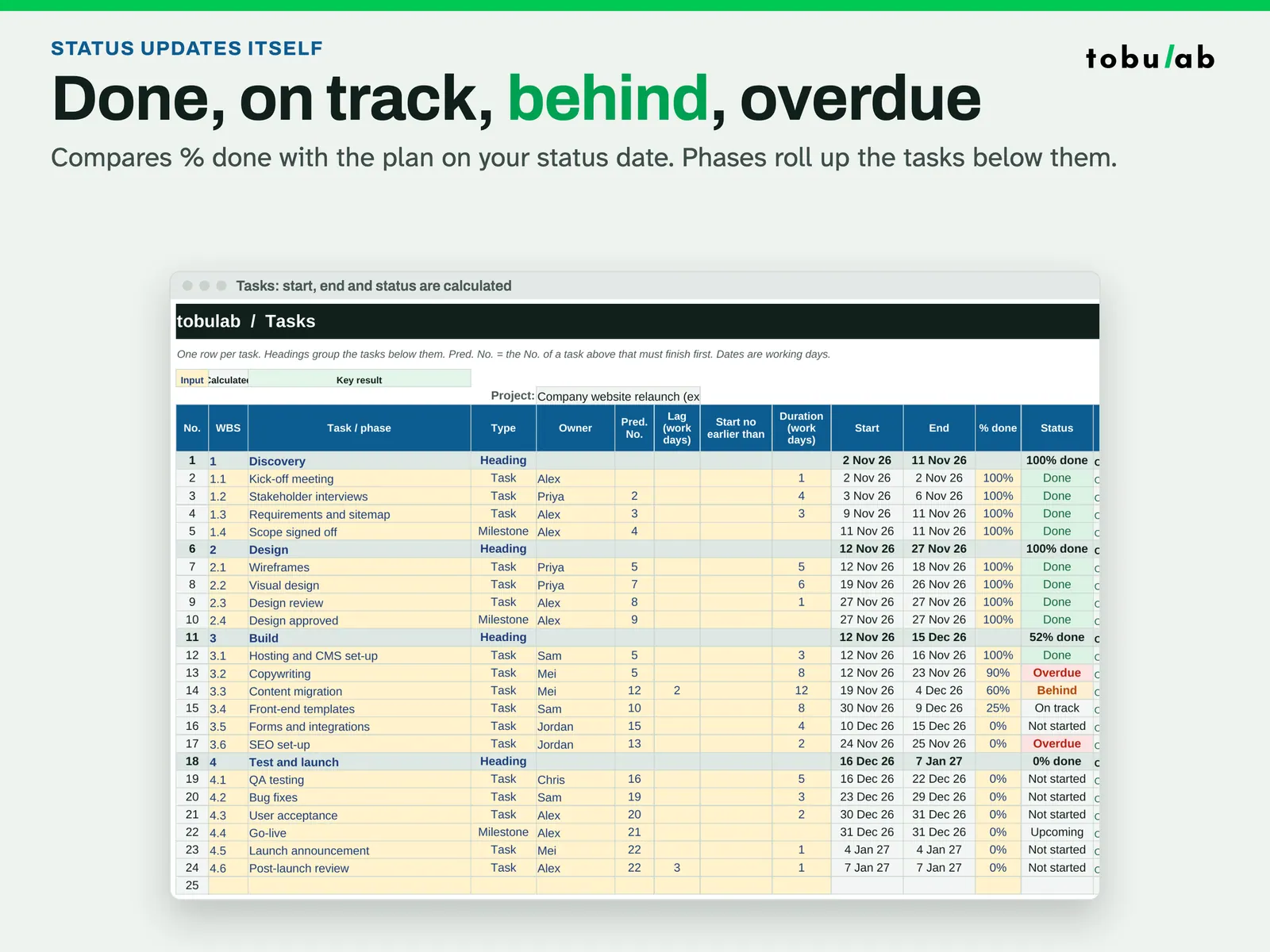
Status updates itself Start, end and status are calculated by comparing % done with the plan on your status date; phases roll up their tasks. 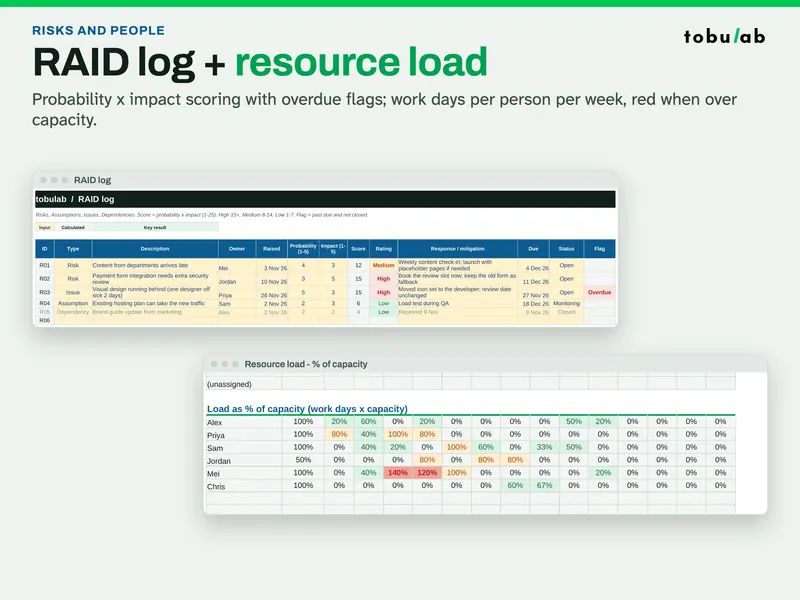
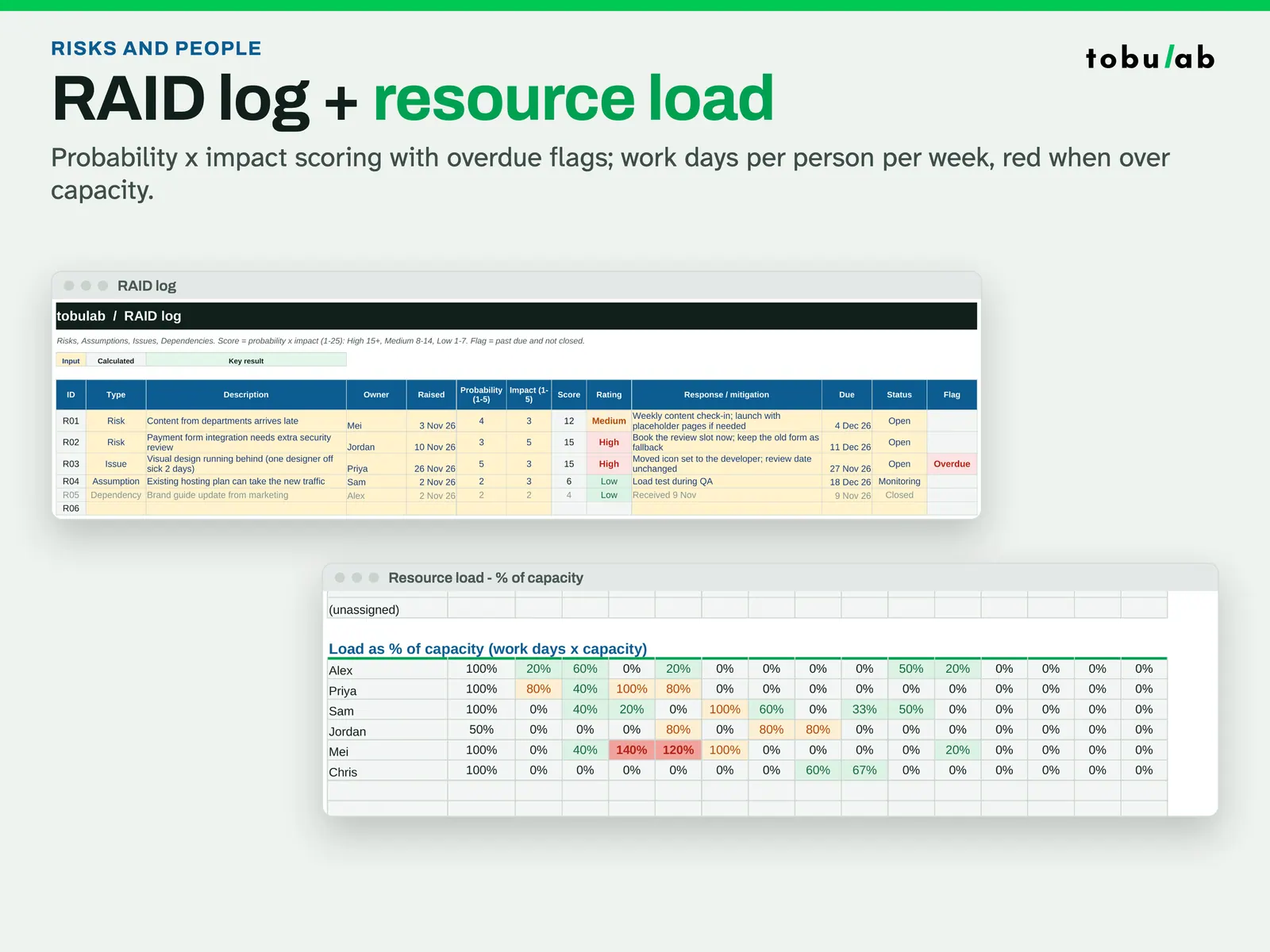
Track risks and crew load The RAID log scores probability x impact with overdue flags; resource load shows work days per person per week.
Compatibility and file formats
Scripts recalculated this file in Excel for Mac 16.114.3 and LibreOffice. Excel for Windows, older Excel versions and Google Sheets have not been tried.
Instant download from Etsy · nothing shipped.
Video
Questions
- Is it for big projects?
It's built for small and medium jobs: 150 task rows, finish-to-start links. For critical-path analysis of large programmes use dedicated scheduling software.
- Week or day view?
Both: switch on Setup. Week view for the whole job, day view for the look-ahead.
- Can I print it?
Yes, print areas are set (A4 landscape) for every tab.
Planning aid only: check dates, durations and resources with your team. No warranty of fitness for any purpose.
Related
Also included in these bundles:
-
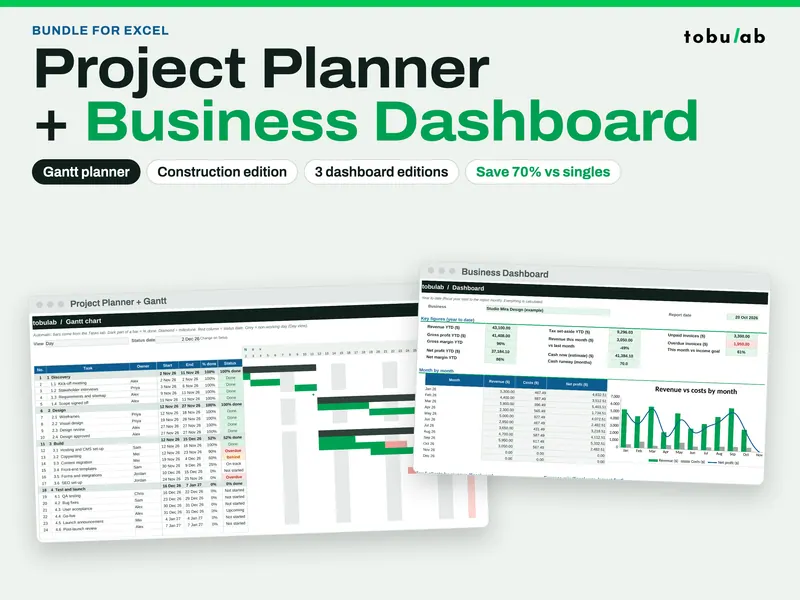
Project Management Bundle: Gantt Planner + Business Dashboard
Five workbooks: plan projects with a Gantt chart and track the business numbers
$5.09 on Etsy -
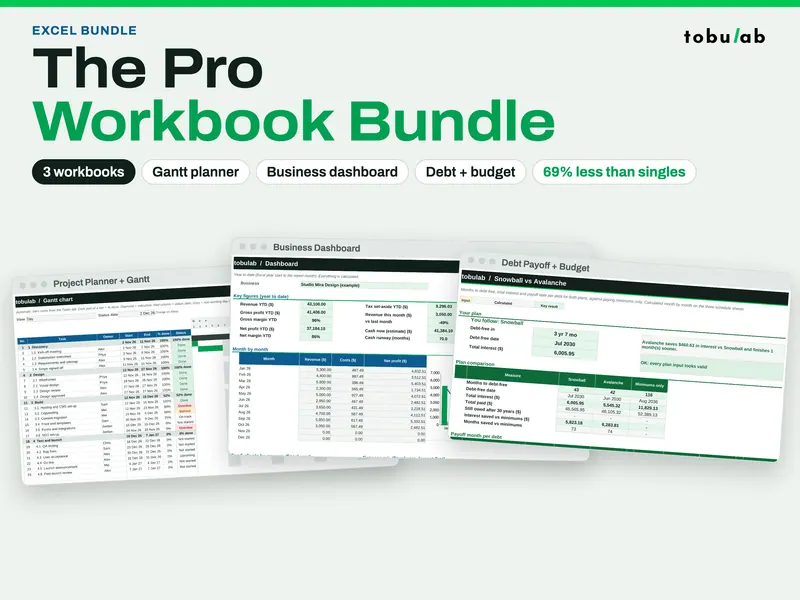
Pro Spreadsheet Bundle (Gantt, Dashboard, Budget + Debt)
Seven workbooks in one download: Gantt planning, business dashboards, debt payoff and budget
$6.49 on Etsy
Guide: How to build a construction schedule in Excel (with a 12-week example)