Debt Payoff Tracker: Snowball vs Avalanche
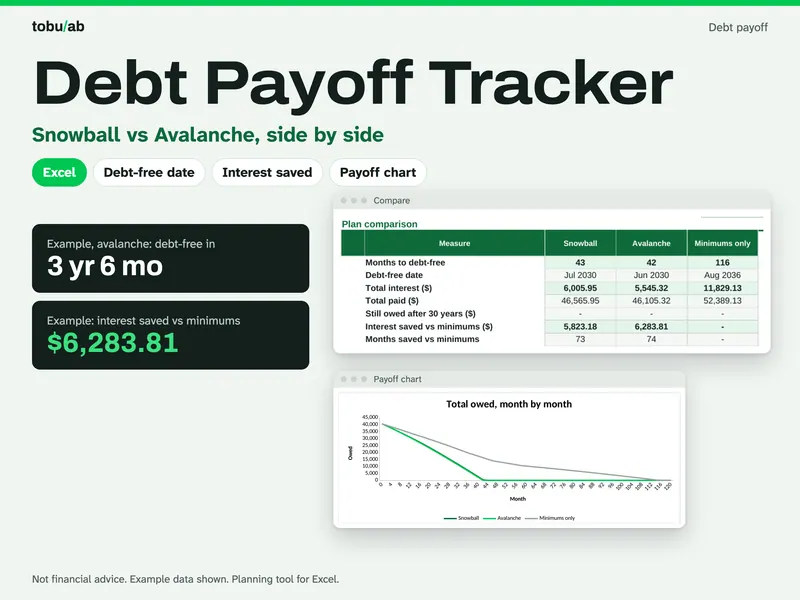
With several cards and loans, it is hard to know which to attack first and how long it will really take. Enter up to 10 debts with their balance, APR and minimum payment, add whatever extra you can pay each month, and the sheet runs both classic methods: snowball, which clears the smallest balance first, and avalanche, which goes after the highest rate first. You see the debt-free date, total interest and the month each debt disappears for both plans, next to a minimums-only baseline. If a minimum payment doesn't even cover the interest, a red warning tells you. Every month is calculated in plain formulas you can trace, and a tracker lets you log what you still owe as you go. It is a planning tool, not financial advice.
From our listing records. Etsy shows the current price and your local currency at checkout.
Buy on EtsyScripts recalculated this file in Excel for Mac 16.114.3 and LibreOffice. Excel for Windows, older Excel versions and Google Sheets have not been tried.
Instant download from Etsy · nothing shipped
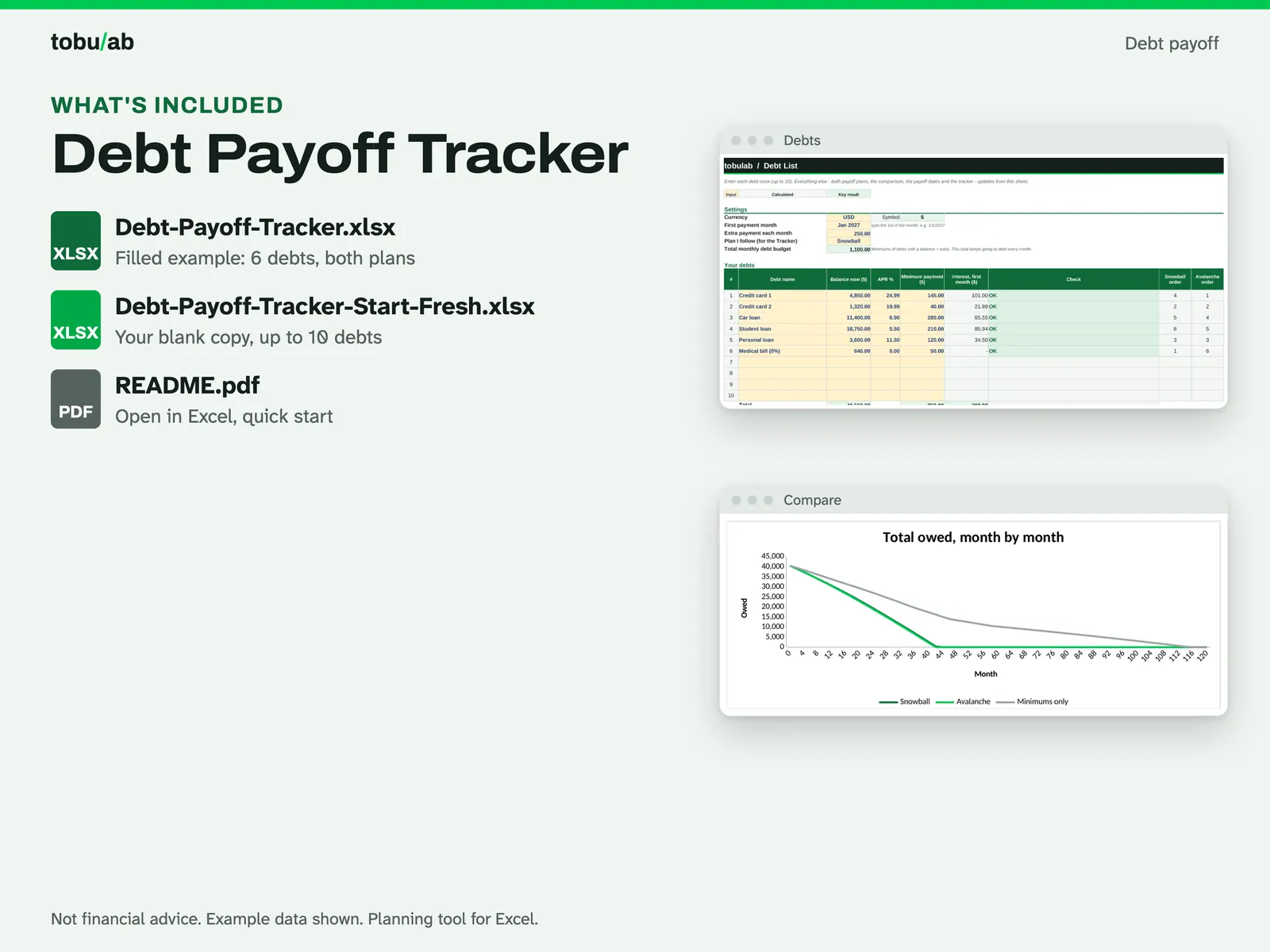
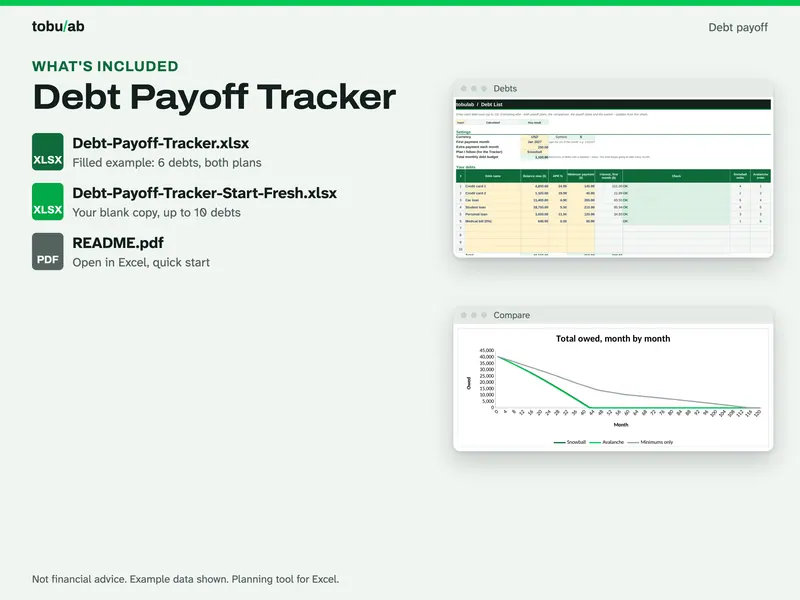
What's included
- Debt-Payoff-Tracker.xlsx: filled example with both plans worked out
- Debt-Payoff-Tracker-Start-Fresh.xlsx: your blank copy for your own debts
- README.pdf: how to open it in Excel or LibreOffice, plus a quick start
How it works
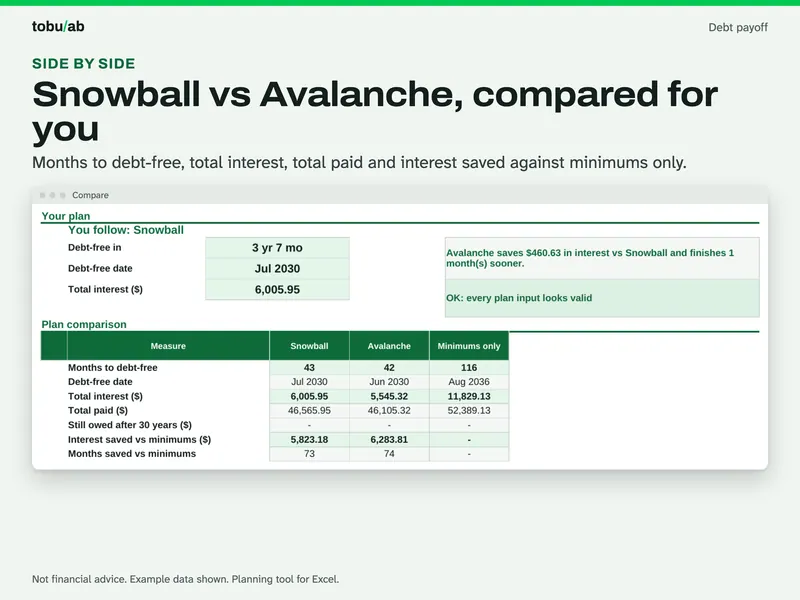
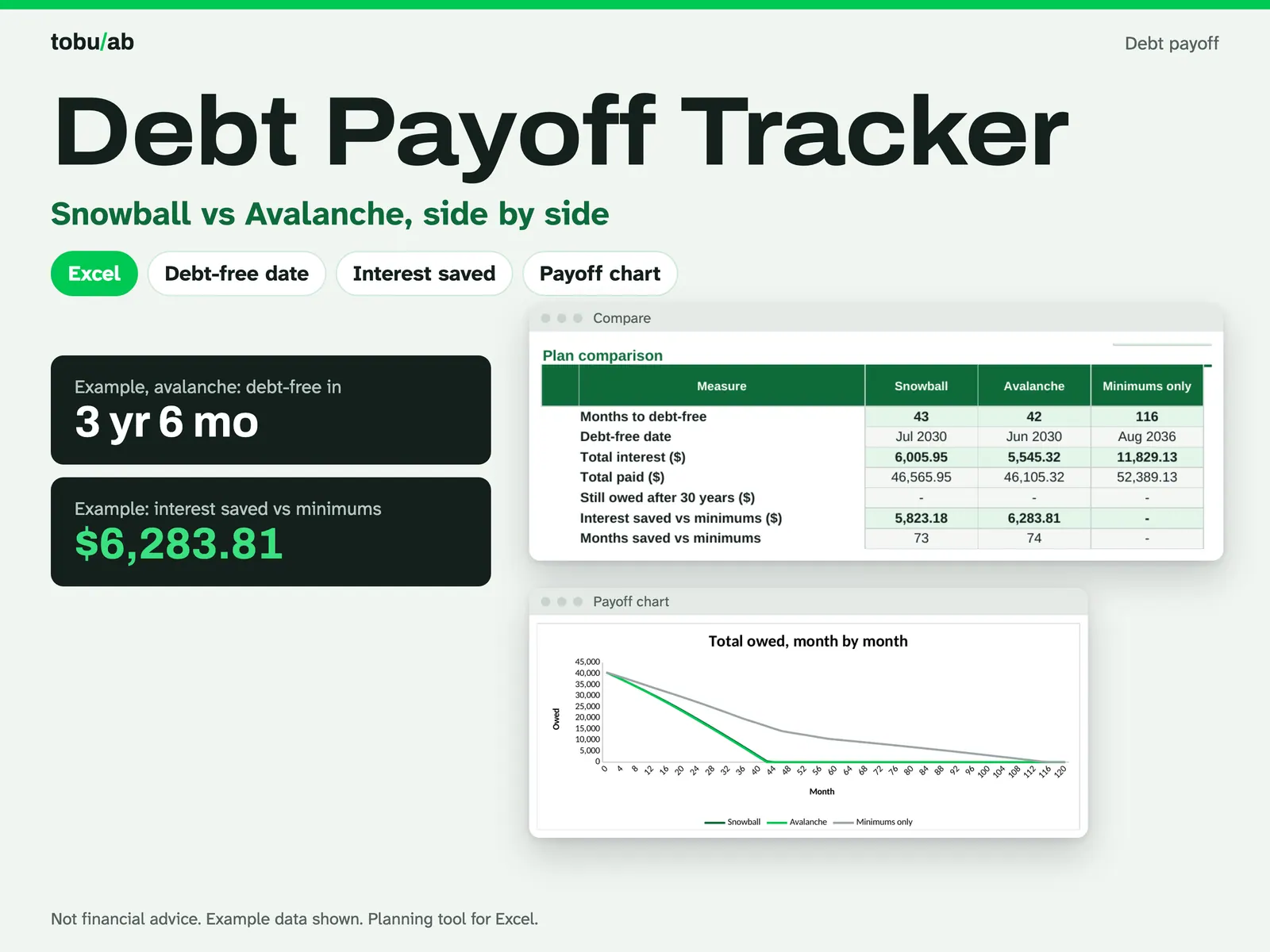
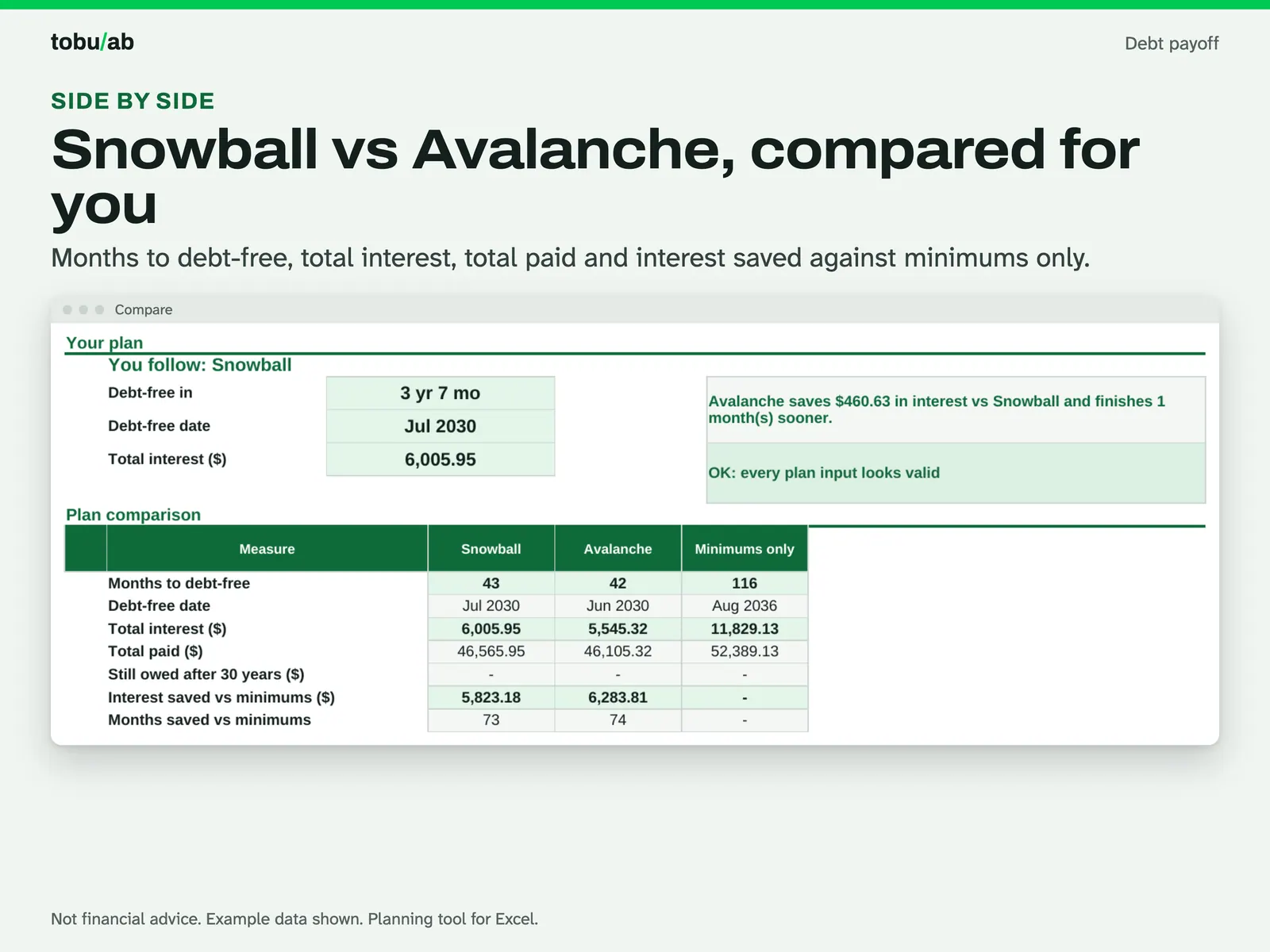
Compare both plans The Compare sheet: months to debt-free, debt-free date, total interest, total paid and interest saved for snowball, avalanche and minimums only, with a plain-words summary of the difference. 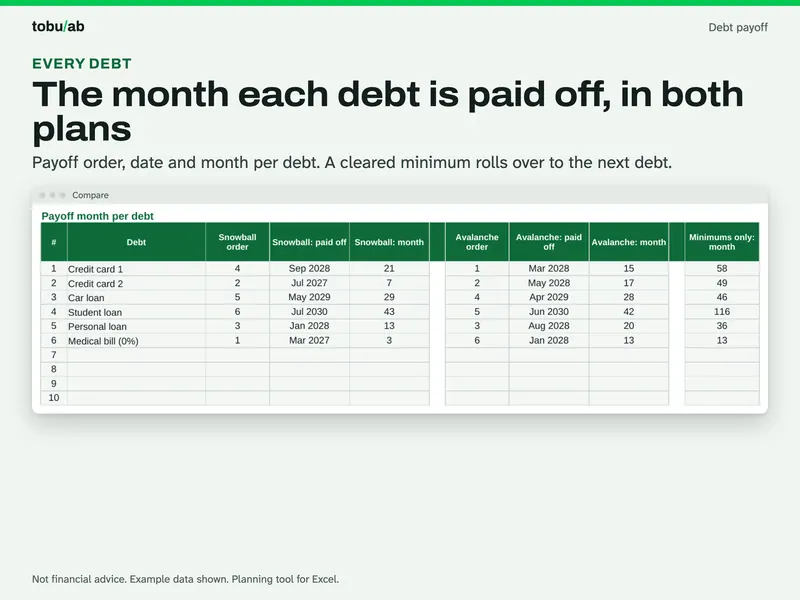
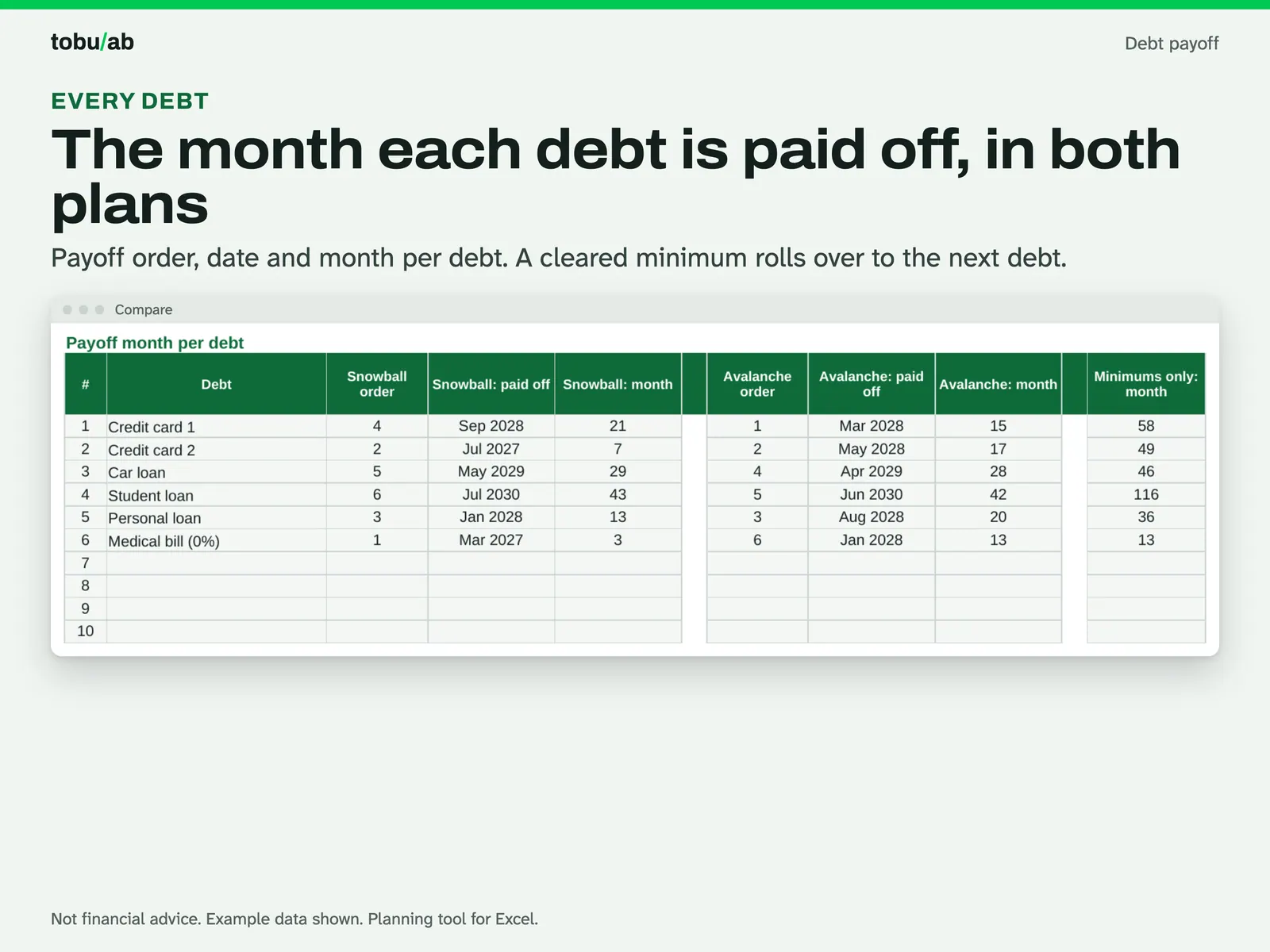
See when each debt ends Payoff order, month and date for each debt in both plans; a cleared minimum rolls over to the next debt. 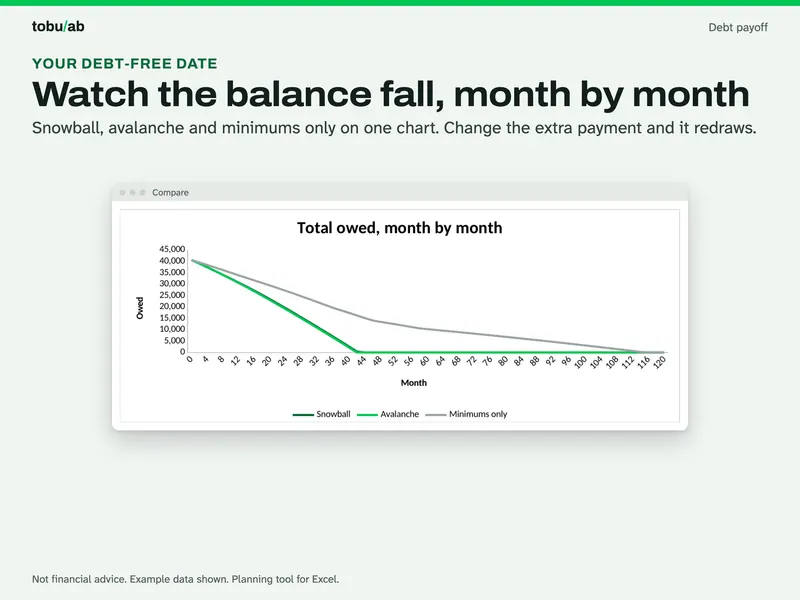
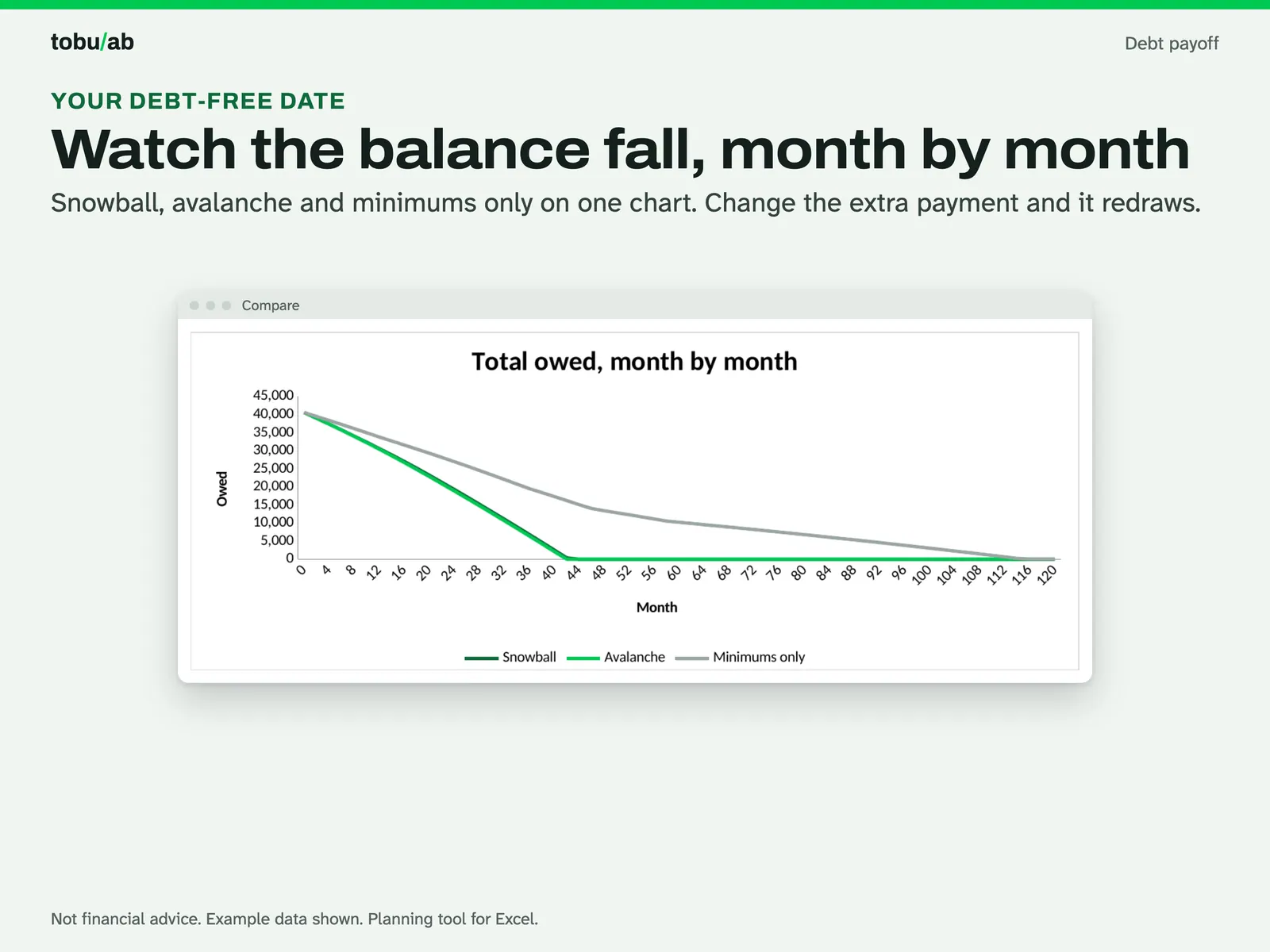
Watch the balance fall Total owed month by month for snowball, avalanche and minimums only on one chart. Change the extra payment and it redraws. 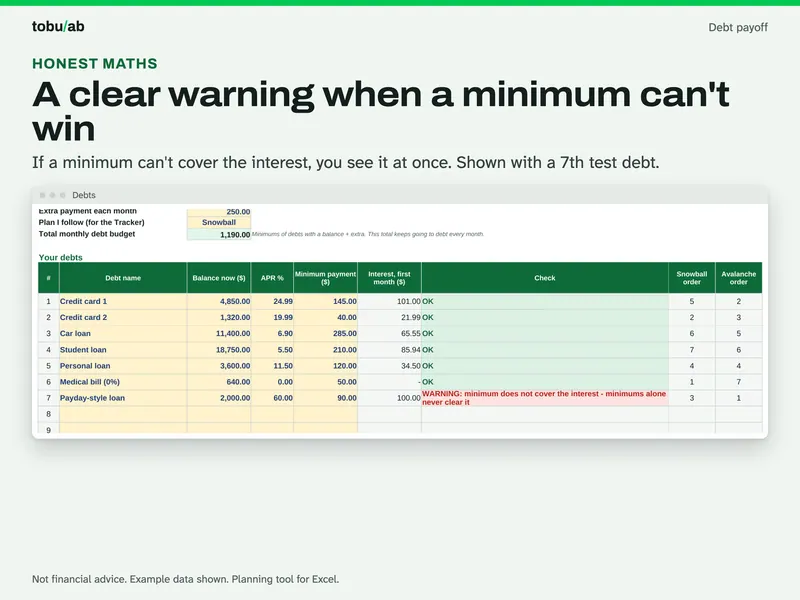
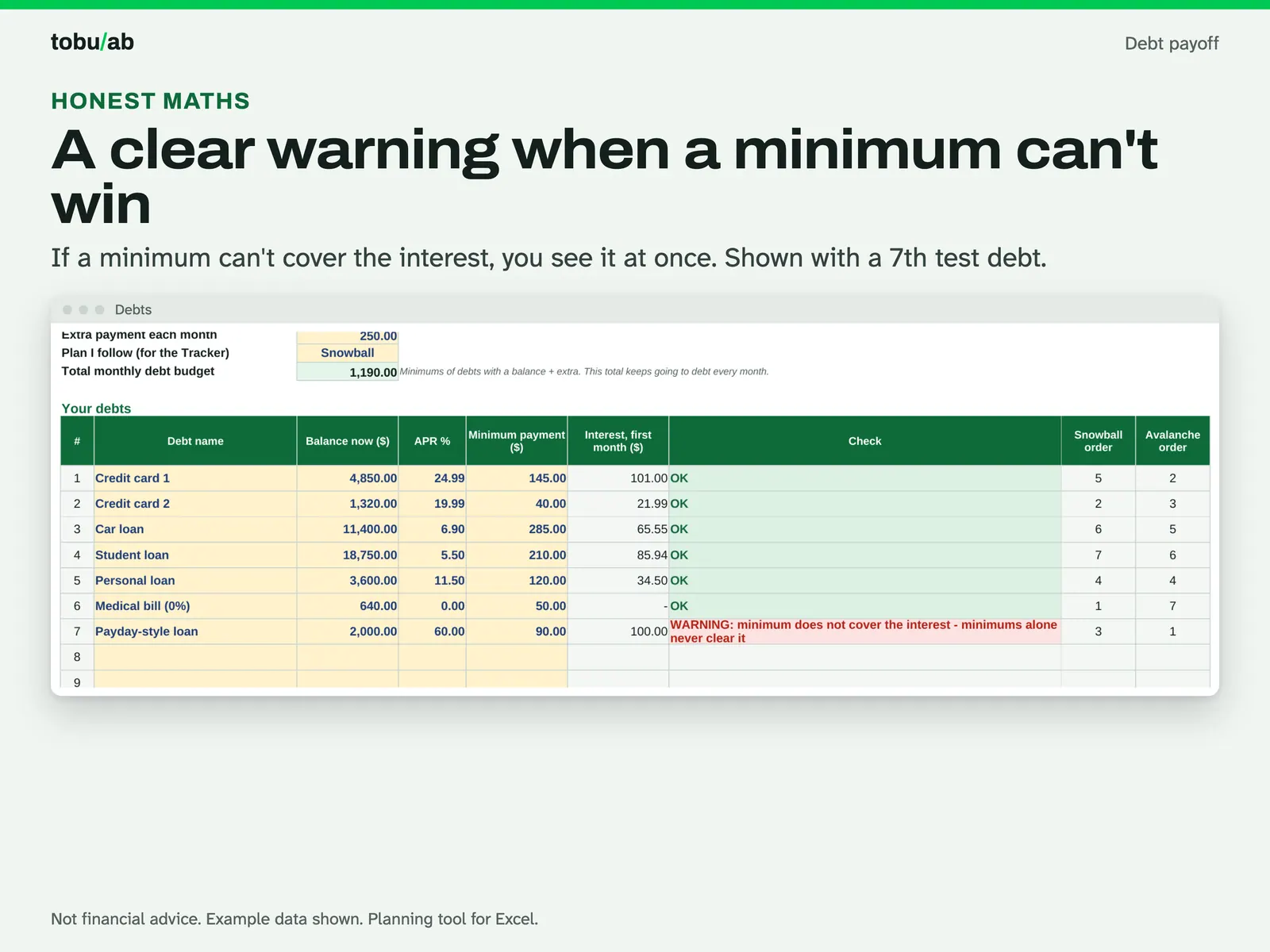
Catch minimums that can't win The Debts sheet with balances, APRs and minimums; a warning shows when a minimum doesn't cover the interest. 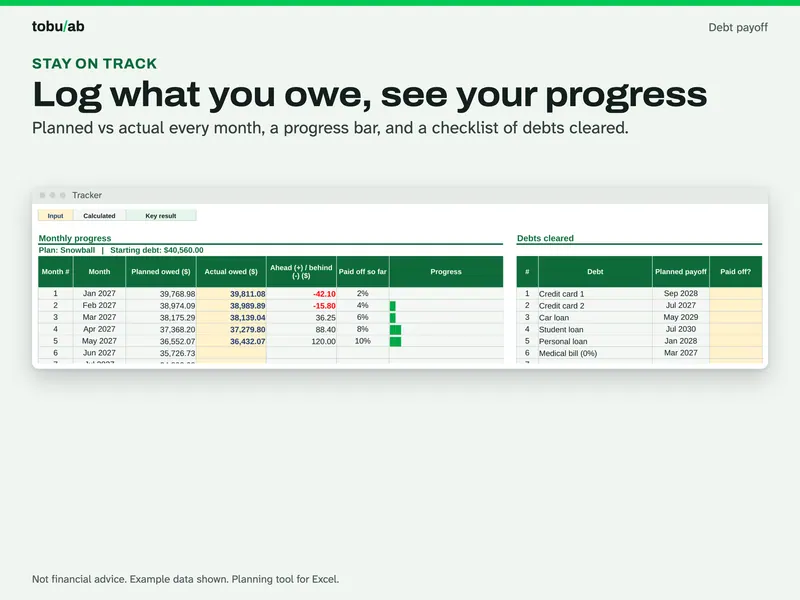
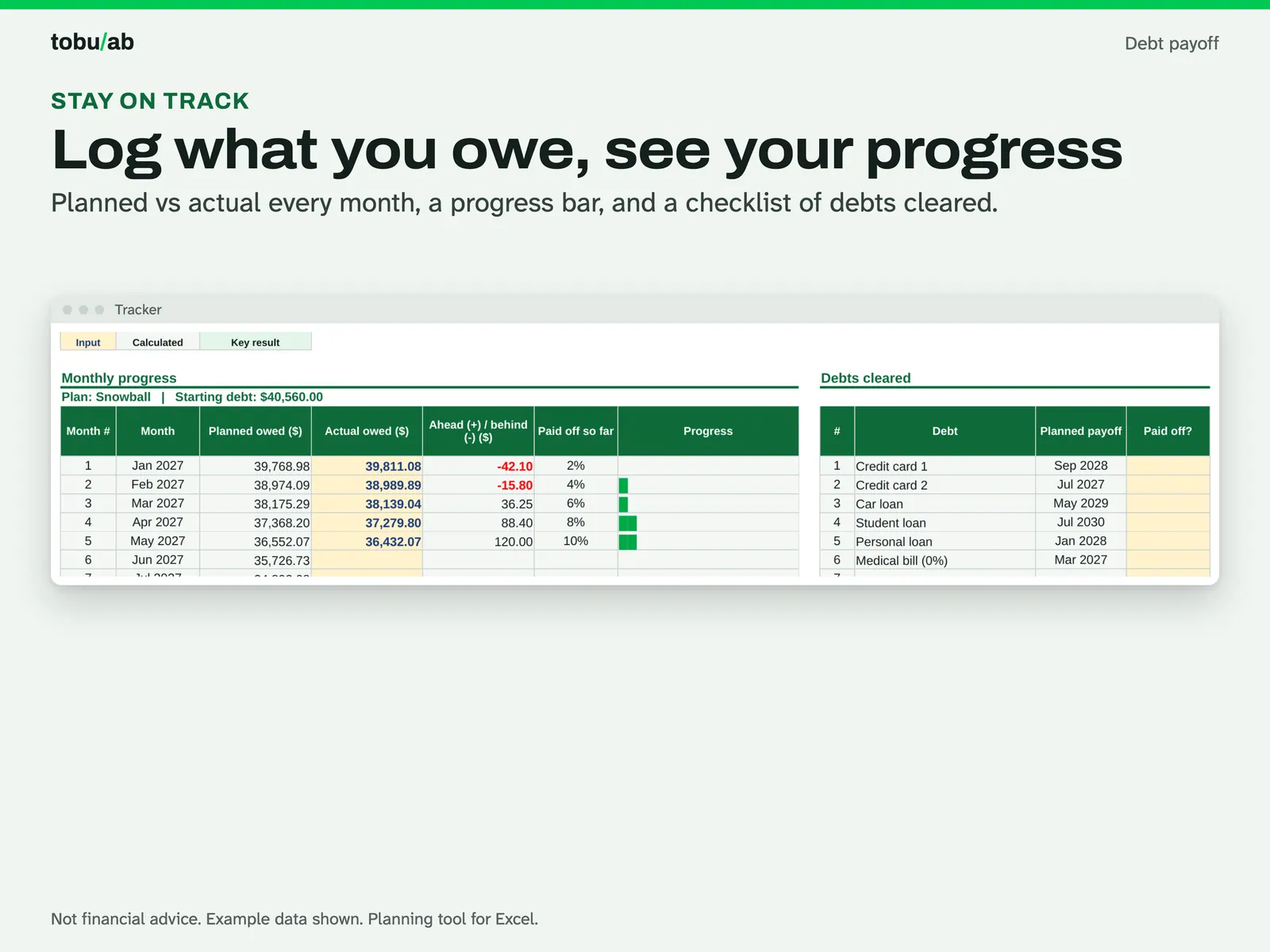
Track your progress The monthly tracker: planned vs actual balance, a progress bar and a checklist of debts cleared. 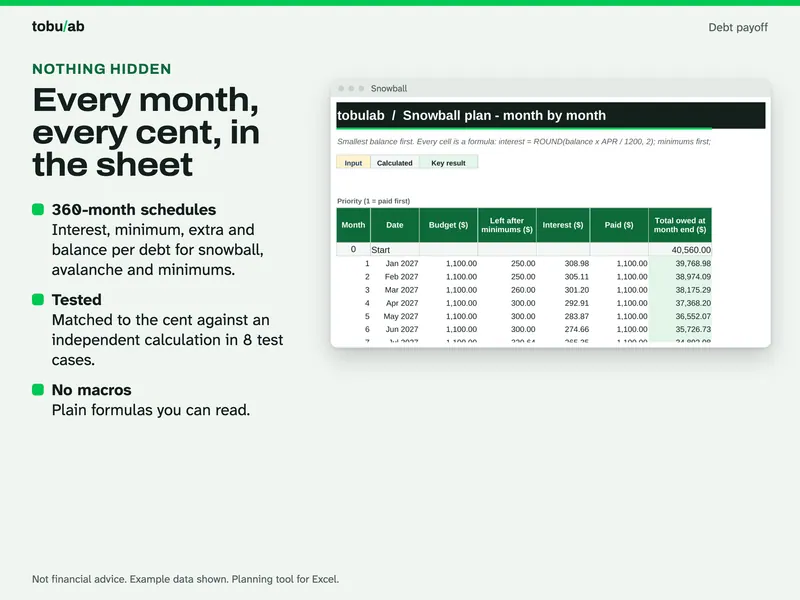
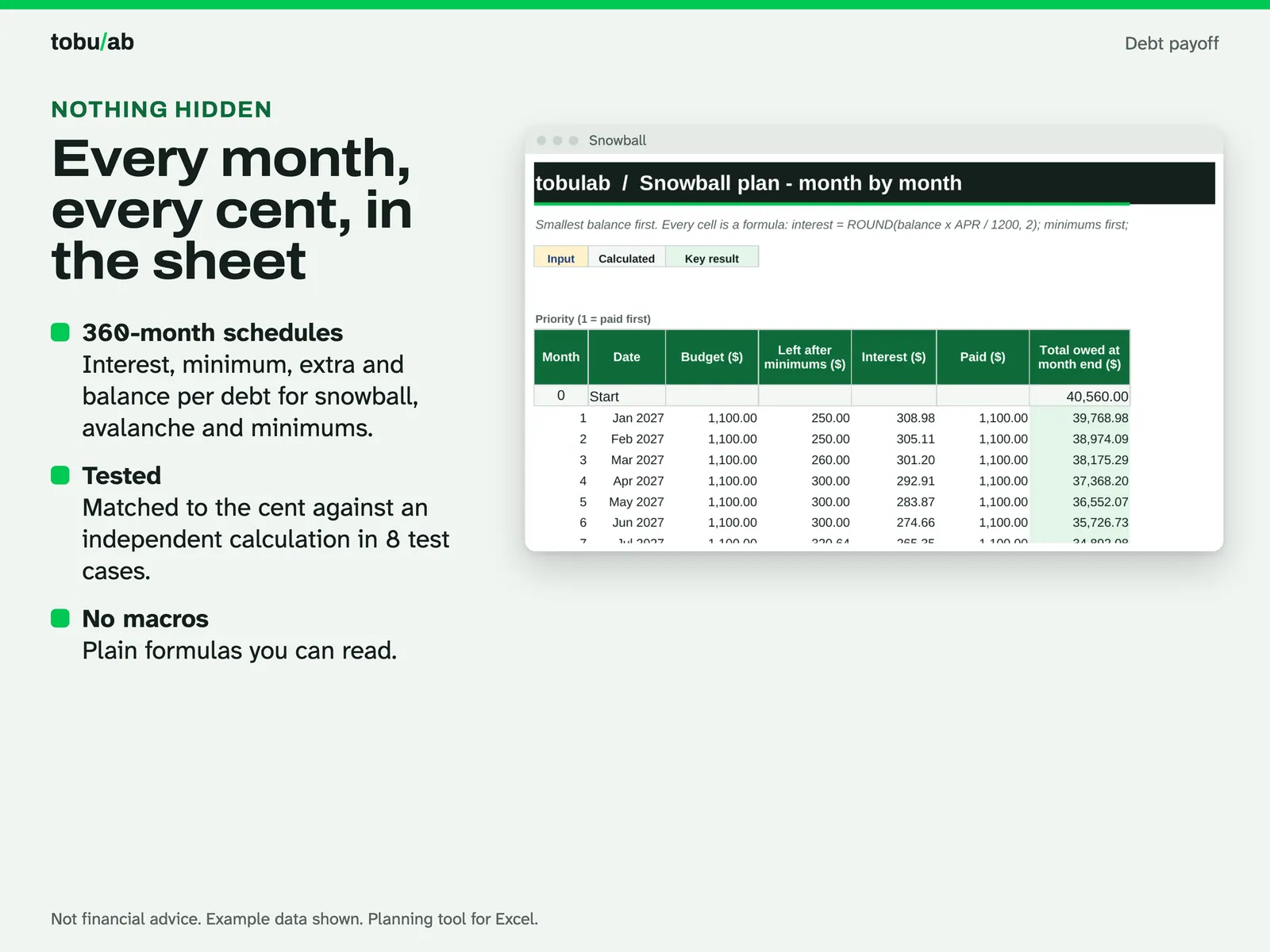
Check every number The 360-month snowball schedule: interest, minimum, extra and balance per debt, all plain formulas.
Compatibility and file formats
Scripts recalculated this file in Excel for Mac 16.114.3 and LibreOffice. Excel for Windows, older Excel versions and Google Sheets have not been tried.
Instant download from Etsy · nothing shipped.
Video
Questions
- Which is better, snowball or avalanche?
The sheet shows both with your own numbers. Avalanche usually costs less interest; snowball clears small debts sooner. It is your choice, and the sheet doesn't give advice.
- Why don't the numbers match my statement exactly?
Lenders often charge interest daily and may add fees. The sheet estimates interest monthly (balance x APR / 12). Update your balances from your statements every few months.
- Is the example data real?
No, it is made-up example data so you can see every feature. Use the Start Fresh copy for your own numbers.
Planning tool, not financial or tax advice.
Related
Also included in these bundles:
-
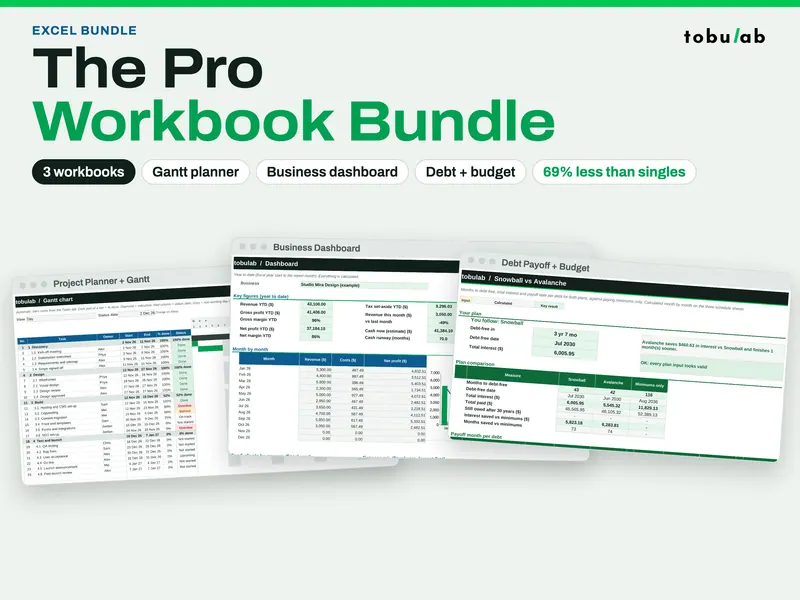
Pro Spreadsheet Bundle (Gantt, Dashboard, Budget + Debt)
Seven workbooks in one download: Gantt planning, business dashboards, debt payoff and budget
$6.49 on Etsy -
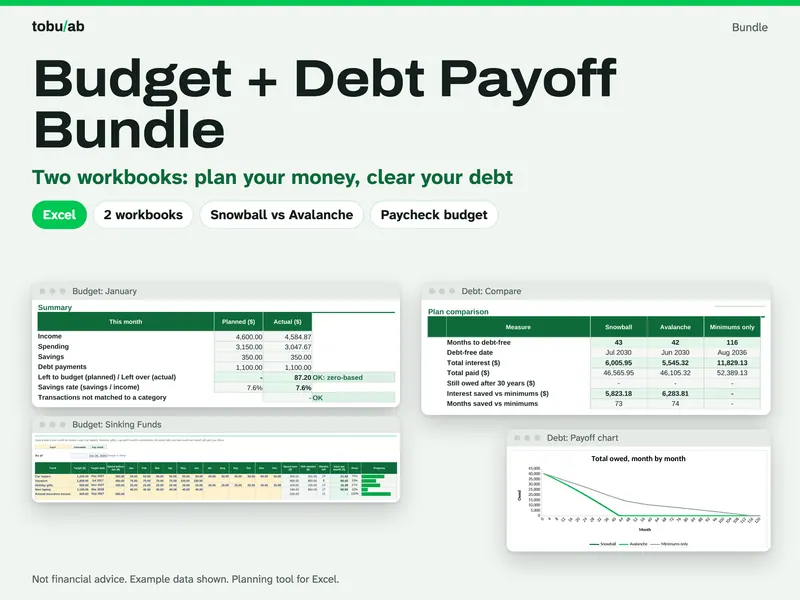
Budget + Debt Payoff Bundle
A full-year budget and a snowball vs avalanche debt plan that work together
$3.09 on Etsy
Guide: Debt snowball vs debt avalanche: which pays off faster?