Budget + Debt Payoff Bundle
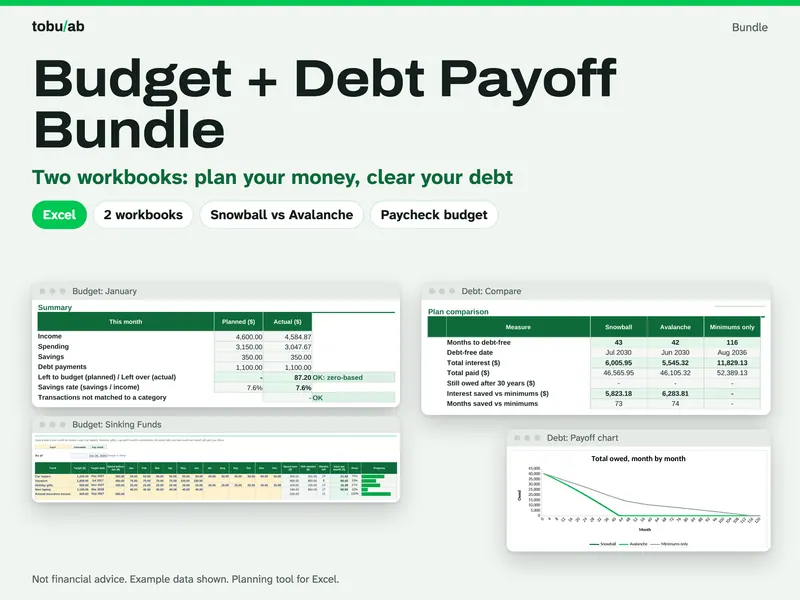
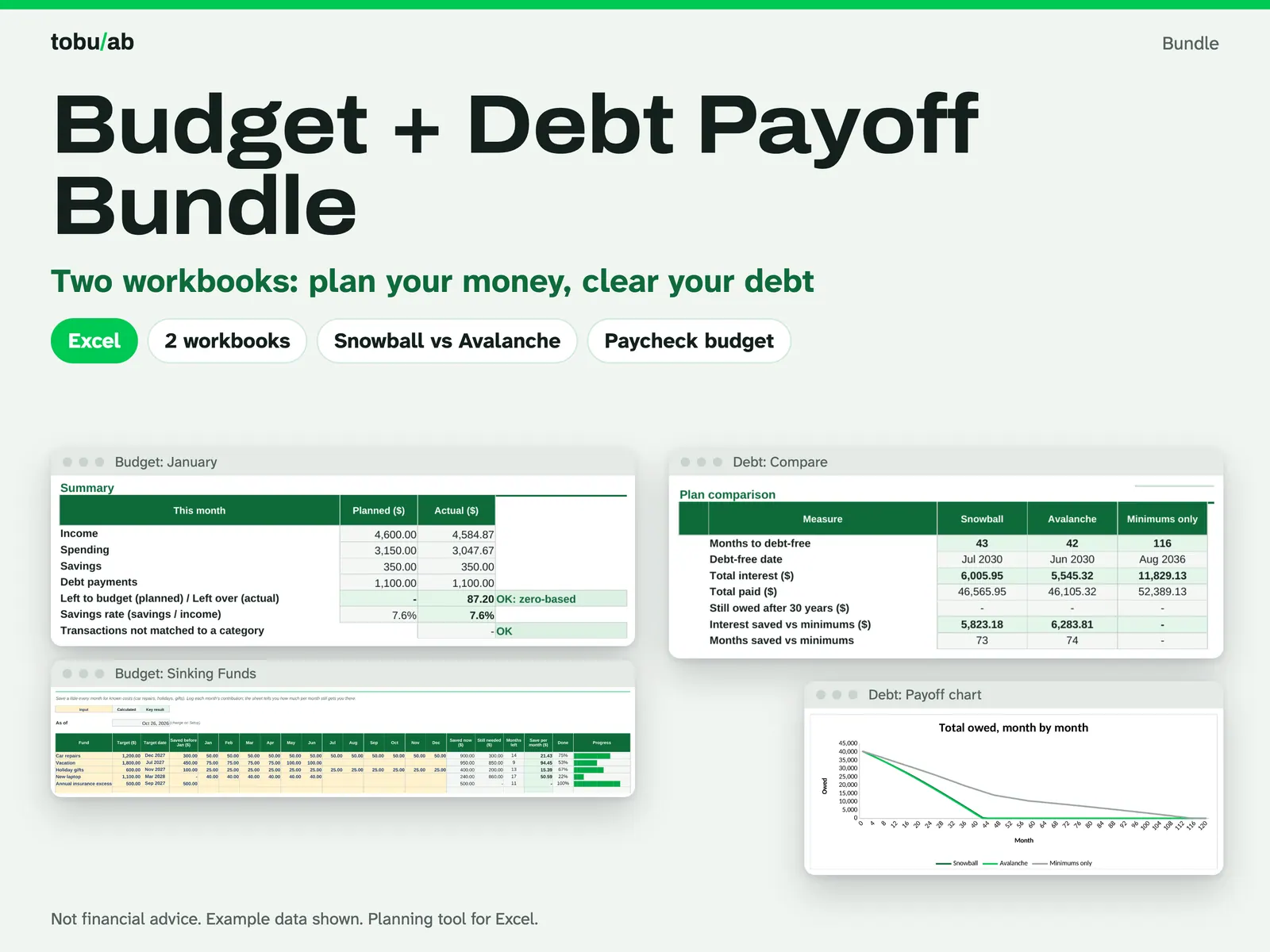
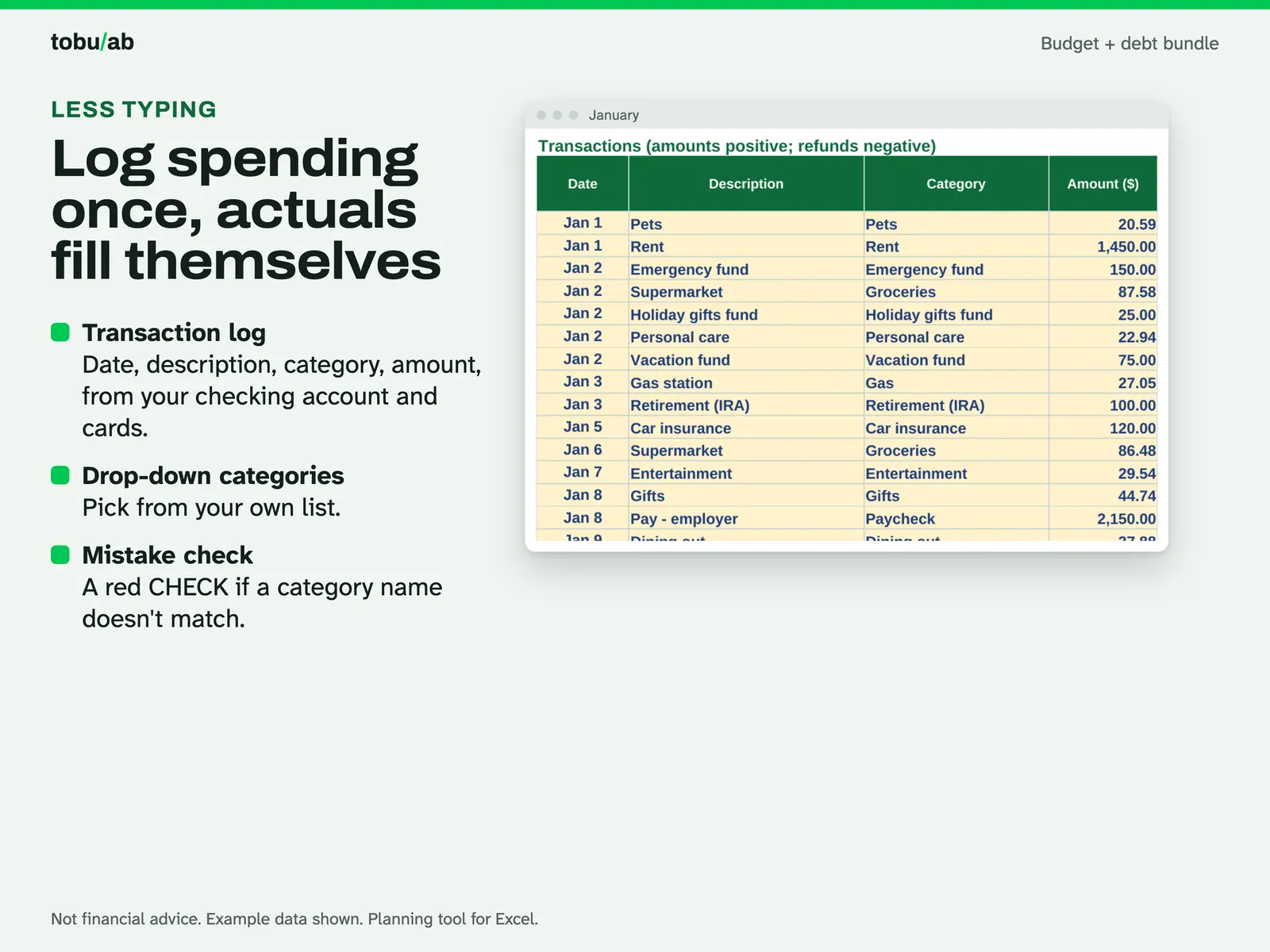
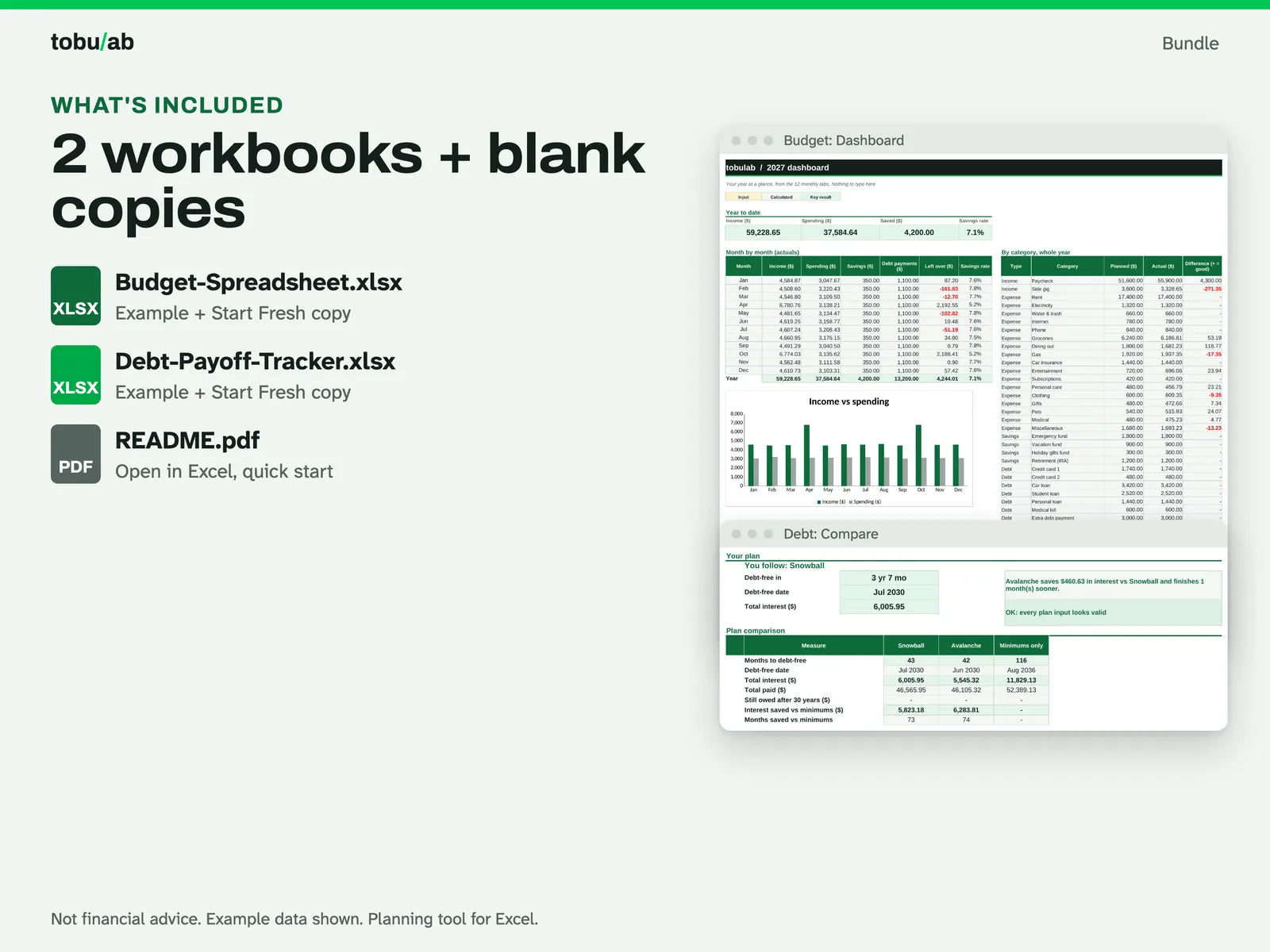
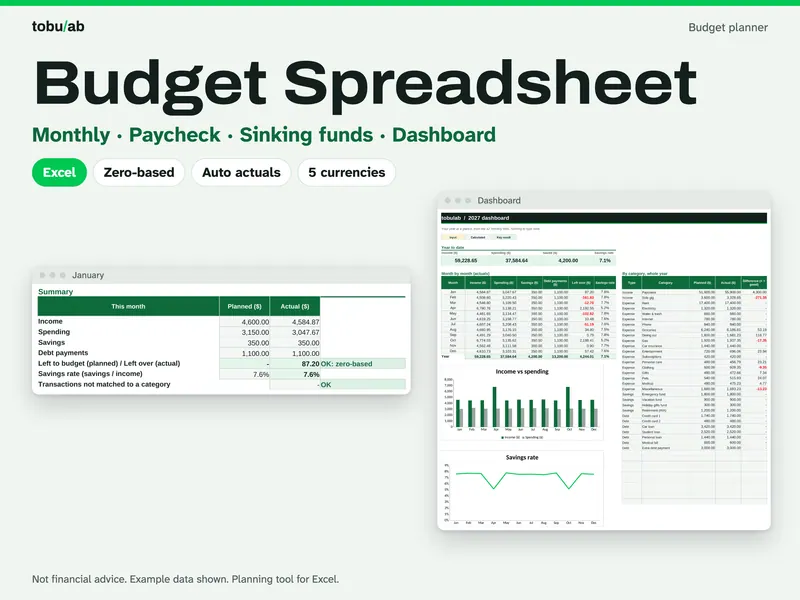
Paying off debt works better when the payoff plan and the monthly budget agree with each other. This bundle gives you both workbooks. The budget covers the whole year with zero-based monthly tabs, a transaction log, a paycheck page, sinking funds and a year dashboard. The debt payoff tracker compares snowball and avalanche with your own balances, rates and minimums and shows your debt-free date. The link between them is simple: once you pick a plan, you put its total monthly debt payment into the budget's Debt categories, so the money for debt is set aside every month. Each workbook comes as a filled example and a blank Start Fresh copy. A script recalculated both in LibreOffice. Not financial advice.
From our listing records. Etsy shows the current price and your local currency at checkout.
Buy on EtsyScripts recalculated these files in Excel for Mac 16.114.3 and LibreOffice. Excel for Windows, older Excel versions and Google Sheets have not been tried.
Instant download from Etsy · nothing shipped
What's included
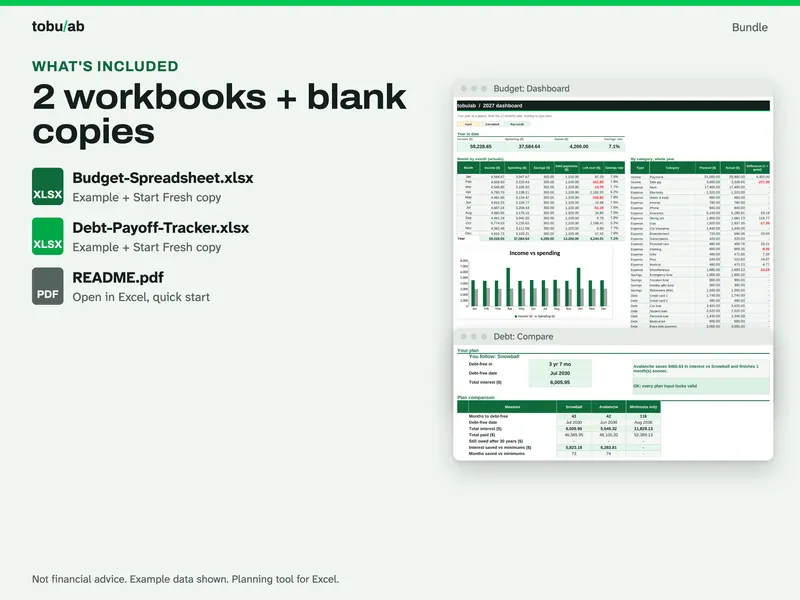
- Budget-Spreadsheet.xlsx: filled example of the full-year budget
- Budget-Spreadsheet-Start-Fresh.xlsx: blank budget for your own numbers
- Debt-Payoff-Tracker.xlsx: filled example of the debt payoff tracker
- Debt-Payoff-Tracker-Start-Fresh.xlsx: blank tracker for your own debts
- README.pdf: how to open the files in Excel or LibreOffice, plus a quick start
How it works
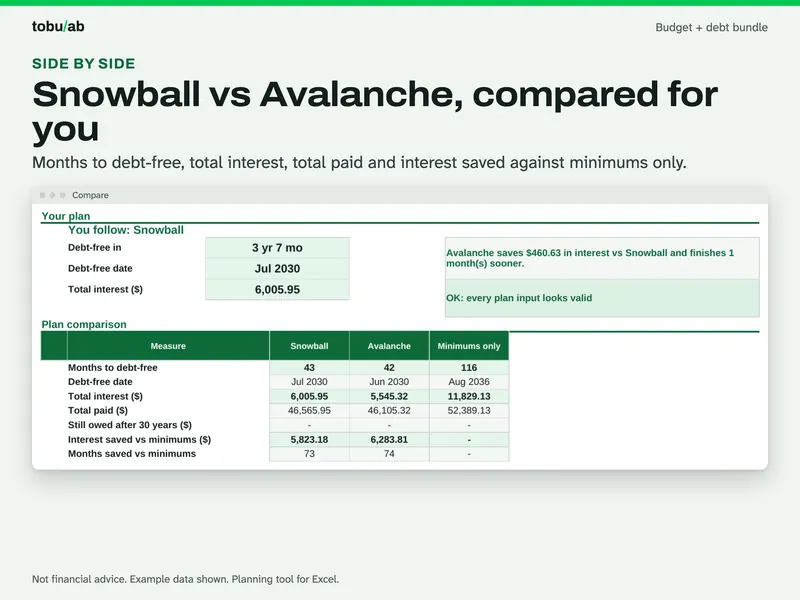
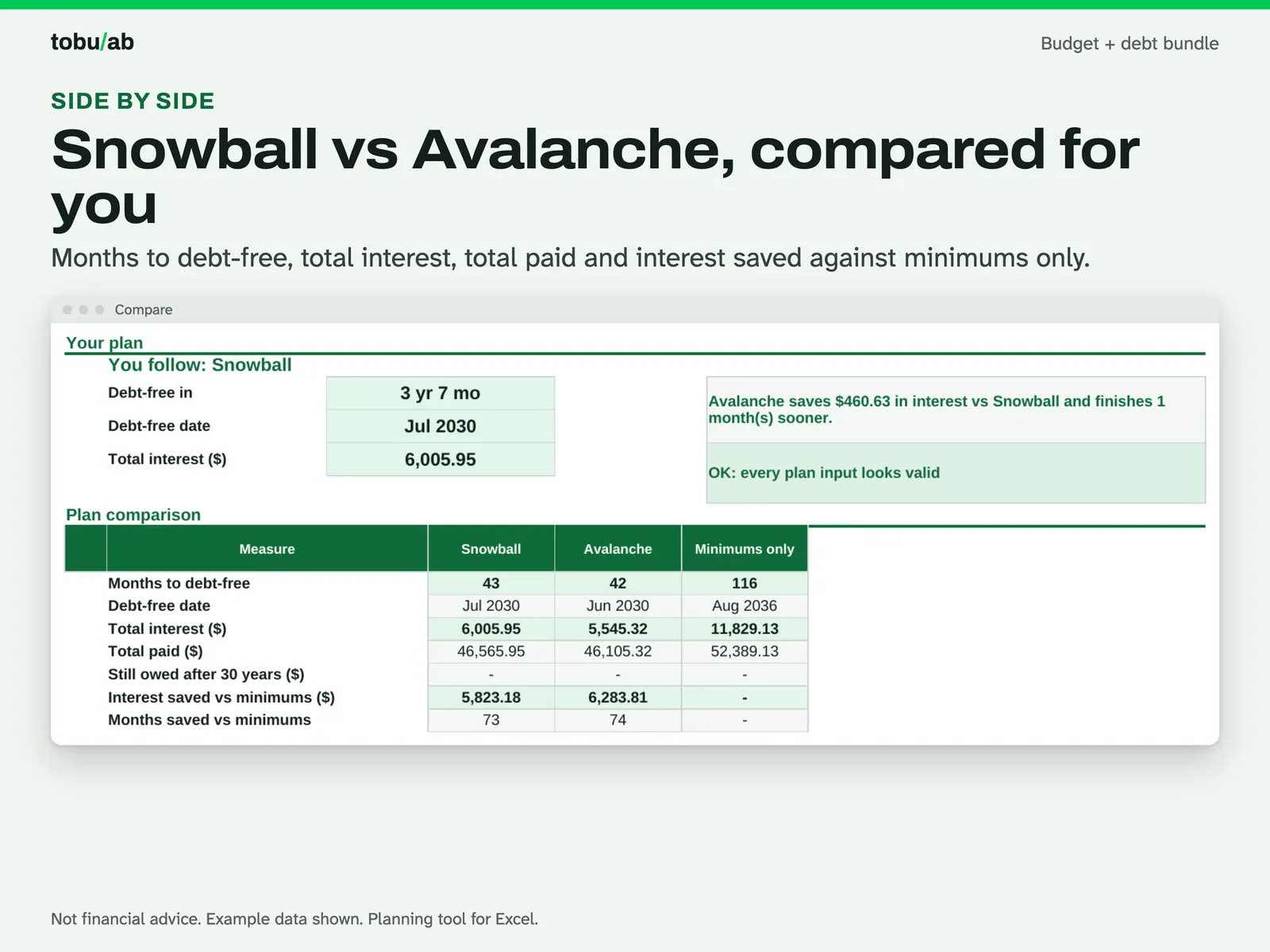
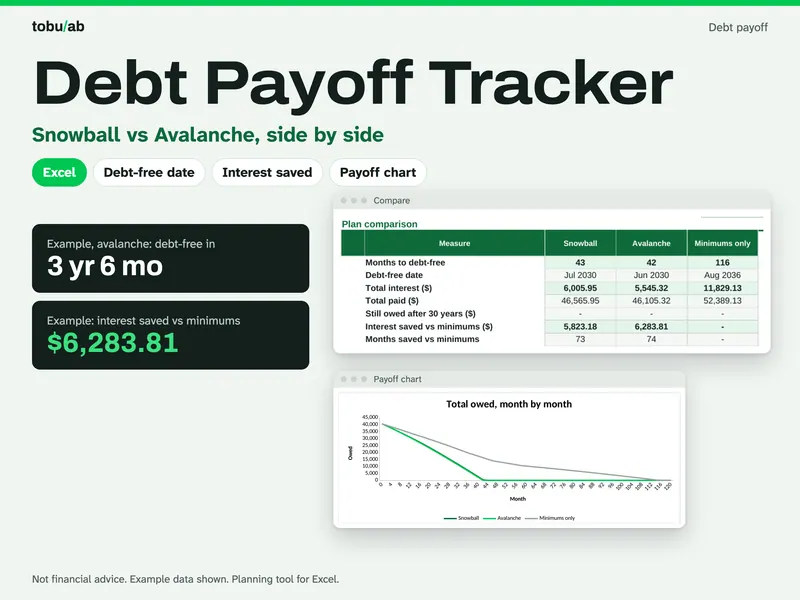
Pick a payoff plan The debt Compare sheet: months to debt-free, debt-free date, total interest and total paid for snowball, avalanche and minimums only. 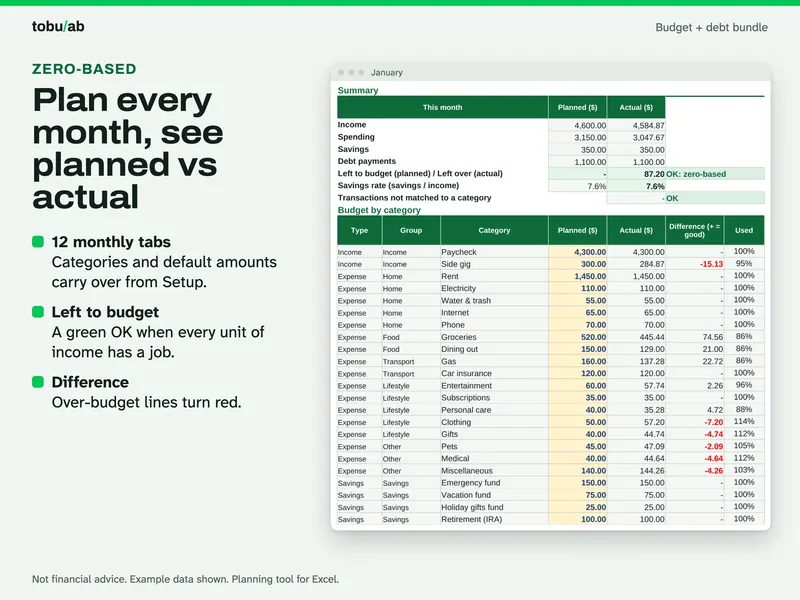
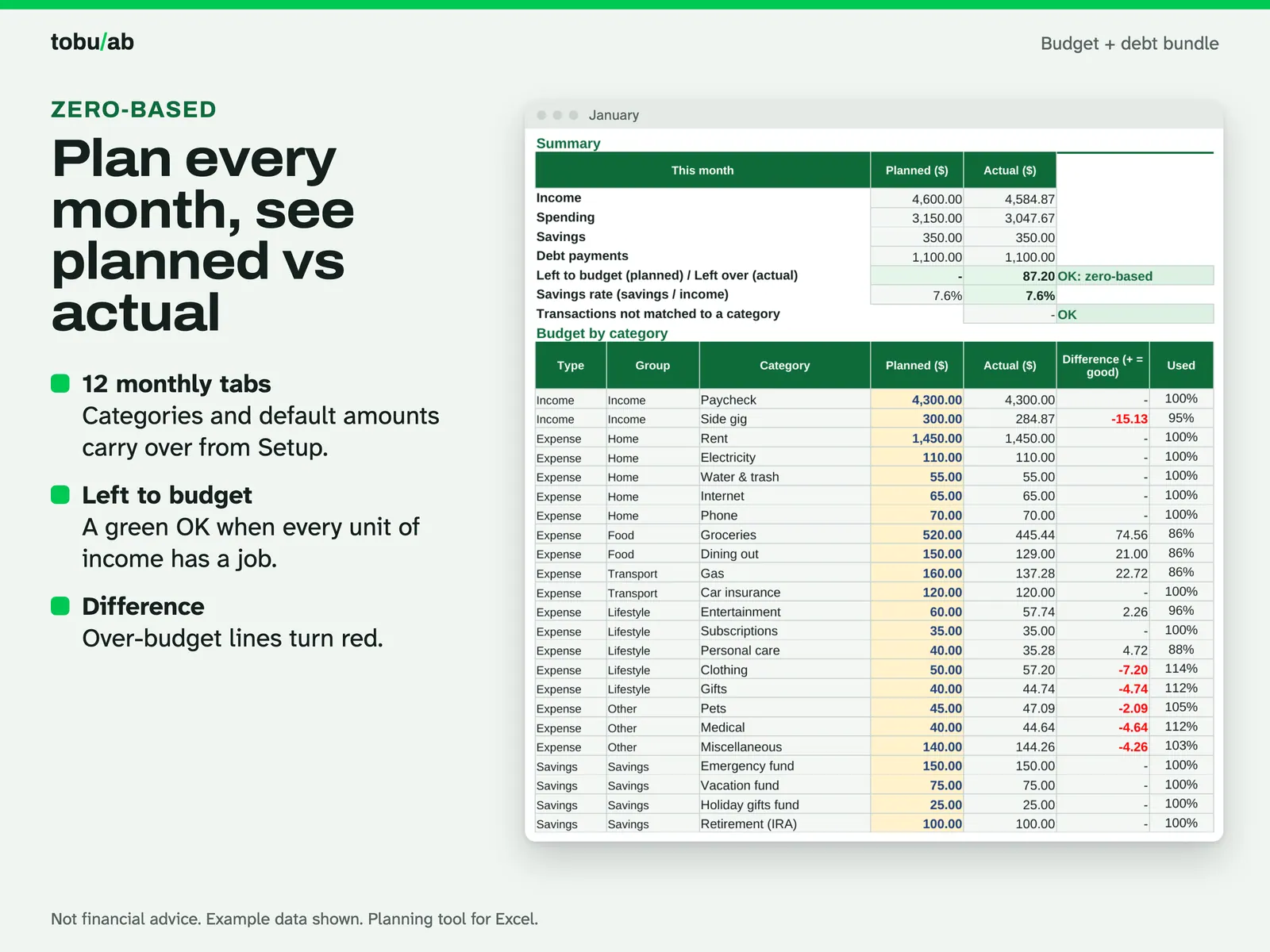
Budget each month to zero A budget monthly tab with planned vs actual income, savings and debt payments and an "OK: zero-based" check. 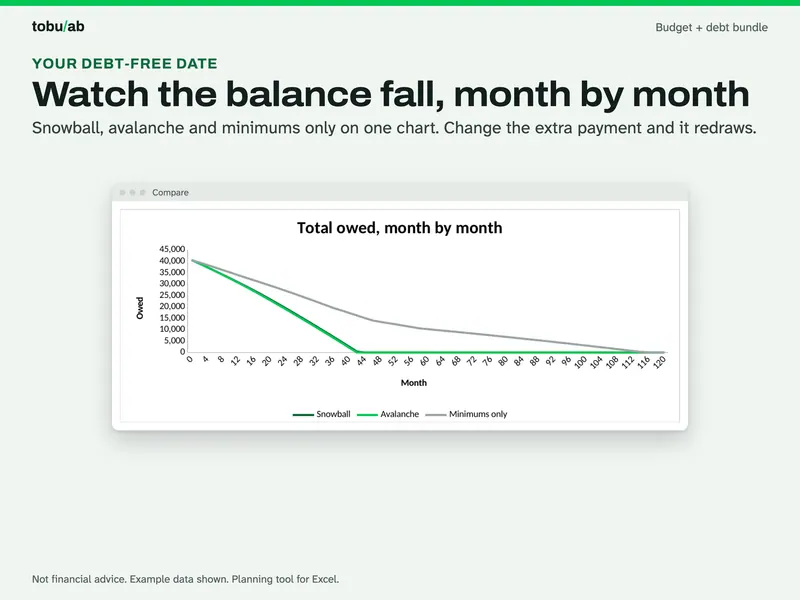
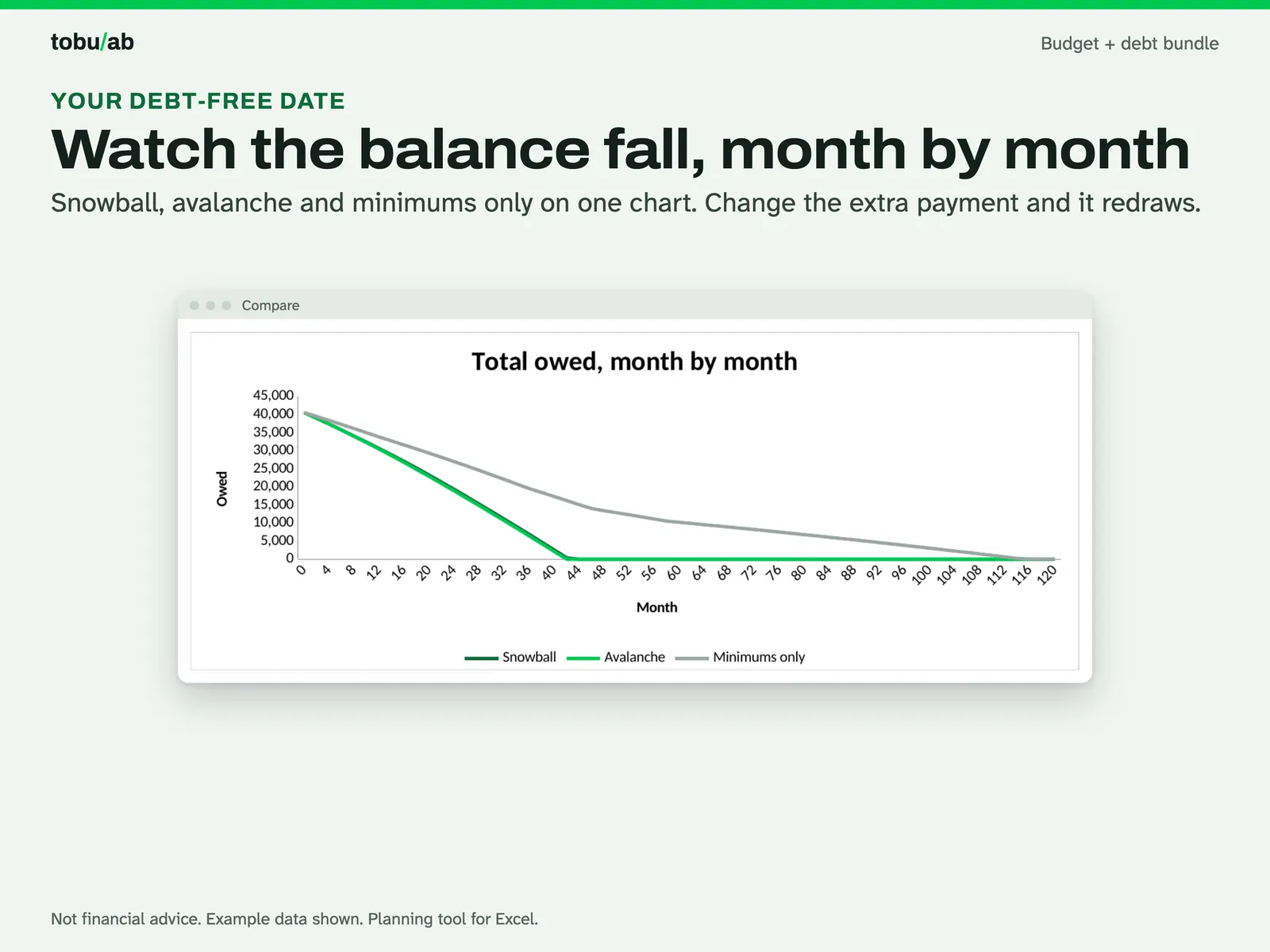
Watch the balance fall Total owed month by month under each plan; change the extra payment and the chart redraws. 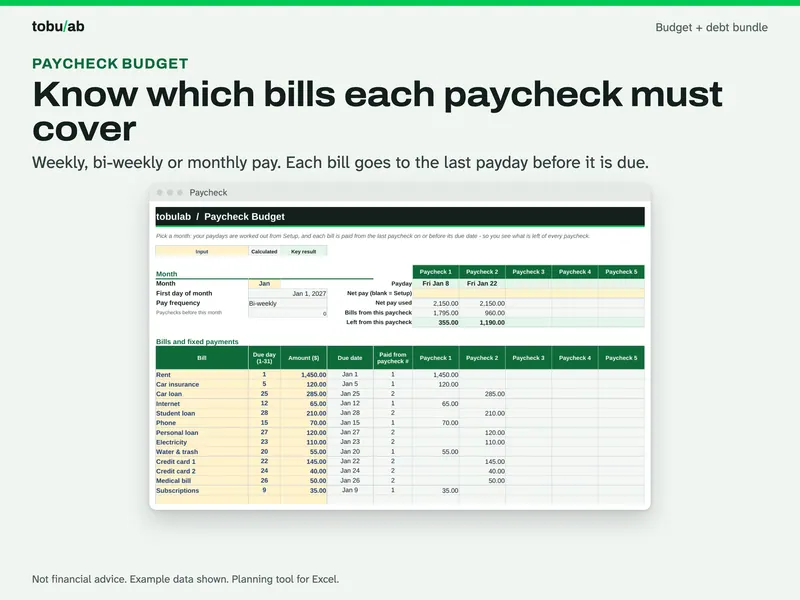
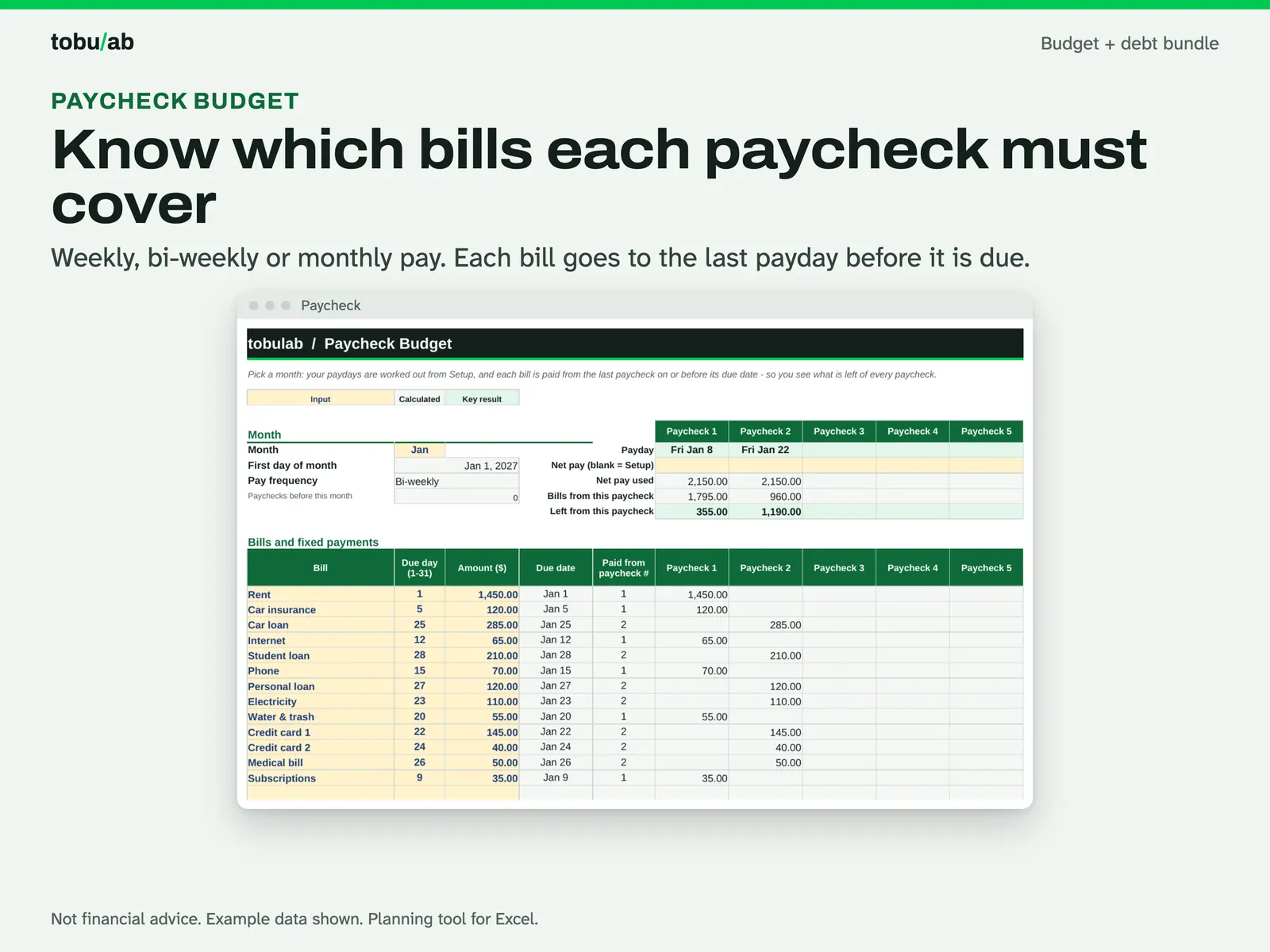
Cover bills paycheck by paycheck The paycheck budget assigns each bill to the last payday on or before its due date and shows what is left. 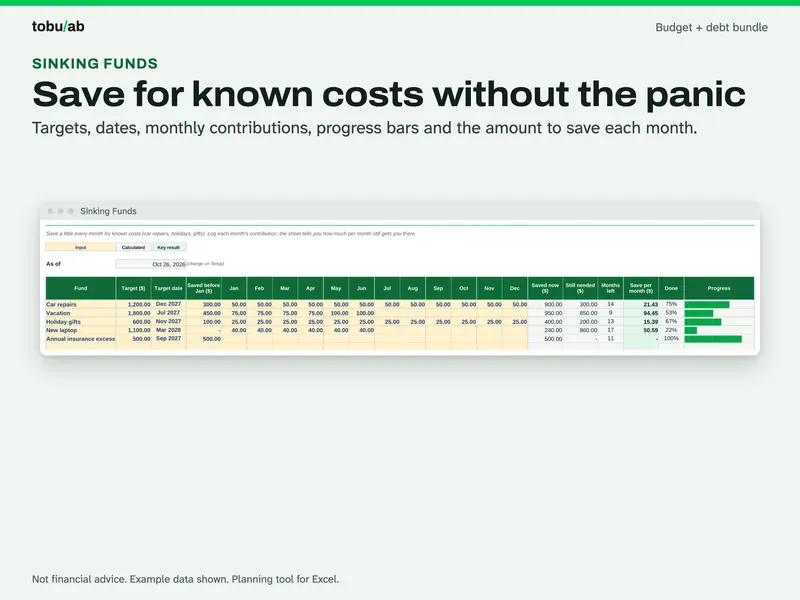
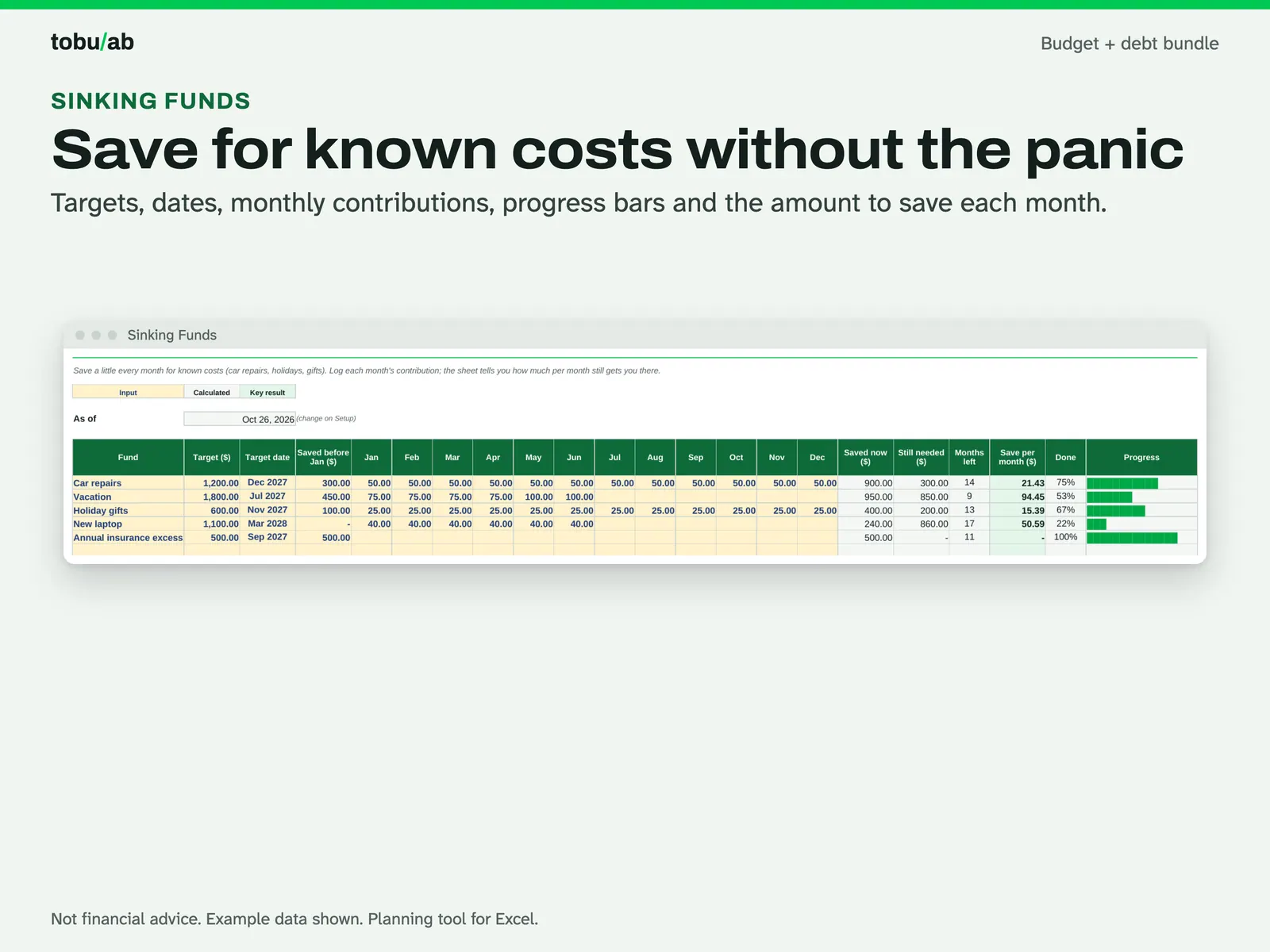
Save for known costs Sinking funds with targets, dates, monthly contributions and the amount to save each month. 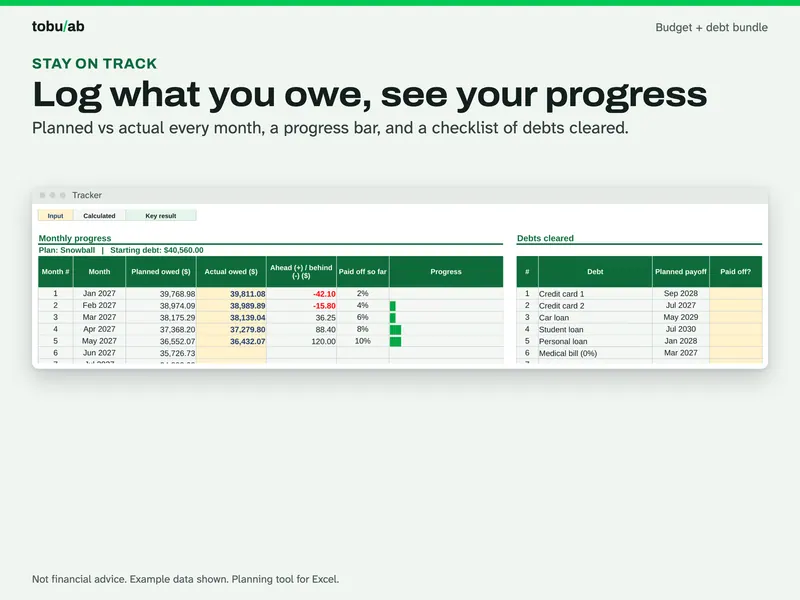
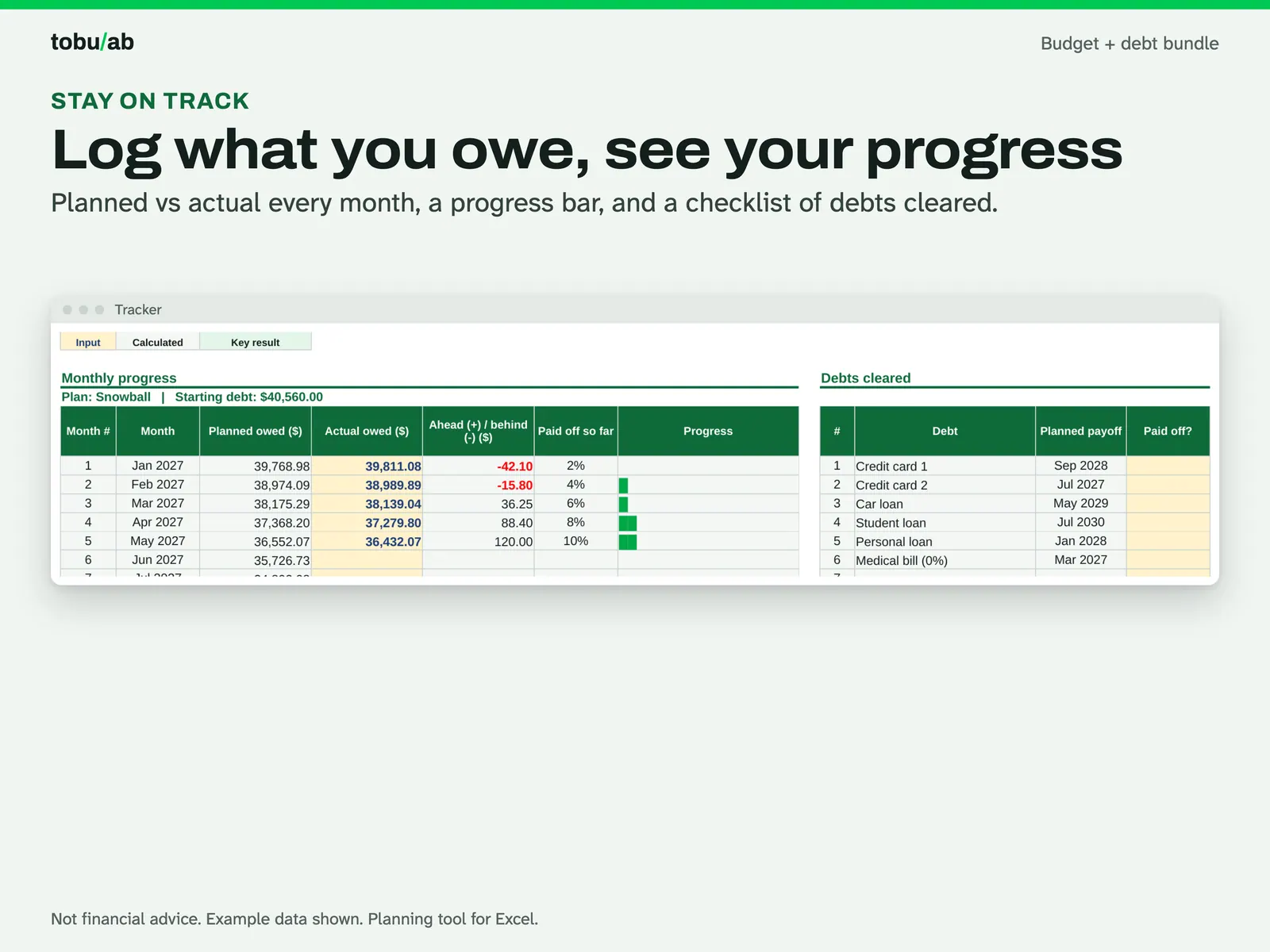
Track what you still owe The debt tracker: planned vs actual balance each month, a progress bar and a checklist of debts cleared.
Compatibility and file formats
Scripts recalculated these files in Excel for Mac 16.114.3 and LibreOffice. Excel for Windows, older Excel versions and Google Sheets have not been tried.
Instant download from Etsy · nothing shipped.
Video
Questions
- Which is better, snowball or avalanche?
The sheet shows both with your own numbers. Avalanche usually costs less interest; snowball clears small debts sooner. It is your choice, and the sheet doesn't give advice.
- Why don't the numbers match my statement exactly?
Lenders often charge interest daily and may add fees. The sheet estimates interest monthly (balance x APR / 12). Update your balances from your statements every few months.
- Can I use my own currency?
Pick USD, GBP, CAD, AUD or EUR on the setup sheet; the symbol updates in the headers. Amounts are plain numbers, so any other currency works too.
- Is the example data real?
No, it is made-up example data so you can see every feature. Use the Start Fresh copy for your own numbers.
Planning tool, not financial or tax advice.
Related
This bundle contains:
-
Monthly Budget Spreadsheet
Plan each month to zero, log spending once, and see your whole year on one dashboard
$1.09 on Etsy -
Debt Payoff Tracker: Snowball vs Avalanche
Compare snowball and avalanche with your own debts and see your debt-free date
$2.79 on Etsy
Guide: Debt snowball vs debt avalanche: which pays off faster?